Discontinued Product Stock Status for WooCommerce

Discontinued Product Stock Status for WooCommerce
Description
Discontinued Product Stock Status for WooCommerce allows you to list a product as ‘Discontinued’ in your WooCommerce catalog, optionally write a custom message to guide your buyers to newer or other products and thus helping you recover lost sales and SEO traffic in the process.
Usually a store owner only uses 2 Stock status in WooCommerce – ‘In Stock’ and ‘Out of Stock’. So, they tend to put a product in ‘Out of Stock’ status even when the product is actually discontinued or will no longer be available in future or they would just delete the product page.
However, either of these actions are a loss-loss for store owners and buyers. When a product is ‘out of stock’ the buyer assumes that product will be back in stock in some time when in reality the product has been discontinued and will never be available for purchase in future. Similarly, if a store owner deletes the product page then all the SEO traffic that product page was getting is lost as the product page no longer exists. Either way, it ends up in lost revenue for the store owner.
So, to solve this problem this plugin adds a custom stock status ‘Discontinued’ so that store owners no longer have to use ‘Out of Stock’ status for discontinued products and allows them to correctly inform and guide the buyers easily.
- Supports all default WooCommerce product types – Simple, Variation & Grouped.
- Allows store owners to set a Global message for Discontinued products.
- Allows store owners to set product specific messages after setting discontinued stock status.
- Allows you to mark a simple / variable product as discontinued in advance, so after the stock quantity of an ‘instock’ product reaches zero, the product is automatically shown as discontinued. This is very useful for products that have reached end-of-life (EOL products). Thus preventing buyers from buying something that is not going to be available in future.
- Allows store owners to set Variation-level specific messages for discontinued variations of a variable product.
- Store owners can also set a generic message on a Product level for variations & Grouped products.
With Discontinued Stock Status Pro for WooCommerce, you can unlock the following features:
- Store owners now have the ability to display a grid of Alternative Products on the Discontinued Product Page itself. This allows users to conveniently explore other similar options directly on the page, providing a helpful way to discover alternatives for the discontinued item and recover potential sales.
- Options to customize Global Discontinued Message – WYSIWYG Editor for Message, Background Color, Font Color, Borders etc.
- Discontinued Products Export Settings – If you’re migrating your products to another site, then you can now also export all the messages and settings of your Discontinued Products and import them in your new site so that all your product settings are retained.
- Compatibility with WooCommerce Subscriptions and WooCommerce Product Bundles – The PRO version supports additional product types of simple subscription, variable subscription and product bundle.
Recover Lost Sales
Now no longer lose sales because of a miscommunication with buyers. Show them the correct status for the discontinued products, guide them and convert them.
Don’t lose SEO Traffic
You have put a ton of money and effort into upping your SEO game and removing a product page is shooting yourself in the foot.
Now with this plugin, you can show correct status for the discontinued products and avoid losing the SEO traffic
Recommended Plugins:
HIRE THE EXPERTS
Need a tailor-made solution for WooCommerce that solves complex business problems? Our team of experienced developers have helped many businesses like yours to accomplish these goals. Hire us as your WooCommerce Developers today!
Keep up to date with us by subscribing to the newsletter, following us on Twitter and liking us on Facebook.
If you enjoy using the software we’d love it if you could give us a review!
Installation
This section describes how to install the plugin and get it working.
1. Upload the discontinued-products-stock-status-woocommerce plugin folder to your /wp-content/plugins/ directory
2. Activate the plugin through the \\’Plugins\\’ menu in WordPress
3. Visit the \\’ WooCommerce Discontinued Products\\’ menu item in your admin sidebar.
Screenshots
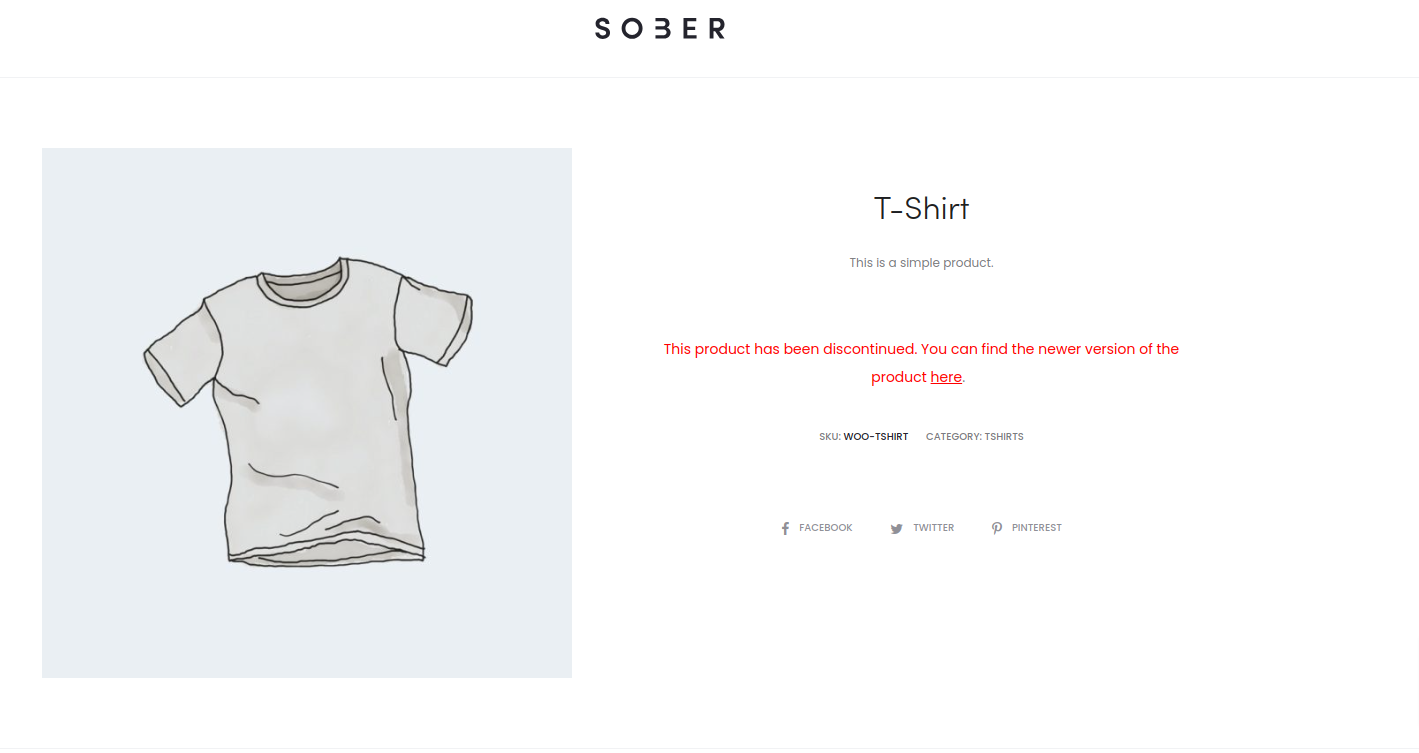
Custom message on the product page.
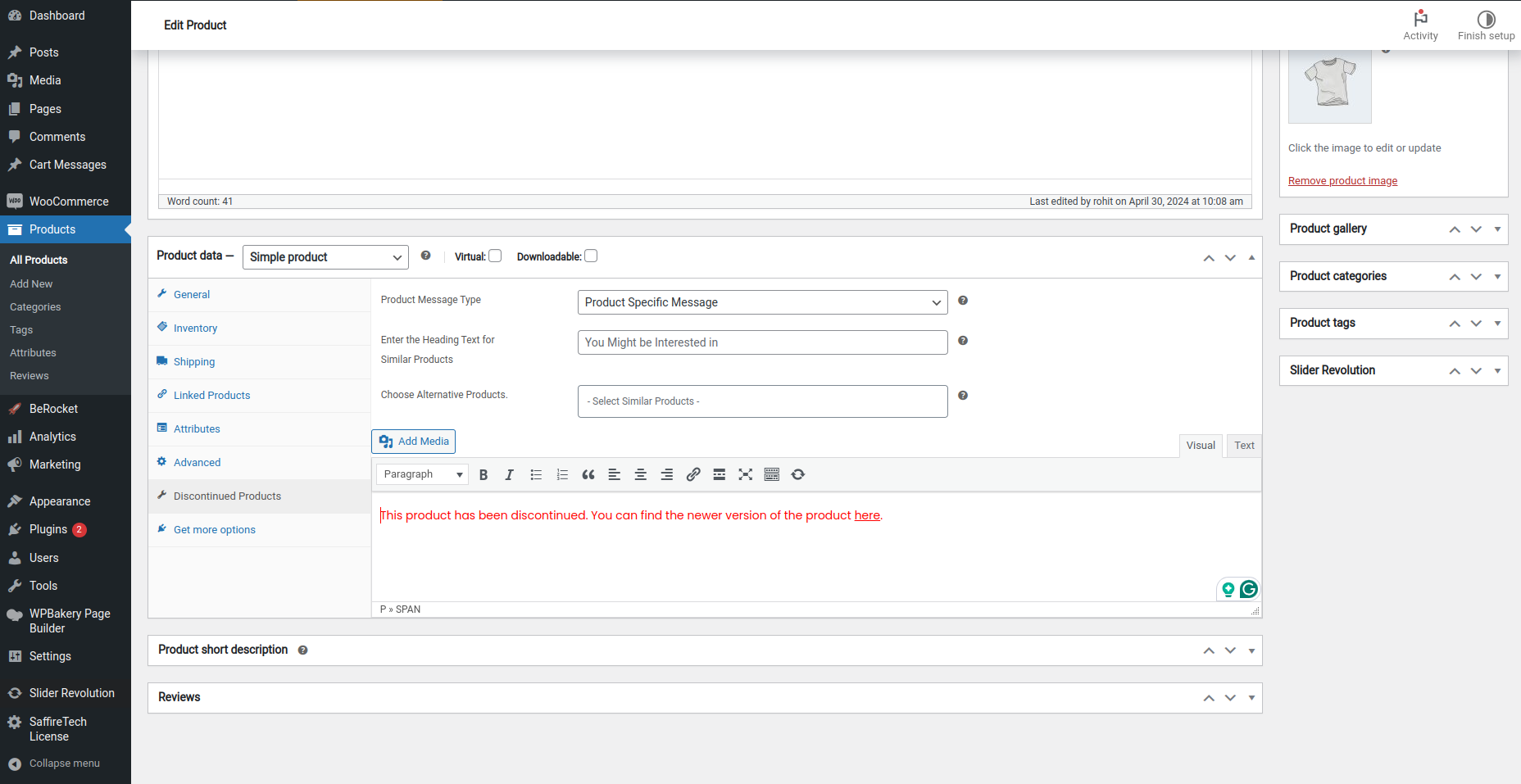
Setting up a custom message and providing the URL of a similar product to buyers.
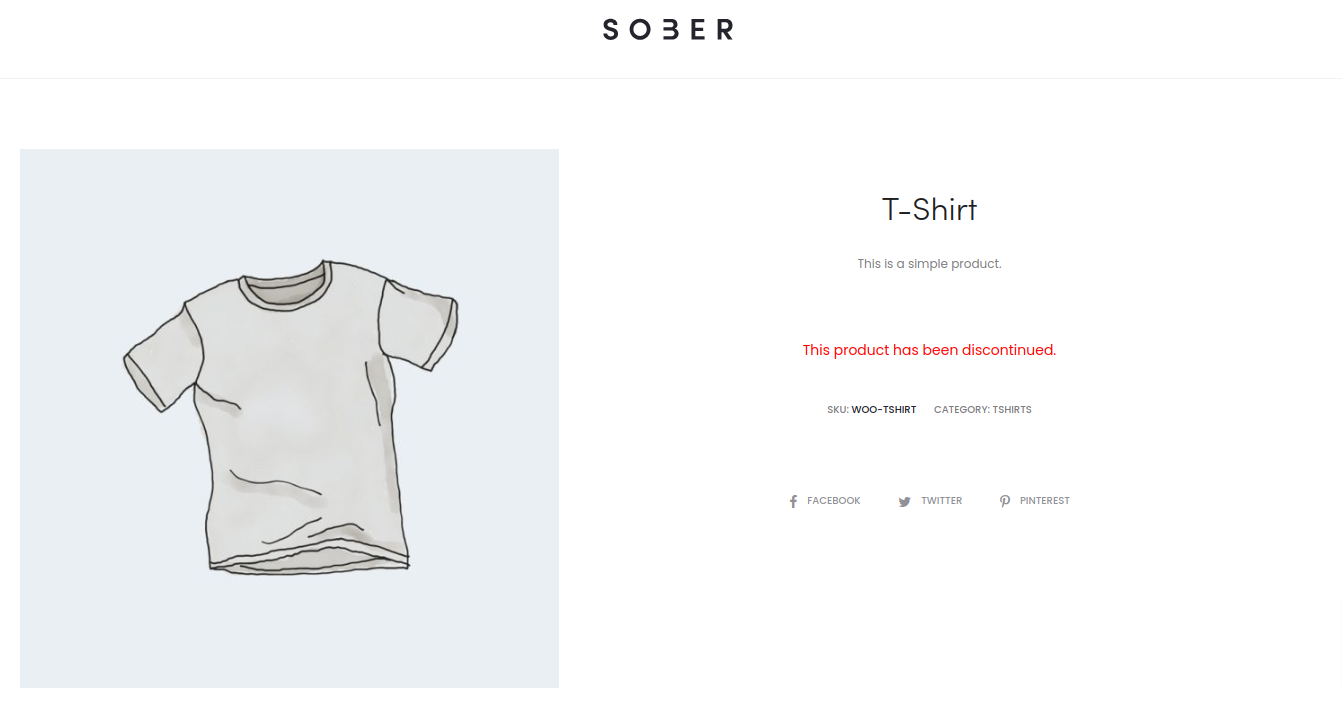
Global Message for Discontinued Products.
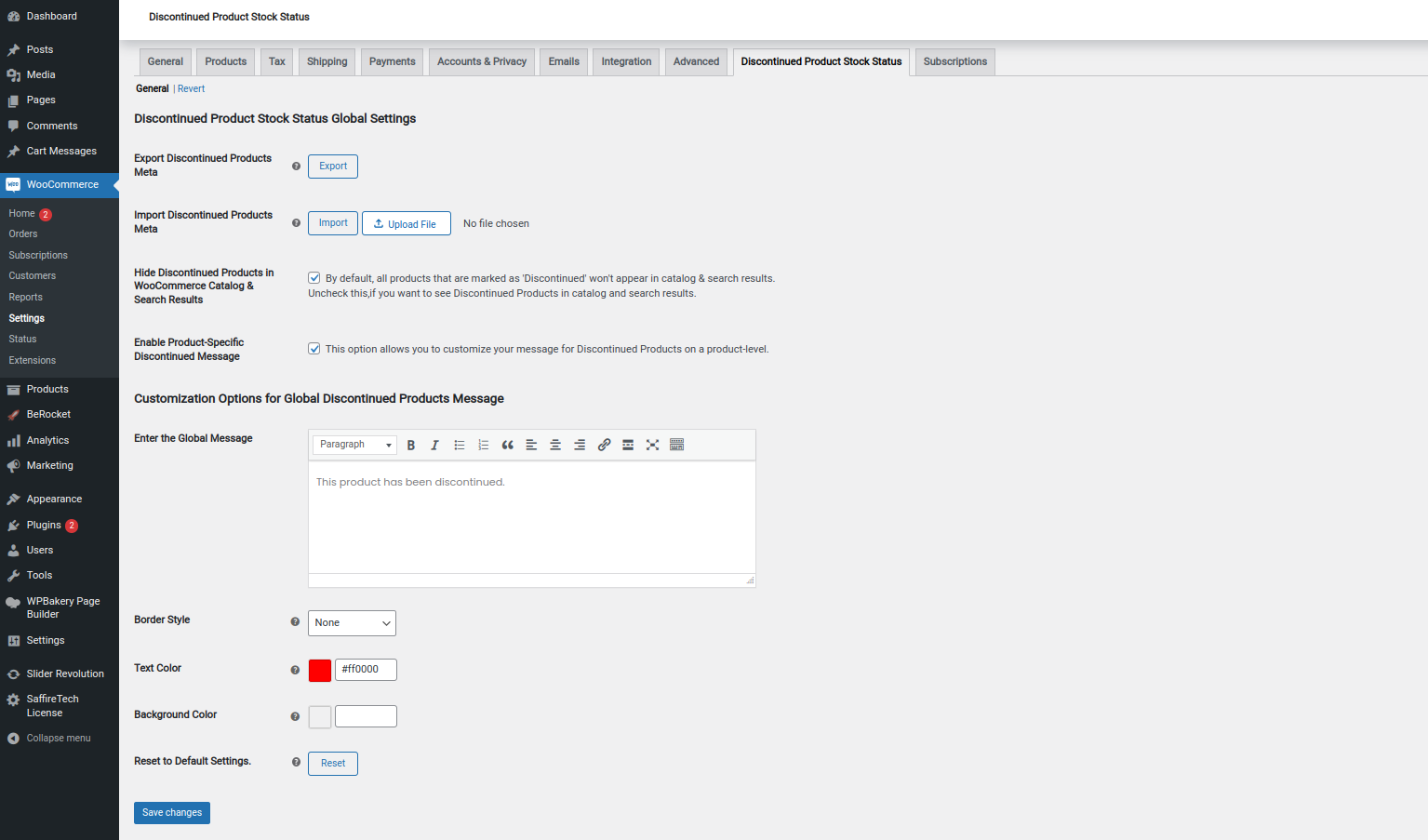
Setting page for Global message.
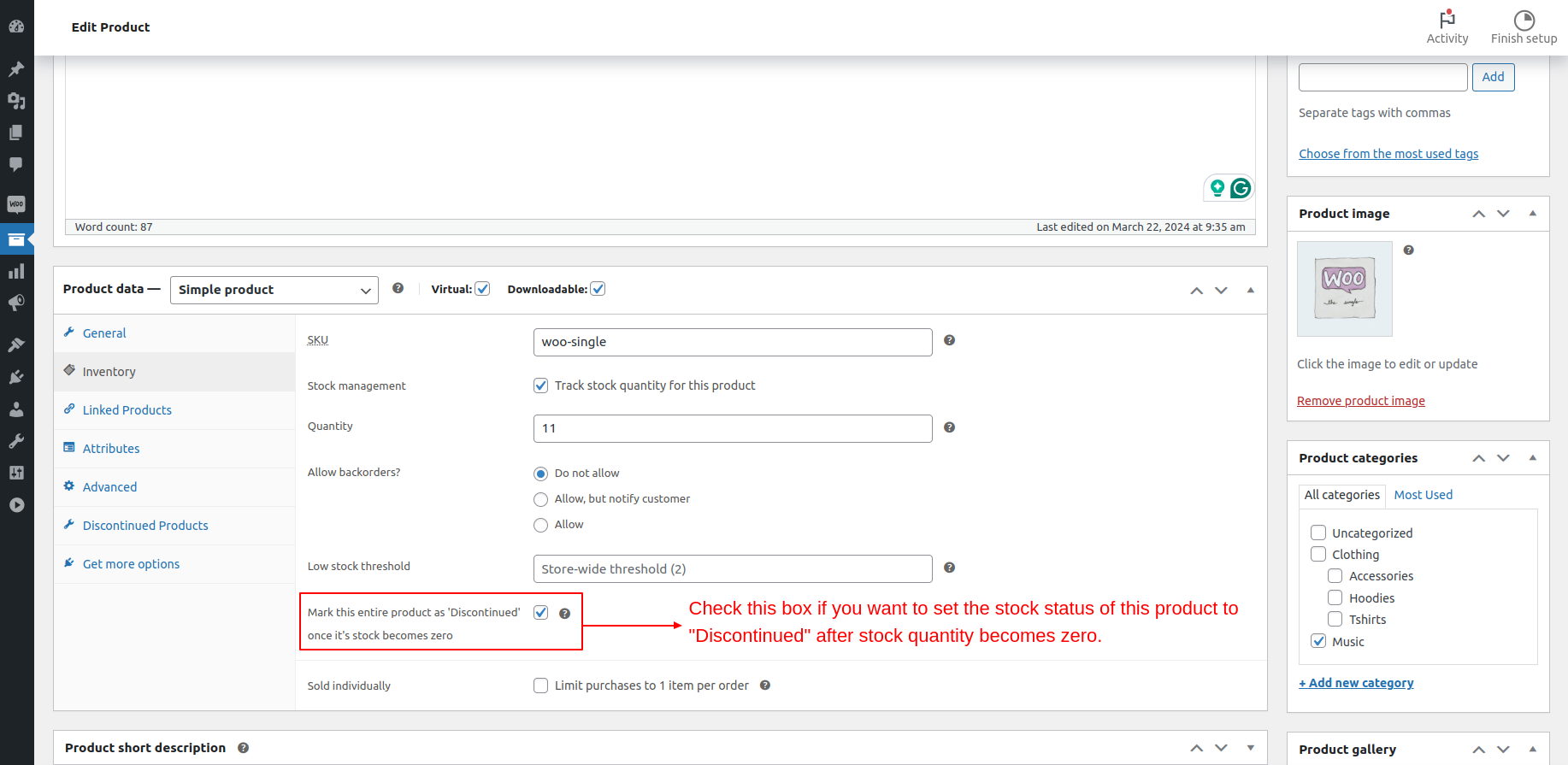
Discontinue a simple/variable product in Advance.
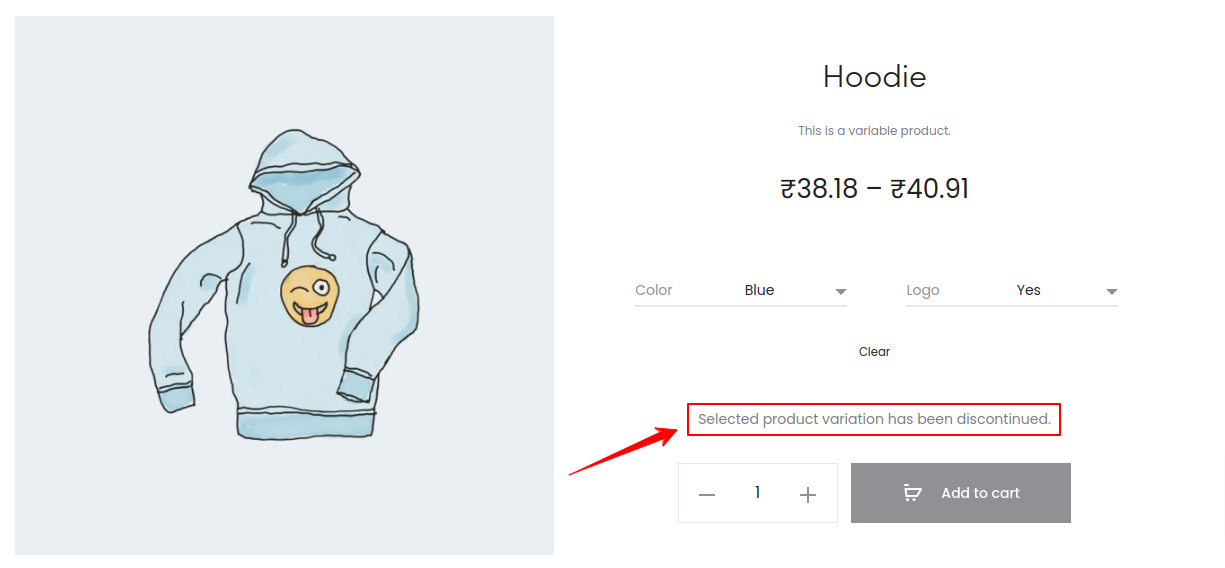
Discontinued Product Message for a particular variation.

Setting page for variation level discontinued messages.
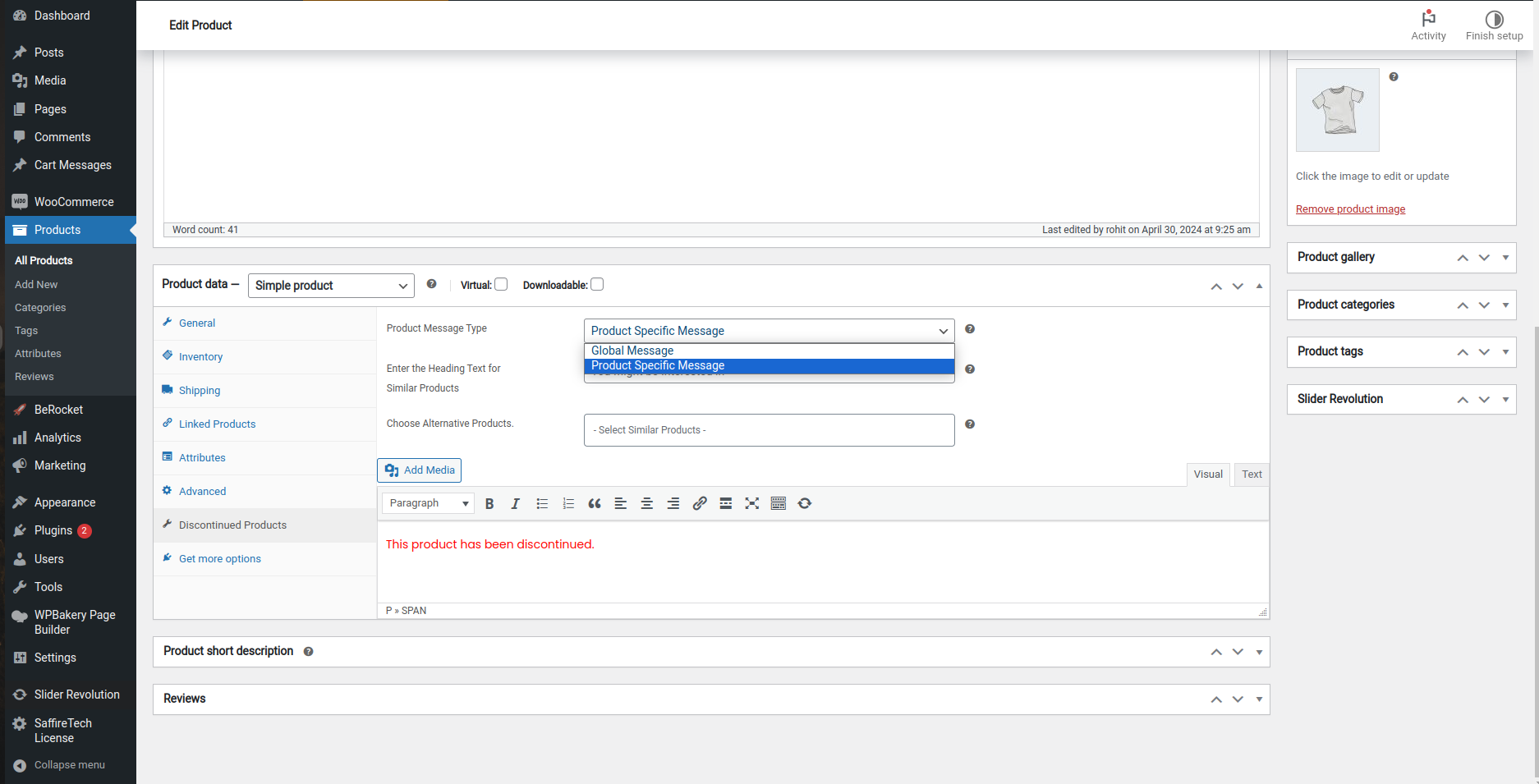
Setting page for product level discontinued message.
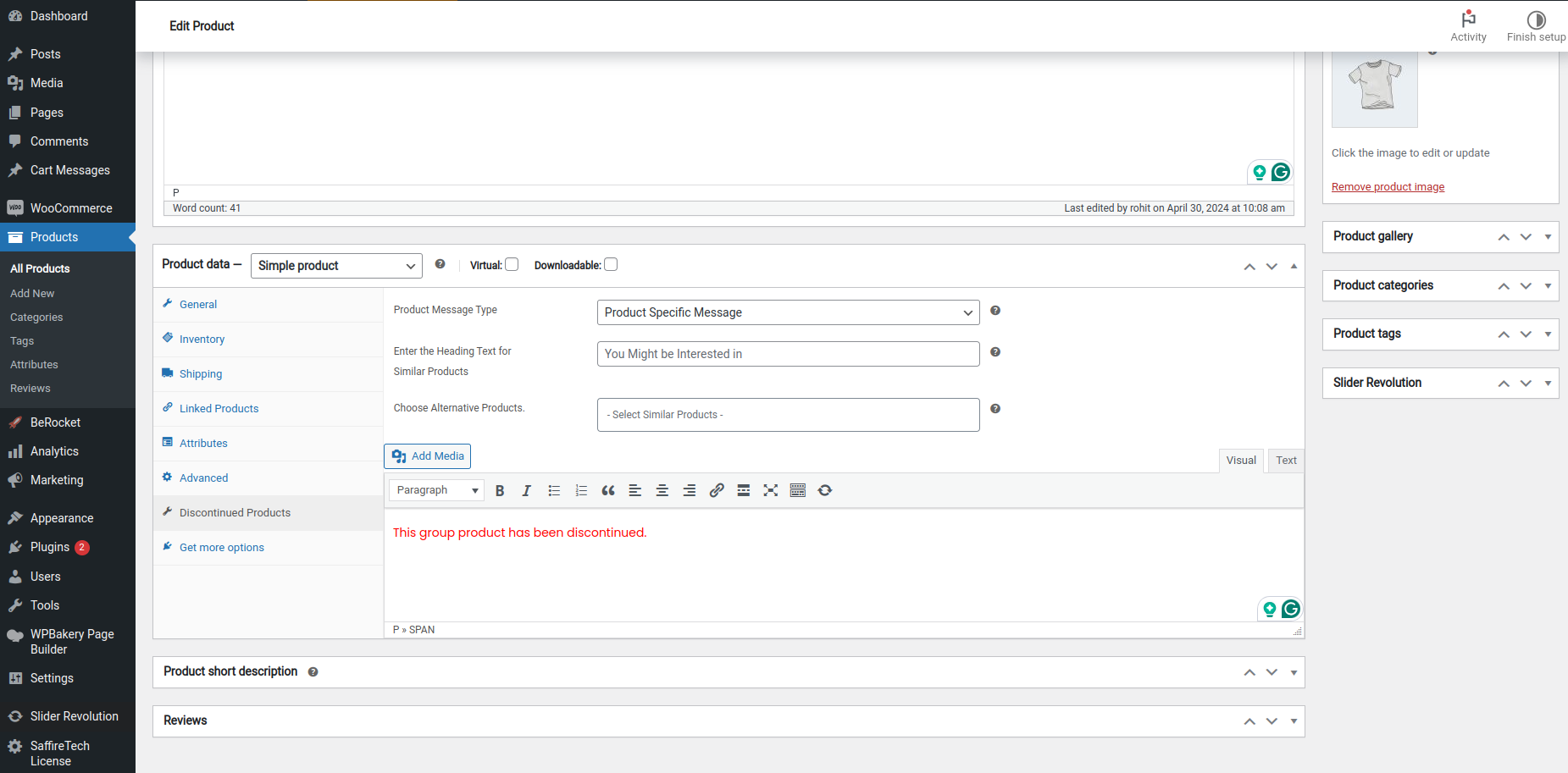
Setting page for group level discontinued messages.

Revert Settings.
Reviews
Installation fails
By 
Not working on WooCommerce Version 9.3.3 , WordPress 6.6.2
Helpful
By 
Really helpful. Thanks.
Cool and fast support
By 
Had trouble with the custom message...was fixed quickly. Thanks
Looks good so far
By 
Appears to work good. we only have it on one product right now.
Great plugin
By 
Works well and really helpful
Nice little plugin
By 
Nice plugin, fits our needs
Very good plugin
By 
Simple to use and a must have for any woocommerce store.
Good plugin
By 
Does everything as advertised the only thing not working for the Flatsome Theme is the Global message and Product specific message. Any idea on how to enable that on the Flatsome theme?
Great support. Plugin works well.
By 
Works perfect, Amazing Support
By 
Changelog
1.5.7 2025-12-08
- Fix – Added a fallback to product ID detection to fix inconsistent grayscale behavior.
1.5.6 2025-12-04
- Fix – Fixed the issue where the grayscale effect was not applied to some discontinued products.
1.5.5 2025-09-08
- Fix – Issue with hiding discontinued products from catalog and search results causing a critical error.
1.5.4 2025-03-06
- New – Added checkbox to discontinue simple products in the Discontinued Products tab.
1.5.3 2025-02-04
- Fix – Added validation to declaration of global variables.
1.5.2 2025-01-07
- Fix – removed unwanted action schedulers.
1.5.1 2024-12-10
- New – Compatibility with WordPress 6.7.1.
- New – Compatibility with WooCommerce 9.4.3.
1.5.0 2024-11-09
- Fix – Minor UI fixes.
1.4.0 2024-08-23
- Fix – Removed unwanted text ‘found cart’ on the archive page.
1.3.0 2024-08-20
- Fix – Issue of ‘discontinued’ stock status not showing up on variation product pages unless refreshed twice.
1.2.1 2024-05-23
- Fix – Issue with display of Global Discontinued stock status message.
1.2.0 2024-05-08
- Fix – Minor UI issues.
1.1.9 2024-04-29
- Fix – ‘Hide Discontinued Products in WooCommerce Catalog & Search Results’ default setting not getting saved in database on plugin activation.
- Fix – ‘Enable Product-Specific Discontinued Message’ default setting not getting saved in database on plugin activation.
- Fix – ‘Enter Global Message for Discontinued Products’ default value not getting saved in database on plugin activation.
1.1.8 2024-04-18
- New – Compatibility with WPML and Loco.
- New – Compatibility with WordPress 6.5.2.
- New – Compatibility with WooCommerce 8.8.2.
1.1.7 2024-03-30
- Update – Now prioritizes product-specific messages over global messages by default.
- New – Compatibility with WooCommerce 8.7.0.
1.1.6 2024-03-05
- Fix – Count of total products on the archive page for Product Categories if the Variable Product is marked as Discontinued through the option ‘Stock management’.
- New – Compatibility with WordPress 6.4.3.
- New – Compatibility with WooCommerce 8.6.1.
1.1.5 2024-01-31
- Fix – Issue of Discontinued Products adding up in total product count.
1.1.4 2023-08-30
- Fixed – Files updated
1.1.3 2023-08-30
- New – Tested plugin with HPOS Compatibility.
1.1.2 2023-08-01
- Fixed – Issue of Discontinued Filter option on the WooCommerce Products Page for WooCommerce version 7.9.
1.1.1 2023-04-24
- Fixed – Issue of mark as discontinued option on babckorders for WooCommerce version 7.6.
- New – Tested with WordPress version 6.2 & WooCommerce version 7.6.
1.1.0 2023-03-16
- Fixed – Spelling mistake’s corrected.
1.0.9 2023-02-01
- Fixed – Negative Quantity Issue.
1.0.8 2023-01-27
- Fixed – CSS issue fixed.
1.0.7 2023-01-25
- Enhancement – Optimized query for better performance.
1.0.6 2022-11-23
- New – Restore Settings => Setting to set all the WooCommerce products in the ‘Discontinued’ stock status to ‘Out of Stock’ stock status on deactivation of this plugin.
1.0.5 2022-10-08
- New – Mark as discontinued checkbox for setting product as discontinued in advance.
1.0.4 2022-09-23
- New – Settings to Hide Discontinued Products showing up in Website’s search results.
1.0.3 2022-09-15
- Fixed – Call of member function get_id() on null.
- Fixed – Hide of discontinued product’s from search results.
1.0.2 2022-09-08
- Fixed – Filtering of discontinued products from products dashbaord.
1.0.1 2022-09-03
- Fixed – Hiding discontinued product for variable & grouped product.
- Fixed – Grayscale image for discontinued produts.