Display Author Option

Display Author Option
Description
You can choose how the author is being displayed without changing the theme.
You can currently choose from these options:
- Default – What the user selected to display publicly
- First Name Last Name
- Last Name First Name
- Nickname
- Username
- First Name
- Last Name
Installation
The usual WordPress install.
- Upload
plugin-name.phpto the/wp-content/plugins/directory - Activate the plugin through the ‘Plugins’ menu in WordPress
- Go to Settings > Reading to change the settings
Screenshots
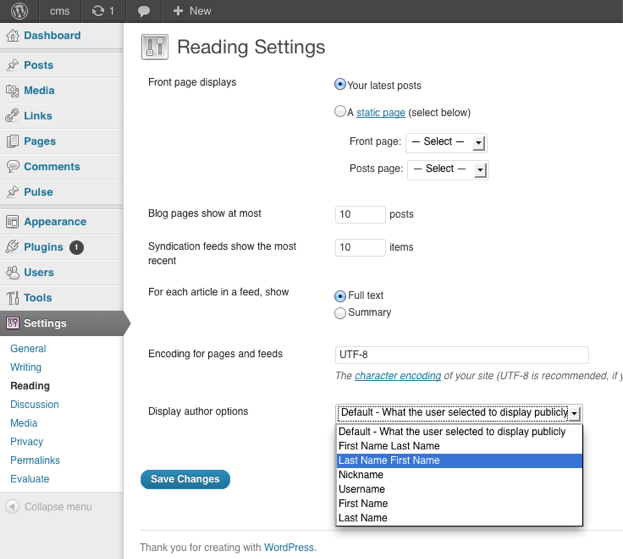
A view at the settings.
Faq
Where are the settings located for the plugin?
You can find them under
Dashboard > Settings > Reading
How can I contribute to the plugin ?
The plugin author is accepting pull request.
The repository can be found at
https://github.com/ubc/display-author-option/
Reviews
Changelog
1.0
- Initial Release