DMARCREPORT Domain Auth Checker

DMARCREPORT Domain Auth Checker
Description
DMARCREPORT Domain Auth Checker lets you embed interactive email authentication record checkers on any WordPress page or post using a simple shortcode. All DNS lookups run locally through PHP’s native dns_get_record() function. The MTA-STS checker also fetches the domain’s MTA-STS policy file over HTTPS (see External Services below).
SPF Checker
- Analyze SPF records for any domain
- Monitor DNS lookup count (RFC 7208 limit of 10)
- View SPF record structure in an interactive tree
- Per-mechanism lookup count breakdown
- Health status indicator (Good / At Limit / Critical)
DMARC Checker
- Analyze DMARC policies and configuration
- Interactive DMARC record builder
- Tag parsing with descriptions
- DKIM and SPF alignment checks
- Reporting configuration (rua/ruf) verification
TLS-RPT Checker
- Check SMTP TLS Reporting configuration
- Validate mailto: and https: reporting endpoints
- Health scoring for TLS-RPT setup
BIMI Checker
- Verify Brand Indicators for Message Identification setup
- Visual logo preview
- VMC (Verified Mark Certificate) detection
- Custom selector support
MTA-STS Checker
- Verify MTA-STS DNS TXT record
- Fetch and parse the MTA-STS policy file
- Mode detection (enforce/testing/none)
- MX host listing from policy
- Max age analysis
Common Features
- Copy to clipboard for domains and record values
- Fully responsive design (desktop and mobile)
- URL deep linking — share results via
?domain=example.com - Visual health indicators for all checkers
- Powered by dmarcreport.com watermark
Usage
Use the [dmarcreport_domain_auth_checker] shortcode with the type attribute:
- SPF (default):
[dmarcreport_domain_auth_checker]or[dmarcreport_domain_auth_checker type="spf"] - DMARC:
[dmarcreport_domain_auth_checker type="dmarc"] - TLS-RPT:
[dmarcreport_domain_auth_checker type="tlsrpt"] - BIMI:
[dmarcreport_domain_auth_checker type="bimi"] - MTA-STS:
[dmarcreport_domain_auth_checker type="mta-sts"]
All checkers support the ?domain=example.com URL parameter for deep linking and auto-analysis.
External services
This plugin performs DNS lookups and, for the MTA-STS checker, an HTTPS request to the domain being analyzed. No data is sent to any third-party API or service operated by the plugin author.
DNS lookups
When a user submits a domain for analysis, the plugin uses PHP’s built-in dns_get_record() function to query DNS records directly from your WordPress server. The domain name entered by the user is sent as a standard DNS query. This happens each time a user clicks the analyze button for any checker (SPF, DMARC, TLS-RPT, BIMI, or MTA-STS).
DNS lookups are handled by your server’s configured DNS resolver and are not routed through any external API.
MTA-STS policy file fetch
The MTA-STS checker fetches the domain’s MTA-STS policy file by making an HTTPS GET request to:
https://mta-sts.{domain}/.well-known/mta-sts.txt
This request is sent to the web server of the domain being analyzed (not to a third-party service). It is made each time a user analyzes a domain using the MTA-STS checker. Only the HTTP request itself is sent — no additional user data, cookies, or tracking information is included.
Since this request goes directly to the analyzed domain’s own web server, there is no third-party service provider with separate terms of use or privacy policy. The connection uses HTTPS with SSL verification enabled.
Outbound links
The plugin includes links to dmarcreport.com and autospf.com (services by the plugin author, DuoCircle). These appear as “Powered by” watermarks and pricing call-to-action buttons within the checker interface. They are standard hyperlinks that open in a new browser tab when clicked by the user — no data is sent to these sites automatically by the plugin.
Installation
- Upload the
dmarcreport-domain-auth-checkerfolder to/wp-content/plugins/ - Activate the plugin through the Plugins menu in WordPress
- Add the shortcode
[dmarcreport_domain_auth_checker]to any page or post
Screenshots
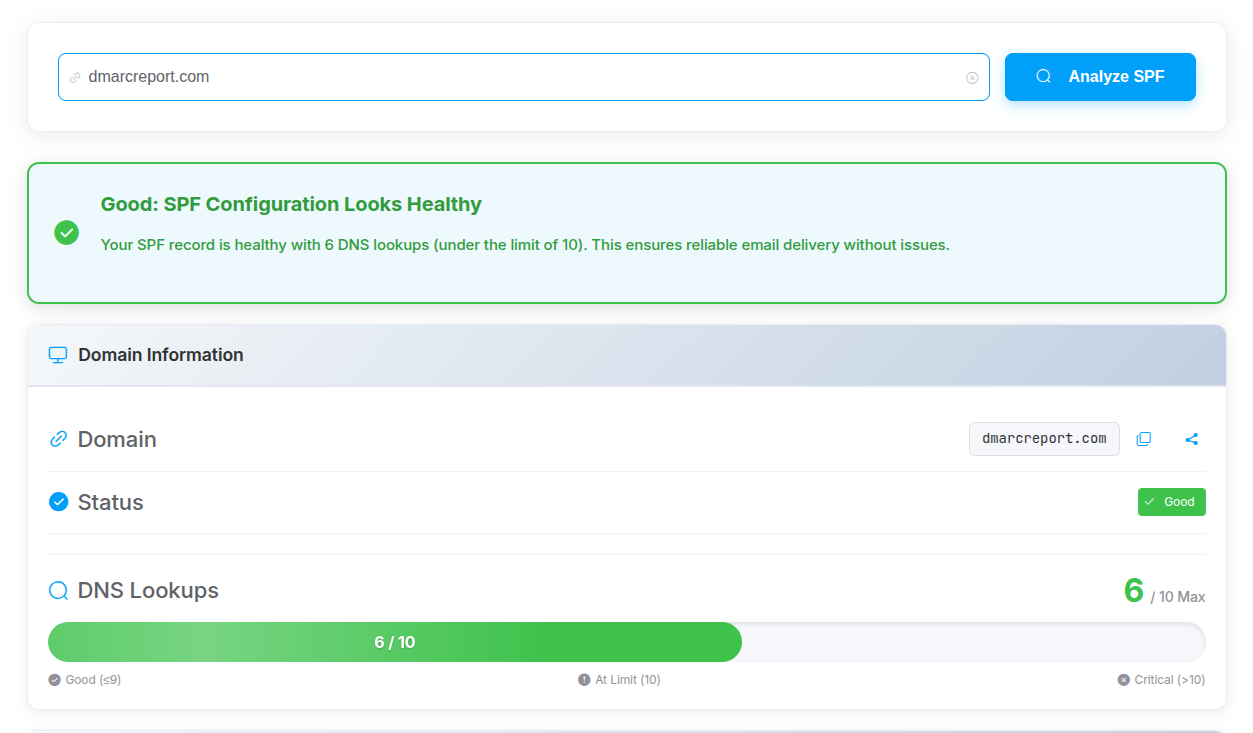
SPF Checker — record analysis with DNS lookup meter and tree view
Faq
The SPF, DMARC, TLS-RPT, and BIMI checkers perform DNS lookups only, using PHP’s native dns_get_record() function on your server. The MTA-STS checker additionally fetches the domain’s MTA-STS policy file from https://mta-sts.{domain}/.well-known/mta-sts.txt over HTTPS. No data is sent to any third-party API or tracking service.
Yes. Each shortcode instance is independent. You can have an SPF checker on one page and a DMARC checker on another.
- SPF: TXT record at
{domain} - DMARC: TXT record at
_dmarc.{domain} - TLS-RPT: TXT record at
_smtp._tls.{domain} - BIMI: TXT record at
{selector}._bimi.{domain} - MTA-STS: TXT record at
_mta-sts.{domain}and policy file athttps://mta-sts.{domain}/.well-known/mta-sts.txt
No built-in limit. Each check performs DNS lookups in real-time.
Reviews
Changelog
1.7.1
- Renamed plugin to DMARCREPORT Domain Auth Checker
- Updated plugin slug to dmarcreport-domain-auth-checker
- Updated all internal identifiers (REST namespace, script handles, shortcode, menu slug) to use new slug
- Updated prefix from DAUTHC to DRDAUTHC for brand consistency
1.7.0
- Renamed plugin prefix from DAC to DAUTHC to meet WordPress.org naming requirements
- Added external services disclosure to readme
- Documented DNS lookups, MTA-STS policy fetch, and outbound links
1.6.0
- SPF checker now runs locally (no external API dependency)
- Removed reCAPTCHA requirement
- All checkers use local WordPress REST API endpoints
- Added powered by dmarcreport.com watermark