Dope Studio Business Reviews Slider Lite (Display unlimited Google reviews for free, fetch every day)
Dope Studio Business Reviews Slider Lite (Display unlimited Google reviews for free, fetch every day)
Description
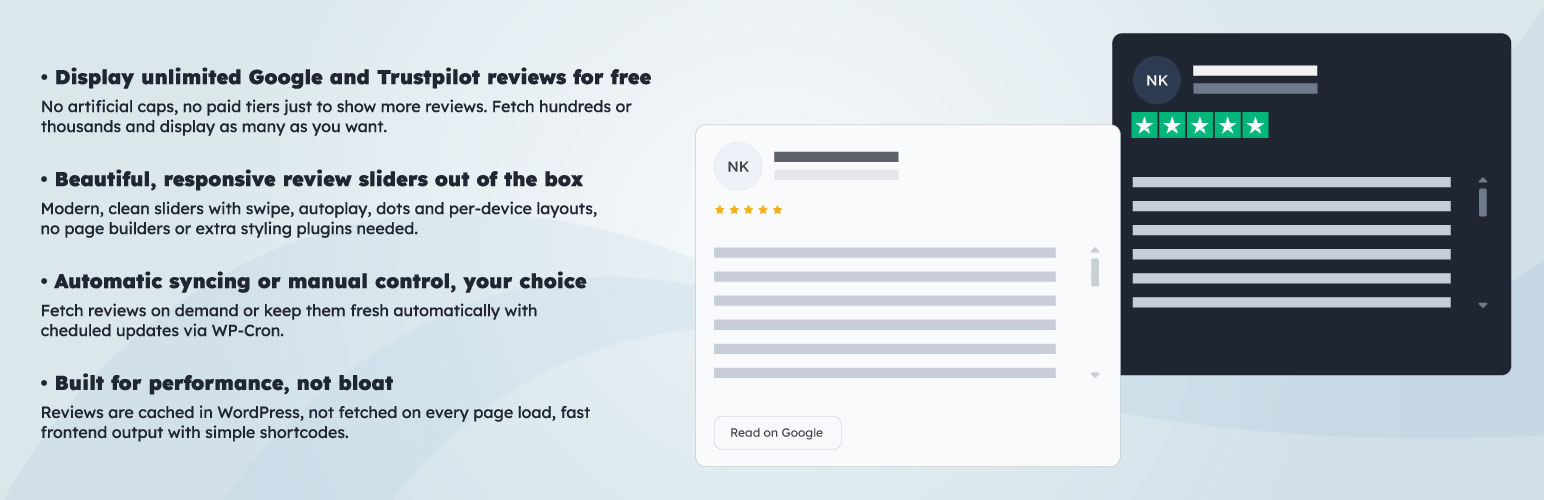
Show unlimited Google reviews on your site for free. Dope Studio Business Reviews Slider Lite fetches and displays your Google reviews in a polished, responsive slider — with no limits on how many reviews you can show.
Fresh reviews every day (recommended setup):
1. Run your first fetch with Max reviews left empty to import your full review history.
2. Set Max reviews to a small value (for example 1-5).
3. Enable daily cron.
After that, your stored reviews are preserved, and each cron run appends only newly discovered unique reviews. This preserves tokens/quota.
The plugin uses Apify to fetch your reviews. Apify offers a generous free tier that covers most small and medium businesses with no credit card required. You’re in control of your own account and your own data.
Free and unlimited. Fetch as many reviews as you like, display as many as you want, and pay nothing — as long as you stay within Apify’s free usage limits, which are more than enough for the vast majority of sites.
Pro version available — also free: adds support for additional review platforms and more advanced controls. Check pro features
Why Dope Studio Business Reviews Slider?
Getting Google reviews onto your site has always meant either paying for an expensive SaaS widget subscription or wrestling with the restrictive (and increasingly costly) Google Places API. This plugin takes a different approach:
- Unlimited reviews, zero cost — Apify’s free tier is genuinely generous. Most sites will never need to pay a penny.
- No Google API key required — reviews are fetched via Apify, so you don’t need to set up Google Cloud billing just to show your reviews.
- You own your data — reviews are cached directly in your WordPress database. No third-party dashboard, no lock-in.
- One shortcode, done — drop
[dsbrsl_google_reviews_slider]anywhere and your reviews appear.
What’s included in Lite
Review fetching
– Fetch unlimited Google reviews via Apify (free tier)
– Manual fetch from wp-admin whenever you need fresh reviews
– Automatic scheduled fetching via WordPress cron — set it and forget it
– Reviews cached in WordPress options for fast, server-efficient rendering
Beautiful slider
– Dark and light themes
– Autoplay with custom interval
– Optional infinite loop
– Progress bar pagination
– Mobile and tablet swipe support
– Configurable cards per view across mobile, tablet, and desktop
– Optional summary header block showing overall rating and review count
Full display control
– Filter out reviews below a minimum star rating
– Hide reviews with no written comment
– Set a frontend display limit independently from your fetch limit
– Show reviews newest-first
– Optionally show or hide “Read on Google” links
Optional Google Places enrichment
– Pull your live overall rating and total review count from the Google Places API to display in the header — useful if you want the header to reflect your full review total rather than just fetched reviews
– Entirely optional — the plugin works great without a Google API key
External services
This plugin connects to third-party services to fetch review data and optional rating summary data.
1. Apify (review fetching)
– Purpose: fetches Google reviews on your behalf.
– When data is sent: only when you manually trigger a fetch from wp-admin, or when the scheduled cron runs.
– Data sent: your Apify API token, Google Place ID and/or Google Maps URL, selected language, and max review limit.
– Apify free tier: https://apify.com/pricing
– Terms: https://docs.apify.com/legal/general-terms-and-conditions
– Privacy policy: https://docs.apify.com/legal/privacy-policy
2. Google Places API (optional — for summary header only)
– Purpose: retrieves your place’s overall rating and total review count for display in the slider header.
– When data is sent: only during fetch operations, and only if you have enabled Places summary mode and added a Places API key.
– Data sent: your Google Places API key and Google Place ID.
– Terms: https://cloud.google.com/maps-platform/terms
– Privacy policy: https://policies.google.com/privacy
3. Dope Studio feedback endpoint (deactivation feedback popup only)
– Purpose: records optional deactivation reasons to improve the plugin.
– When data is sent: only when a user submits the deactivation feedback popup in wp-admin.
– Data sent: generated install ID, hashed site URL (SHA-256), site host, plugin version, WordPress/PHP version, locale, and optional feedback reason/comment/email.
– Endpoint: https://products.dopestudio.co.uk/brs/telemetry/collect.php
Requirements
- WordPress 6.0+
- PHP 7.4+
- Outbound HTTP access from your server
- Free Apify account + API token (https://apify.com)
Optional:
– Google Places API key (only needed if you want the Places-powered summary header)
Quick start
Getting up and running takes about two minutes:
- Sign up for a free Apify account at https://apify.com and copy your API token.
- Activate the plugin and open Business Reviews Lite in wp-admin.
- Paste your Apify token.
- Add your Google source — either a Place ID or a Google Maps URL (or both).
- Click Fetch Google reviews now.
- Drop the shortcode onto any page or post:
[dsbrsl_google_reviews_slider]
That’s it. Your reviews are live.
Admin settings overview
Data source
– Enable Google reviews toggle
– Apify API token
– Google Place ID
– Google Maps URL
– Max reviews to fetch
– Review language
Automatic fetching
– Enable cron auto-fetch
– Fetch frequency
– Fetch start time
Optional Places summary
– Google Places API key
– Use Places summary toggle
Slider defaults
– Theme (dark / light)
– Autoplay + interval
– Infinite loop
– Dot navigation
– Swipe
– Slides per view (mobile / tablet / desktop)
– Slider title
– Display limit
– Show summary block toggle
– Show “Read on Google” link toggle
Rating and review counters
– Rating mode (Auto / Manual)
– Manual rating value
– Review count mode (Fetched / Custom)
– Custom review count value
Filters
– Minimum star rating
– Hide textless reviews
Usage
Basic shortcode:
[dsbrsl_google_reviews_slider]
All settings from the admin page are used as defaults. You can override any of them per shortcode:
[dsbrsl_google_reviews_slider theme="light" limit="10" autoplay="1" desktop="3"]
If you add attributes in a shortcode, those values override the admin settings for that shortcode instance only. This lets you use different widget variations on different pages.
All available attributes:
– theme="dark|light"
– limit="0" — number of reviews to display (0 = all)
– autoplay="0|1"
– interval="1500-20000" — autoplay speed in milliseconds
– loop="0|1"
– show_dots="0|1"
– swipe="0|1"
– mobile="1-6" — cards per view on mobile
– tablet="1-6" — cards per view on tablet
– desktop="1-6" — cards per view on desktop
– show_summary="0|1"
– show_read_on_google="0|1"
– rating_mode="auto|manual"
– manual_rating="0-5"
– min_rating="0|2|3|4|5"
– show_no_comment="0|1"
show_no_comment="1" hides ratings-only reviews without text comments.
Storage
Reviews and settings are stored entirely within your own WordPress database — nothing is sent to external servers except during a fetch operation.
dsbrsl_settings— plugin configurationdsbrsl_reviews_cache— fetched review data
Troubleshooting
Fetch times out
– Lower your max reviews count and try again
– Check whether your hosting provider restricts outbound HTTP requests or has short timeout limits
– Wait a moment and retry — Apify may occasionally be under load
No reviews showing on the frontend
– Confirm the shortcode is exactly [dsbrsl_google_reviews_slider]
– Make sure Google reviews are enabled in plugin settings
– Run a manual fetch and check the cache count shown in the admin panel
– Double-check your Place ID or Google Maps URL is correct
Header rating or count looks wrong
– If Places summary is enabled, the header pulls from the Google Places API — this reflects your total review count across all time
– Disable Places summary to use values derived from your fetched reviews only
Installation
- Upload the plugin folder to
/wp-content/plugins/dope-studio-business-reviews-slider-lite. - Activate the plugin through the WordPress Plugins screen.
- Open Business Reviews Lite in wp-admin and follow the Quick start steps above.
Screenshots
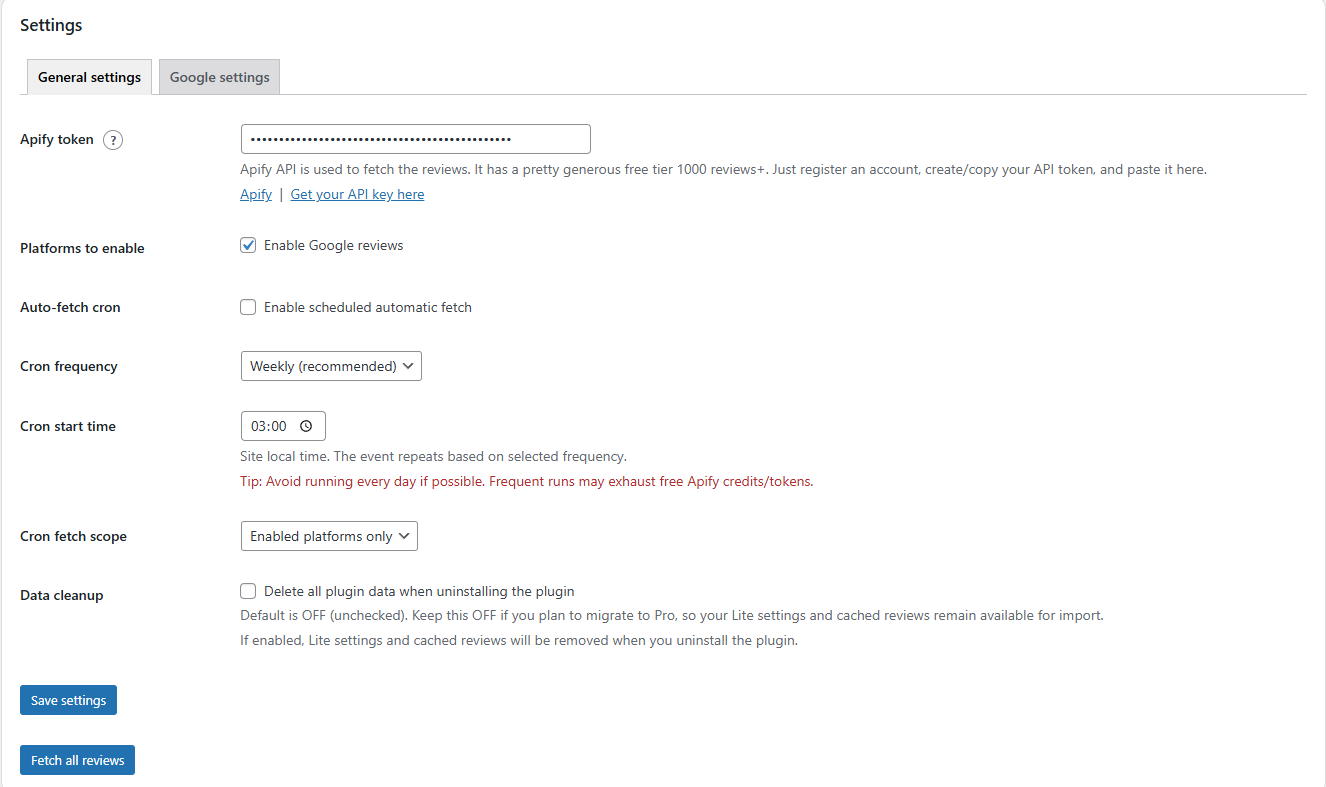
Admin settings page — data source and Apify token configuration
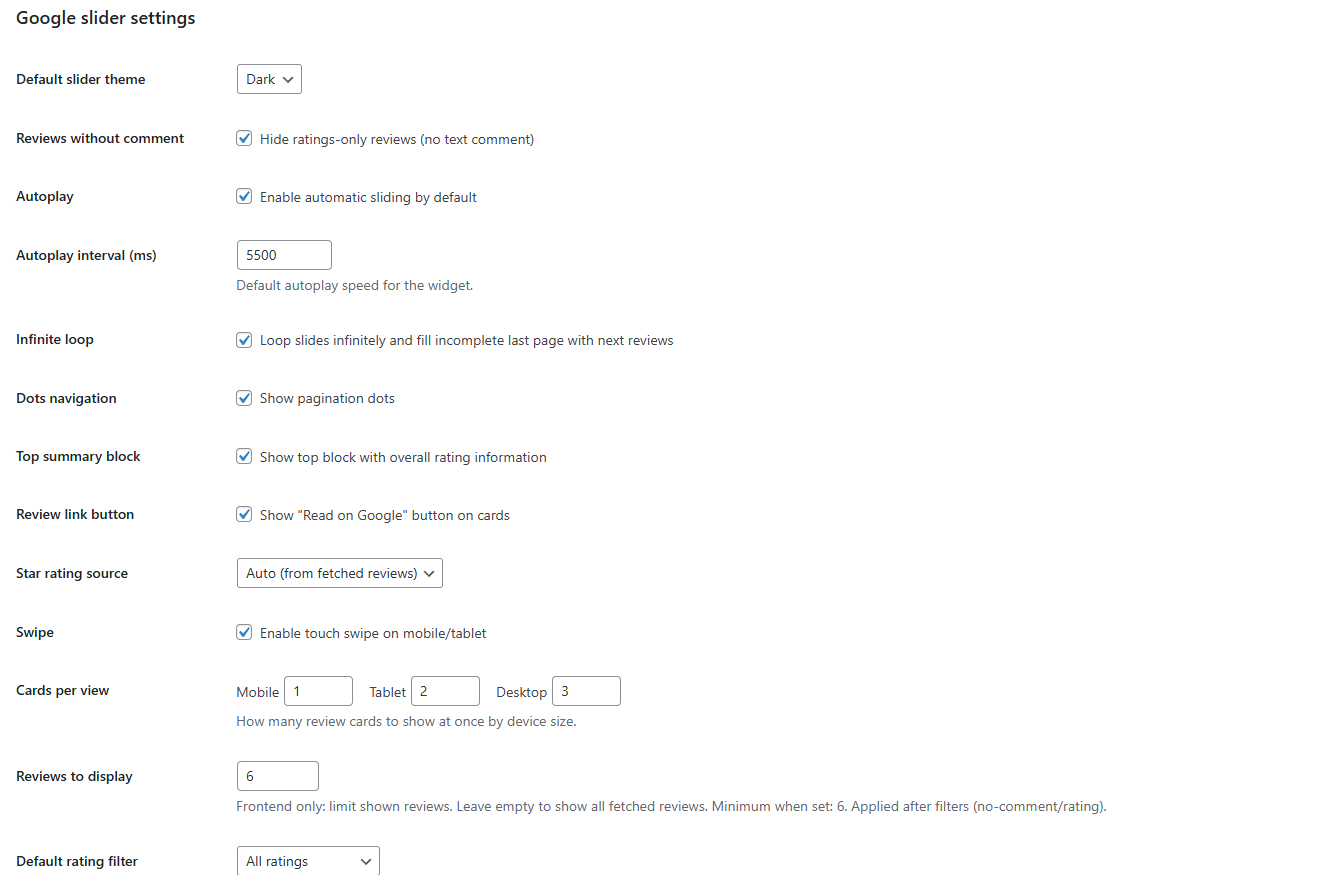
Admin settings page - Google slider settings
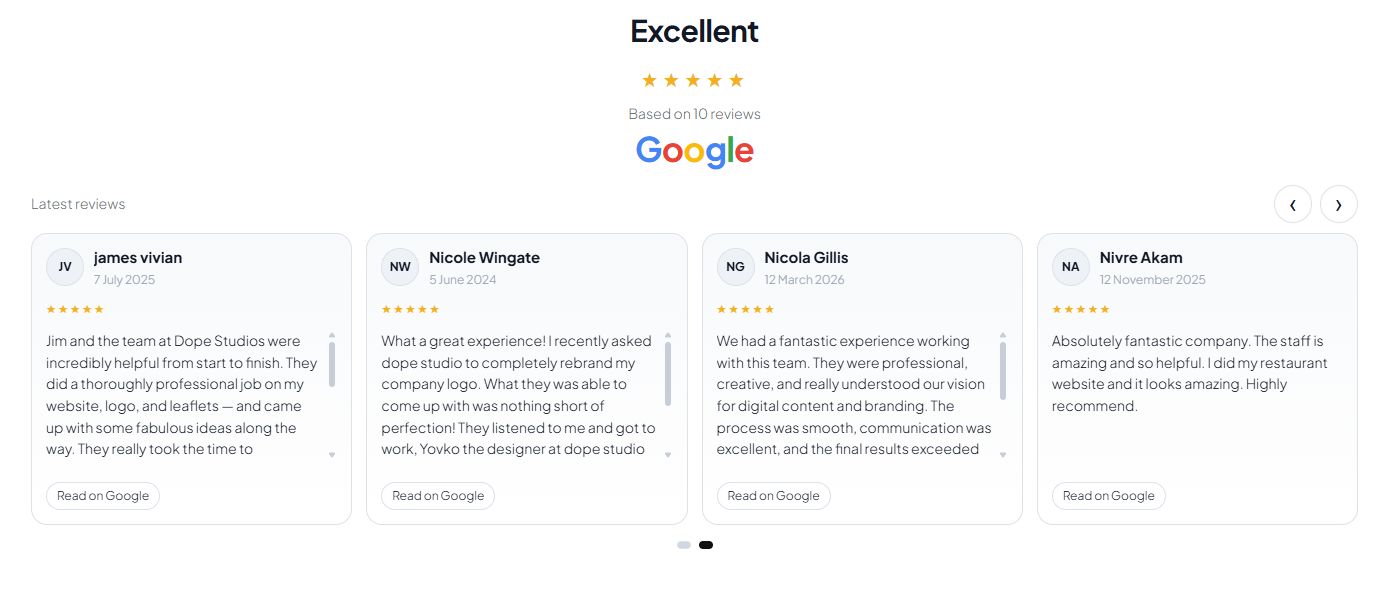
Slider preview — light theme, mobile layout
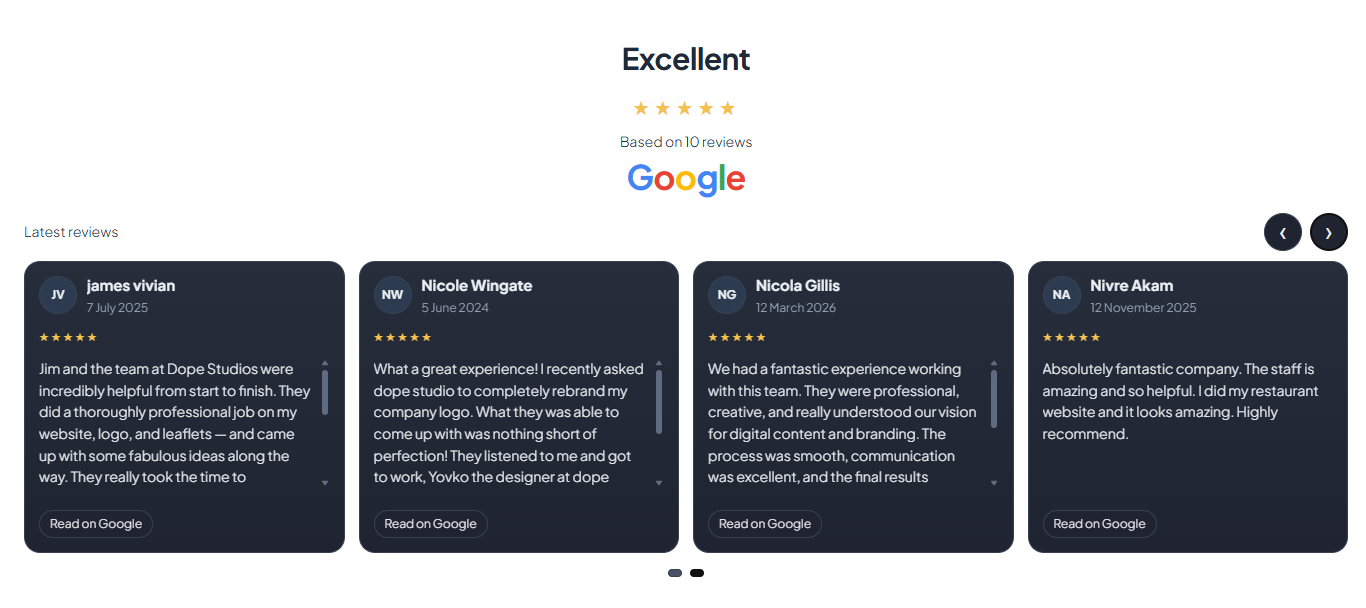
Slider preview — dark theme, desktop layout
Faq
Yes. The plugin itself is free. Reviews are fetched via your own Apify account, which has a generous free tier. Most sites will fetch all the reviews they need without ever hitting a paid threshold. You can check Apify’s current free tier limits at https://apify.com/pricing.
No. A Google API key is only needed if you want to show a live total rating and review count in the slider header via the Places API. For standard review fetching and display, Apify handles everything.
Yes. Leave the display limit empty or set it to 0 to show all fetched reviews. The fetch limit is only capped by your Apify account tier.
Yes. Lite includes full cron auto-fetch functionality — enable it, set a frequency and start time, and your reviews will refresh automatically.
Lite is Google-only. The Pro version (also free) adds support for additional review platforms and more advanced controls.
In your own WordPress database. The plugin caches fetched reviews locally so the frontend loads fast and no external requests are made on page load.
Reviews
Changelog
1.0.13
- Added deactivation feedback popup on the plugins screen.
- Added “I switched to PRO version” as the first feedback option.
- Lite now submits only deactivation feedback events to telemetry endpoint.
1.0.11
- Clarified shortcode behavior: shortcode attributes override admin defaults per instance.
- Added shortcode guidance for using different slider/widget variants on different pages.
- Clarified
show_no_comment="1"behavior in shortcode documentation.
1.0.10
- Fixed autoplay interval handling so custom interval values apply reliably in the Google slider.
- Added compatibility fallback for legacy autoplay interval data attribute naming in frontend slider initialization.
- Bumped frontend script version to force cache refresh after update.
1.0.9
- Improved cron guidance wording for clarity.
- Moved the daily token-saving workflow explanation to the cron timing section.
- Clarified that daily full fetches can exhaust Apify quota and recommended 1-5 max reviews for daily cron after the initial full import.
1.0.8
- Removed “Cron fetch scope” from Lite settings (Lite is Google-only, so scope selection is unnecessary).
- Simplified scheduled fetch logic to use the single Lite platform flow.
- New incremental fetch workflow: run one full import, then use 1-5 max reviews for daily cron.
- Merge + dedupe logic now keeps existing stored reviews and appends only new unique reviews.
- Added clearer admin guidance under Fetch and Cron settings for the recommended daily setup.
- Added token-usage guidance to help avoid exhausting Apify monthly quota.
1.0.6
- Frontend pagination switched from dots to progress bar.
- Stronger frontend style isolation to reduce theme CSS conflicts.
- Admin label updated from “Dots navigation” to “Progress bar”.
1.0.0
- Initial Lite release with full Google reviews support.
- Unlimited review fetching via Apify free tier.
- Manual fetch and scheduled cron auto-fetch.
- Responsive slider with dark and light themes.
- Optional Google Places API summary integration.
- Full shortcode attribute support for per-instance overrides.