DoubleScale | All-in-One CRM – Sales, Multi-Channel Marketing, Newsletter, Booking, Helpdesk, Automation, MCP & More
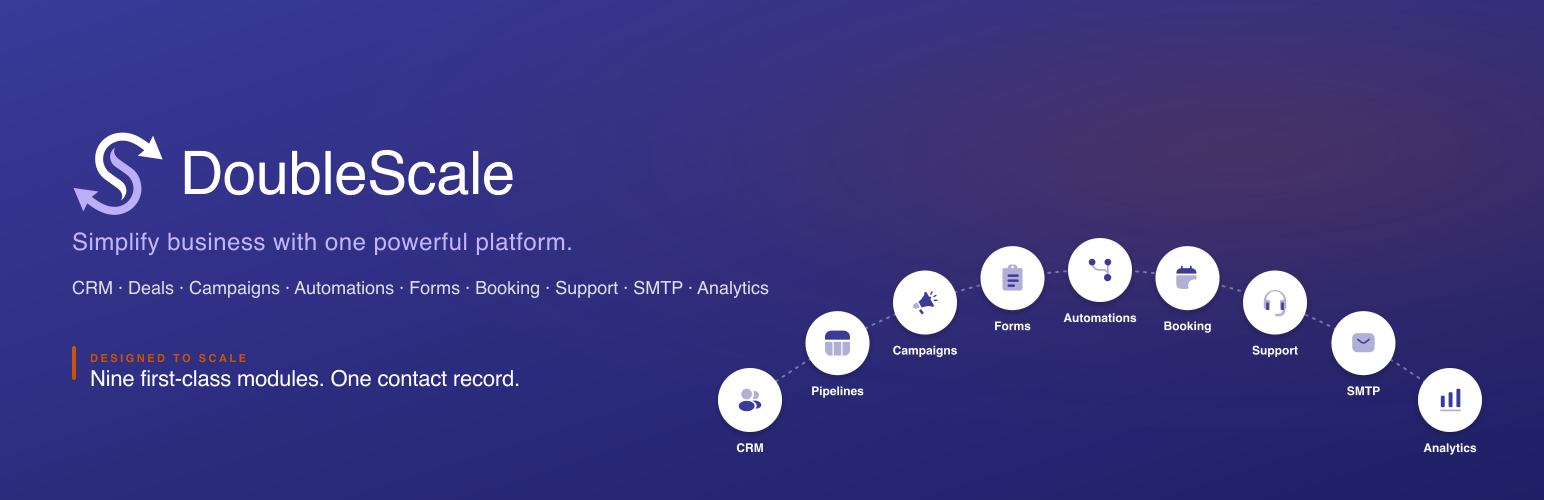
DoubleScale | All-in-One CRM – Sales, Multi-Channel Marketing, Newsletter, Booking, Helpdesk, Automation, MCP & More
Description
DoubleScale is a self-hosted CRM for WordPress covering sales, newsletter, email marketing, SMS marketing, WhatsApp marketing, booking, helpdesk, and task & project management — in one plugin, on your own database. A built-in MCP server lets AI clients (Claude, Cursor, and compatible tools) operate DoubleScale with API keys, using the same module and permission gates as the rest of the product.
Use it as a newsletter plugin to send issues to lists and segments. Use it for email marketing broadcasts, drip sequences, and campaigns. Use it for SMS marketing via Twilio. Use it for WhatsApp marketing with Meta-approved templates. Those channels sit in the same plugin as CRM, sales pipelines, proposals and invoices, booking, helpdesk, tasks, projects, SMTP, automations, and MCP — one contact record, one activity timeline, one workflow engine, instead of stitching together Mailchimp, Twilio, a WhatsApp dashboard, Pipedrive, Calendly, a helpdesk, and a task app.
Enable or disable optional modules under Settings Modules so the admin stays lean.
Live demo: try.doublescale.io · Website: doublescale.io · Documentation: doublescale.io/docs
Modular architecture — enable or disable any module
DoubleScale is built as a modular plugin. Optional features (Sales, Campaigns, Booking, Tasks, Projects, SMTP, Helpdesk, Forms, Automations, and more) can be turned on or off under Settings Modules. Disable what you do not need to keep the admin UI lean; enable modules later without reinstalling. Core CRM capabilities stay available. Disabling a module suspends its menus, REST routes, scheduled tasks, and role capabilities — assignments are preserved when you turn the module back on.
What’s inside one plugin
DoubleScale is a single install with first-class modules, each designed to feel like a dedicated product — and each toggleable when you do not need it:
1. CRM — contacts, lists, segmentation, activity timeline
A complete contact database. Unlimited records, unlimited custom fields. Tag-based and rule-based segmentation, bulk operations, and CSV / WordPress user / WooCommerce imports. Every contact has a full activity timeline that stitches together emails, SMS and WhatsApp messages, deal stage changes, bookings, support threads, page visits, form submissions, link clicks, and automation runs — one chronological view per contact, no tab-switching.
2. Sales — pipelines, documents, and recurring revenue
Run your full revenue workflow from one Sales workspace in wp-admin — from first lead to signed contract, paid invoice, and recurring subscription.
- Pipelines — drag-and-drop kanban deal boards with multiple stages, weighted forecasting, win/loss reasons, and per-deal custom fields. Stage changes fire automations (move to “Closed Won” send an invoice, assign a task, tag in CRM).
- Proposals — branded quotes with line items, customer acceptance, and one-click convert to invoice.
- Invoices — send, track, and collect payment online (Stripe and manual payments).
- Contracts — templated agreements with signatures and lifecycle automations.
- Credit notes — issue refunds and adjustments tied to invoices.
- Taxes — configure tax rates and apply them to proposal, contract, and invoice line items.
- Subscriptions — recurring billing and subscription management (Pro).
- Client portal — embeddable logged-in customer hub (
[doublescale_client_portal]) where buyers view proposals and invoices, see outstanding balance, follow document lifecycle on a unified timeline, open contracts and credit notes (Pro), and manage subscriptions (Pro). Customers jump to secure public pages to accept proposals, pay invoices, or sign contracts; the portal aggregates sales documents alongside support tickets and bookings in one dashboard.
Every deal, document, and payment links to the same contact record, activity timeline, and automation engine.
3. Newsletter
Send a newsletter from WordPress to subscribers, lists, tags, or rule-based segments. Design each issue in the drag-and-drop email builder, schedule or send immediately, and track opens, clicks, bounces, and unsubscribes. Newsletter sends use the same contact record as the rest of the CRM, so a subscriber who books a meeting or opens a support ticket is still one person.
4. Email marketing
Full email marketing campaigns, not only newsletters. Broadcast to lists and segments, run A/B tests, reuse templates, and personalize with merge tags for any custom field.
* Email sequences (drip campaigns) — multi-step nurture flows with time delays, conditional branches based on opens/clicks/replies, and goal-based exit conditions.
* Per-link tracking with automation triggers, bounce handling with soft/hard classification, and full delivery logs.
5. SMS marketing
SMS marketing broadcasts and triggered SMS via Twilio. The same audience, composer, and merge-tag system as email marketing — send promotions, reminders, and follow-ups as text messages. Opt-out handling and delivery logs stay on the contact record.
6. WhatsApp marketing
WhatsApp marketing with Meta-approved WhatsApp templates from the same campaign builder. Trigger conversations, broadcast to segments, and route inbound replies to the unified inbox so WhatsApp marketing sits next to email marketing and SMS marketing on one timeline.
7. Booking — self-service appointment scheduling
A full scheduling system inside WordPress — no Calendly needed. Create single events for one-on-one meetings (consultations, demos, coaching sessions) or team events where multiple staff members share availability and bookings are assigned via round-robin or manual selection. Configure slot durations, buffer times between appointments, and per-day availability windows. Guests pick a time from an embeddable booking page, fill out a customizable intake form, and receive automated email/SMS confirmations and reminders. Supports Stripe payment collection for paid bookings, waiting lists when slots fill up, rescheduling and cancellation flows, and automatic time-zone detection. Every booking lands on the contact record and can trigger automations (e.g., tag the contact, create a deal, send a follow-up sequence).
8. Tasks — team task management
Create, assign, schedule, and track tasks. Link them to contacts and deals. Due dates, reminders, status workflows. Stop running a separate ClickUp or Asana when 80% of your tasks are about customers anyway.
9. Projects — project boards linked to CRM and sales (Pro)
Manage delivery work next to your contacts and invoices. Kanban boards with customizable statuses, progress tracking, project discussions/comments, custom fields, tags, due dates, and ownership. Link projects to contacts and sales documents so the activity timeline stays unified. Scoped Project Manager and Project Member roles keep delivery teams focused without granting full CRM admin access.
10. SMTP — multi-provider email routing
A complete wp_mail() replacement built into the CRM — no separate SMTP plugin required. Connect one or more of 20+ providers: SendGrid, Amazon SES, Mailgun, Postmark, SparkPost, SMTP.com, SMTP2GO, Gmail (OAuth), Outlook (OAuth), Zoho (OAuth), MailerSend, Mailjet, Mandrill, Brevo (Sendinblue), Elastic Email, SendLayer, SocketLabs, Loops, and generic SMTP relay. Set up multiple connections with routing rules so transactional mail goes through one provider while marketing campaigns use another. OAuth authentication for Gmail, Outlook, and Zoho — no app passwords needed. Includes full email delivery logs, bounce handling with soft/hard classification, provider health checks, email test sending, and automatic failover when a provider is down.
11. Support — ticket-based helpdesk with mailbox channels and customer portal
A complete helpdesk built into your CRM. Customers open tickets via a self-service portal or by emailing a connected mailbox; agents reply, assign, tag, and resolve — all without leaving WordPress. Features include: multiple mailbox channels (web and IMAP), configurable email notifications with threading and subject tagging, file attachments with signed secure downloads, ticket priority and status workflows, CC management, bulk actions (assign, close, merge, tag), per-ticket activity logging, custom fields, saved replies, and a built-in reports dashboard. IMAP polling brings inbound emails straight into the agent inbox. Every ticket links to the contact record and can trigger automations — auto-tag, route to an agent, create a deal, or start a follow-up sequence.
12. Analytics — dashboards & reports
A built-in reporting layer covering revenue, pipeline forecasts, campaign performance (opens, clicks, conversions per send), contact growth, automation execution, and email deliverability. Visual charts, KPI cards, custom date ranges, CSV exports. The numbers your founder, marketer, and ops lead all need — without exporting to a BI tool.
13. MCP — AI clients that can operate your CRM
DoubleScale ships a built-in Model Context Protocol (MCP) server. Enable it under MCP settings, issue API keys for eligible users, and connect Claude, Cursor, or other MCP-compatible clients. Tools cover contacts, documents, marketing, booking, forms, and more — gated by modules and roles, with validation on writes. Setup includes Application Password auth, Windows connection notes, and emailable instructions so teammates can connect without guessing.
14. User roles — scoped access for sales, support, booking, and project teams
DoubleScale ships dedicated roles (plus site administrators). Assign them under Settings Team. Users can hold multiple roles — capabilities merge across roles.
Sales (Pro)
- CRM Manager — Full CRM admin: all contacts, deals, pipelines, settings, team, reports, import/export, and all proposals/invoices. Full Support inbox access without a separate support role.
- Sales Manager — All deals and contacts; import/export; all proposals and invoices. Support access requires an additional support role.
- Sales Rep — Own deals and contacts only; own proposals and invoices; create deals and log activities.
Projects (Pro)
- Project Manager — Create and manage all projects, statuses, and assignments across the team.
- Project Member — Work on projects assigned to them; update progress and join discussions.
Support
- Support Manager — View and manage every support ticket; assign agents; reply on any thread.
- Support Agent — View the Support module; reply on tickets assigned to them.
Booking
- Booking Manager — Read and manage all calendars, bookings, and availability schedules across the team.
- Booking Agent — Manage only own calendars, bookings, and availability.
Administrators
- WordPress Administrator — Every DoubleScale capability automatically.
Notes
- CRM Manager, Sales Manager, Sales Rep, Project Manager, and Project Member require DoubleScale Pro.
- Support, Booking, and Projects roles are available when those modules are enabled.
- Disabling a module suspends its role capabilities; assignments are preserved when you turn the module back on.
Plus: a visual automation engine that connects every module
Underneath every module is one workflow builder. 100+ triggers across contacts, deals, forms, booking, support, messaging, e-commerce, LMS, and membership plugins — flow into multi-step automations with conditional branches, time delays, goal conditions, and webhook calls. Actions include: send email, send SMS, send WhatsApp, start or pause an email sequence, tag, score, move a deal to a new stage, create a deal, assign a task, post to Slack, hit a webhook.
Automation integrations:
- E-commerce — WooCommerce (orders, subscriptions, memberships, cart abandonment, reviews, wishlists), Easy Digital Downloads, SureCart
- Forms — Contact Form 7, WPForms, Fluent Forms, Quill Forms (free); Elementor Forms, Gravity Forms, Ninja Forms, Formidable, Forminator, MetForm, WS Form, Bit Form, SureForms, eForm, JetFormBuilder (Pro)
- LMS — LearnDash, Tutor LMS, LifterLMS, LearnPress
- Membership — MemberPress, Paid Memberships Pro
- Media — Presto Player
- Messaging — Email received, SMS received, WhatsApp received
- CRM — Contact subscribed/unsubscribed, tags applied/removed, lists applied/removed, deal stage/status/owner/value changed, link trigger clicked, user login/register/role update, webhook received
- Booking — Booking created, confirmed, completed, rescheduled, cancelled
- Support — Ticket created, closed, reply added, note added, status changed, priority changed, agent assigned
Key capabilities
- MCP for AI clients — Built-in MCP server so Claude, Cursor, and compatible tools can list, create, and update CRM data via API keys, with the same module and role gates as wp-admin.
- AI-powered writing and assistance — Connect your own API key from OpenAI, Google Gemini, Groq, OpenRouter, or any OpenAI-compatible provider. AI-assisted email composition, smart template generation, subject line suggestions, and content rewriting are built right into the campaign builder and email editor. Bring your own key, pick your provider, and keep full control over cost and data.
- Modular architecture — enable or disable optional modules (Sales, Campaigns, Booking, Tasks, Projects, SMTP, Helpdesk, Forms, Automations, and more) from Settings Modules.
- One contact record shared across every module — campaigns, bookings, tasks, projects, helpdesk threads, and deals all attach to the same contact.
- Unlimited contacts and custom fields with no per-contact or per-seat fees.
- Self-hosted: all records live in your own WordPress database; no third-party cloud, no vendor lock-in.
- GDPR-friendly: per-contact exports, hard-delete workflows, consent tracking per channel, retention rules, and unsubscribe handling.
- Benchmarked at 100,000+ contacts on a single-server install. Background processing keeps the frontend fast.
- Deep WordPress integrations: WooCommerce, Easy Digital Downloads, SureCart, and LMS plugins (LearnDash, LifterLMS, LearnPress, Tutor LMS) feed the CRM natively.
- 15 form-builder integrations — Contact Form 7, WPForms, Fluent Forms, Quill Forms (free); Elementor Forms, Gravity Forms, Ninja Forms, Formidable, Forminator, MetForm, WS Form, Bit Form, SureForms, eForm, and JetFormBuilder (Pro).
Who DoubleScale is for
Founders, agencies, marketers, course creators, e-commerce operators, and revenue teams who want a self-hosted WordPress CRM for sales, marketing, booking, helpdesk, and delivery — plus MCP so AI tools can work inside that same stack — instead of stitching together eight SaaS subscriptions. From solo operators to organizations running 100k+ contacts — DoubleScale is built to scale with your business, not punish it with row-count surcharges.
Learn more at doublescale.io.
See how DoubleScale stacks up against popular CRM and marketing automation tools:
- DoubleScale vs FluentCRM: doublescale.io/compare/vs-fluentcrm
- DoubleScale vs HubSpot: doublescale.io/compare/vs-hubspot
- DoubleScale vs ActiveCampaign: doublescale.io/compare/vs-activecampaign
- DoubleScale vs Pipedrive: doublescale.io/compare/vs-pipedrive
- DoubleScale vs GoHighLevel: doublescale.io/compare/vs-gohighlevel
- DoubleScale vs FunnelKit: doublescale.io/compare/vs-funnelkit
- DoubleScale vs Brevo: doublescale.io/compare/vs-brevo
- DoubleScale vs MailerLite: doublescale.io/compare/vs-mailerlite
- DoubleScale vs Omnisend: doublescale.io/compare/vs-omnisend
Source Code
This plugin includes compiled JavaScript and CSS in the build/ directory. Human-readable source lives in src/.
Public repository: DoubleScale on GitHub
Build from source
1. Install Node.js (LTS recommended)
2. From the plugin directory: npm install
3. Production assets: npm run build
4. Development/watch: npm run dev
Outputs include client bundles under build/. Third-party libraries are listed in package.json.
Lint / code standards
The PHP code follows the WordPress Coding Standards (WPCS 3.x) with WordPress-Extra (security sniffs) and PHPCompatibilityWP enabled.
composer install— installs PHPCS, WPCS, and the rest of the dev tools.composer lint— runsphpcs --standard=phpcs.xml.distagainstdoublescale.php,includes/,bin/, andphpunit/.composer format— runsphpcbfto auto-fix what it can (whitespace, indentation, brace style).
For plugin-structure / readme / asset-organization checks, install the official Plugin Check plugin into a local WordPress install and run it via Tools Plugin Check. Plugin Check is the same tool the WordPress.org review team runs.
Privacy Policy
DoubleScale stores CRM, campaign, booking, task, support, and analytics data in your WordPress database. The plugin does not transmit that core repository to DoubleScale servers by default.
Where you enable optional third-party integrations (SMTP providers, Twilio, Stripe, WhatsApp, Slack, ActiveCampaign, HubSpot, etc.), data flows are governed by those providers’ terms — and only carry the fields you explicitly map. You can disable any connector by removing credentials or turning off related automations.
Privacy-minded operators have access to: per-contact GDPR exports, hard-delete workflows, consent tracking per channel, retention rules for tracking data, and unsubscribe handling for every send.
External Services
DoubleScale connects to external services only when you configure those integrations. No data is transmitted without your API keys, OAuth grants, or explicit provider setup. Each provider listed below …
Installation
Automatic
- In wp-admin go to Plugins Add New
- Search for DoubleScale
- Install and activate
- Open DoubleScale from the admin menu and complete onboarding
Manual upload
- Download the plugin ZIP
- Plugins Add New Upload Plugin
- Activate DoubleScale
After activation
- Review DoubleScale Settings
- Connect an SMTP provider (the SMTP module replaces
wp_mail()immediately) - Import or sync contacts (CSV, WordPress users, or WooCommerce customers)
- Create your first list, automation, booking calendar, or campaign
You’ll have a working CRM + email engine + booking page in under 10 minutes.
Screenshots

Dashboard — Analytics overview with KPI cards, quick links, recent contacts, and contact analytics chart.

Contact Details — Full contact profile with activity timeline, channel subscriptions, lists, and tags.

Email Builder — Drag-and-drop campaign editor with responsive blocks, merge tags, and template library.

Automation Builder — Visual workflow editor with triggers, conditions, and branching actions.

Booking Event Setup — Configure event details, duration, color, location, and live preview.

Booking Calendar — Frontend booking page with date/time picker and automatic time-zone detection.

SMTP Providers — Choose from 20+ mail providers including SendGrid, Amazon SES, Gmail, Mailgun, and more.
Faq
Yes — that’s exactly the design. Each module is built to feel like a dedicated product, but they share a single contact record, a single activity timeline, a single automation engine, a single reporting layer, and a single user model. You can install DoubleScale and turn off your CRM, Pipedrive/HubSpot, Mailchimp, Twilio dashboard, Calendly, SMTP plugin, helpdesk, and reporting tool on the same day.
Yes. DoubleScale uses a modular architecture. Under Settings Modules you can enable or disable optional modules such as Sales, Campaigns, Booking, Tasks, Projects, SMTP, Helpdesk, Forms, and Automations. Turn features off to simplify the UI for your team; turn them back on later without reinstalling. Core CRM stays available. When a module is disabled, its menus, APIs, background tasks, and role capabilities are suspended (role assignments are kept for when you re-enable it).
Most WordPress CRMs cover contacts + email + automation. DoubleScale covers that plus booking, tasks, a multi-channel helpdesk inbox, SMTP routing, and a full analytics layer — in the same plugin, around the same contact record. You’re not bolting on FluentBooking + WP Mail SMTP + a separate helpdesk; it’s all built in. See the full DoubleScale vs FluentCRM comparison.
No. DoubleScale doesn’t charge per contact. The free Starter plan handles unlimited contacts. Installs running 100,000+ contacts have been benchmarked.
In your WordPress database. The CRM, deals, email content, support threads, and tracking events all live in tables on your server. Optional third-party services (SMTP providers, Twilio, etc.) are only used when you configure them yourself.
Yes — natively. Orders, customers, abandoned carts, and product purchases flow into the CRM. Trigger campaigns or automations from cart events. Set up abandoned-cart recovery in minutes. See the full DoubleScale WooCommerce CRM integration guide.
Yes. SMS via Twilio and WhatsApp Business are available in Pro packages. Both share the same audience, composer, and merge-tag system as email.
Same core experience — availability windows, embeddable booking pages, automated confirmations, time-zone handling. The difference: bookings land on the contact record, can trigger automations, and your data never leaves your install. Stripe payments and Google Calendar sync are Pro extensions.
For most teams, yes. The unified inbox handles email, SMS, and WhatsApp threads with team assignment, status, and contact context. Heavy SLA / ticketing workflows may still warrant a dedicated helpdesk — but for support that lives next to sales and marketing data, this is a clean replacement.
DoubleScale adds seven scoped WordPress roles — CRM Manager, Sales Manager, Sales Rep, Support Manager, Support Agent, Booking Manager, and Booking Agent — plus full access for site administrators. Sales reps see only their own deals; sales managers and CRM managers see the full pipeline; support agents see assigned tickets while support managers see the entire inbox; booking agents manage their own calendars while booking managers oversee the whole schedule. Users can combine roles, activity is attributed by user, and in-app notifications keep the team aligned. See User roles in the description above for the full capability matrix.
15 form builders. Four ship in the free plugin — Contact Form 7, WPForms, Fluent Forms, and Quill Forms. Eleven more are available with Pro — Elementor Forms, Gravity Forms, Ninja Forms, Formidable, Forminator, MetForm, WS Form, Bit Form, SureForms, eForm, and JetFormBuilder. Form submissions create or update contacts with tags, lists, and field mapping.
CSV imports, WordPress user sync, WooCommerce customer import, and connectors for popular CRMs (Pro). Field mapping with preview, error handling, and dry-run mode.
No. The frontend impact is minimal — heavy work (campaign sends, automation processing, tracking ingestion) runs in the admin and in background tasks (Action Scheduler).
Yes. Multiple users can work simultaneously, with role-based access, ownership-aware filtering (e.g., sales rep view), and in-app notifications.
Documentation and setup guides: doublescale.io. Community support via WordPress.org. Pro tiers include email and priority support.
Reviews
I'm extremely satisfied with DoubleScale
By 
I'm extremely satisfied with DoubleScale since implementing it in my company. The gain in performance and agility across our operation has been remarkable — this CRM really delivers on what it promises, and today I recommend it to anyone looking for a real solution inside WordPress itself.
What makes DoubleScale unique in the market is the combination of features I haven't found anywhere else: it's 100% self-hosted, meaning all my data stays on my own server, with no dependency on third-party cloud. It brings together in a single plugin everything I used to need multiple separate tools for — CRM, sales pipeline, automations, email, SMS and WhatsApp, booking, and customer support — with a full activity timeline per contact showing every interaction in one place. There's no limit on contacts and no per-record fees, which makes a huge difference for anyone scaling their business. And the detail that impressed me the most: DoubleScale ships with a native MCP server, allowing AI tools like Claude to operate directly inside the CRM — something no competitor offers today.
But what really makes the difference day to day is the team behind the product: extremely competent, always present and available to solve any issue, and constantly shipping new features that actually make sense for real users. It's a solid, confident team that clearly knows what they're doing.
I recommend DoubleScale without hesitation to any business that wants real efficiency gains without giving up control of their own data.
The Best WordPress CRM
By 
I've been using DoubleScale for a while now and it's become a core part of how I manage my business, right inside WordPress.
Here's how I use it:
- Automations for segmenting users — from both form submissions and WooCommerce orders, so my leads and customers get sorted automatically without manual tagging.
- Sales pipeline — I track deals from first contact to close, all in one visual pipeline.
- Conversation tracking — every interaction with a lead or customer is logged, so I always have context before reaching out.
- Email campaigns — and starting today, I've begun sending out email campaigns directly through DoubleScale, which closes the loop between segmentation and outreach.
Having all of this natively integrated with WordPress and WooCommerce saves me from juggling multiple tools. The best part of it all is their support is almost instant and readily available. Highly recommended for anyone running their business on WordPress.
Self-hosted CRM, email, SMS and WhatsApp marketing and more for real businesses.
By 
DoubleScale has become the control center of my business. It is self-hosted; my data stays on my own server, and it has replaced several separate tools for CRM, automations, email, SMS, WhatsApp, booking, sales, tasks, and support. I can run my marketing and my operations from one place, and the team behind it is fast, responsive, and actually listens to user feedback.
One of the main reasons I chose DoubleScale is that it is self-hosted. I like knowing that my contacts, orders, and data are on my own server, under my control. For people who care about ownership and privacy, this is a big advantage compared to many cloud-only tools.
The second reason is that it is almost an all-in-one system. I can manage contacts, pipelines, booking, email campaigns, SMS and WhatsApp campaigns, automations, support tickets, and tasks in one place. Instead of stitching together different tools for CRM, email marketing, WhatsApp messaging, booking, and support, DoubleScale gives me one connected platform that saves time and reduces complexity.
In practice, I use DoubleScale for:
- CRM and automations to handle contacts, tags, and flows.
- Email, SMS, and WhatsApp campaigns to follow up with leads and customers.
- Booking and calendars to manage events, availability, and scheduled bookings.
- Sales tools for my team, including sales pipelines, proposals, and invoices.
- Task management to assign work, set reminders, and keep the team on schedule.
There is one feature that is especially critical for me. DoubleScale captures the email and phone number in the checkout before the customer submits their order. Sometimes people do not complete the checkout. Because DoubleScale has already captured their contact details, I can email them or send them a WhatsApp message shortly after they leave, for example, within an hour, to remind them to come back and complete the purchase. This alone helps recover abandoned carts and increase order value in a very practical way.
The WhatsApp marketing and automation features are another strong point. A lot of people rely on WhatsApp today, and being able to send automated WhatsApp messages from the same system that runs my CRM and email campaigns is very powerful. DoubleScale also supports SMS campaigns for users who need them, which makes it flexible for different markets.
Beyond these core points, DoubleScale has many features that support daily operations, such as booking and scheduling, task management for sales teams, pipelines and deals, advanced automations and WooCommerce integrations, and detailed analytics and reports. It can easily be used by agencies, e-commerce stores, course creators, and other online businesses that want a central place to manage their customer relationships and marketing.
My experience with the team has been very positive. I can ask the developers to add features or fix bugs, and they are quick to respond and supportive. They communicate clearly, they give priority to real user feedback, and they deliver improvements fast, depending on the complexity of the request. As a lifetime deal customer, I feel I can help shape the product to fit my agency, which is a big part of the value for me.
If you are looking for a self-hosted CRM and marketing platform that can handle contacts, automations, email, SMS, WhatsApp, booking, and support in one place, DoubleScale is a strong option. It saves you from combining multiple tools, and it is backed by a team that actually listens to users and keeps improving the product.
Amazing plugin, responsive support!
By 
Superb plugin, the functionality keeps improving. The developers are working hard to make this an extremely capable CRM. I am impressed, and Mohamed's support is invaluable.
Best native Business Solution
By 
Double Scale is an outstanding WordPress plugin that transforms your website into a powerful, native business solution. It's designed for businesses that need robust customer relationship management directly within their WordPress environment, offering a seamless and highly functional experience.
One of Double Scale's most impressive features is a comprehensive suite of CRM and related functionalities. It covers everything from lead management and customer tracking to sales pipelines and detailed reporting. This makes it an all-in-one solution for nurturing leads, managing customer interactions, and optimizing your sales process.
What truly sets Double Scale apart is its mobile accessibility. The ability for users to access and operate the interface via a dedicated mobile application is a game-changer. This ensures that your team can manage customer relationships, update records, and respond to inquiries no matter where they are, significantly boosting productivity and responsiveness.
Furthermore, Double Scale boasts excellent integration capabilities. Its compatibility with WhatsApp streamlines communication, allowing for quick and efficient customer engagement directly from the interface. The plugin also supports various campaign management features, enabling you to run targeted marketing efforts and track their performance effectively.
In summary, Double Scale is a top-tier WordPress Business Solution plugin that combines extensive features, crucial mobile accessibility, and valuable integrations. It's an excellent choice for businesses looking for a native, powerful, and flexible CRM and business solutions to enhance their customer management and sales operations. I highly recommend it!
Changelog
1.3.32
18 Sep 2026
– Add a global email opt-out for subscriptions
– Hide analytics reports when their related modules are turned off
– Mark campaigns that sent to nobody as failed, with the real reason
– Record why a campaign message failed on the message itself
– Report the audience a campaign was sent to, not today’s list
– Clean up scheduled tasks when a campaign is deleted
– Cache WhatsApp template fetches instead of hitting Meta on every request
– Keep list/tag filters targeting their own list when no mode is set
– Add a Projects tab on contact and deal records
– Let booking hosts leave remote calendars without picking a default
– Show remote calendars as a full-screen panel
– Match proposal and invoice PDFs to the chosen templates
– Revoke credit-note applications when a payment is deleted
– Keep advanced filter edits in draft until applied
– Return to the contacts list after leaving a contact
– Improve sales document navigation, notices, and submission feedback
– Detect the delimiter when importing contacts from CSV
– Keep campaign recipient OR groups intact when loading the audience
– Show applied filters as removable chips on contact and other tables
1.3.31
14 Sep 2026
– Call out newsletter, email marketing, SMS marketing, and WhatsApp marketing as separate channels in the description
– Resend failed campaign messages from campaign analytics
– Improve campaign recipient filters and the campaign review step
– Keep contact filters and contact-scoped automation rules working when the Automations module is off
– Auto-save templates without changing their visibility
– Improve automation failure handling, action results, and process recording
– Show progress for bulk contact actions
– Improve sales view navigation and filters
– Fix media modal stacking in the editor
1.3.30
12 Sep 2026
– Preserve campaign sender settings and reusable templates when applying an email template
– Keep failed-email retry actions visible across campaign analytics pages
– Show historical campaign emails safely when their contact is no longer available
– Schedule relative automation delays from the current elapsed time
– Apply bulk contact actions to every contact matching the active filters
– Sort contact tags and lists alphabetically and preserve Arabic text during CSV imports
– Improve client portal style isolation and responsive layouts
1.3.29
11 Sep 2026
– Skip default email footer when body already contains an unsubscribe link
1.3.28
10 Sep 2026
– Allow CSV contact import without an email column
– Keep large CSV imports from dying mid-file
– Repair table columns that migrations marked as applied but never added
– Stop invoice creation from fataling when a column is missing
– Auto-create WordPress pages for DoubleScale shortcodes
– Improve booking host availability when resolving calendars
– Keep the return path when navigating away from an automation
– Improve how custom field values show on the contact info card
1.3.27
9 Sep 2026
– Rename the plugin to All-in-One CRM with multi-channel marketing in the title
– Show every supported form type even when the builder plugin is inactive
– Add a Mobile app tab on Discover Pro, for Plus and Enterprise plans only
– List Stripe, PayPal, Square, Mollie, Razorpay, and Authorize.Net on Discover Pro integrations
– Update SMTP mailer documentation links
1.3.26
9 Sep 2026
– Detect WPForms Lite (wpforms-lite/wpforms.php) on the Forms type picker, not only WPForms Pro
– Sync missing table columns from the current CREATE definitions so upgrades do not depend on chained ALTER migrations
– Include proposal terms, sections, signatures, and related sales columns on the base tables
– Return a proper error when a proposal cannot be saved instead of a fatal
– Add Google/Outlook remote calendars for booking, including a loading state and clearer connection errors
– Isolate booking data per multisite blog and provision host calendars on each site
– Show Connect to remote calendars for network super admins on subsites
– Stop deleting a contact from leaving orphaned bookings
– Add a booking shortcode for embedding scheduling on the front end
– Add contact merge with conflict resolution, and offer the existing contact when creating a duplicate
– Email a configured address after an automatic contact merge
– Support WhatsApp template headers, buttons, and interactive sub-types
– Improve long text in admin tables and shared fetch-generation state in the UI
– Fix Action Scheduler heartbeat updates when the task meta row is missing
1.3.25
5 Sep 2026
– Add a Coming Soon section on Discover Pro for Membership, LMS, and Community modules
– Fix MCP task-type schema so clients keep the task tools (enum of stored keys, not labels)
– Detect WPForms Lite correctly when registering form automation triggers
– Log a warning when form field mapping produces no email so skipped contacts are easier to diagnose
– Standardize casing in the translation template
1.3.24
3 Sep 2026
– Move invoices and payments out of Discover Pro; subscriptions are no longer listed as a Pro feature
– Prevent double registration of recurring sales and support cleanup tasks
– Keep sidebar submenus collapsed when the user closes them
– Hide the extra Pro notice on shared mailbox settings
1.3.23
3 Sep 2026
– Add link settings in the email builder
– Support live builder JSON in the email builder
– Add link-related translation strings
1.3.22
31 Aug 2026
– Add EmailNotOpened trigger for automation workflows
– Enhance sticky note functionality with resizing capabilities in automation builder
– Enhance drag-and-drop functionality for saved blocks and sections
– Improve date filtering with DateWithin utility
– Add “Save & Exit” functionality in email campaign builder
– Enhance link styling in email text blocks for better rendering
– Improve notice handling in WorkflowSidebar component
– Update React Flow styles for better UI consistency
– Implement online payment availability check for Pro users
– Refactor EmailNotOpened trigger source and group properties
– Fix: Remove ‘My Blocks’ entry and add ‘My Sections’ in translation file
– Fix: Update title in LayoutItems component for clarity
– Fix: Standardize message casing in localization files
– Enhance error handling and localization messages across components
1.3.21
26 Aug 2026
– Render the client portal shortcode on the page instead of replacing the whole canvas, and isolate layout from the host theme
– Escape email image sources with esc_attr so merge tags and data URIs survive rendering
1.3.20
26 Aug 2026
– Keep email text-block list alignment in line with the block setting (strip leftover inline text-align on lists)
– Resolve {{ASSETS_URL}} and image sources when rendering emails so plugin assets load in sent mail
1.3.19
26 Aug 2026
– Revamp the client portal: document status filters, projects Kanban, helpdesk inbox, dashboard calendar, and mobile tab navigation
– Group outstanding portal balances by currency instead of mixing amounts
– Use only the email text-block color and font size (strip leftover inline styles)
– Add Zapier integration setup instructions
– Embed contract, invoice, and proposal views inside the portal
1.3.18
26 Aug 2026
– Fix IMAP inbox polling crash on PHP 8.1+ hosts that have the IMAP PHP extension installed
1.3.17
26 Aug 2026
– Stop blocking IMAP mailbox save on SMTP ports (587/465/25) so the port you enter is stored as-is
– Keep IMAP SINCE search fallback when a server returns no results for date-filtered unseen mail
1.3.16
26 Aug 2026
– Reject SMTP sending ports (587/465/25) in IMAP mailbox settings and recover when IMAP SINCE searches return empty
– Always offer Custom IMAP for the shared inbox, even when Gmail or Outlook is used for sending
– Add WhatsApp automatic keyword unsubscribe (STOP-style opt-out)
– Restrict contact deletion by role so Sales Reps cannot delete contacts
– Track campaign contact eligibility by channel (email, SMS, WhatsApp)
– Improve sales line-item product selection, email builder overlays, and automation canvas clicks
1.3.15
24 Aug 2026
– Ship a committed SMTP includes classmap so mailer classes load on WordPress.org / Linux installs without root vendor/
1.3.14
24 Aug 2026
– Fix SMTP provider autoloading on case-sensitive hosts (SendLayer and other mailers fatal when root Composer vendor is absent)
1.3.13
24 Aug 2026
– Allow alphanumeric zip / postal codes (string up to 150 characters) on contacts and automation field updates
– Fix SureCart integration namespace casing so product rules and contact purchase history load correctly
– Clean up contact and sales schema migrations (rename contact migration classes; remove unused SalesTagIdsColumn migration)
– Update translation catalog
1.3.12
24 Aug 2026
– Update Extensions catalog: ship White Labeling icon, resolve addon images from free assets, and hide unreleased AI Assistant / Subscriptions cards
– Fix Zapier add-on plugin path resolution across folder naming conventions
– Refresh plugin title and short description branding
1.3.11
24 Aug 2026
– Ship Integrations catalog icon assets with the WordPress.org package (Slack, Stripe, PayPal, Twilio, Square, Mollie, Razorpay, Authorize.Net, Meta WhatsApp, Zapier)
– Keep typeform/jotform icons included as before
1.3.10
24 Aug 2026
– Fix schema indexes for utf8mb4 hosts with the 1000-byte key length limit (migrations tracker, task_meta, contacts phone/WhatsApp uniques, and related tables)
– Log failed table creation after dbDelta instead of failing silently
– Skip task_meta scheduling when the table is missing to avoid flooding error logs on broken installs
– Update translation catalogs and improve string handling
– Improve Integrations card layout and Slack integration instructions/icons
1.3.9
20 Aug 2026
– Fix WordPress.org release packaging for the 1.3.8 tag (remove accidental nested trunk directory)
1.3.8
20 Aug 2026
– Add multi-currency support for sales documents, including Egyptian Pound (EGP) and settled-value locking on proposals/invoices
– Add payment gateway integrations: Square, Mollie, Razorpay, and Authorize.Net (alongside existing gateways)
– Split the Integrations catalog into Payments, Messaging, Forms, and Automation tabs
– Expand MCP / Abilities: bulk contact and activity writes with dry-run validation, richer tools, and stronger API key permissions
– Add Link Trigger controls in the rich text editor and toolbar for automation-ready tracked links
– Improve invoice and proposal status management
– Improve automation workflow interactions, condition settings, and email builder / automation editor dialogs
– Improve test-email click/open tracking
– Polish settings and notification preferences layout, icons, and shared UI components
1.3.7
17 Aug 2026
– Ship a complete Brazilian Portuguese (pt_BR) translation catalog for the free plugin
– Rebuild script translation JSON when Loco saves a catalog so React admin strings update without a manual make-json
– Improve internationalization coverage across admin UI components
– Resolve merge tags correctly when rendering invoice/proposal PDFs and print output
– Improve sales dialogs and dropdown menus (focus/outside-click handling, InfiniteScrollSelect accessibility)
– Improve lead scoring layout/RTL direction handling and advanced-filter clear action
– Polish react-select menus in contact field mapping and rule-builder connectors
1.3.6
15 Aug 2026
– Add built-in MCP server so AI clients (Claude, Cursor, and compatible tools) can operate DoubleScale via API keys
– Add MCP settings: enable/disable endpoint, issue keys for eligible users, Application Password auth, Windows setup, and emailable connection instructions
– Expand WordPress Abilities API tools across contacts, documents, marketing, booking, and forms, with module/role gates and input validation on writes
– Improve inactive-module tool errors and MCP tool-name mapping for external clients
– Add bulk email click tracking and fix click-redirect URL sanitization (preserve percent-encoded destinations)
– Open duplicated invoices/proposals in the edit dialog instead of navigating away
– UI polish: select menu overlays/z-index, react-select focus styles, calendar button spacing, and shared alert icons
1.3.5
12 Aug 2026
– Add company fields to contacts: Company Name, Company Registration Number, and Tax / VAT Number
– Improve contact information and dialog UI consistency (shared icons and CustomDialogHeader)
– Improve dialog layout and z-index stacking across automation, booking, and contact screens
1.3.4
11 Aug 2026
– Add email preview for automation steps so you can review builder content before sending
– Add file attachments in the Email Builder (lead magnets) with clearer validation and error feedback
– Improve merge-tag resolution reliability in outbound emails
– Show the Link Trigger selector on Link Trigger Clicked automations
– Add WooCommerce “Orders Purchased From Brands” automation rule
– Add content sections and terms fields for invoices and proposals
– Add invoice recurrence support (links to Pro Recurring Invoices)
– Enhance WhatsApp automation messaging UX (free-form steps, trigger switch confirmations)
– Fix dialog/alert centering and z-index stacking, including RTL-friendly layout
– Fix Switch thumb travel in RTL layouts
– UI polish: export modal checkboxes and admin content overflow handling
1.3.3
09 Aug 2026
– Fix Link Trigger tag/list updates on click for bulk and curl-multi campaign emails by injecting per-recipient track-id into tracked links
– Ensure bulk/curl-multi recipient variables include hash_key, open-tracking pixel, and unsubscribe URL
– Add Send Test Email for automation email actions so you can preview content before saving
– Add Product Catalog module (Pro) for reusable products/services on invoices, proposals, and credit notes
– Reorganize automation trigger/action categories (Email, Messaging, Booking, Projects) with clearer icons and grouping
– Standardize SMS labeling and prune empty automation source categories for a cleaner picker
– Revamp document Template Gallery and Style Editor layout, including a clearer color picker
– Improve elevated invoice/proposal dialogs and nested select menus (z-index / overflow)
– Show Advanced Filters in Free as a discoverable disabled control (Pro-gated)
– UI polish: shared icons, DatePicker chrome, modal button styles, and support inbox empty states
1.3.2
04 Aug 2026
– Add Projects automation triggers and actions (create/update/complete projects, owner/status/custom field changes, comments, due/overdue, and deal conversion)
– Improve automation trigger/action picker: prune inactive integrations, clearer source categories (modules/messaging/webhooks), and better grouping UI
– Bump automations manifest cache key so project automation stubs load cleanly
– Rebuild support inbox with a DataTable for ticket management; polish mailboxes UI and Pro feature indicators
– Improve support email notification HTML formatting
– Show proposal totals (total/accepted/open) on the contact Sales tab
– Fix invoice and proposal dialogs appearing under fullscreen shells (elevated z-index)
– Improve Integrations catalog icons and visibility handling; remove unused Evolution API integration stubs
1.3.1
03 Aug 2026
– Add automation enrollment history endpoint and show prior-enrollment hints when running a workflow manually
– Rename automation “Run test” to “Run manually” for clearer UX
– Add a dedicated Import Workflows modal for automation management
– Add new project/status icons and refine checkbox styling
– Small UI polish for page tabs, activity timeline filters, and progress styling
1.3.0
02 Aug 2026
– Hide Pro-only tabs, pages, and actions entirely in the free version instead of showing locked cards or upgrade prompts (automations, booking, helpdesk, sales, mailbox, integrations, extensions, dashboard, and more)
– Add a new “Discover Pro” page cataloging every Pro feature by category, with links to the live demo and pricing
– Add automation test run: preview a workflow without enrolling real contacts
– Add sticky canvas notes on the automation workflow builder
– Add bulk export and import for automations/workflows
– Improve bulk import error handling and UI feedback for automations
– Add server-side sorting for contacts, lists, tags, forms, campaigns, and automations
– Add per-user CRM landing path and improved role-aware navigation after login
– Enhance user role management and capability checks in the admin shell
– Add email tracking track-id support for more reliable open/click attribution
– Add text direction (LTR/RTL) support in the email builder TextBlock
– Add Send Test Email popover in the email builder
– Improve localization and translation handling across admin components
1.2.19
31 Jul 2026
– Add timezone configuration for more accurate date/time handling
– Add duplicate and status-update actions for invoices and proposals
– Add Save as Draft when sending invoices/proposals
– Add copy public link for proposals
– Add hex color input in document template style editor
– Validate manual document numbers for proposals and invoices
– Improve localization/translation loading across admin UI components
– Restore plugin title branding (Alternative to HubSpot & GoHighLevel)
1.2.18
29 Jul 2026
– Add task automation triggers and actions
– Improve Automations UI with tabbed action categories, clearer trigger groups (including e-commerce and Pro form vendors), and better empty-group handling
– Add settings-only integration handling in the Integrations UI
– Add Zapier integration support assets
– Fix CSV importer mapping so mapped fields are not dropped
– Improve custom fields: scope filtering and always persist the required state
– Add company and legal identification fields to contacts and documents
– Add custom contact avatars and improve contact field filtering in the UI
– Add Contacts Analytics to the navbar
– Add calendar week-start setting and improve calendar event handling/UI
– Improve proposals/invoices tax display order and document preview scaling
– Add mobile device REST endpoints and notification preference updates
– Add role descriptions in the team manager modal and refine project role capabilities
– Improve white-label visibility controls and admin menu icon handling
– Rename Support references to Helpdesk in navigation/UI where applicable
– Add Arabic text processing support (ar-php)
– Update plugin title/description branding and Tested up to WordPress 7.0.2
1.2.17
27 Jul 2026
– Ship form-provider logos (form-types, Typeform, Jotform) in the WordPress.org package so Automations and Integrations icons load correctly
– Load Typeform/Jotform logos from the free plugin assets instead of requiring Pro asset paths
– Update plugin title/description branding and Tested up to WordPress 7.0.2
1.2.16
26 Jul 2026
– Harden Settings access for CRM Manager + Sales Rep multi-role users: compute the limited-settings gate on the server and treat manage_options / CRM Manager role membership as full access
– Fix notification retention controls incorrectly treating CRM Managers who also hold Sales Rep as sales-only
1.2.15
26 Jul 2026
– Fix Settings page restricting CRM Managers / admins to Mailbox and Notifications when they also have the Sales Rep capability — prefer the higher role
– Keep full notification settings available for CRM Managers who also hold Sales roles
– Update contact details Proposals and Invoices tabs to use the same brand icons as the Proposals and Invoices pages
– Split the contact Sales tab into separate Proposals and Invoices tabs for clearer navigation
1.2.14
22 Jul 2026
– Fix SQL errors when disabled modules (Projects, Booking, Deals, Support, Documents, Tasks) have no database tables yet — skip those queries instead of failing
– Harden module storage readiness checks (escape table-name LIKE wildcards; never surface raw missing-table SQL in the contact deletion impact UI)
– Guard dashboard aggregates, portal counts, and contact-delete cascades so missing module tables return empty results safely
– Performance: replace heavy SendGrid, Brevo, and Postmark Composer SDKs with thin HTTP clients to shrink the plugin package and autoload classmap
– Performance: enable webpack code-splitting so admin SPA routes load as async chunks
– Performance: skip heavy admin config localization on non-DoubleScale wp-admin screens
– Performance: version-stamp schema readiness, capability sync, and Action Scheduler schedule checks to avoid repeated per-request probes
– Performance: lazy-load the validator factory and remove the artificial 1.5s delay before the admin SPA mounts
– Streamline contact deletion impact calculation with centralized module readiness helpers
– Add deep-link filters for the Contacts page
– Improve abandoned cart tracking settings and CRM contact sync
– Fix sales invoice payments migration file naming so it runs in the correct order
1.2.13
22 Jul 2026
– Rename plugin title to DoubleScale | Self-Hosted CRM & Business Platform (Alternative to HubSpot & GoHighLevel)
– Document modular architecture: enable or disable optional modules from Settings Modules
– Document Projects module (Pro) with kanban boards, discussions, and Project Manager / Project Member roles
– Clarify that module menus, APIs, background tasks, and role capabilities suspend when a module is disabled
– Add FAQ for enabling and disabling modules
– Rename sales invoice/proposal migrations so they run after base tables are created
– Improve merge tag group registration and filtering in automations
– Resolve deal currency from the stored deal value
– Add storable task status helpers for REST mappings
– Add analytics pages in the dashboard navigation
1.2.12
21 Jul 2026
– Fix missing is_public column on doublescale_terms after upgrade or fresh install
– Ensure Terms table schema includes is_public and repair it on every install when absent
– Rename Terms public-column migration so it runs after TermsTable is created
1.2.11
21 Jul 2026
– Rename plugin title to DoubleScale | All-In-One Self-Hosted CRM Platform (HubSpot alternative)
– Add project management features with roles, permissions, dashboard integration, and notification preferences
– Add contact file attachments with activity logging
– Enhance proposal and invoice editing, activity associations, currency resolution, and PDF document rendering
– Add business branding configuration with logo upload
– Enhance contact deletion with impact assessment and confirmation
– Improve activity timeline filters and taxonomy/schema management
– Temporarily disable Client Portal module for adjustments
1.2.10
12 Jul 2026
– Add JavaScript translation support (JED JSON files) so React dashboard fully translates via Loco Translate / .po files
– Add make-json build step for generating JS translation JSON from .po files
– Add dashboard alert for admins and CRM managers when SMTP module is enabled but no connections are configured
– Add translation template (.pot) generation tooling improvements for PHP 7.4 compatibility
1.2.9
09 Jul 2026
– Fix Action Scheduler queue monopolization that prevented other plugins (e.g. UpdraftPlus) from scheduling and running background tasks
– Fix incorrect action_scheduler/cleanup_batch_size filter hook name (was a no-op, now correctly uses action_scheduler_cleanup_batch_size)
– Cap Action Scheduler queue runner time limit to 15 seconds to share execution time with other plugins
– Change scheduled action priority from 0 to default (10) so DoubleScale tasks no longer preempt all other plugins in the queue
– Add missing Action Scheduler groups (booking, push, SMTP) to deactivation cleanup
– Remove global orphaned-claims DELETE that could interfere with other plugins’ claim lifecycle
– Add time guard to automated campaign event drain worker to prevent unbounded execution
– Remove blocking sleep calls from OAuth token refresh and SMTP sync to avoid delaying the queue
– Sync Pro cleanup logic with improved emergency-mode thresholds and orphaned-group purging
1.2.8
07 Jul 2026
– Add SMTP Bounce Handler tab and restore bounce webhook configuration UI on the Connections page
– Improve SMTP navigation and bounce handling visibility
– Fix mailbox SMTP settings link routing
– Revamp sales settings and contract types management UI
– Add sales pipeline and view mode list preferences for contacts, tags, and lists
– Introduce task entity type and enhance contact activity management
– Improve sales rep activity permissions and activity association handling
– Enhance payment filtering and payment list UI components
– Fix overdue invoice total display in the Invoices list
– Enhance contract, invoice, and proposal document dialogs with updated icons and layout
– Add invoice form dialog and improve invoice management workflow
– Add automation step drag-and-drop reordering in the workflow builder
– Enhance automation analytics and reporting dashboards
– Add saved blocks for reusable email builder sections
– Add Jotform and Typeform form submission automation triggers and integration setup guides
– Add PayPal and Typeform entries to the integrations catalog
– Add WhatsApp phone field on contact records
– Improve contact list columns, tooltips, and localization
– Improve Action Scheduler task cleanup on plugin activation and deactivation
– Move comparison page links into the plugin description for better WordPress.org discoverability
– Add translation-ready language files in languages/ for Loco Translate, WPML, and other translation plugins
1.2.7
30 Jun 2026
– Add sales document approval workflow with discount validation for proposals, contracts, and invoices
– Add sales rep permissions and read-only payment handling
– Add per-user list preferences for contacts, tags, and lists views
– Add optional email and phone support for contacts with unique phone and WhatsApp number enforcement
– Add Phone-as-WhatsApp setting for contact management
– Add WooCommerce order integration and revenue tracking on contact profiles
– Add WooCommerce customer import WhatsApp phone mapping
– Add EDD order status constants and improved revenue queries
– Add CRM contact creation option for abandoned cart recovery
– Add subscription management enhancements with public list visibility and list status
– Add ContactSubscribed goal and trigger improvements with subscription type handling
– Add automation trigger documentation callouts and featured trigger status
– Add booking access permission improvements and user role checks
– Add WhatsApp opt-out and resubscription keyword settings with enhanced unsubscribe messaging
– Improve webhook processing and result normalization
– Improve Checkbox and Radio custom field validation and sanitization
– Improve contact list column visibility, status display, and bulk list/tag modals
– Improve input, dialog, and email settings UI with focus management and consistent styling
– Improve WordPress.org readme with integration and comparison page links
1.2.6
24 Jun 2026
– Add PayPal payment gateway support for online invoice payments
– Improve Outlook SMTP connections with Microsoft Graph for inbound email retrieval
– Add email attachment handling and display in contact email activity
– Allow editing logged email activity from the contact timeline
– Improve phone number handling across contact management and import
– Revamp customer support portal ticket list and detail views
– Add ticket detail modal to the admin support inbox with CC recipient improvements
– Add contacts list column visibility preferences
– Add automation workflow duplication and step duplicate actions (Pro)
– Add automation workflow import and export (Pro)
– Add Contact Information Updated trigger and Update Contact Fields automation action
– Add User Billing Phone merge tag and new invoice/proposal/credit note notification merge tags
– Add credit note triggers and rules to sales automations
– Improve custom field validation and normalization
– Update GDPR messaging and customer notifications in abandoned cart settings
– Improve dashboard redirects and module-aware navigation for user roles
– Add ScrollableMenuList for long dropdown menus across the admin UI
1.2.5
23 Jun 2026
– Fix sent email text block styling so color, font size, and font family match the email builder preview
– Add phone number field mapping for customer import
– Redesign support inbox with filter dialog, improved bulk actions, and refreshed styling
– Improve booking event cards, date/time picker, and event action dialogs for mobile
– Enhance booking email notifications with safe HTML intros and merge tag support
– Add credit note merge tags and configurable email intro in Sales settings
– Improve booking ShareModal layout and responsiveness for embed and share links
– Update Card, StatusPill, and EmailNotification components for layout consistency
– Fix automation trigger paths for messaging components
1.2.4
22 Jun 2026
– Fix email builder text block font size so the canvas matches the Font Size field (remove heading multiplier scaling)
– Apply consistent default font sizes when switching text styles (H1, H2, H3, paragraph, small)
1.2.3
22 Jun 2026
– Fix booking calendar provisioning errors on multisite when the booking tables are not yet created
– Fix email builder text block heading sizes conflicting with the block font size
1.2.2
11 Jun 2026
– Fix email builder text blocks not appearing in the free version when adding or editing content on the canvas
– Add demo, website, and documentation links at the top of the plugin readme
1.2.1
19 Jun 2026
– Fix fatal error when updating the free plugin while an older DoubleScale Pro build is still active (legacy booking payment gateway compatibility)
– Show an admin notice when DoubleScale Pro needs updating to 1.1.0 or newer
1.2.0
19 Jun 2026
– New Sales workspace: proposals, invoices, contracts, credit notes, and subscription billing (Pro)
– Convert proposals to invoices, track payment history, and manage line items with tax settings
– Sales automations: contract triggers, document-ready module checks, and merge tags for proposals and invoices
– Unified attachment management across sales documents and support tickets
– Admin calendar aggregating bookings, sales, and cross-module events in one view
– Customer portal foundation: document access, payment history, subscriptions, and calendar (portal module temporarily disabled while final adjustments ship)
– Improved contact custom fields: validation, required-field handling, and deal custom fields in the pipeline
– Email builder: insert sections in the canvas, richer text block styling and color controls, RichTextEditor placeholders, and footer merge tag extraction
– Support: “View Ticket” button in notification emails and clearer agent attribution on customer ticket views
– Booking: UTC-safe meeting date-time storage and broad layout/responsiveness improvements across calendars and modals
– Meta WhatsApp: clearer account registration error handling
– Settings: improved encryption handling for stored credentials
– Pro feature gates for invoices, payments, and related sales surfaces
– Admin UI: DataTable configuration options, mobile responsiveness, and layout polish across campaigns, automations, booking, support, and sales screens
1.1.9
15 Jun 2026
– Fix Pro form integrations (Gravity Forms, Elementor, Ninja Forms, etc.) staying locked when DoubleScale Pro is active
– Fix Outlook OAuth scope for consumer Microsoft accounts so IMAP/SMTP connections are not rejected
– Fix email builder text blocks losing content when clicking columns or sections before typing
– Add module storage readiness checks for automation rules (completed/entered automation, lead score level) and sales merge tags so queries are skipped when a module or its database table is not ready
– Add mobile step progress indicator to the SMTP connection wizard
– Improve admin layout and responsiveness across contacts, forms, campaigns, SMTP, support, integrations, license, import/export, and debugging screens
– Refine PageHeader, HeaderBar, DataTableActions, DialogFooter, and dashboard card components for consistent spacing and accessibility
– Update Mailbox settings to use PageTabs for clearer channel management
– Improve Contact Analytics, Email Stats, and Support Reports layouts
1.1.8
13 Jun 2026
– Fix intermittent fatal error when activating the plugin
– Fix loading splash screen …