Download External Images In Posts
Download External Images In Posts
Description
If you want to download external images in your posts automatically so the page will use local image files instead of external image files then this plugin can help you.
It will replace the URLs of all external images (if the image has a different host URL) in your posts.
The URLs will get replaced with a local image copy URLs.
The action will be made on the post/page preview, not in the admin Edit page or after post save.
All the images that will be saved to your uploads folder (wp-content\uploads), not to your Media Library page.
This plugin can make your work faster if you like to use external images from other sites and you would like not to lose times on uploading images into you library every time for every image.
Installation
- Upload the plugin folder to the
/wp-content/plugins/directory, or install the plugin through the WordPress plugins screen directly. - Activate the plugin through the ‘Plugins’ screen in WordPress
- To change the settings, go to Dashboard -> Plugins -> Download External Images In Posts
- That’s it!
Screenshots

Admin Panel of the plugin.

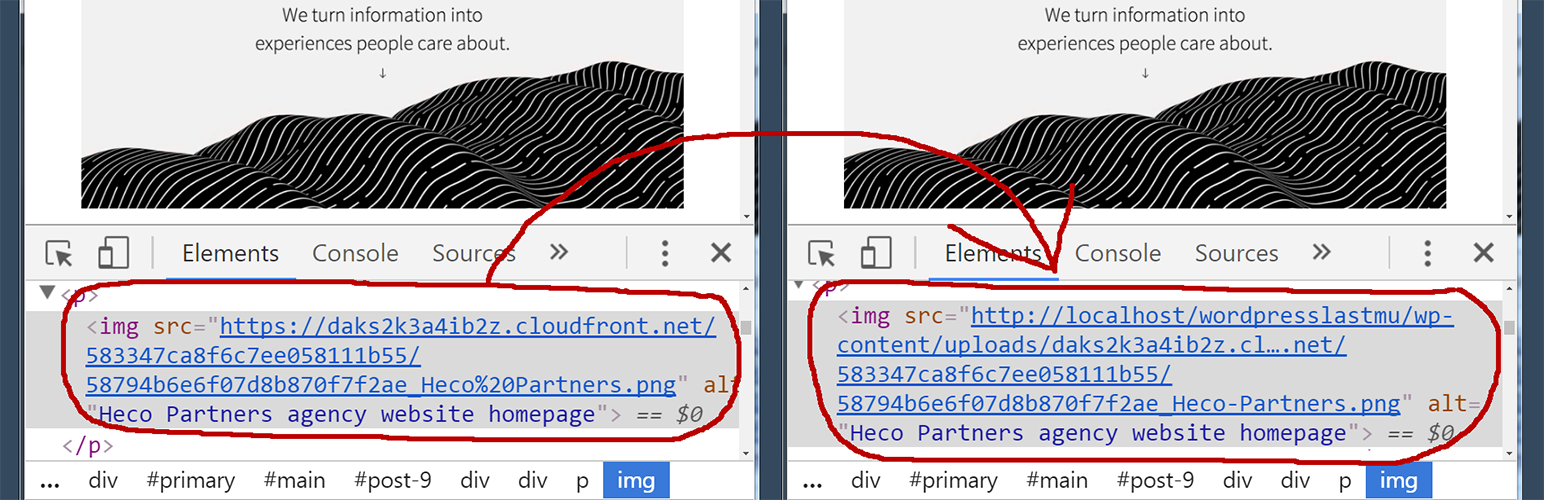
In the edit post page we can see that we have an external image URL

On the page view we see that the image URL is changed with a local copy image URL (the result)
Faq
Installation Instructions
- Upload the plugin folder to the
/wp-content/plugins/directory, or install the plugin through the WordPress plugins screen directly. - Activate the plugin through the ‘Plugins’ screen in WordPress
- To change the settings, go to Dashboard -> Plugins -> Download External Images In Posts
- That’s it!
Why should I use this plugin?
When you have a lot of images from external sites, and you think it takes a lot of time to load or you want to have a copy of them into your site local folder.
Where the external images will be saved?
The external images will be saved into your wp-content/uploads folder.
Will the plugin add all external images into Media Library page?
No.
Will it break any other plugins?
I don’t think so.
Won’t this conflict with plugins?
Well I can’t tell for sure.
Can you add a feature X?
Depends, if its useful enough and I have time for it.
Reviews
It does exactly what it says
By 
Despite being an old plugin still work flawlessly and if you happen to generate pages for XML / CSV feeds import this plugin is great to extract those external images and saving into your local wp-uploads so that you are not using somebody else's images/bandwidth.
Best Plugin
By 
Worst concept - Advising to not to use
By 
Greate plugin
By 
I love your plugins
By 
OK
By 
Great plugin!
By 
Very usefull
By 
IT WORKS
By 
Changelog
1.0
- First release.