Download Manager MS

Download Manager MS
Description
Download manager with:
* multisite support
* download buttons and forms
* easy file uploads
* stats charts
* much more
Installation
- Upload bq-download.zip to your
/wp-content/plugins/directory. - Unzip bq-download.zip.
- Activate the plugin through the ‘Plugins’ menu in WordPress.
Screenshots
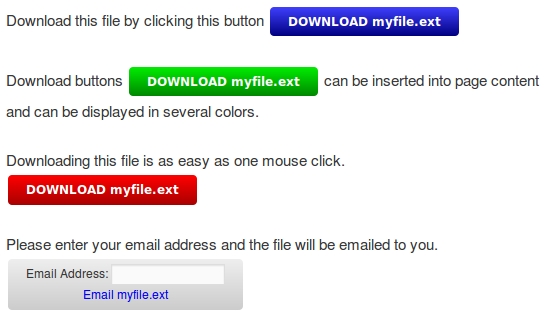
Download controls on a website.

30 Day Chart with shaded weekend days.

24 Month Chart showing long term download trend.

24 Hour Chart showing downloads per hour.

26 Week Chart

File List

Email List
Faq
Will there be regular upgrades with new features?
Yes.
Are customizations to the plugin available?
Yes, Download Manager MS can be customized to your specifications. Go to http://bqplugins.com
Reviews
Changelog
1.1.0
- Added nonces to most user functions for added security.
- Made file directory names unique to each site, for better monitoring of download activity.
- Added warnings at the top of each admin page if the server is running versions of WordPress, php or MySQL that are not compatible with the plugin.
1.0.1
- Fixed a problem that prevented some file types from downloading correctly.
- Added notification on settings page for incompatible php versions.
- Updated Help and About pages.
1.0.0
- Initial release.