Drag & Drop Menu Items
Drag & Drop Menu Items
Description
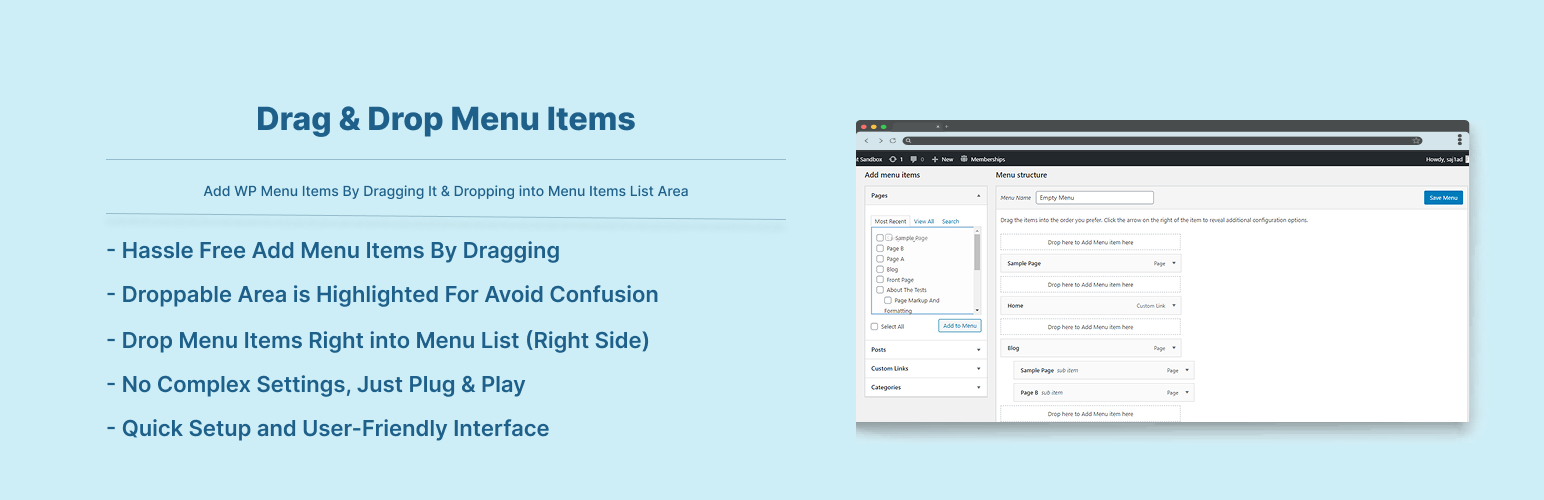
Easily Add Nav Menu Item By Dragging It To Menu Lists Container.
Features:
- Hassle Free Add Menu Items By Dragging
- Droppable Area is Highlighted For Avoid Confusion
- Drop Menu Items Right into Menu List (Right Side)
Installation
To add a WordPress Plugin using the built-in plugin installer:
Go to Plugins > Add New.
- Type in the name “Drag & Drop Menu Items” in Search Plugins box
- Find the “Drag & Drop Menu Items” Plugin to install.
- Click Install Now to begin the plugin installation.
- The resulting installation screen will list the installation as successful or note any problems during the install.
If successful, click Activate Plugin to activate it, or Return to Plugin Installer for further actions.
To add a WordPress Plugin from GitHub repo / plugin zip file :
1. Go to WordPress plugin page
2. Click Add New & Upload Plugin
3. Drag / Click upload the plugin zip file
4. The resulting installation screen will list the installation as successful or note any problems during the install.
If successful, click Activate Plugin to activate it, or Return to Plugin Installer for further actions.
Screenshots

Screen When Menu Items is being dragged

Screen When Menu Items is dropped

Process of how to add menu items by dragging
Faq
Just after installing Drag & Drop Menu Items plugin, Go to Appearance -> Menus. And There You Can Add Your Menu Items By Dragging & Dropping it into Menu items list right side. See Screenshots…
Reviews
Perfect Plugin I Was Looking For
By 
Changelog
2.0.3
- Compatibility checkup for latest wp version 7.0
2.0.2
- Compatibility checkup for latest wp version 6.9
2.0.1
- Checked for latest wp version 6.8
2.0.0
- Compatibility check for wp 6.7
1.0.3
- Compatibility check for wp 6.6
1.0.2
- Compatibility check for wp 6.3
1.0.1
- Compatibility check for wp 6.0
1.0.0
- Initial release.