Drive Upload for Gravity Forms (Google Drive)

Drive Upload for Gravity Forms (Google Drive)
Description
Automatically upload files directly to your Google Drive when users submit forms.
Features:
– Direct file uploads to Google Drive
– Support for multiple file types
– Easy Google authentication
Video Tutorial
Watch this step-by-step guide to setting up the plugin, including how to get your Google API Client ID, Secret, and Refresh Token.
Configuration
- Connect your Google Drive account
- Select destination folder
- Map form fields to Drive metadata
- Save and test with a form submission
Support
For support, visit the plugin documentation or contact support.
License
This plugin is licensed under the GPL v2 or later.
Installation
- Upload the plugin folder to
/wp-content/plugins/ - Activate the plugin through the WordPress admin panel
- Go to Forms > Settings > Drive Upload
- Authenticate with your Google account
- Configure your upload settings
Screenshots
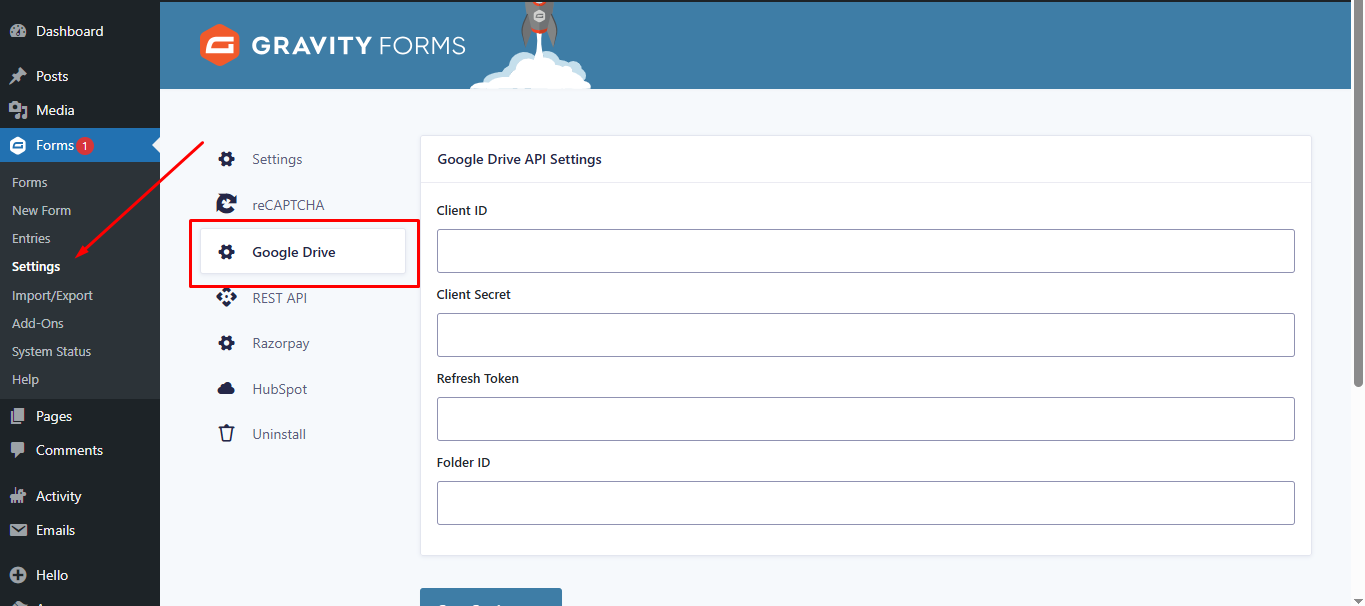
Google Drive API Settings: Configure your Client ID, Client Secret, and destination Folder ID in the main settings.
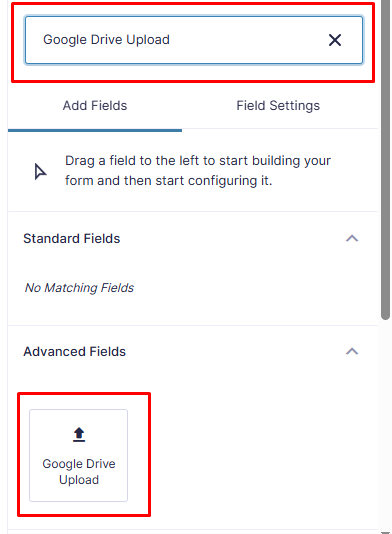
Easy Integration: Drag and drop the "Google Drive Upload" field from the Advanced Fields section in the form editor.
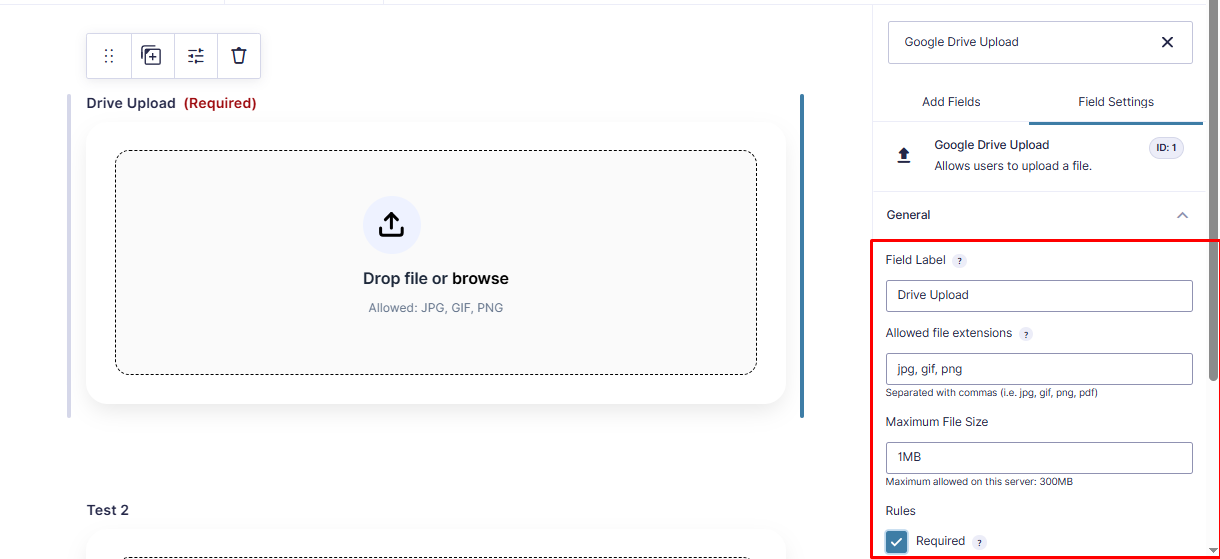
Field Configuration: Customize file restrictions, including allowed extensions and maximum file size limits directly in the field settings.
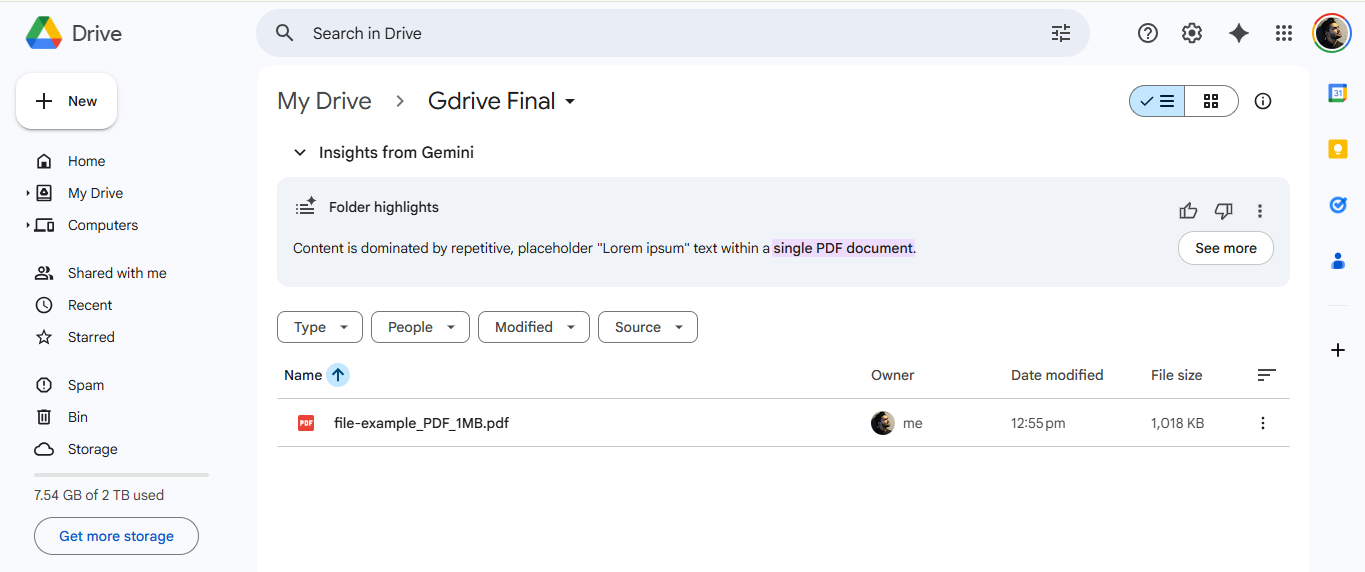
Seamless Uploads: Submissions are automatically uploaded and organized in your connected Google Drive folder.
Reviews
Works Great for Gravity Forms and Google Drive
By 
I have Gravity Forms on my website, and honestly, this plugin makes my work so much cleaner and organised. Loved the concept!
Best Plugin for adding files directly to Google Drive.
By 
I have been using gravity forms for a while and this plugin solves the core concern of integrating google drive functionality to my site.
Changelog
2.1
- Fixed: Fatal error “Class GFAddOn not found” by ensuring Gravity Forms is fully loaded before initialization.
- Fixed: Resolved text domain mismatch issues.
- Updated: Renamed all classes and functions to use the unique
DUGF_prefix. - Updated: Added
composer.jsonfor dependency management.
1.0.0
- Initial release