Toolkit for Polylang – Translation Inspector & Duplicate Content
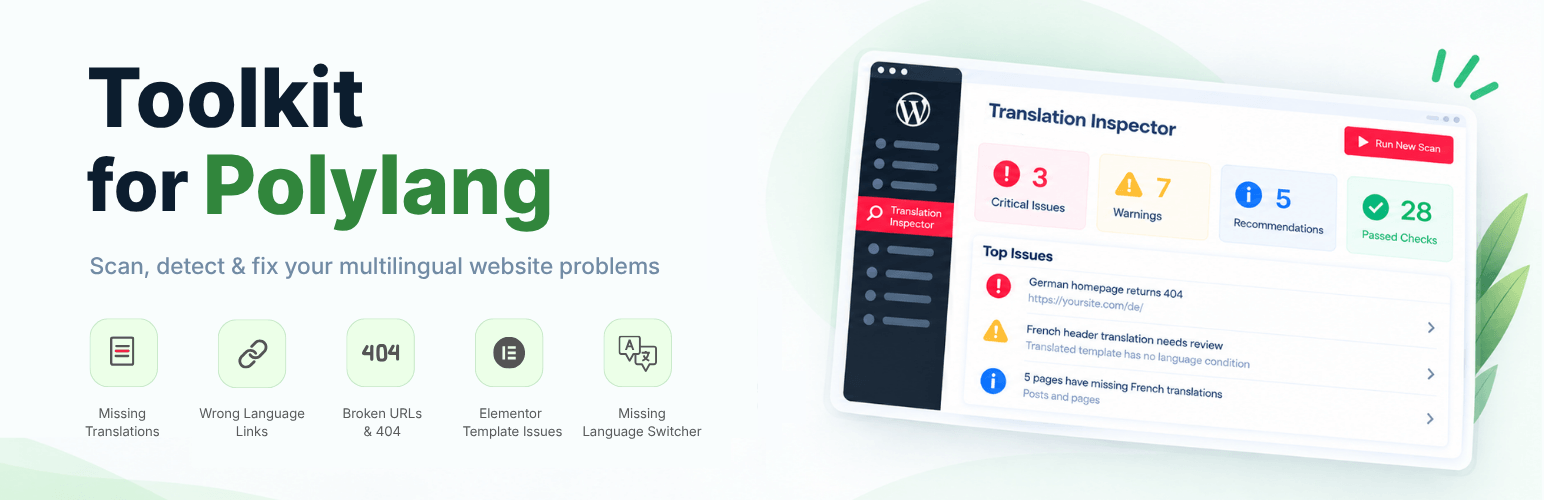
Toolkit for Polylang – Translation Inspector & Duplicate Content
Description
Toolkit for Polylang – Translation Inspector & Duplicate Content is a powerful WordPress plugin that helps you scan your multilingual website and find translation issues.
As a multilingual website owner you must already know that even when the main content is translated, problems like link to the wrong language, 404 error, wrong Elementor template display, untranslated URLs and more still goes unnoticed.
Toolkit for Polylang brings these checks together in one place. Just run a scan, review the findings, and understand what need attention.
Key Features
-
Multilingual Site Scan: Scan your multilingual WordPress website built using Polylang for translation and configuration issues across supported content, languages, URLs, Polylang settings, Elementor setup, and other areas.
-
Issue Severity & Status: Organizes scan results into Critical, Warning, Passed, and Ignored categories, making it easier to understand which issues need attention and which checks have passed.
-
Missing Translation Detection: Find supported posts, pages, and other content that are missing translations in one or more active Polylang languages.
-
URL & Routing Checks: Review multilingual URLs and language routing for supported problems, including incorrect language URLs, broken links, and routes that results in 404 pages.
-
Elementor Translation Checks: Detect multilingual issues with Elementor headers, footers, templates, and display conditions that can cause the wrong template to appear on translated pages.
-
Translation Health Score: Get an overall translation health score based on the results of your latest site scan, giving you a quick view of the current state of your multilingual website.
-
Translation Coverage: Review translation availability across your active Polylang languages and identify content that does or does not have corresponding language versions.
-
Issue Rescanning: Rescan individual issues or completed website after making changes to check whether they have been resolved.
-
Duplicate Content: Duplicate your pages/posts and make them available for translation via Polylang.
-
Privacy-Friendly Inspection: Toolkit for Polylang performs its core checks using information available within your WordPress installation. The plugin does not send your website content to an external service to perform its core inspection.
-
Lightweight & Easy to Use.
-
Fully Responsive.
Tools & Addons for Polylang
Toolkit for Polylang plugin includes two main tools:
Built-In Tools
-
Translation Inspector: Scans your multilingual website and helps identify translation, setup, routing, coverage, and related issues.
-
Duplicate Content: Duplicates your pages/posts content and make it available for translation via Polylang.
Polylang Addons
Toolkit for Polylang works as part of a broader Polylang workflow. You can optionally use the following addons with it.
-
AI Translation for Polylang: Automate the translation process using Polylang. It works by integrating AI translation providers with Polylang plugin and allowing you to translate pages built using Gutenberg, Elementor, or Divi.
-
Language Switcher for Polylang: Add a floating language switcher or standard language switcher to your multilingual Elementor, Gutenberg or Divi websites.
Check out our other Plugins
-
AI Translation for TranslatePress: Powerful TranslatePress addon that enhances the functionality of the TranslatePress plugin. This addon uses advanced translation services, like Google Translate, Yandex, and Chrome AI translator, to provide accurate and instant translations for your web pages automatically.
-
Linguator – Multilingual AI Translation: It is a powerful multilingual plugin that helps you create and manage multilingual content on your WordPress website. Easily translate your posts, pages, menus, and categories into different languages using AI and connect with visitors worldwide.
-
AutoMLP – AI Translation for WPML: AutoMLP is an WPML automatic translation addon. It allows you to translate your WordPress website using different AI services like OpenAI, Google Gemini, or Chrome AI at low cost.
-
LocoAI – Auto Translate for Loco Translate: It is an addon that enhances the functionality of the Loco Translate plugin by enabling the automatic translation of WordPress themes and plugins. This addon connects with sources like Google, Yandex, DeepL, or AI-powered sources like ChatGPT, Gemini AI and Chrome built-in AI to provide instant and automated translations.
Installation
- First, make sure that you have installed and activated the Toolkit for Polylang – Translation Inspector & Duplicate Content plugin on your WordPress website.
- After activation, the setup wizard will open, here, select the tools you want to use on your multilingual website:
- Translation Inspector and Duplicate Content Check are built-in features of Toolkit for Polylang.
- AutoPoly and Language Switcher for Polylang are available as additional options when their respective plugins are already installed and activated.
- Click Continue to complete the setup.
- Once the setup is complete, run your first scan to check your multilingual website for translation and configuration issues.
Screenshots
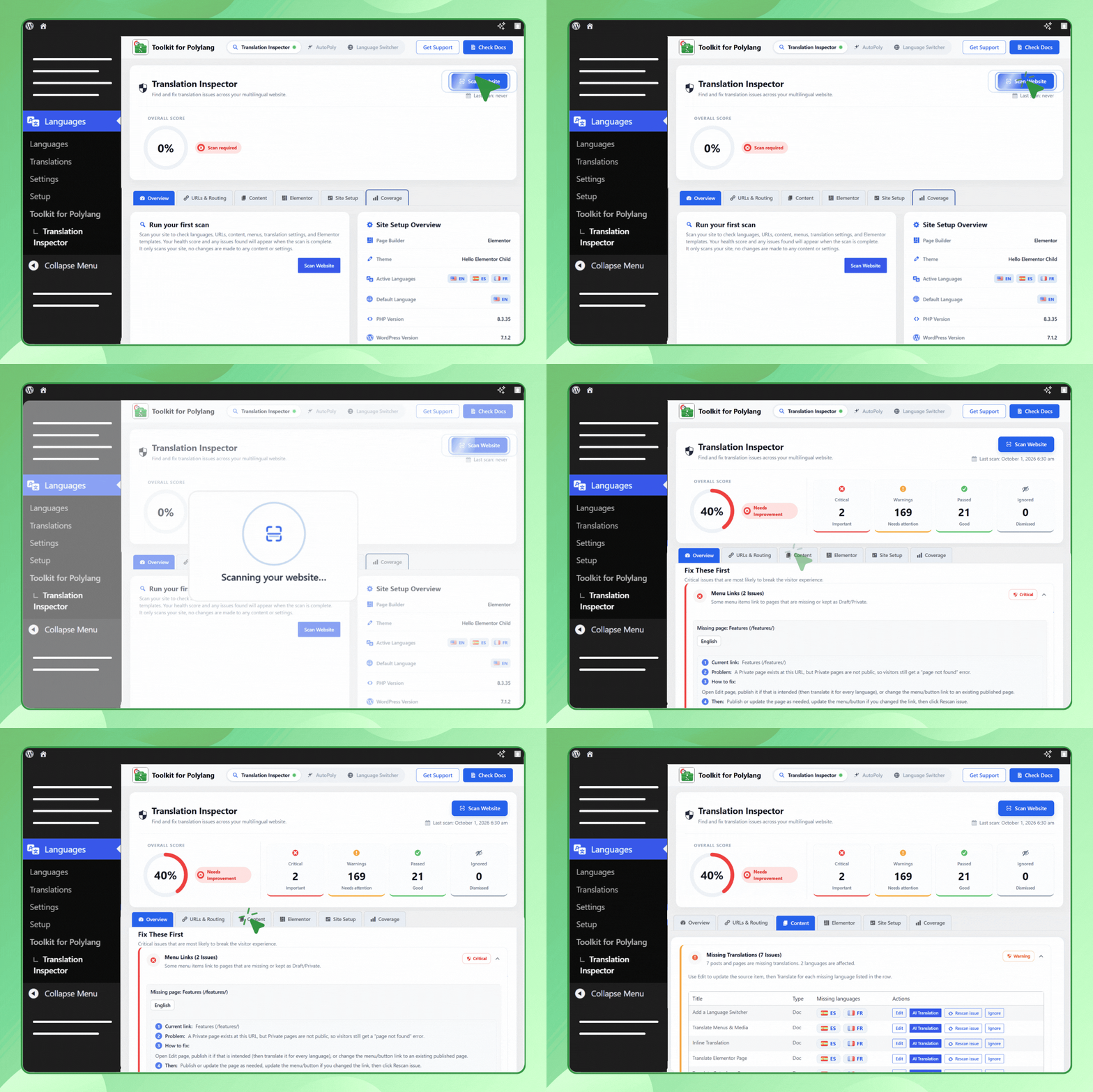
Multilingual Website Issue Scan

Configure Multilingual Issues

Automatic Translation.
Faq
Toolkit for Polylang is a WordPress addon for Polylang that helps you scan a multilingual website for translation-related issues, missing language versions, setup problems, duplicate content, routing issues, and other multilingual problems.
No. Toolkit for Polylang plugin is an addon for Polylang. It works with Polylang to help you find and troubleshoot translation issues that are difficult to track.
Translation Inspector checks your multilingual WordPress website for common translation, content, configuration, and routing issues, including:
* Menu health: Checks multilingual menu assignments and related menu issues.
* Template / Header / Footer health: Checks translation-related issues with templates, headers, and footers.
* Missing translations: Finds supported pages, posts, and other content that are missing translations.
* URL / Routing health: Checks multilingual URLs, language routing, and supported URL-related issues.
* Elementor display conditions: Checks Elementor display-condition issues that can affect multilingual templates such as headers and footers.
* FSE Navigation: Checks navigation-related multilingual issues in block themes and the WordPress Site Editor.
* Wrong-language links: Detects supported links that point to content in the wrong language.
* String translations: Checks for missing or untranslated Polylang strings.
* CPT / Taxonomy health: Checks custom post types, taxonomies, and their translation coverage.
* Sync / Content-loss protection: Helps identify supported translation synchronization or content-update risks.
* Dead menu links: Detects menu items that point to missing, draft, or private content.
No, Toolkit for Polylang is primarily an inspection and troubleshooting tool. However, if AutoPoly is installed and activated on your website along with Toolkit for Polylang, you can easily translate your untranslated website content automatically.
A critical issue is a problem that have a stronger impact on the multilingual visitor experience.
For example, an important page that is missing in one or more languages may need attention before a lower-priority warning.
The Translation Health Score gives you a quick overview based on the checks completed during the website scan.
Yes. If an issue is intentional or does not need action on your website, you can ignore it.
Yes. Using Rescan Issue option you can run another complete website scan.
It duplicate your pages/posts and make them available for translation via Polylang.
No. AI Translation and Language Switcher plugins are optional. If these are installed and activated, Toolkit for Polylang can use the integration to provide AI Translation actions for automatic content translation and language switcher functionality for your multilingual website.
The scan is intended to inspect your multilingual website and report issues.
Changes are made only when you intentionally use an available action, such as editing content or changing a setting.
No. Toolkit for Polylang for Polylang is a third-party addon and is not developed by or affiliated with the official Polylang developers.
You can report security bugs through the Patchstack Vulnerability Disclosure Program. The Patchstack team help validate, triage and handle any security vulnerabilities. Report a security vulnerability..
Reviews
Eficient i amb possibilitats sense pagament
By 
Estalvia molt de temps i amb Yandex Translate (també amb Chrome però té principalment de l'anglès a altres llegües) pots traduir sense cost.
Simple et efficace,
By 
Fais exactement ce que ça promet. Mais honnêtement, on passe vite à la traduction automatique proposée par l’extension.
Muy simple de usar
By 
Simple y disminuye mucho tiempo, gracias!
It works!
By 
It works fine!
No funciona / Not Working
By 
No funciona, no se añade ninguna funcionalidad de duplicación.
Polylang Pro + GenaratePress
Amazing!
By 
This plugin is amazing, it did exactly what I needed and for free!
Enabling translation for ACF Pro Block content was a bit unintuitive at first, but it's amazing that it works at all.
Very good plugin
By 
Very good plugin. I recommend it for use. It works without errors.
Ideal, Fácil
By 
Hizo todo exactamente como dijo que lo haría,
¡lo recomiendo!
Great plugin
By 
Did everything exactly as it said it would, I recommend it!
Ottimo
By 
Plugin molto pratico, funziona molto bene. Grazie!
Changelog
Version 2.2.0 | 26 Oct 2026
- Added: Detection of ACF and custom-field text that remains identical to the original language on translated pages.
- Added: Frontend Untranslated Inspector to identify untranslated content on the live page.
- Added: Translation status into the editor sidebar panel.
- Improved: Elementor scanning to detect untranslated text in v4 atomic widgets.
- Fixed: Minor issues and improvements.
Version 2.1.1 | 07 Oct 2026
- Fixed: Minor issues and improvements.
Version 2.1.0 | 05 Oct 2026
- Added: Multilingual site scanning to detect potential translation and configuration issues.
- Improvements: Code quality, performance, and overall plugin optimization.
- Tested Up to: WordPress 7.1.2 and Polylang 3.8.10.
Version 2.0.6 | 17 Aug 2026
- Added: Language switcher plugin recommendations for Polylang user.
Version 2.0.5 | 04 Aug 2026
- Fixed: Resolved an issue with the translation popup.
Version 2.0.4.1 | 22 June 2026
- Updated: Assets Updated.
Version 2.0.4 | 05 June 2026
- Improvements: Code Improvements & Optimization
Version 2.0.3 | 26 May 2026
- Fixed: Resolved Gutenberg content sync issue for translated posts.
- Tested Up to: Tested up to WordPress 7.0
Version 2.0.2 | 17 Mar 2026
- Fixed: Fixed issues reported by “Plugin Check” plugin.
- Added: Added support to copy content from existing pages.
Version 2.0.1 | 12 Feb 2026
- Updated: Textual Changes.
Version 2.0.0 | 06 Feb 2026
- Improvements: Enhanced UI for both Classic Editor and Gutenberg blocks.
- Improvements: Overall code optimization and performance improvements.
Version 1.2.9 | 29 Jan 2026
- Fixed: Fixed issues reported by “Plugin Check” plugin.
Version 1.2.8 | 18 Nov 2025
- Fixed: PHP undefined array key issue.
Version 1.2.7 | 23 Aug 2025
- Fixed: Admin folder path issue.
Version 1.2.6 | 23 Aug 2025
- Fixed: Security issues.
- Improved: Feedback Notice.
- Improved: Hide Automatic Translate button if AutoPoly – AI Translation For Polylang is installed.
Version 1.2.5 | 10 Jun 2025
- Fixed: Text domain mismatch for proper localization support.
- Tweaks: Textual changes.
Version 1.2.4 | 02 May 2025
- Tested Upto: WordPress version 6.8 and Polylang version 3.7
- Tweaks: Minor changes in code.
Version 1.2.3 | 25 Dec 2024
- Fixed: load_plugin_textdomain() function issue.
- Tested Up to: WordPress 6.7.1 and PolyLang 3.6.5.
- Tweaks: Minor textual change in readme and updated banner and screenshots
Version 1.2.2 | 09 Sep 2024
- Minor: Added automatic translation for Polylang notice.
- Minor: Update automatic translate button link.
Version 1.2.1 | 08 Jul 2024
- Minor: Added automatic translation for Polylang demo button.
- Tested Up to: Tested up to WordPress 6.5 and PolyLang 3.6.3
Version 1.2.0 | 22 Feb 2024
- Added: Added Support with the Gutenberg Editor.
- Fixed: Minor bug fixes.
- Tested Up to: Tested up to WordPress 6.4.3 and Polylang 3.5.4
Version 1.1 | 08 Jan. 2020
- Added: Review notice
- Updated: Duplicate Button text
Version 1.0 | 02 Jan. 2020
- New: Initial Plugin Release