DX GitHub Badge

DX GitHub Badge
Description
Display simple GitHub profile badge. Works with widget or placing a shortcode.
The plugin is based on Github Badge – http://githubbadge.appspot.com/
Installation
- Upload
DX-GitHub-Badgeto the/wp-content/plugins/directory - Activate the plugin through the ‘Plugins’ menu in WordPress
- Use
[dx_display_gh_badge user="GitHub-Username-here"]shortcode in your Post/Page.
Screenshots
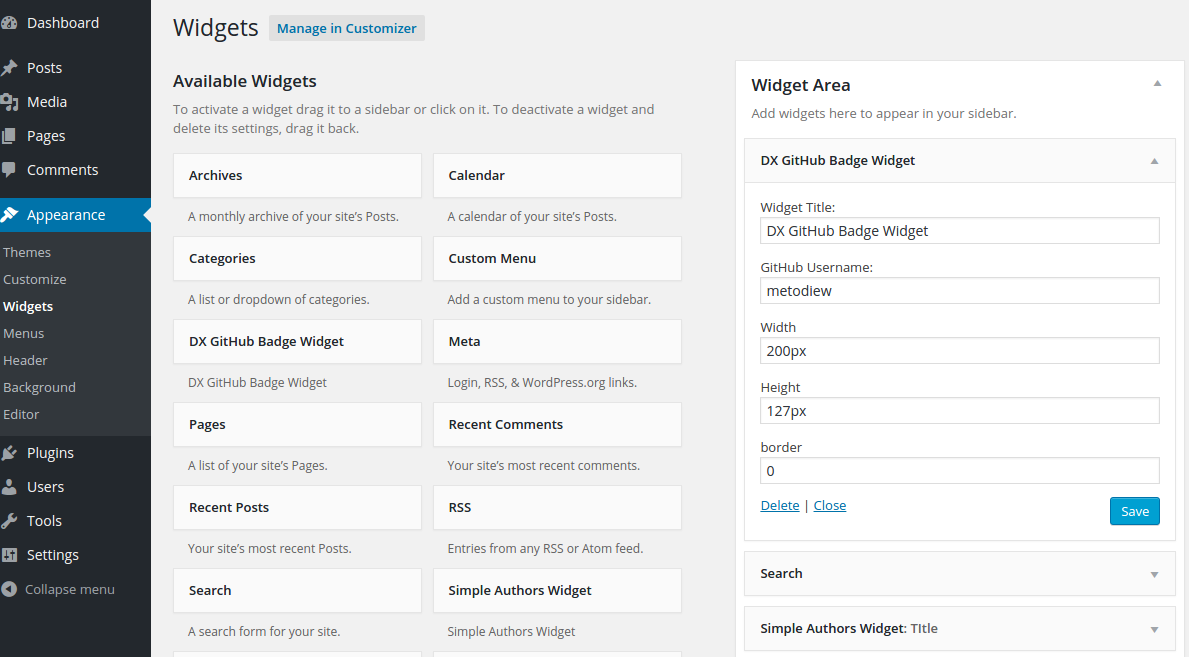
Dashboard Widgets

Front End Widget
Faq
How to use plugin?
Use DX GitHub Badge Widget or [dx_display_gh_badge user="GitHub-Username-here"] shortcode in your Post/Page.
Reviews
Changelog
(06.12.2015)
- Version updated to 1.1
- Minor updates to the codebase – add checks if GitHub username is not empty
- a11y improvements – update Help Page Headings
(09.08.2015)
- Version updated to 1.0
- Fix “Deprecating PHP4 style constructors in WordPress 4.3”.
- See: https://make.wordpress.org/core/2015/07/02/deprecating-php4-style-constructors-in-wordpress-4-3/
- Screeshots added
0.1
- Initial release