Dynamic Placeholder Images

Dynamic Placeholder Images
Description
If you’ve ever wanted to make your own dynamic placeholder images web site (like baconmockup or placekitten), this plugin is for you. Once it’s installed and you’ve added some images, you can access them at a URL with the desired height and width. Example: http://baconmockup.com/400/300/
Includes:
- [dynamic-images-attribution] shortcode to display a complete list of images that can be used
- JSON API
Be sure to check Settings/Dynamic Placeholder images to fully customize your settings.
View a demo page with my goofy dog: https://petenelson.com/dynamic-clyde-images/
Thanks to Kenzie Moss for the plugin banner and icon.
Installation
- Upload the gga-dynamic-placeholder-images to the
/wp-content/plugins/directory - Activate the plugin through the ‘Plugins’ menu in WordPress
- Place the
[dynamic-images-attribution]shortcode in a page or post - Check Settings/Dynamic Placeholder images to fully customize your settings.
Screenshots
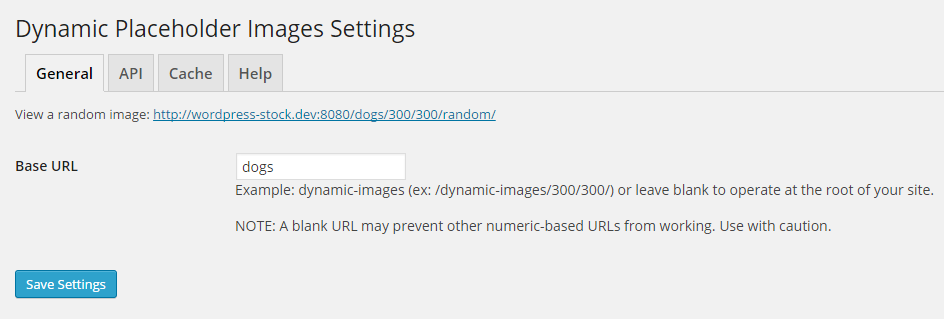
Configure your dynamic placeholder image generator

Flag an image to be used as a placeholder image

Sample image

Sample image attributuon grid
Faq
Installation Instructions
- Upload the gga-dynamic-placeholder-images to the
/wp-content/plugins/directory - Activate the plugin through the ‘Plugins’ menu in WordPress
- Place the
[dynamic-images-attribution]shortcode in a page or post - Check Settings/Dynamic Placeholder images to fully customize your settings.
Do you have any questions?
We can answer them here!
Reviews
Changelog
v2.0.3 October 9, 2016
- Fixed bug in 404 handling for URLs using specific slugs
v2.0.2 March 10, 2015
- Fixed bugs in activation hook
- Added deactivation hook to delete image cache
- Updated uninstall hook to remove plugin options
v2.0.1 March 8, 2015
- Minor updates to the image attribution CSS
v2.0.0 March 7, 2015
- Initial release to the WordPress repository