Dynamic Variation Images for WooCommerce

Dynamic Variation Images for WooCommerce
Description
Dynamic Variation Images for WooCommerce allows you to add custom images to each product variation, giving your customers a better visual experience when selecting product options.
Features
- Add images to product variations
- Multiple display styles: horizontal text, vertical text, color swatches, square thumbnails, circular thumbnails, and button styles
- Visual Designer for customizing variation selectors per product
- Works on product pages
- Compatible with all major page builders (Elementor, Bricks, Divi, Gutenberg)
- Multi-attribute support with grouped or separate sections
- Lazy loading for improved performance
- REST API endpoints for headless WooCommerce
- Multi-vendor support (Dokan, WCFM)
Installation
- Upload the plugin files to
/wp-content/plugins/wc-variation-images-pro/ - Activate the plugin through the ‘Plugins’ menu in WordPress
- Make sure WooCommerce is installed and activated
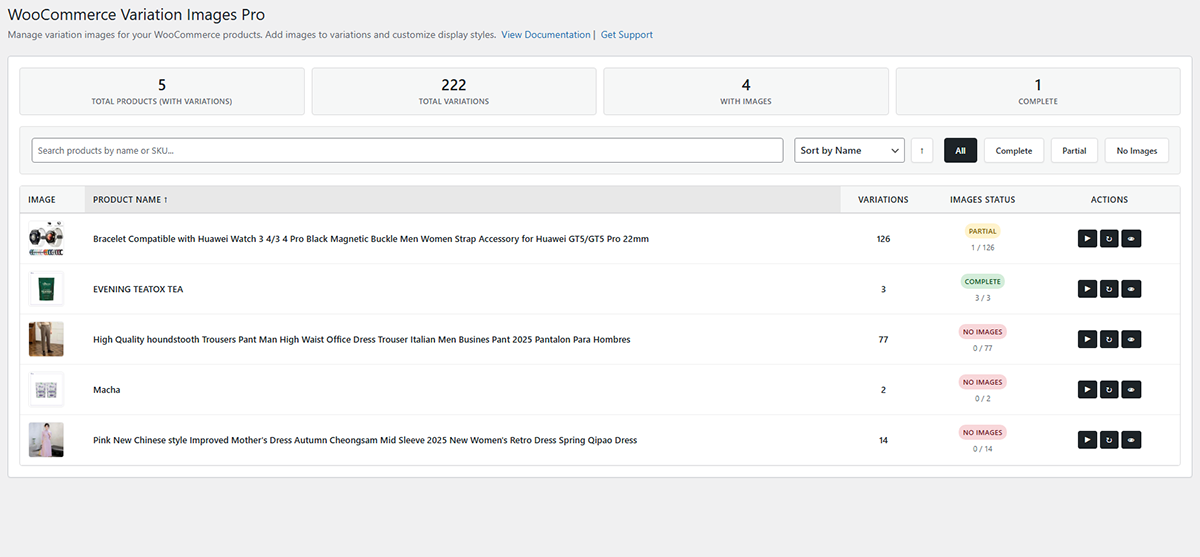
- Go to ‘Variation Images’ in the admin menu to start managing variation images
Screenshots


Faq
Yes, the plugin is designed to work with all WordPress themes and major page builders.
Yes, you can add multiple images to each variation.
Yes, the plugin works with all page builders and includes dedicated widgets for Elementor, Bricks, and Divi.
Yes, multi-vendor support (Dokan, WCFM) is available.
Reviews
Changelog
1.0.1
- Fixed text domain to match plugin slug (dynamic-variation-images)
- Added nonce verification for security
- Improved data sanitization after JSON decoding
- Updated tested up to WordPress 6.9
- Enhanced error handling for missing files
1.0.0
- Initial release
- Add images to product variations
- Multiple display styles and layouts
- Visual Designer for custom variation selectors
- REST API endpoints
- Multi-vendor support