Easy Dark Theme for Astra

Easy Dark Theme for Astra
Description
Easy Dark Theme for Astra adds a light/dark mode switcher designed specifically for Astra themes.
Main features:
* Toggle control mode:
* Auto (system preference) using prefers-color-scheme
* Button mode (user switch)
* Optional “Remember preference” (persists user choice)
* Toggle placement options (floating):
* Bottom-right, bottom-left, top-right, top-left
* Horizontal and vertical spacing (positive values, automatically applied based on position)
* Toggle visibility options:
* Always show, hide on mobile, hide on desktop, always hide
* Toggle style options:
* Icon or Text
* Pill style:
* Capsule switch with sun/moon icons and animated knob
* Optional theme transition:
* Smooth transition applied only while switching between themes
* Multiple toggle outputs:
* Floating button (auto-injected)
* Widget
* Shortcode: [edta_toggle]
* Admin preview with live style switching
* Optional Astra Global Colors mapping:
* Free Preset Palette (included, not editable)
* Custom Palette (fully editable)
* Dark palette always applied in dark mode
* Light palette can be skipped to respect the theme’s own light colors (recommended)
* Accessibility options:
* Reduced motion support (respects prefers-reduced-motion)
* Optional focus ring improvements for keyboard navigation
* Tools:
* Export settings to JSON
* Import settings from JSON
* Reset settings to defaults (with confirmation)
* Admin UX improvements:
* Reduced flicker on initial load (palette + lock state handling)
* Improved state synchronization for preset/custom palettes
* Improved save-state detection in sidebar
Notes:
* This plugin is intended for Astra themes. If Astra is not active, the plugin’s frontend output is disabled. The admin page remains available.
Plugin page:
https://wordpress.org/plugins/easy-dark-theme-for-astra/
Installation
- Upload the plugin folder to /wp-content/plugins/ or install it via WordPress Plugins.
- Activate “Easy Dark Theme for Astra”.
- Go to WP Admin Easy Dark Theme to configure:
- Control mode (Auto / Button)
- Default mode (System / Light / Dark)
- Button style/position/visibility
- Theme transition
- Accessibility options
- Astra Global Colors palette options
- Tools (export/import/reset)
Screenshots
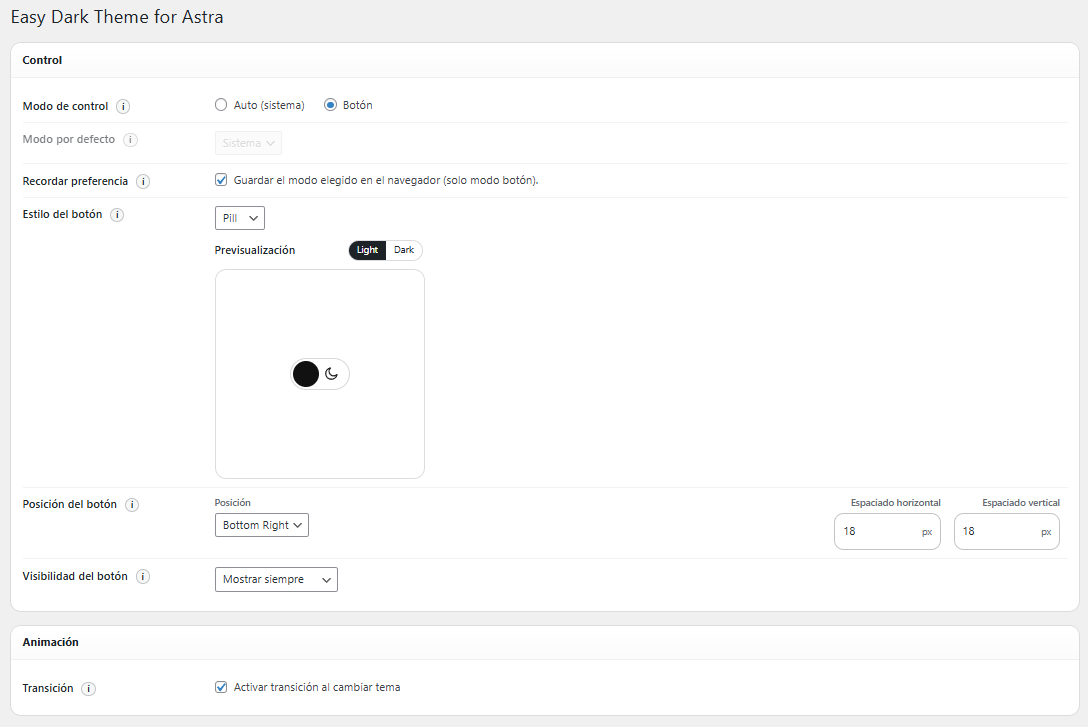
Control + Animation sections (complete view)
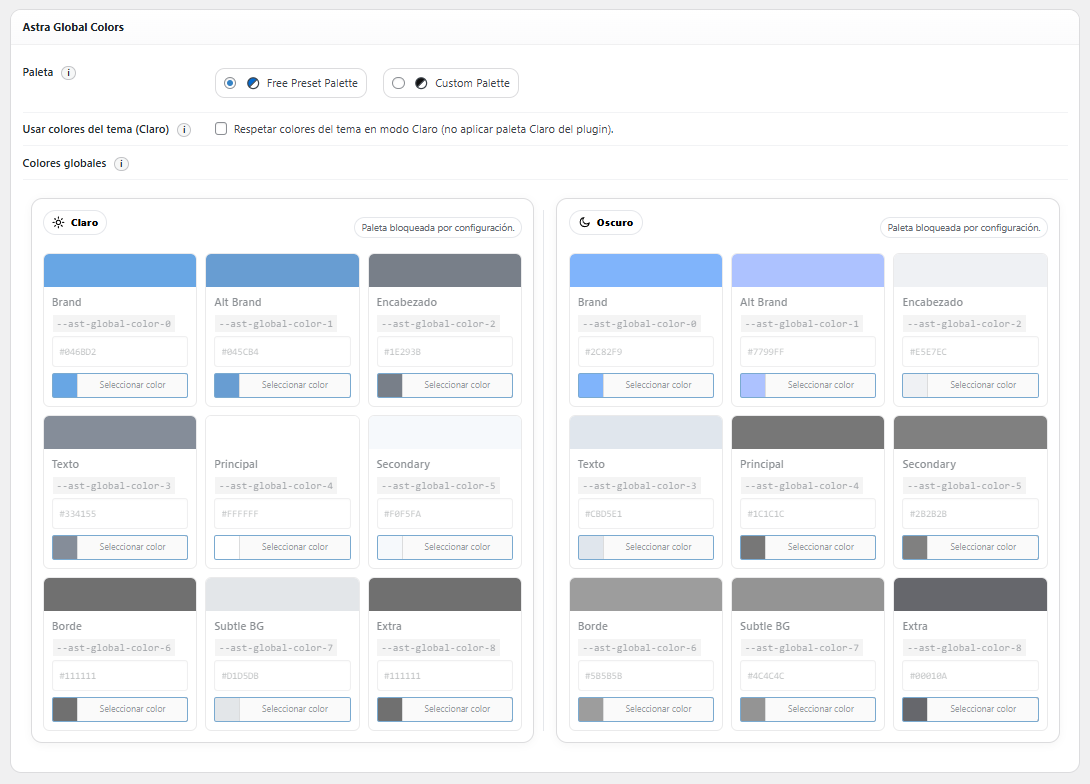
Astra Global Colors (Free Preset Palette selected)
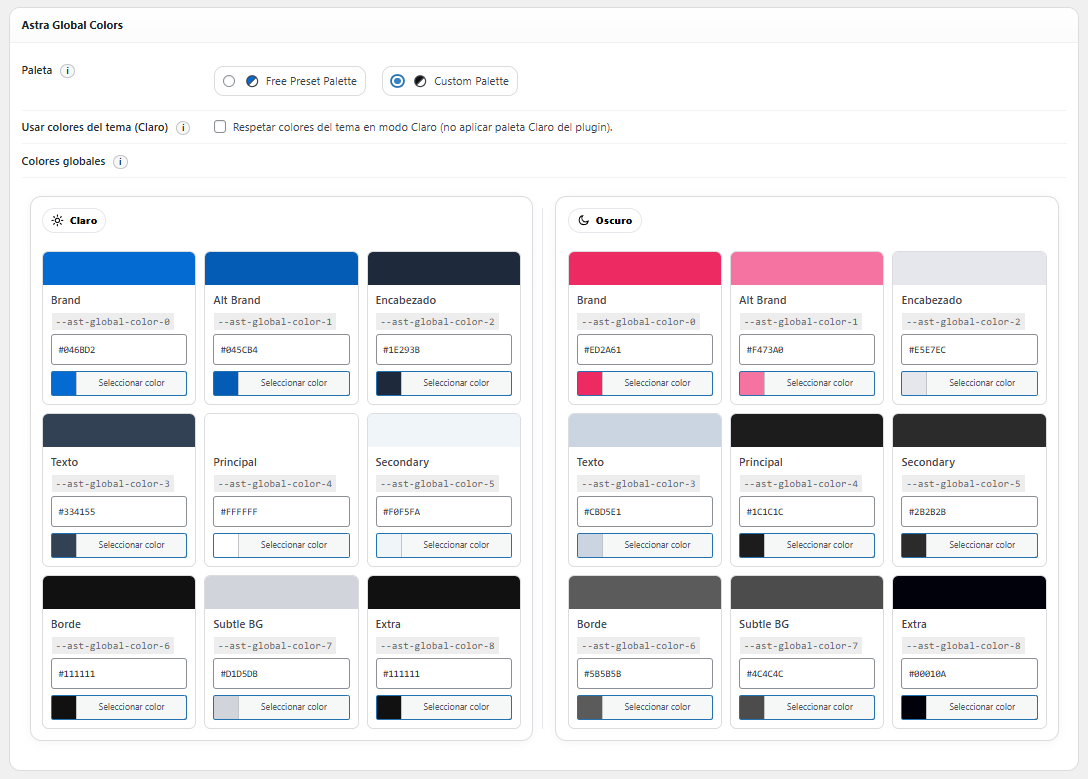
Astra Global Colors (Custom Palette selected)
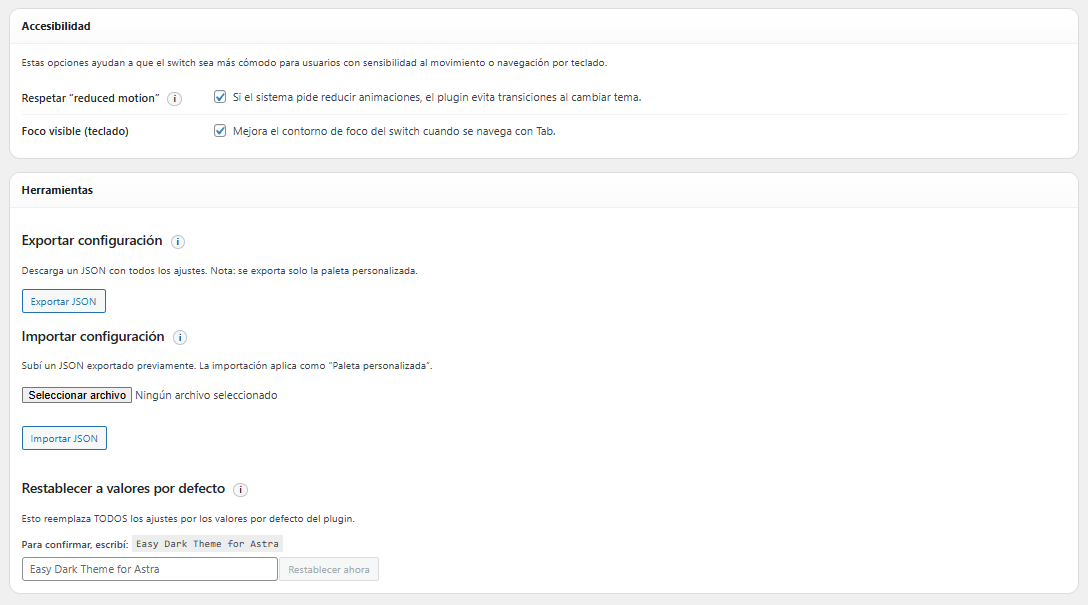
Accessibility + Tools sections
Faq
No. The plugin is designed for Astra and the frontend is disabled if Astra is not active. The palette mapping relies on Astra Global Colors (–ast-global-color-*).
The plugin applies:
* body.edta-theme-dark
* body.edta-theme-light
* html.edta-pre-dark
* html.edta-pre-light
In Auto mode, the initial state is set early to reduce flicker (pre-classes are applied before first paint).
Yes. Use the shortcode:
[edta_toggle]
Or add the widget in Appearance Widgets.
Yes (in Button mode with “Remember preference” enabled), using localStorage storage events.
No. The plugin uses safe fallbacks and continues working without persistence.
Yes. All plugin settings can be exported and imported from the admin panel, allowing easy migration between sites.
No. You should set your site colors using Astra Global Colors (Customizer). The plugin then replaces those global color values with the configured light/dark palettes.
Reviews
Changelog
1.1.2
- Tested compatibility with WordPress 7.0
1.1.1
- Added review notice in the admin panel after 7 days of use.
1.1.0
- Admin interface now defaults to English as the base language.
- Added full i18n support with translations for Spanish (Spain), Spanish (Argentina), Spanish (Mexico), French, German, and Portuguese (Brazil).
- All admin UI texts, tooltips, and select options are now fully translatable.
- Tested compatibility with WordPress 6.9.4.
1.0.1
- Tested compatibility with WordPress 6.9.1.
1.0.0
- Official public release on WordPress.org.
0.1.1
- Updated plugin URL to official WordPress.org page.
- Improved admin UI initialization to reduce palette flicker.
- Improved preset/custom palette state handling.
- Improved palette lock behavior consistency.
- Minor admin UX refinements and code cleanup.
0.1.0
- Initial release:
- Auto/system mode and Button mode.
- Floating toggle + shortcode + widget.
- Icon/Text/Pill styles, position and visibility options.
- Horizontal/vertical spacing based on position.
- Optional theme transition on switch.
- Free Preset Palette + Custom Palette.
- Astra Global Colors palette mapping.
- Export/Import settings (JSON) and Reset tools.
- Cross-tab sync, fallbacks, and accessibility improvements.