Easy Font Resize

Easy Font Resize
Description
Allows your visitors to increase or decrease font size of the “main” section of your website.
Features:
- Uses jQuery to change text/font sizes
- Shortcodes supported
- Simple and Lightweight
- Easy to Set Up
- Works with all font size units
- Uses localStorage to set font size only once across whole website
Screenshots

Resizer widget shown to the users

Settings page
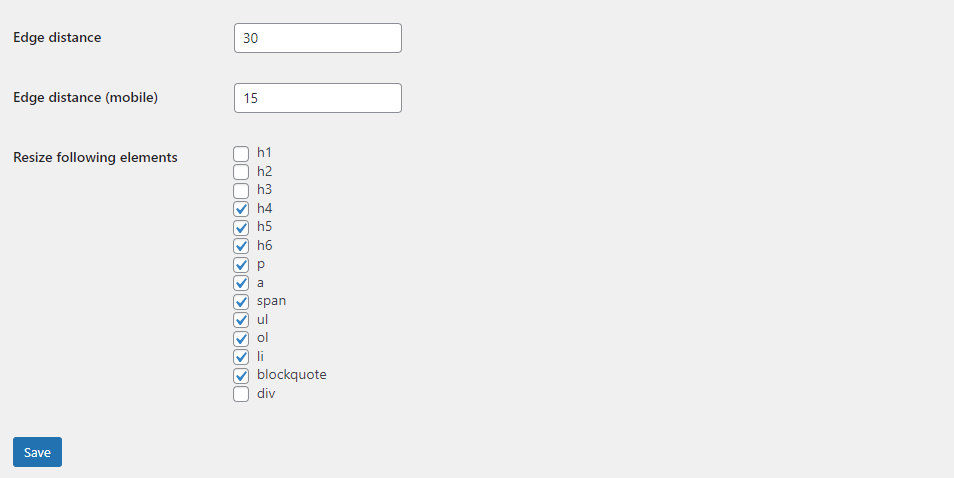
Settings page
Faq
Try changing settings, specifically the jQuery selector field. Your theme might have different mark up.
Use [wpavefrsz-resizer] to output resizer wherever you want.
Use ‘wpavefrsz_render_flag’ filter. For example, to only disable it on pages, use it like so:
add_filter('wpavefrsz_render_flag', function ($render, $post) {
    if ($post->post_type === 'page') {
        return false;
    }

    return $render;
}, 10, 2);
Let’s fix that! Contact me at aleksandarziher@gmail.com
Reviews
IT IS EASY
By 
Thank you for writing a simple, straighforward plugin!
VERY easy to use
By 
Very, very, very, simple setup. It works even when fonts are set in px, unlike others. The options are minimal, but it's free and straight forward.
Great plugin
By 
Great plugin and support!
Retiree association
By 
Great plugin, perfect!
By 
Super clean plugin
By 
Geat plugin! Easy to use and has no issues
By 
Very Useful
By 
Exactly what I was looking for!
By 
Very Good.
By 
Changelog
1.0
- First version.
1.0.1
- Added localStorage support to set font sizes only once
1.0.2
- Added grey theme
1.0.3
- Added min/max/step values to options page
- Disabled selecting/highlighting text for resizer buttons
- Added “tabindex” and “title” attributes for accessibility (TAB keyboard key)
- Removed widget support (does not support widget block editor and never will)
1.0.4
- Added “Remember font size site-wide?” switch to options
1.0.5
- Added more resizeable elements
- Added following filters: wpavefrsz_filter_text, wpavefrsz_filter_minus, wpavefrsz_filter_plus, wpavefrsz_filter_equals
- Added an exclusion selector(s) fields
- Added a “force” mode that will add “!important” rule to better enforce font sizes
- Added a “notranslate” switch that will prevent Google Translator widget from interacting with resizer buttons
1.0.6
- Added proper screenreader ARIA labels and roles
1.0.7
- Added code to prevent DOM bubbling
1.0.8
- Fixed a bug with no elements being selected for resizing
- Added a Reset button for elements on settings page
1.0.9
- Added new filter ‘wpavefrsz_render_flag’
- Added a new plugin promotion box
1.0.10
- Added an option to manually select elements for resizing
1.0.11
- Added a nag notice for Advanced Visual Elements plugin promotion
1.0.12
- Added an option to use native WordPress icons for resizer buttons
- Added a Buymeacoffee support link
1.0.13
- Added an option to upload icon that will appear after instructions text
1.0.14
- Fixed dashicons not being enqueued and displaying in frontend
1.0.15
- Added Elementor widget