Easy Form Builder by WhiteStudio – Drag & Drop Form Builder
Easy Form Builder by WhiteStudio – Drag & Drop Form Builder
Description
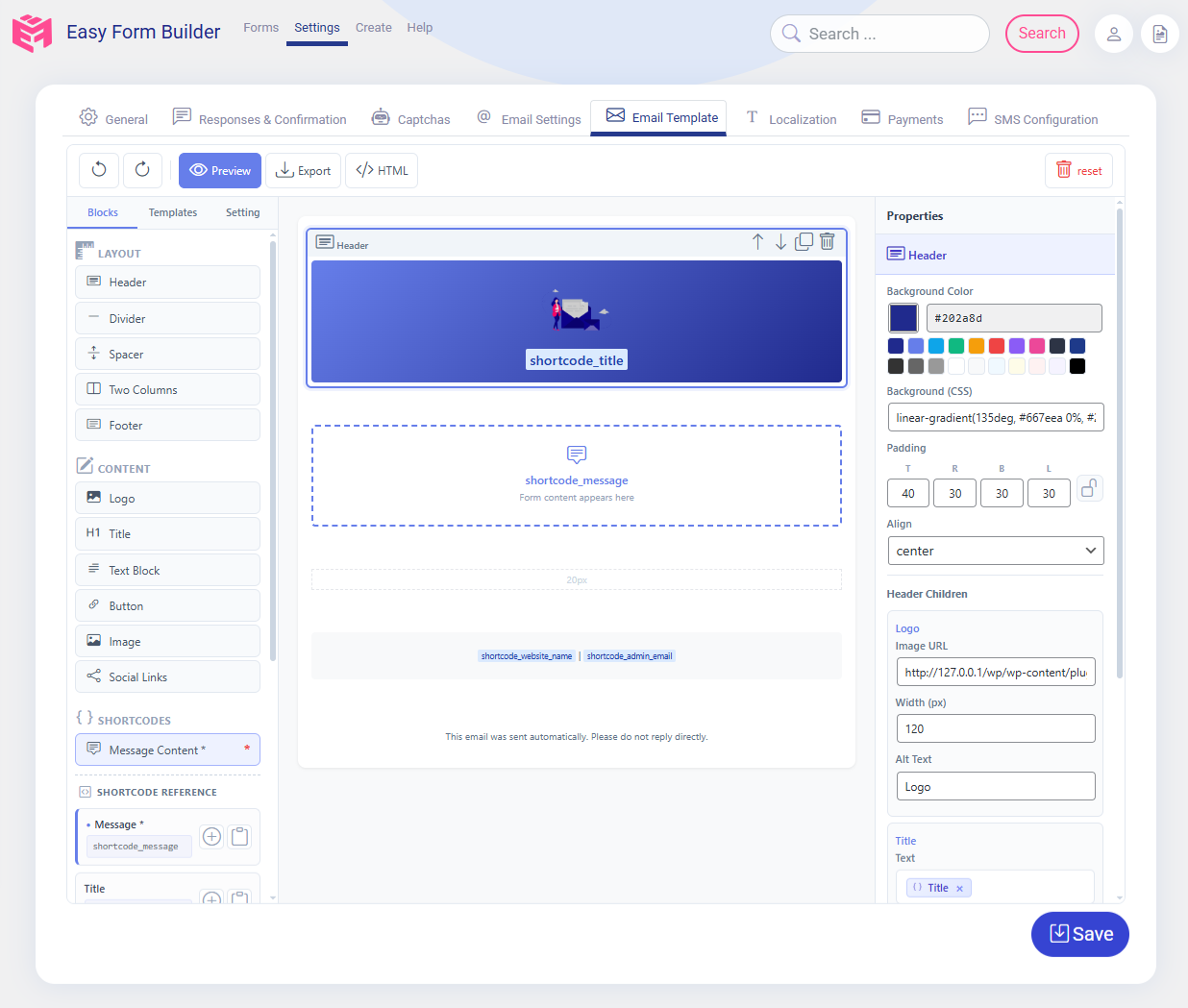
Easy Form Builder is a comprehensive WordPress form plugin designed to help website owners create, manage, and maintain a wide variety of forms using a visual drag-and-drop form builder interface. The plugin is suitable for users who want to build professional forms without writing code, while still keeping full control over form data, submissions, and communication workflows, including free custom email notification templates with a built-in visual editor.
This form builder plugin can be used to create contact forms, support request forms, survey and feedback forms, payment forms using Stripe, subscription forms and custom login or registration forms for WordPress users. All form data is stored directly on your WordPress website, ensuring transparency, data ownership, and predictable behavior.
Easy Form Builder focuses on clarity, extensibility, and usability. The plugin does not rely on external form services by default and does not send form submissions to third-party servers. This makes it suitable for websites that require clear data handling policies and on-site form management.
What Can This Form Plugin Do?
With Easy Form Builder, you can use a single form plugin to build and manage multiple types of forms and form-based workflows:
- Contact forms for general inquiries
- Support and feedback forms with message tracking
- Survey and poll forms with structured results
- Stripe payment forms for online payments
- PayPal payment forms for collecting online payments
- Login (sign-in) forms for WordPress users
- Registration (sign-up) forms for new users
- File upload forms
- Audio recording forms for collecting voice messages and voice feedback
- Video recording forms for video testimonials and webcam responses
- Screen recording forms for bug reports and support requests
- Private or restricted-access forms
- Multi-step forms for improved usability
- Smart forms with conditional logic that show or hide fields based on user answers
- Electronic signature forms for contracts and agreements
- Location picker forms for address and map selection
- Custom email notification templates with a built-in visual editor
- Job application forms for hiring and recruitment
- Event registration forms for conferences and workshops
- Order forms with recurring and subscription billing options
The form builder provides a consistent interface for form creation, submission handling, and response management inside WordPress.
Core Features
Drag & Drop Form Builder
The plugin includes a visual drag-and-drop form builder. Fields can be added, removed, and reordered without writing code. Each field provides configuration options such as labels, placeholders, validation rules, and display settings.
Email Notification
Easy Form Builder supports automatic email notifications after a form is submitted. Notifications can be sent to administrators, form managers, or users. Email templates can be customized to control the message content and layout.
Custom email notification templates are included for free. The built-in visual editor lets you design clear, branded WordPress form notification emails without writing HTML code. You can customize the email subject, message body, layout, and submission details so each contact form, survey form, payment form, registration form, or support form can send a professional email notification that matches your website and workflow.
To help you keep WordPress form notifications reliable, Easy Form Builder includes an email delivery status check that confirms your WordPress site and the form builder can send notification emails successfully. The Easy Form Builder dashboard widget also shows useful form activity insights, including page views for pages containing forms, completed form submissions, sent email counts, failed email counts, and an Email Error Log button where you can review any email sending errors when needed.
For detailed setup instructions, see:
How to set up form notification emails in Easy Form Builder
Confirmation Code (Tracking ID)
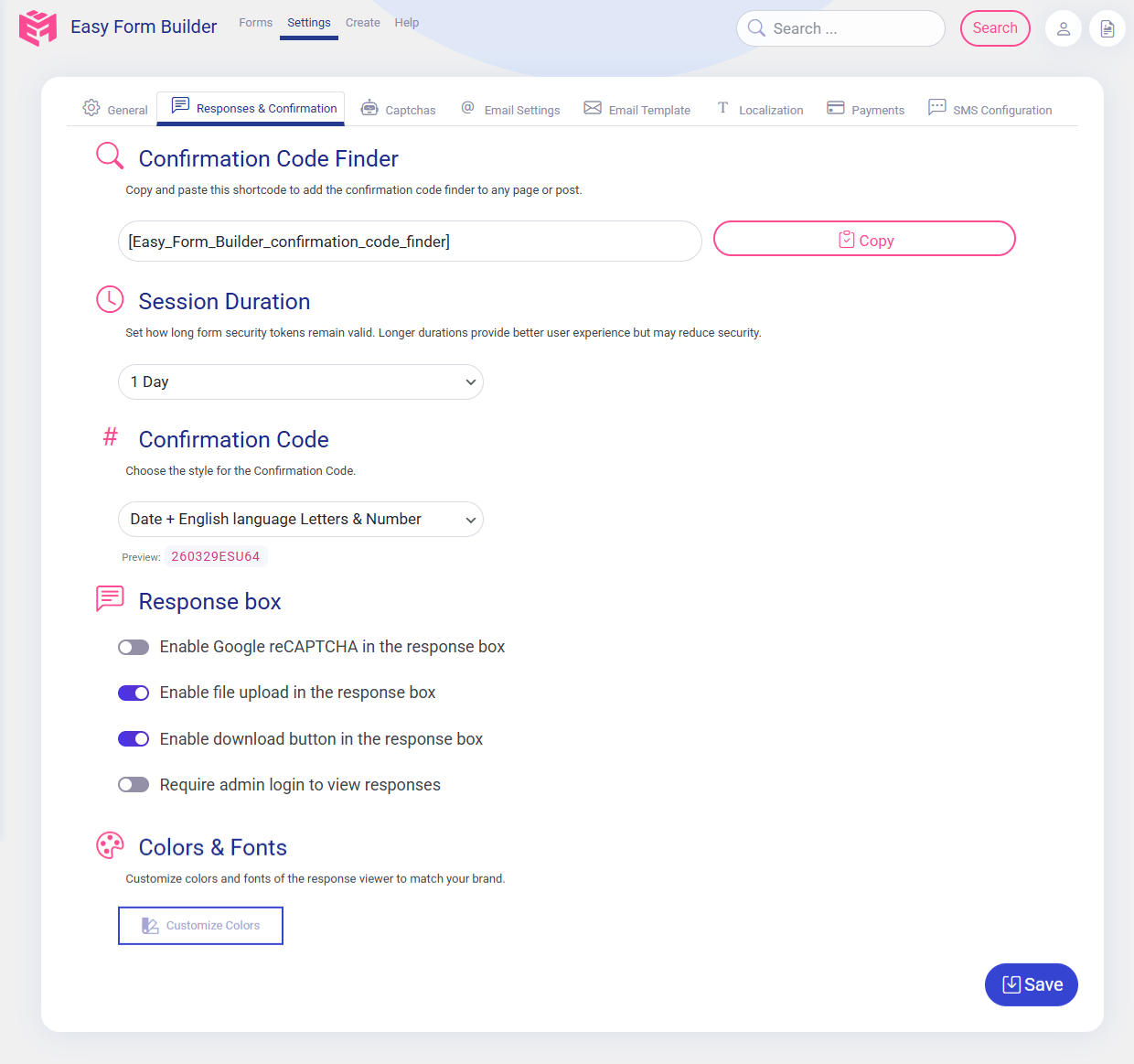
Each form submission generates a unique confirmation code. This tracking ID allows administrators and users to reference, search, and manage individual submissions efficiently.
Learn more about this feature:
How to activate a Confirmation Code in Easy Form Builder
Form Validation and Spam Protection
The form plugin includes client-side and server-side validation. Google reCAPTCHA v2 can be enabled to reduce spam and automated submissions.
Multi-Step Forms
Multi-step forms allow long forms to be divided into multiple sections. This improves user experience and helps reduce form abandonment.
Ready-Made Form Templates
The plugin includes pre-built form templates to help you get started quickly. Available templates include contact forms, reservation forms, job application forms, event registration forms, quote request forms, booking forms, order forms, survey forms, and more.
Form Entry & Message Management Dashboard
Easy Form Builder includes a dedicated Form Entry & Message Management Dashboard that allows administrators to manage all form submissions directly from the WordPress admin area. This dashboard acts as a centralized system for reviewing messages, tracking requests, and communicating with users without relying solely on email.
Through this dashboard, administrators can read submitted messages, respond directly from the WordPress backend, and attach files to replies when needed. This approach helps keep communication organized and ensures that conversations related to form submissions remain accessible in one place.
The Form Entry & Message Management Dashboard also provides practical tools for organizing and reviewing submissions. Administrators can change the status of messages (Open or Closed), edit or delete entries, search submissions by form or confirmation code, and receive notifications when new messages arrive. Form responses and message data can be downloaded in PDF format or exported to CSV files for reporting, archiving, or further analysis.
Survey and Poll Forms
Easy Form Builder includes dedicated fields for creating survey and poll forms. These fields allow website owners to collect structured feedback and analyze results directly inside WordPress.
Survey-related features include:
- Rating star fields
- 5-point scale fields
- Net Promoter Score (NPS) fields
- Yes / No question fields
- Visual charts for survey results
- Exporting survey responses to CSV format
Survey forms can be used for customer feedback, research, evaluations, and internal assessments.
Conditional Logic – Show or Hide Fields Based on User Answers
Easy Form Builder includes a visual conditional logic builder that turns static forms into smart forms. Conditional logic (also known as conditional fields) lets a form react to what a visitor enters, so each user only sees the fields that are relevant to them. Shorter, more personal forms reduce form abandonment and improve completion rates.
With conditional logic you can:
- Show or hide fields based on a user’s answer
- Show or hide entire steps in multi-step forms
- Make fields required or optional dynamically
- Set, copy, or clear field values automatically
- Jump to a specific step (skip logic and conditional branching)
- Send conditional email notifications to different recipients based on the submitted answers
Conditions support text, choice, numeric, and date comparisons (is, is not, contains, greater than, less than, between, before, after) and can be combined with AND/OR groups. Rules are enforced on the server as well as in the browser, so hidden or disabled fields are validated and sanitized correctly – conditional logic is not just a front-end effect.
Conditional logic is available at no cost in the Free Plus version: up to 3 logic rules per form, up to 2 conditions per rule, and up to 2 conditional email notification rules, with an in-builder Test mode. The Pro version removes these limits and adds nested AND/OR groups, calculations, rule priority, conditional thank-you messages and redirects, conditional webhooks, rule export/import, and the logic Inspector (debugger).
Payment Forms with Stripe
Easy Form Builder supports Stripe payment fields, allowing you to collect online payments securely through your WordPress forms.
You can use Stripe payment fields to create:
- Donation forms
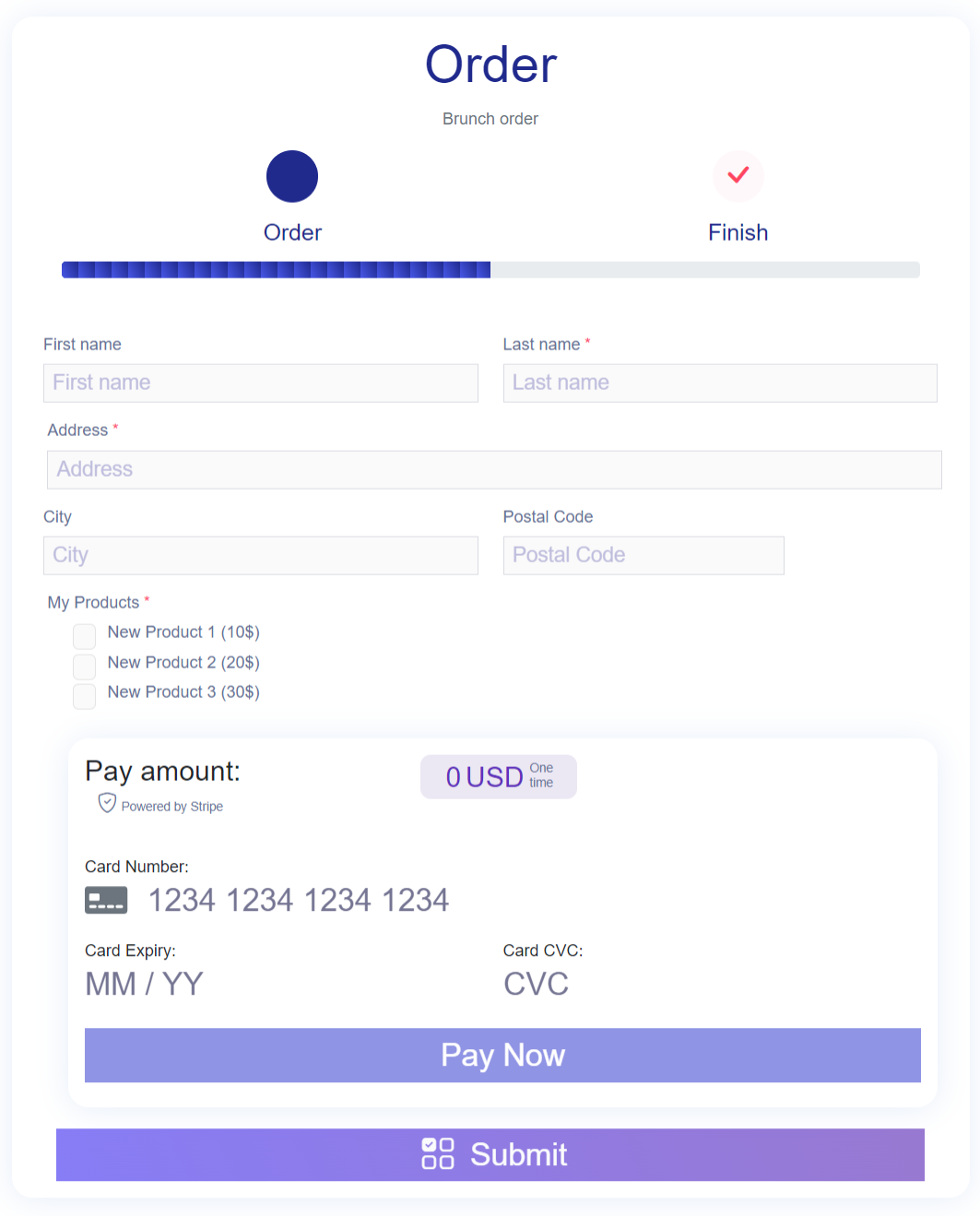
- Order forms
- Booking and service payment forms
Payment entries are handled alongside other form submissions and can be reviewed through the form management dashboard.
For a step-by-step guide, see:
How to Create a payment form to collect online payments in Easy Form Builder
Login and Registration Forms
The form builder allows you to create custom login and registration forms for WordPress users. These forms can replace the default WordPress login page and provide a customized user onboarding experience.
Login and registration forms integrate with WordPress user management and allow you to control form layout, validation, and additional user fields.
Advanced Form Fields
Easy Form Builder provides a wide collection of advanced form fields, including:
- Drag-and-drop file upload fields
- Audio recorder field for recording voice messages from the microphone
- Video recorder field for recording video from the webcam
- Screen recorder field for capturing on-screen recordings
- Signature (e-signature) fields
- Location picker fields (OpenStreetMap and LeafletJS)
- Country, state/province, and city dropdown fields
- Multiple select dropdown fields
- Range slider fields
- Rating and star fields
- Switch and toggle fields
- Date pickers (Gregorian, Hijri, and Jalali)
- Telephone and mobile input fields
- Color picker fields
- Matrix and table fields for structured data collection
These fields allow you to build complex, region-aware, and structured forms without custom development.
Audio, Video, and Screen Recording Form Fields
Easy Form Builder lets you add audio recording, video recording, and screen recording fields to any WordPress form, so visitors can record and submit media right from the browser – no extra apps, plugins, or third-party recording services. Every recording is uploaded to your own WordPress site, so your form data stays under your control.
- Audio recorder field – let visitors record a voice message from their microphone. Great for voice feedback forms, audio testimonial forms, voice message and voicemail forms, language and pronunciation practice, and podcast or audio submission forms.
- Video recorder field – let visitors record video from their webcam. Perfect for video testimonial forms, job application video introductions, customer video feedback, and video question-and-answer forms.
- Screen recorder field – let visitors record their screen (with optional microphone audio). Ideal for bug report forms, technical support request forms, product feedback, and tutorial or demo submission forms.
Integrations and Add-ons
Easy Form Builder supports optional integrations and add-ons that extend the functionality of the form plugin:
-
Conditional Logic add-on for building smart forms – show or hide fields and steps, send conditional email notifications, and (in Pro) trigger conditional redirects and webhooks based on user answers. Included at no cost with the Free Plus version
-
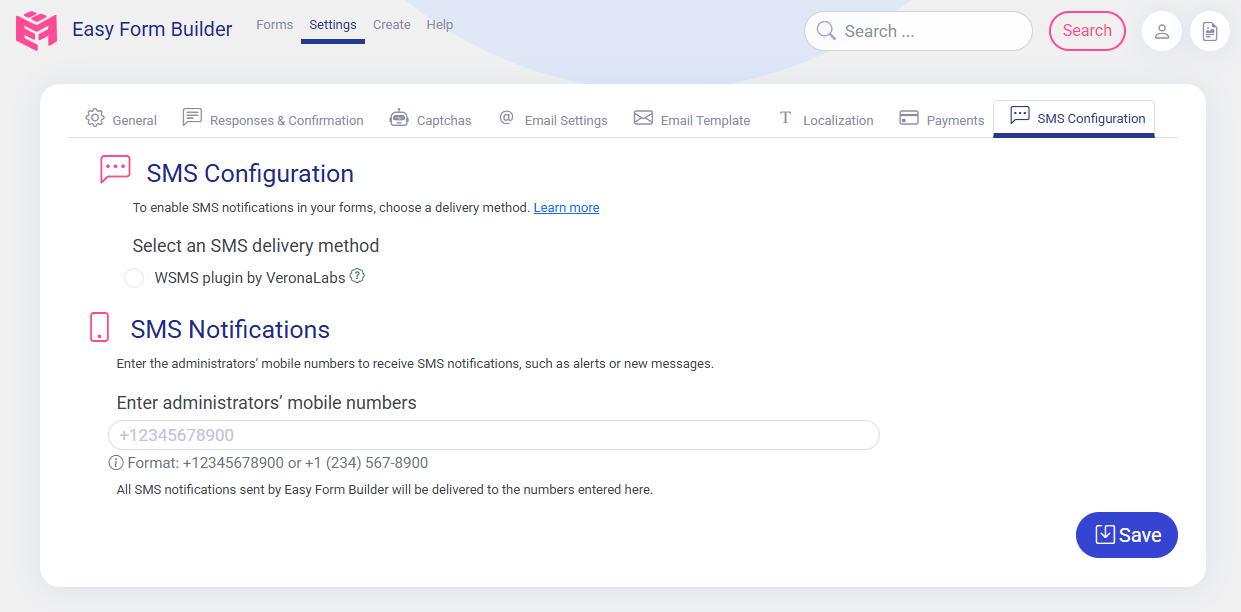
SMS notification add-on for sending text messages on form submission
-
Stripe add-on for extended payment workflows
-
PayPal add-on for creating payment forms and managing transactions through PayPal
-
Offline forms add-on for collecting data without an active internet connection
-
Hijri (Qamari) date picker add-on
-
Jalali (Shamsi) date picker add-on
-
Auto-Populate Integrations add-on (Autofill) for auto-filling form fields with real-time data from an external API – with API Key, Bearer Token, or Basic Auth authentication, response-to-field mapping, a built-in connection test, and smart caching
-
Telegram notification add-on for sending instant form submission alerts and admin response notifications to Telegram using a bot
-
Google Sheets integration for sending WordPress form submissions to Google Sheets automatically – no Zapier or third-party connector required. Connect your site with a Google service account (one-time setup, no OAuth login and no expiring tokens), let the plugin create a new spreadsheet or use one you already own, and bind each form to a sheet tab with a simple wizard. You can map form fields to spreadsheet columns with custom headers and ordering, apply ready-made sheet styles, and review every sync attempt in a built-in Google Sheet log. The header row and worksheet tab are created automatically on the first submission
-
Security & Spam Protection add-on for blocking WordPress form spam without CAPTCHA – invisible, behavior-based bot detection with a hidden honeypot field, signed single-use security tokens, and per-IP rate limiting for form submissions, file uploads, confirmation-code lookups, public replies, and payment requests. It also protects your notification budget by stopping suspicious entries from consuming email, SMS, Telegram, webhook, or Google Sheets quota, supports an IP allowlist and blocklist, and keeps privacy-aware security logs that store hashed identifiers instead of raw IP addresses. It starts in Monitor-only mode, so you can review real traffic before turning on blocking
-
Shield Security plugin silentCAPTCHA integration for invisible bot and spam protection without user interaction
Premium Features Included Free
Many WordPress form plugins only offer these features in a paid plan. In Easy Form Builder, they are included at no cost:
- Form entries stored in your own WordPress database, with a full entry management dashboard (Free)
- Email notifications after each form submission (Free)
- Custom email notification templates with a built-in visual editor for branded WordPress form emails (Free)
- File upload forms (Free)
- Confirmation code (tracking ID) for every submission (Free)
- Multi-step forms (Free)
- Basic survey and poll fields (Free)
- Conditional logic to show or hide fields based on answers (Free Plus)
- Advanced fields such as signature, location picker, matrix and table, range slider, and more (Free Plus)
- Exporting form entries to CSV and downloading responses as PDF (Free Plus)
- Automated weekly email deliverability test with spam score and SPF/DKIM/DMARC checks (Free Plus)
The Free Plus version is completely free of charge – the only difference is a small “Powered by Easy Form Builder” link and credit, included only in the content of the page where the form is published.
Available Versions
Easy Form Builder is available in multiple versions to support different usage needs. Each version is designed to provide a clear and predictable set of features.
Documentation & Support
For setup guides, tutorials, and feature walkthroughs, visit the official documentation:
Easy Form Builder Documentation
For more information, visit the official website:
WhiteStudio – Easy Form Builder
Installation
Bootstrap Notice:
If your theme uses Bootstrap, go to “Easy Form Builder” “Settings” and enable the Bootstrap option.
- Download Easy Form Builder
- Navigate to Dashboard “Plugins” “Add New” “Upload Plugin” select Easy Form Builder zip file then “Activate”.
- In the menu bar, navigate to “Easy Form Builder” “Settings” “Add Google reCAPTCHA keys”
- For local testing environments, you may use the key and secret below. For online websites, click here to obtain the API keys for reCAPTCHA v2.
Development Google reCAPTCHA keys for localhost
Site key: 6LeIxAcTAAAAAJcZVRqyHh71UMIEGNQ_MXjiZKhI
Secret key: 6LeIxAcTAAAAAGG-vFI1TnRWxMZNFuojJ4WifJWe
Screenshots

Form Builder

Create a form
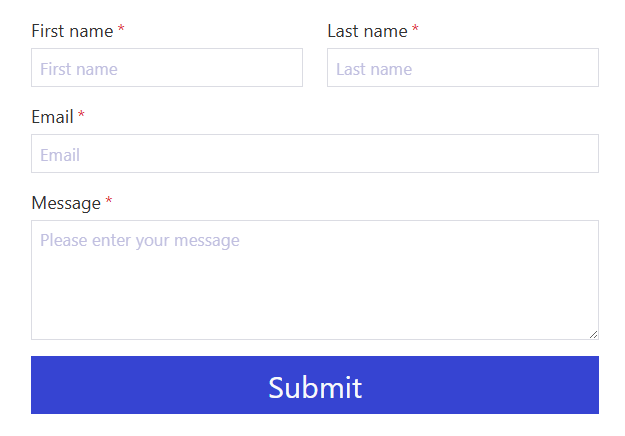
Preview a form
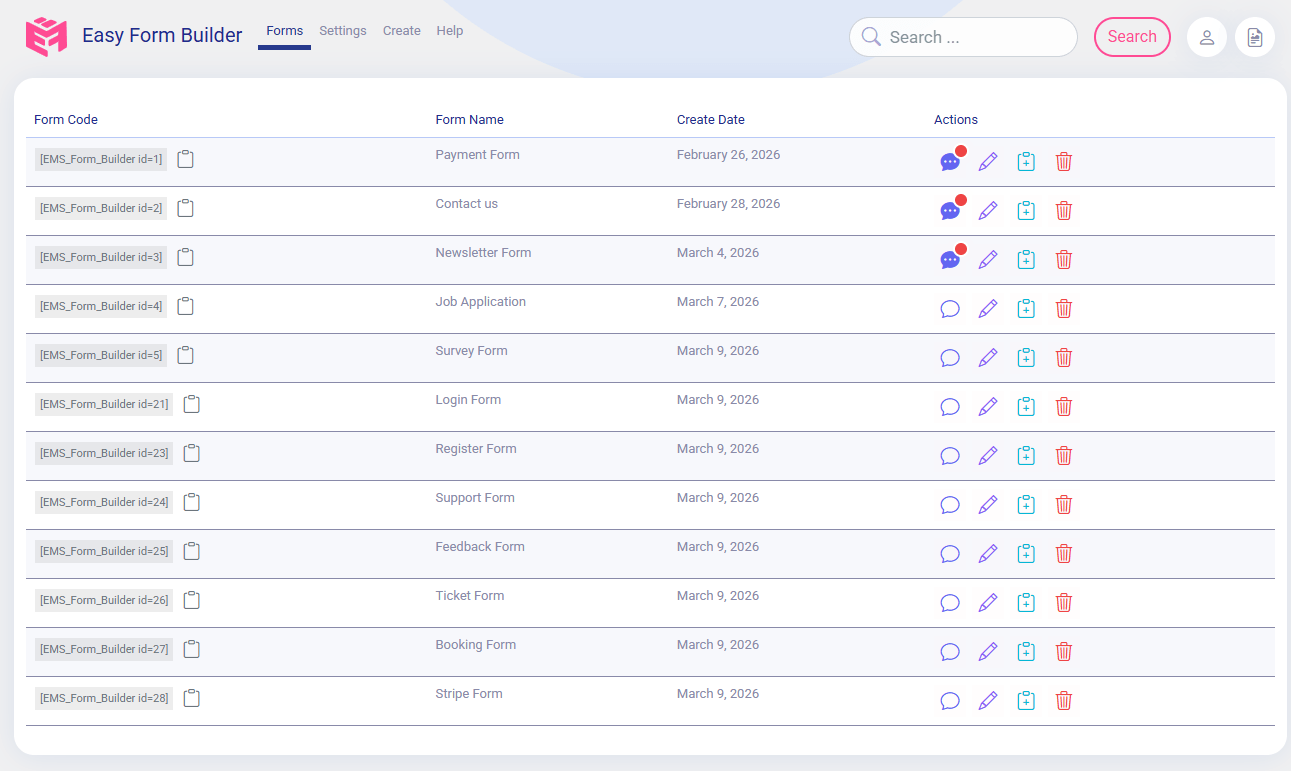
Panel of Easy Form Builder
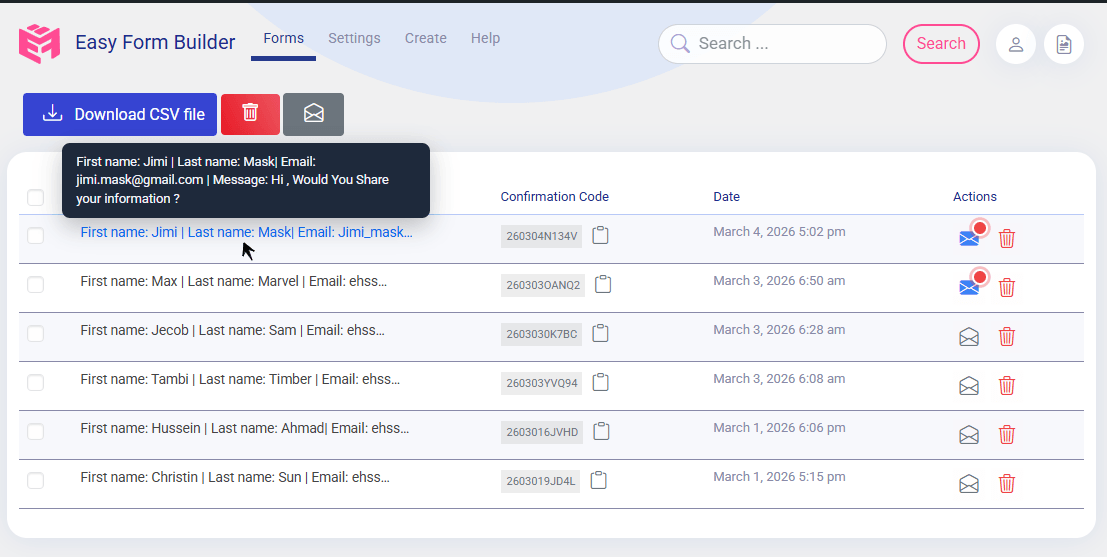
List of responses
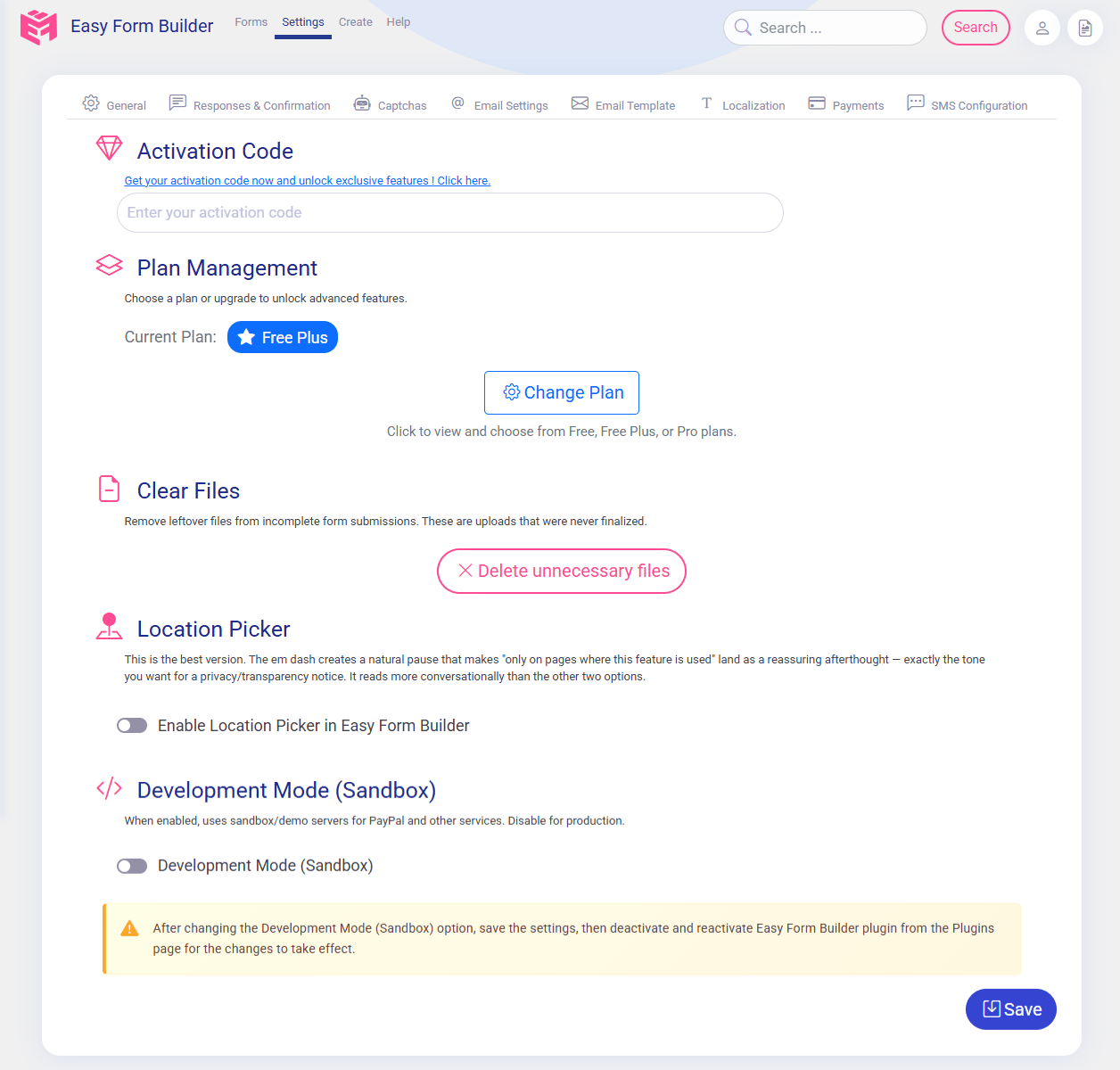
Setting of Easy Form Builder
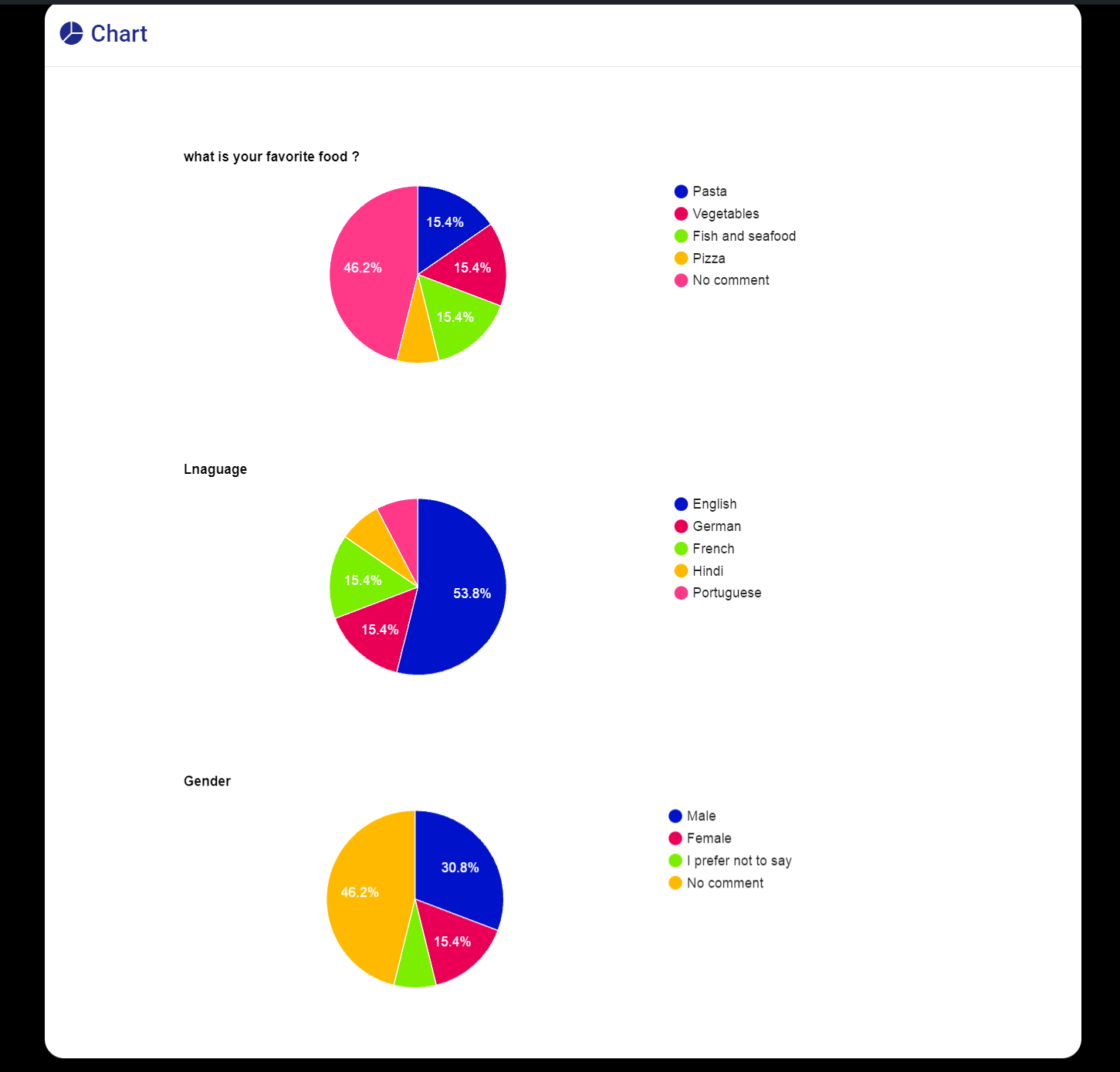
Display poll chart
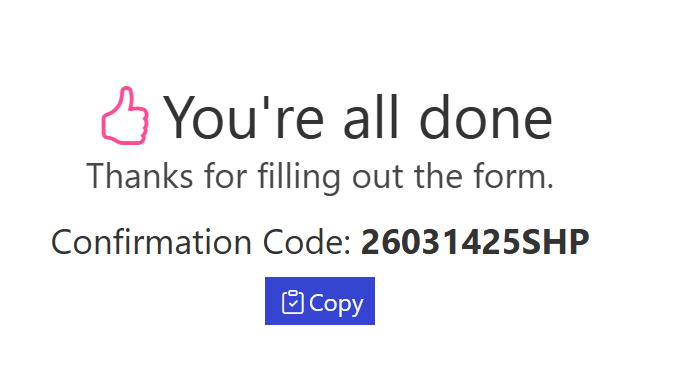
Form submitted and Confirmation Code (tracking code)

Create a contact us form
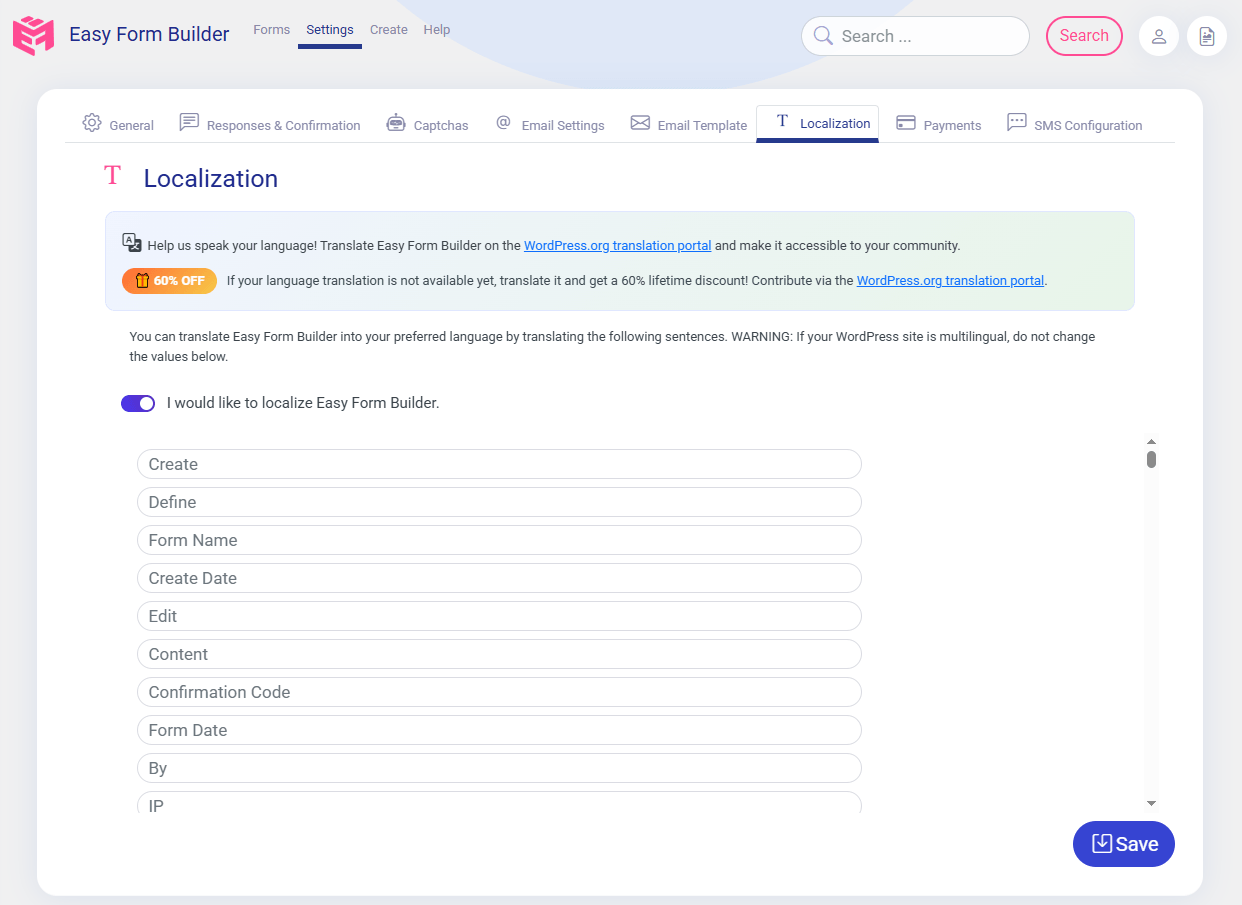
Translate Easy Form Builder into your language
Email template Editor of Easy Form Builder
Order payment forms
Configuration Response box of Easy Form Builder

Email Setting of Easy Form Builder
SMS configuration of Easy Form Builder
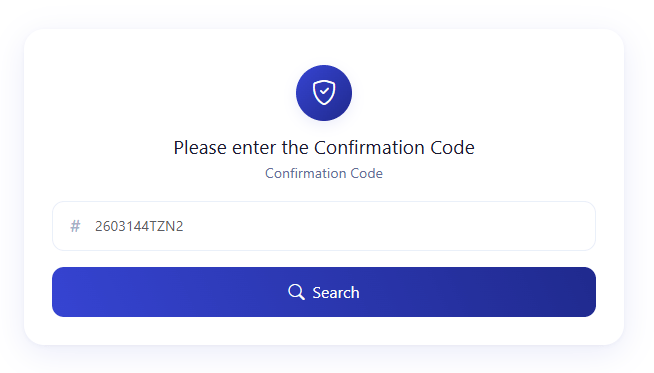
Confirmation Code Search Field
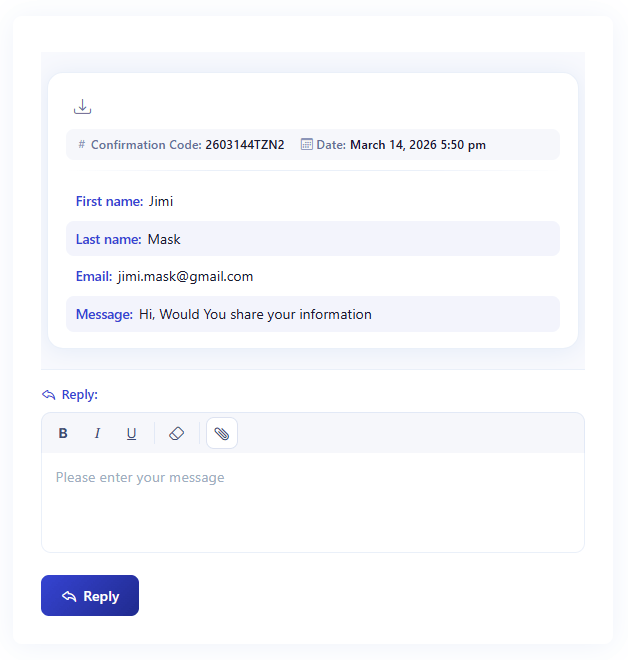
WordPress Support Ticket Conversation and Reply Form

Easy Form Builder Dashboard Widget with email delivery status, form page views, completed submissions, sent and failed email counts, and Email Error Log

Test WordPress form notification emails for free with Easy Form Builder.
Faq
It is a WordPress form plugin used to create contact forms, survey forms, payment forms,subscription forms, and login or registration forms using a drag-and-drop form builder.
Form Builder has tried to add necessary standards to the forms, making them accessible to individuals with disabilities during form display.
No. All form submissions and messages are stored locally on your WordPress website. Easy Form Builder does not send form data to external servers by default.
No. All forms can be created visually without writing code.
Yes. Email notifications can be sent automatically after form submission.
How to set up form notification emails in Easy Form Builder
Yes. Easy Form Builder includes free custom email notification templates with a built-in visual editor. You can create and customize WordPress form email templates for admin notifications, user confirmations, support requests, surveys, registrations, and payment forms without coding or editing HTML manually.
Yes. Easy Form Builder includes a free email delivery status check and email activity log to help you confirm that WordPress form notification emails are being sent successfully. The email test sends a real test message, checks delivery status, gives a clear score and grade, and emails a complete report to the site admin with delivery details, spam score, SPF/DKIM/DMARC checks, and recommendations when improvements are needed. The Easy Form Builder dashboard widget also shows sent emails, failed emails, form submissions, page views for pages containing forms, and an Email Error Log for reviewing email sending errors.
A confirmation code is a unique tracking ID generated for each form submission.
How to activate a Confirmation Code in Easy Form Builder
Yes. The plugin includes a message management dashboard with reply and file upload support.
Yes. Form entries and responses can be downloaded in PDF and CSV formats.
Yes. Users can upload files through forms, and administrators can attach files in replies.
Yes. Stripe payment fields are supported.
How to Create a payment form to collect online payments in Easy Form Builder
Yes. You can add and set up the PayPal payment field to accept online payments through your WordPress forms. The PayPal add-on supports one-time payments as well as recurring billing options including daily, weekly, monthly, and yearly subscriptions. Payment entries are managed alongside other form submissions in the Form Entry & Message Management Dashboard.
Yes. The form builder includes survey and poll fields such as rating stars and NPS.
Yes. The plugin comes with pre-built templates for contact forms, reservation forms, job applications, event registrations, booking forms, quote requests, order forms, and more.
Yes. Easy Form Builder includes a visual conditional logic builder. You can show or hide fields and steps, make fields required or optional dynamically, set or clear values, jump to a specific step (skip logic), and send conditional email notifications – all without writing code. Conditional rules are also enforced on the server, so hidden fields are validated and sanitized correctly.
Yes. Conditional logic is available at no cost in the Free Plus version, which includes up to 3 logic rules per form, up to 2 conditions per rule, and up to 2 conditional email notification rules. The Pro version removes these limits and adds nested AND/OR groups, calculations, conditional redirects and thank-you messages, conditional webhooks, and the logic Inspector.
The Free version provides essential form-building tools. It is suitable for users who need reliable form creation with email notifications, confirmation codes, entry management, file uploads, and basic survey fields.
This version is suitable for personal websites, blogs, and small business sites.
The Free Plus version extends the Free version by enabling advanced form fields and features available in the form builder, while excluding external add-ons. It also unlocks conditional logic at no cost – up to 3 logic rules per form, up to 2 conditions per rule, and up to 2 conditional email notification rules – plus CSV export and the weekly email deliverability report.
This version is suitable for users who need advanced form layouts, smart conditional forms, and surveys without add-on-based extensions. A small “Powered by Easy Form Builder” credit is displayed on the form output.
The Pro version includes all Free Plus features and adds support for official add-ons and integrations. For conditional logic, Pro removes all rule limits and adds nested AND/OR groups, calculations, rule priority, conditional thank-you messages and redirects, conditional webhooks, rule export/import, and the logic Inspector (debugger).
This version is suitable for professional websites, service platforms, and projects that require extended workflows such as SMS notifications, payment forms, conditional workflows, and advanced integrations.
Yes. Conditional fields are the core of the conditional logic builder: choose a condition (for example, “Plan is Enterprise”) and an action (for example, “show the Budget field”), and the form updates in real time while the visitor fills it in.
Yes. Conditional email notifications let you route each submission to the right person or team – for example, sales versus support – based on what the visitor selected in the form.
Yes. You can show, hide, or skip entire steps and jump directly to a specific step (conditional branching), with correct Back/Next behavior and validation for hidden or skipped steps.
Yes. The Auto-Populate (Autofill) add-on can fill form fields automatically instead of asking visitors to type information you already have. Fields can be dynamically populated from your own datasets (CSV) with Auto-Populate Dataset, or from an external API with Auto-Populate Integrations. Both are official add-ons available in the Pro version.
Yes. With Auto-Populate Dataset, you upload a CSV file (UTF-8 with column headers in the first row) and connect it to a form. Form elements are mapped to dataset fields as search conditions, and the matching dataset columns automatically populate the target fields. Multiple fields can auto-populate from the same dataset, dataset values can be edited inline, and changes take effect immediately for new submissions.
Yes. Auto-Populate Integrations connects a form to an external API endpoint and fills fields with real-time data. It supports API Key, Bearer Token, and Basic Auth authentication, lets you map API response fields to your form fields, includes a built-in test tool to verify the connection, and offers caching and timeout settings so forms keep loading fast.
Yes. The payment fields support one-time, daily, weekly, monthly, and yearly billing options for subscription and recurring payment forms. You can create payment forms using Stripe or PayPal to accept online payments directly through your WordPress forms. Both payment gateways are available as add-ons and can be configured from the Easy Form Builder settings.
How to Create a payment form to collect online payments in Easy Form Builder
Yes. Easy Form Builder includes a Google Sheets integration that syncs form entries to a spreadsheet automatically – no Zapier or third-party connector required. You connect your site once with a Google service account, bind each form to a sheet tab with a simple wizard, and new submissions appear as rows, with the header row created automatically on the first submission. A built-in Google Sheet log shows every sync attempt.
Use the Security & Spam Protection add-on in Easy Form Builder. It works invisibly – no puzzles or checkboxes – by scoring real browser behavior, a hidden honeypot field, signed single-use security tokens, and per-IP rate limits. Suspicious requests are logged, quarantined, or blocked depending on the mode you choose (Monitor only, Soft block, or Strict).
No. All scoring, tokens, rate limits, and security logs are processed and stored on your own WordPress site. The logs keep hashed identifiers instead of raw IP addresses, and log retention is configurable (30 days by default).
Yes. Low-confidence submissions can be saved without triggering email, SMS, Telegram, webhook, or Google Sheets actions. Each channel also has a daily limit and a per-recipient cap, so bot traffic cannot burn through paid SMS credit or flood your inbox – while the entries stay available for review.
Yes. The country, state/province, and city lists used in Easy Form Builder are automatically loaded from an external CDN-hosted JSON source maintained on GitHub.
These lists are fetched from the following public repository:
https://github.com/hassantafreshi/Json-List-of-countries-states-and-cities-in-the-world
The data is delivered via a CDN to ensure fast loading and reliable access, and it includes country names, states/provinces, and cities in multiple language formats where available.
If you notice any missing entries, incorrect names, or data issues related to countries, states, or cities, please report the issue by creating a ticket in the GitHub repository above. This helps keep the dataset accurate and up to date for all users.
No personal or form submission data is sent to this external source. The CDN is used only to retrieve static geographic lists required for form fields.
For full setup instructions and guides, visit Easy Form Builder Documentation
Easy Form Builder WordPress plugin includes seven confirmation code (or tracking code) styles with locale-aware character support for submitted forms. Each tracking ID style can use characters from 55+ languages including Chinese, Japanese, Korean, Russian, Hebrew, Hindi, Persian, Arabic, Bengali, Gujarati, Punjabi, Tamil, Telugu, Kannada, Malayalam, Greek, Thai, Khmer, Lao, Myanmar, Georgian, Armenian, and more.
When users submit forms through the Easy Form Builder WordPress plugin, they receive a unique tracking code or confirmation code based on your chosen style. The seven available confirmation code styles for form submissions are:
– Date + Random Number
– Date + National Language Letters & Random Number
– Date + National Language Letters Only
– Date + English Characters
– Date + National Random Numbers
– Unique Number (date-based)
– National Language Letters & Random Number
In the Easy Form Builder plugin settings, you can choose your preferred confirmation code style from the form submission tracking options. The plugin automatically selects characters based on your website’s language/locale, making it ideal for multilingual and RTL (right-to-left) language WordPress websites. This feature improves code readability and user experience when users submit forms, displaying confirmation codes and tracking IDs in the visitor’s native language and script.
Reviews
Perfect plugin for creating survey forms on WordPress.
By 
User-friendly interface and mobile-friendly design help me collect responses easily.
Easy Form Builder is the best WordPress form plugin I’ve tried.
By 
Quick setup, reliable performance, and smooth contact form creation make it stand out.
The best free WordPress form builder with pro features.
By 
Free version is powerful, and Pro unlocks advanced features worth every cent.
Form builder
By 
This is honestly the best Form Builder I’ve ever used. The interface is beautifully designed, intuitive, and extremely user-friendly, making the entire form-creation process smooth and enjoyable. It offers a wide range of powerful features, great customization options, and everything works exactly as expected. Whether you’re a beginner or an advanced user, this Form Builder delivers an exceptional experience. I’m genuinely impressed and highly recommend it.
Great form builder plugin for beginners and experts alike.
By 
Easy drag-and-drop builder yet flexible for developers with advanced needs.
The Best form builder plugin
By 
it’s amazing Form Builder plugin .
Im so happy to find and use this.
I suggest for all wordprees users.
Thanks
Easy Form Builder made my payment forms quick to build without coding.
By 
Works with Stripe and PayPal, great for small business websites.
best Form Builder for ever
By 
I think this form builder is great and it is easier to use than other plugins out there and anyone can easily create their own custom form.
Just a few clicks to create the form you want and of course I should also mention that the support team is great and they are patient in handling problems.
Amazing support team!
By 
They solved my issue within hours. Reliable plugin with trusted support
Nice idea for a form builder
By 
This plugin has kind of unique ideas in form building.
You can use Private forms in order to force users to log-in in order to see the form.
Confirmation Code feature is something I really enjoyed and I think it can be improved even more! This feature lets you make something like support ticketing without needing the user to be logged in.
Due to the Ticketing-like feature, I think it would be more functional if there will be some kind of flow in the forms, like presenting other forms to the users as replies (e.g., the users fills a form with first and last name, after confirmation by admin, when they enter the confirmation code, they will be see the form with payment features as the next step).
I think one of the most important parts which should be added in near future, is the capability of calculated fields and also letting logged-in users to see all of their own forms via shortcode in a dedicated page, with no need of entering their confirmation codes one by one.
Changelog
4.1.3
-
New: File upload form fields now have a built-in limit (3 files per field, no add-on needed), your own budget/size settings, server-side file-type enforcement, and fixed audio/video/screen recording uploads with clearer error messages.
-
New: Setup guide for new installs, with direct links to each settings tab.
-
New: Weekly email delivery report for your forms.
-
Fixed: Stray empty paragraphs no longer appear between fields on themes/page builders that run wpautop after shortcodes.
-
Fixed: Payment form notification emails could fail to send.
-
Fixed: Forms keep working on cached pages instead of showing a security error.
-
Improved: Faster page loads – forms no longer wait on a remote check to render.
4.1.2
-
Fixed: Forms with file upload or recorder fields no longer get wrongly blocked by Form Security & Spam Protection in WordPress Form Builder.
-
Fixed: Genuine visitors are no longer blocked when their browser or password manager auto-fills a hidden field.
-
New: Audio, video, and screen recording fields released for WordPress Form Builder.
-
Improved: Smarter spam scoring in Form Builder for recorder and file-upload forms, so real visitors aren’t mistaken for bots.
-
Fixed: Password field placeholder now displays correctly.
-
Improved: Safe plugin loading – if any plugin file is missing after an update or an incomplete deploy, the plugin now stays inactive for that request and shows an admin notice asking for a reinstall, instead of causing a fatal error on the whole site.
4.1.1
- Fixed: Restored plugin files that were missing from the 4.1.0 release package on wordpress.org, which caused a fatal error after updating.
4.1.0
-
New: Visual Conditional Logic Builder – build smart forms without code. Show or hide fields and steps, set/copy/clear values, jump to a step, dynamically change required/optional, run basic calculations, and combine conditions with numeric/date operators and nested AND/OR groups.
-
New: Conditional workflows – route submissions with conditional email notifications, show a different thank-you message or redirect, and fire webhooks only when your conditions are met. Includes an in-builder Test mode and Inspector.
-
New: Automated email deliverability monitor – sends a real test email through your server and verifies actual delivery (not just “sent”) on activation, after each update, and weekly.
-
New: AI-analyzed email deliverability report – the test email is inspected on the WhiteStudio server and analyzed with AI to produce a plain-language diagnosis, including a deliverability score, spam-score analysis (SpamAssassin), SPF/DKIM/DMARC authentication checks, delivery details, likely causes, and actionable recommendations, delivered to your admin email.
-
New: One-click email test with live step-by-step progress and an instant deliverability score and grade, plus a weekly form activity digest (forms, page views, submissions, emails sent/failed).
-
New: Multiple file uploads with improved upload progress feedback.
-
New: Form builder autosave – never lose your work while designing a form.
-
Improved: Session management and nonce refresh so forms served from cached pages stay valid and submittable.
-
Improved: Smarter add-on management with automatic CDN failover and more resilient add-on downloads (retry, resume, and subscription handling).
-
Security: Per-IP throttling for tracking-code lookups, an expanded list of blocked upload file extensions, a capability check for form preview, and hardened Google reCAPTCHA verification.
-
Fixed: Guard against fatal errors on hosts that disable certain PHP functions.
-
Tested up to WordPress 7.0.2
4.0.6
- Fixed issues
4.0.5
-
Introduced Dashboard Widget for tracking form submission statistics.
-
Added download dropdown menu in response viewer for easier file access.
-
Added security plugin compatibility notice and improved plugin deactivation handling.
-
Improved email template button accessibility and cross-client link styling.
-
Enhanced form recovery UI with dynamic color, corner, and height styling.
-
Updated CDN links and improved error handling across multiple components.
-
Improved localization for multi-step, drag & drop, and no-coding badge labels.
-
Fixed settings display issue in Easy Form Builder panel.
-
Fixed issues
4.0.4
- Improved UX of Easy Form Builder
4.0.3
-
Improved UX of Easy Form Builder
-
Fixed issues
4.0.2
4.0.1
- Fixed issues
4.0.0
Major update. New form rendering engine, Gutenberg block, Elementor/WPBakery/Visual Composer widgets, email template builder, background processing, and Shield Security integration added. Database schema upgraded (v1.1). Settings API and internal functions restructured – all official add-ons will be updated to their latest versions.
Backup your site before updating. Not backward-compatible with v3.x addons.
Looking for even older release notes? See the full changelog archive.