Easy PayPal Events & Tickets

Easy PayPal Events & Tickets
Description
Overview
This plugin will allow you to sell etickets for your event on your website.
Watch this short video of how the plugin works:
Simply install the plugin, enter your PayPal business information on the settings page, make a new event, then place the shortcode on your site.
When a customer purchases a ticket, an eticket will be emailed to them containing a QR code. Use any phone QR reader app to scan the eticket and check the customer into the event.
If you have any problems, questions, or issues please create a support request and we will get back to you quickly.
This PayPal plugin works with any WordPress theme.
WP Plugin is an offical PayPal Partner based in Boulder, Colorado. You can visit WP Plugins website at wpplugin.org. Various trademarks held by their respective owners.
Easy PayPal Events Features
- View tickets sold in your WordPress admin
- Customers receive an email eTicket that contains a QR code
- Page / Post Button shortcode Inserter
- Built in support 25 currencies
- Built in support 20 languages
- Each button can have its own language and currency
- Each button can have its own button image
- PayPal testing with Sandbox mode
- Choose from 7 different PayPal Buy Now buttons
- Choose how the PayPal window opens
- Add Up To 3 Items Per Event
Easy PayPal Events Pro
We offer a Pro version of this plugin for business owners who need more features.
- Add Up To 15 Items Per Event
- Sale Reduces Tickets Available
- PayPal Account For Each Event
- Return URL For Each Event
- Limit Quantity Available
- Clone Events
- Charge Tax
- Use A Custom Button Image
- Further Plugin Development
WP Plugin is an offical PayPal Partner. Various trademarks held by their respective owners.
Installation
Automatic Installation
- Sign in to your WordPress site as an administrator.
- In the main menu go to Plugins -> Add New.
- Search for Easy PayPal Events and click install.
- Configure values on the settings page.
- Make a new event on the events page. Place the shortcode it creates anywhere on your site to show the button.
Screenshots
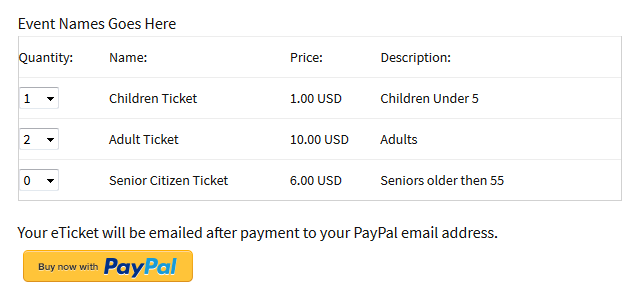
Events Button
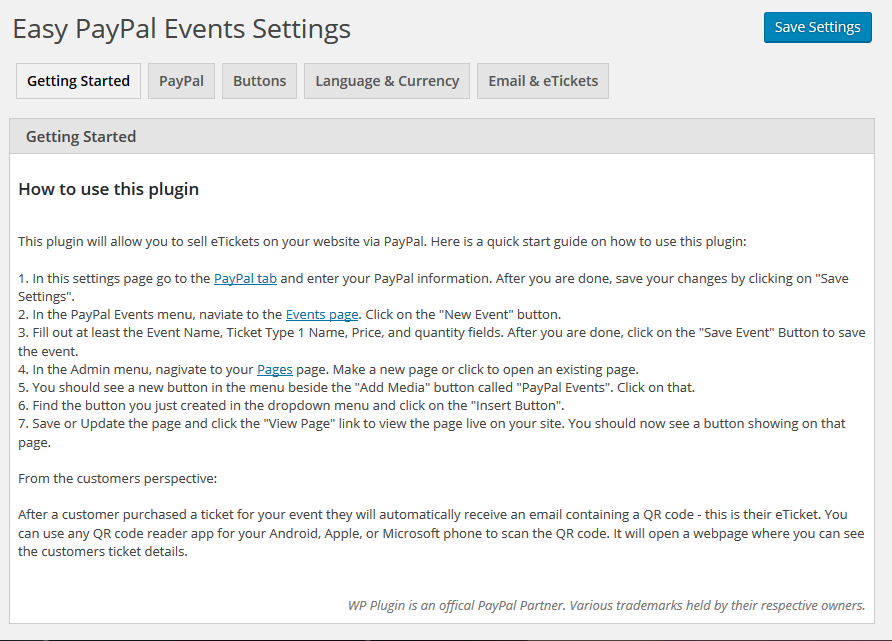
Settings Page

Settings Page
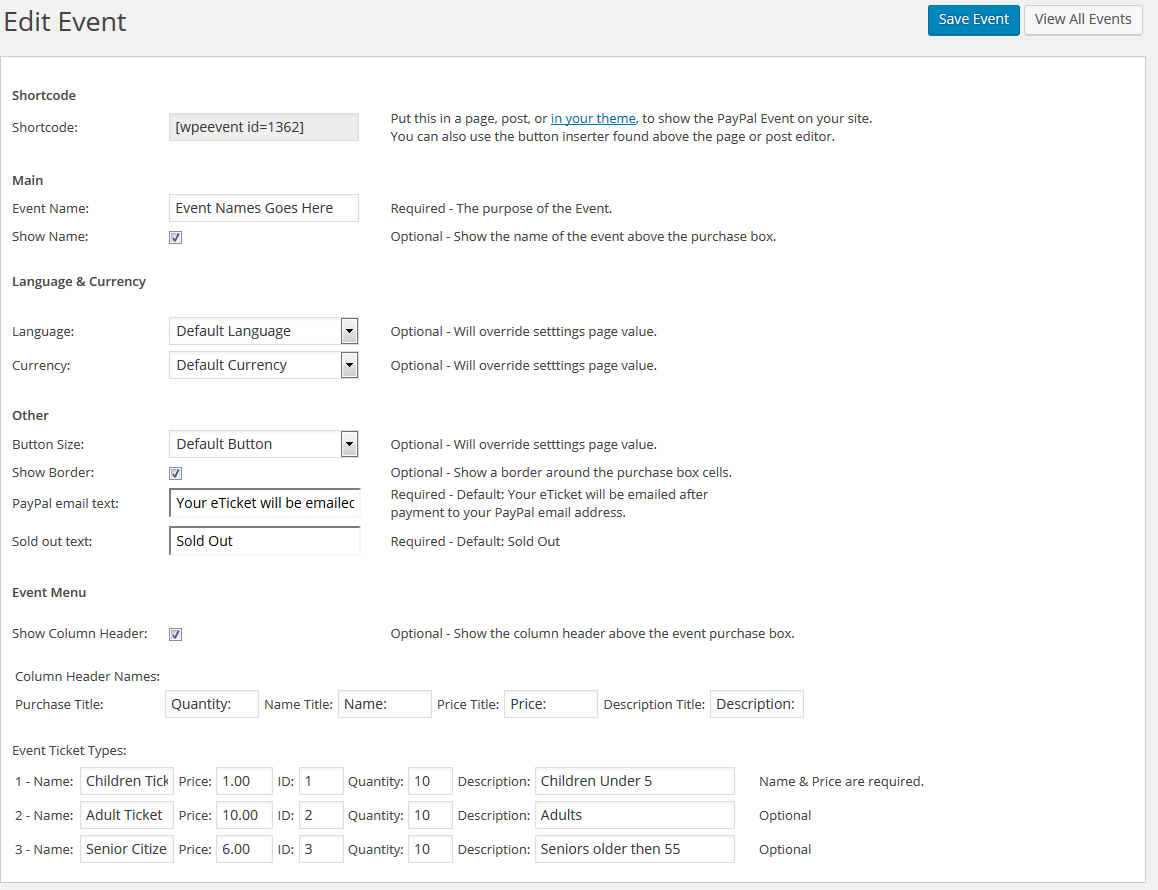
Events Page
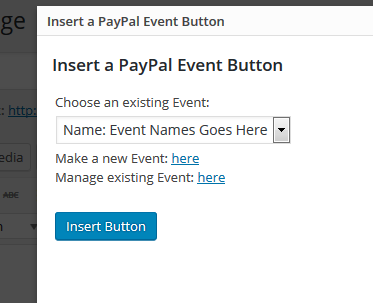
Button Inserter
Faq
Configure values on the settings page. Make a new event on the events page. Place the shortcode it creates anywhere on your site to show the button.
Yes, there is no limit to the amount you can put on one post / page, or your entire site.
Reviews
great plugin
By 
Easy Peasy
By 
Solid plugin for events
By 
Nice plugin!
By 
Nifty little plugin
By 
Works well, great support
By 
Does what's needed very well.
By 
I wanted a small, lightweight, easy to configure ticket sales and check-in plug-in for our once a year, 3 performance in a weekend Old West Celebration. I think I've found the perfect answer in Easy PayPal Events. In a couple of months, after our 2016 event, I'll know for certain. Not that I'm expecting any surprises.
If your goal is to sell tickets for your organization's own events and not run a ticket agency or event management company, I cannot begin to extol the features and ease of use of this plug-in to do it justice. It is brain-dead simple to set up and the Pro version is a steal at the price. Heck, even our members who have fallen off a horse too many times can work with it.
Great plugin!
By 
Works Good.
Changelog
1.3
- 5/1/25
- Fix – Small Security Issue
1.2.2
- 9/21/24
- Fix – Security Issue
1.2.1
- 5/29/24
- Fix – Fixed PayPal Instant Payment Notifications bug that could cause duplicate emails.
1.2
- 5/29/24
- Fix – Fixed QR Code link for test emails.
- Fix – Fixed PayPal Instant Payment Notifications to work more reliably with the WordPress login system.
1.1.10
- 5/22/24
- Fix – Changed API for QR Code for PayPal IPN notifications – Google QR Code API was deprecated.
1.1.9
- 5/22/24
- Fix – Changed API for QR Code – Google QR Code API was deprecated.
1.1.8
- 6/7/23
- Fix – Compatibility with PHP 8
1.1.7
- 10/25/21
- Fix – Security Issues
1.1.6
- 10/25/21
- Fix – Security Issues
1.1.5
- 10/21/21
- Fix – Changed Google API QR Code Example Link
1.1.4
- 10/21/21
- Fix – Security Issues
1.1.3
- 10/16/21
- Fix – Security Issues
1.1.2
- 10/1/21
- Fix – Security Issues
1.1.1
- 6/15/18
- Fix – Added class name for event title on frontend shortcode.
1.1
- 11/10/2017
- Fix – Problem with table on mobile device
1.0.4
- 11/8/2017
- Fix – Problem with PayPal redirect URL
1.0.3
- 7/17/2017
- Fix – Problem with form border showing with certain themes.
1.0.2
- 8/21/16
- Update – Update – Updated tested up to tag.
- Update – Update – UUpdated plugin name, dropped the word easy at the beginning.
1.0.1
- 3/8/16
- Update – Updated tested up to tag.
- Update – Updated pro url links.
1.0
- 2/16/16
- Initial release