Easy PayPal Shopping Cart

Easy PayPal Shopping Cart
Description
Overview
This plugin will allow you to sell products or services on your website using an Add to Cart Button and View Cart Button. The Shopping Cart itself is hosted on PayPal.
You can place a the Cart button anywhere on your site where you want to sell something. Your customers can use their PayPal account to pay for your products or services or they can pay by Debit or Credit Card.
What makes this plugin powerful is its simplicity. You don’t have to spend days setting up an eCommerce Solution. Just install the plugin and in just a few minutes customers from around the world can start buying products or services from your website using PayPal.
On the settings page of the plugin you will find clear instructions on how to sign up for a PayPal account if you don’t have one already. The plugin also provides instructions for how to setup a PayPal Sandbox account – which will allow you to setup a fake PayPal buyer and seller account (with fake money) so you can test everything before you start selling to the public.
If you have any problems, questions, or issues please create a support request and we will get back to you quickly.
This PayPal plugin works with any WordPress theme.
WP Plugin is an offical PayPal Partner based in Boulder, Colorado. You can visit WP Plugins website at wpplugin.org. Various trademarks held by their respective owners.
Easy PayPal Shopping Cart Features
- Button Inserter – Just enter your items name, price, etc. and it make the Cart button for you
- Works with any WordPress Theme
- Built in support for 18 languages
- Built in support 25 currencies
- PayPal testing through SandBox
- Choose 2 different PayPal button styles
- Choose how the PayPal window opens
- Choose your shop url
- Choose cancel payment url
- Choose succesful payment url
Easy PayPal Shopping Cart Pro
We offer a Pro version of this plugin for business owners who need more features.
Charge Fixed Tax
Charge Tax Rate
Charge Shipping & Handling per item
Apply a Fixed Discount per item
Each Button Can Have Its Own Size
Add a Custom Button Image
WP Plugin is an offical PayPal Partner. Various trademarks held by their respective owners.
Installation
Automatic Installation
- Sign in to your WordPress site as an administrator.
- In the main menu go to Plugins -> Add New.
- Search for Easy PayPal Button and click install.
- Configure values in the settings page.
- In a page or post editor you will see a new button called “Easy Shopping Cart” located right above the text area beside the Add Media button. By using this you can automatically create shortcodes for add to cart and view cart buttons.
Screenshots
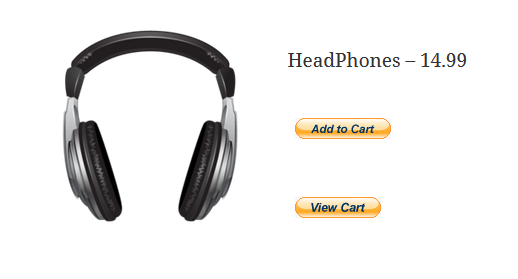
Sample item for sale with view cart button
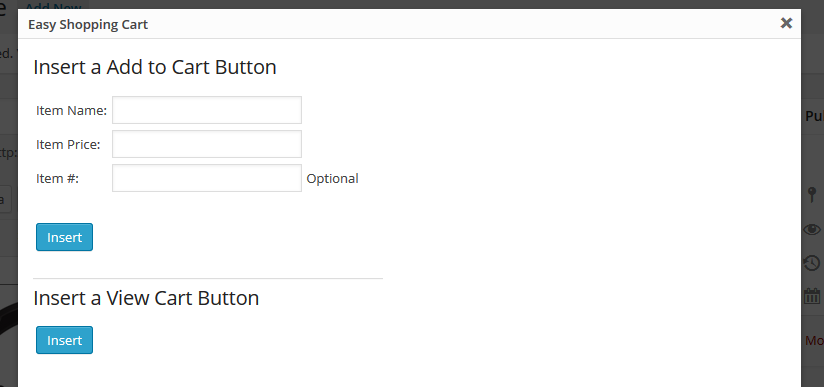
Automatic shortcode inserter
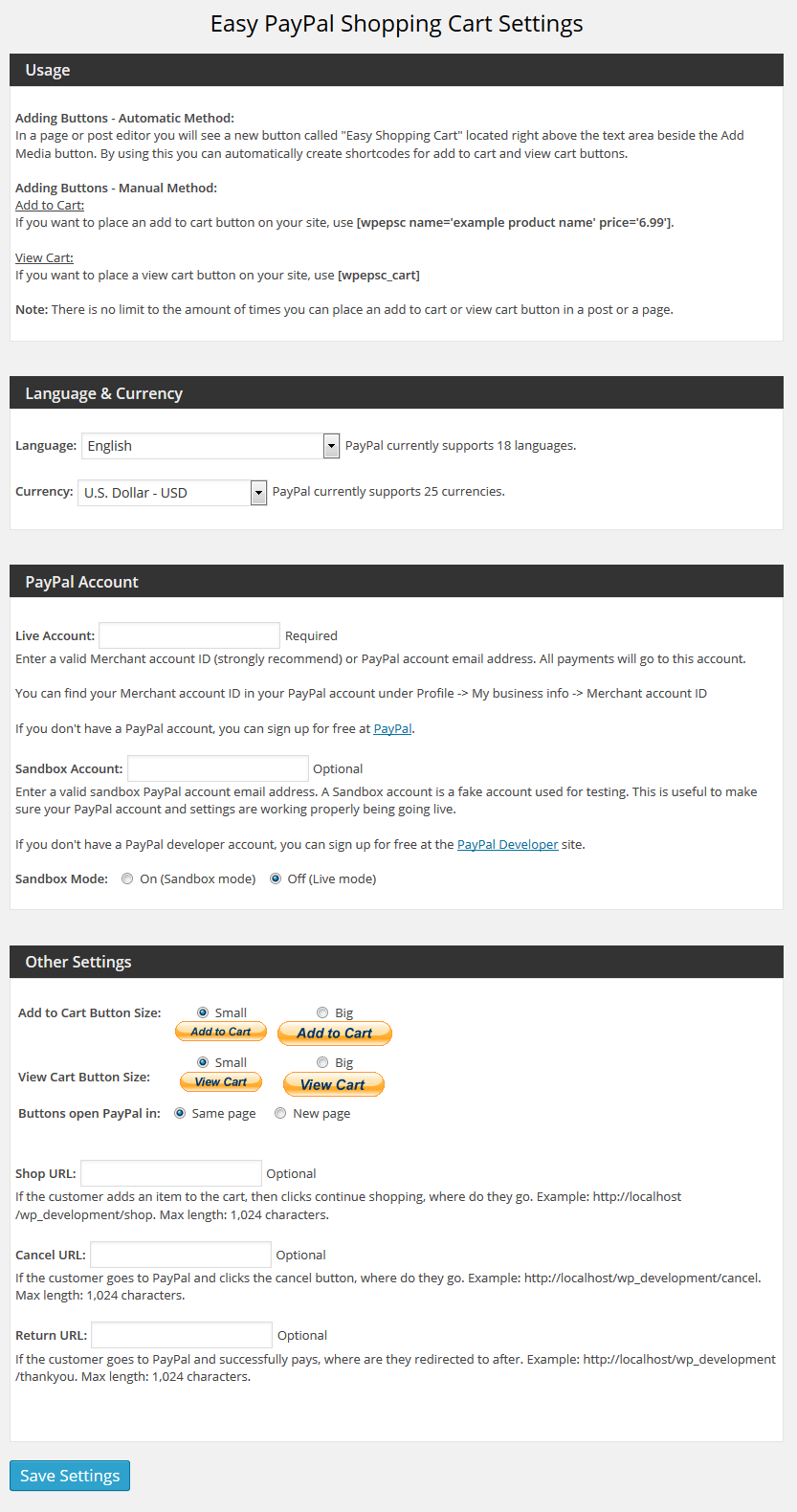
Settings page
Faq
In a page or post editor you will see a new button called “Easy Shopping Cart” located right above the text area beside the Add Media button.
By using this you can automatically create shortcodes for add to cart and view cart buttons.
Yes, there is no limit to the amount you can put on one post / page, or your entire site.
Reviews
Super helpful
By 
tt
By 
Not as Described | No Support
By 
Broke the website
By 
Two thumbs up!
By 
Wrong buttins shown
By 
Does Not Work As Advertised (PRO)
By 
Easy To Use
By 
Easy, simple to use plugin allowing the addition of an 'add to cart' button on site. Had no issues setting it up. Very happy so far!
Excellent
By 
Because I knew what I wanted the plugin to do, - Drop down selection of prices / quantity, plus shipping etc. I paid the 15bucks for the pro version. Chips as chips for what it does. And Scott sorted out an issue that I had caused without any delay. Cannot fault the plugin or the after sales service.
No shipping charges for free version?
By 
Can't even charge shipping for products until you pay for the upgrade. What a joke. What's even the point of a free version then? I test the trial plugin by letting my products fly out the door with no shipping reimbursement and I pay out the wazoo for all the free shipping? No thank you. Uninstalling.
Changelog
1.1.12
- 6/9/25
- Fix – Fixed deactivation error.
1.1.11
- 11/3/23
- Fix – Security Fix
1.1.10
- 10/1/21
- Fix – Security Issues
1.1.9
- 8/29/16
- Update – Added security feature so that plugin file cannot be accessed directly.
1.1.8
- 3/8/16
- Update – Updated tested up to tag.
- Update – Updated pro url links.
1.1.7
- 11/13/15
- Added feature – Added English – UK option to language list – this effects which PayPal page the customer is redirected to.
1.1.6
- Small fix – Large view cart button for German was not working
1.1.5
- Small fix – updated links that were broken
1.1.4
- Small fix – spelling
1.1.3
- Bug fix
1.1.2
- Fixed border that sometimes shows below button
1.1
- Small bug fixes
1.0.0
- Initial release