Easy Post Submission – Frontend Posting, Guest Publishing & Submit Content for WordPress

Easy Post Submission – Frontend Posting, Guest Publishing & Submit Content for WordPress
Description
Enable users to submit posts and manage profiles from the front-end. Ideal for news, magazines, and creative platforms.
The best frontend posting plugin for WordPress
A powerful plugin designed to user-generated content on your website. Perfect for news sites, magazines, blogs, and creative platforms, this plugin enables your users to effortlessly submit posts, manage profiles, and share their ideas without ever accessing the WordPress dashboard.
View all features Visit the Official Site
Key Features:
- Frontend Post Submission: Allow users to create, edit, and manage posts directly from the frontend, eliminating the need for backend access.
- Unlimited Submission Forms: Create and customize multiple submission forms to cater to different content needs.
- Lightweight & High Performance: Enjoy a quick setup and a design optimized for speed, ensuring your website remains fast and responsive.
- Guest & Registered User Support: handle submissions from both guests (no login required) and registered users with customizable access levels.
- Rich Media Uploads: Empower users to upload images, videos, and other media to enhance their posts.
- Custom Publishing Options: Choose between auto-publishing posts or setting them for admin approval before going live.
- User Dashboard: Provide a personalized dashboard for users to view and manage their submitted posts.
- Automated Email Notifications: Keep everyone informed with automated email alerts for submissions, approvals, or rejections.
- Robust Spam Protection: Secure your forms with Google reCAPTCHA to prevent spam and bot submissions.
Demo
Documentation
Access the plugin documentation for usage instructions: here
External Services
This plugin connects to an API to obtain reCAPTCHA information. It is needed to verify humans when submitting and to avoid spam.
The plugin will connect to reCAPTCHA each time the visitor performs a verification action.
For more details, refer to the reCAPTCHA Privacy Policy: https://policies.google.com/privacy
Installation
To Easy Post Submission, follow these steps:
- Go to Plugins > Add New.
- Search for “Easy Post Submission”.
- Install and activate Easy Post Submission from your Plugins page.
- Navigate to Dashboard > Easy Post Submission.
- A “Get Started” panel will appear. Choose the default pages and form to import.
- Click “Complete” to finish the setup.
- Read the Documentation to get started.
Screenshots
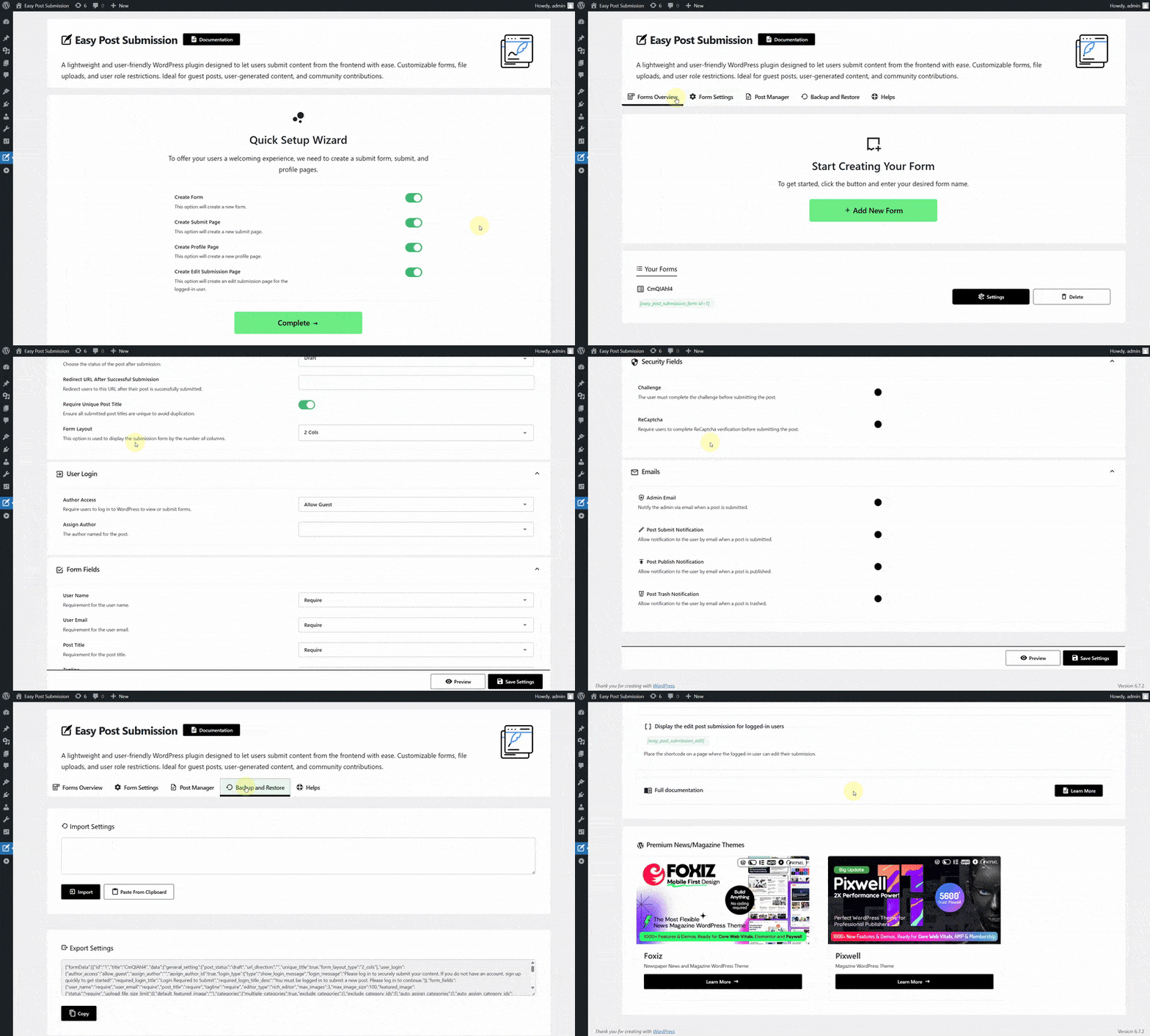
How to Use Quick Start Setup
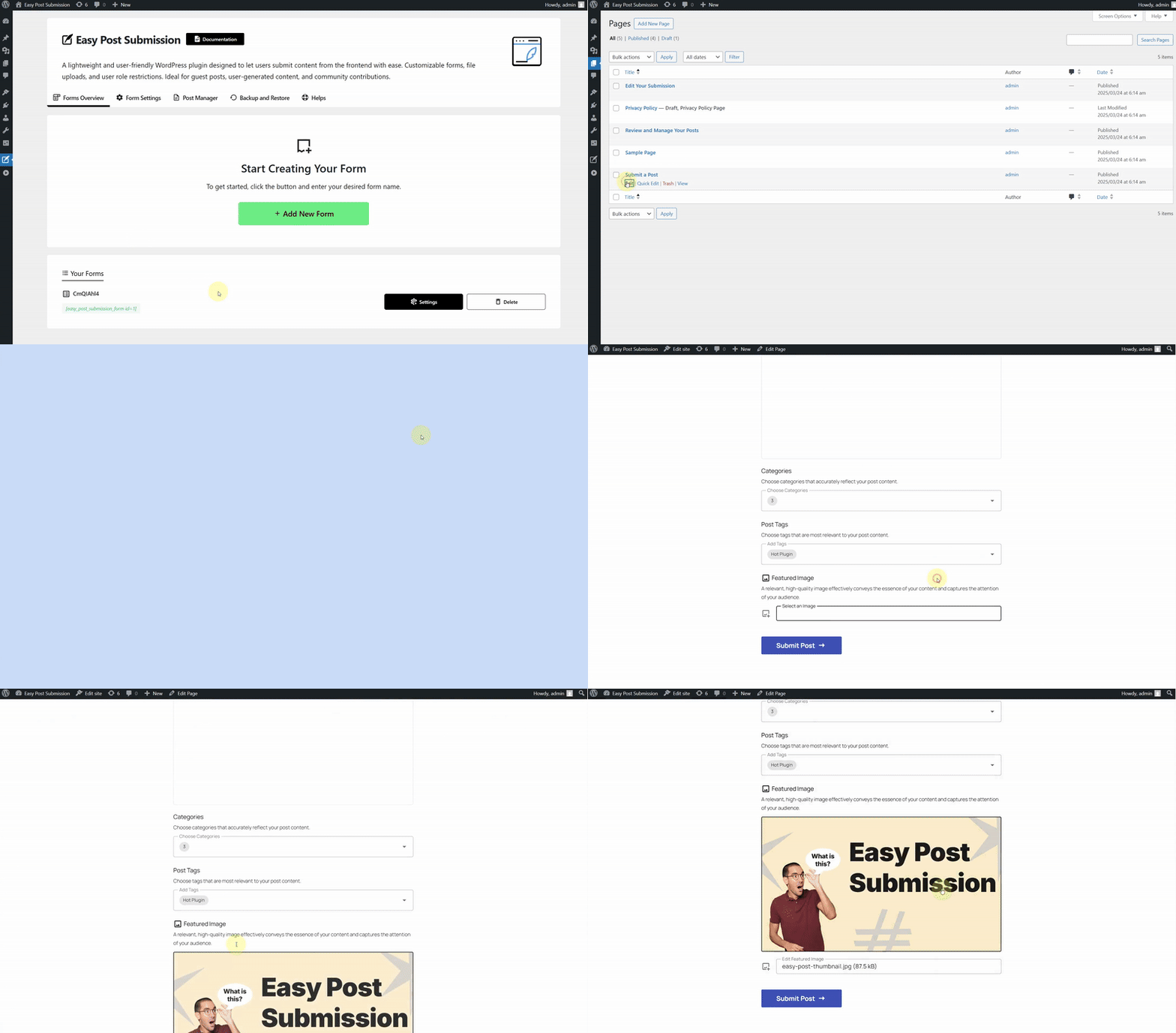
Create Submit Form Shortcode
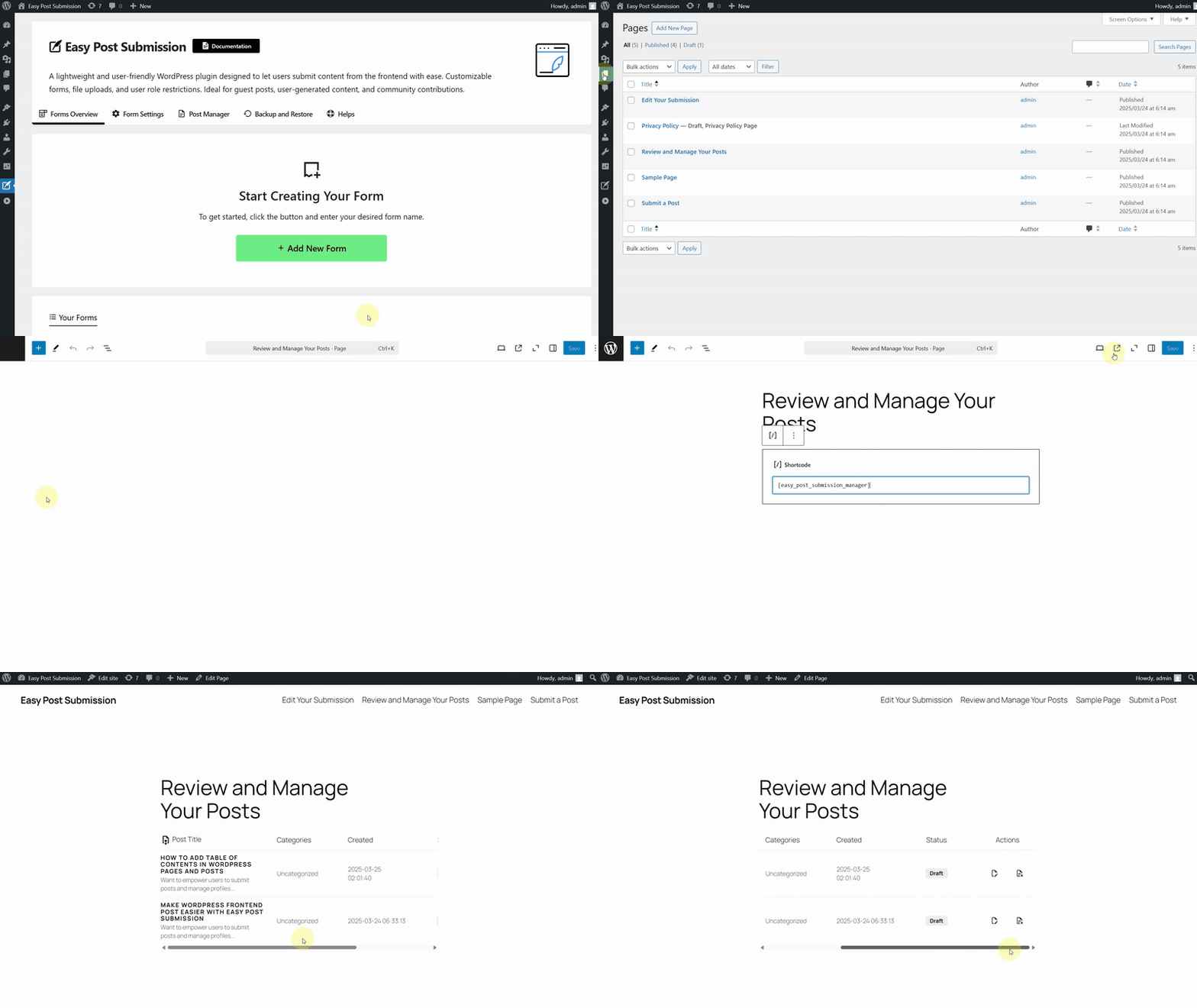
Create User Post Shortcode
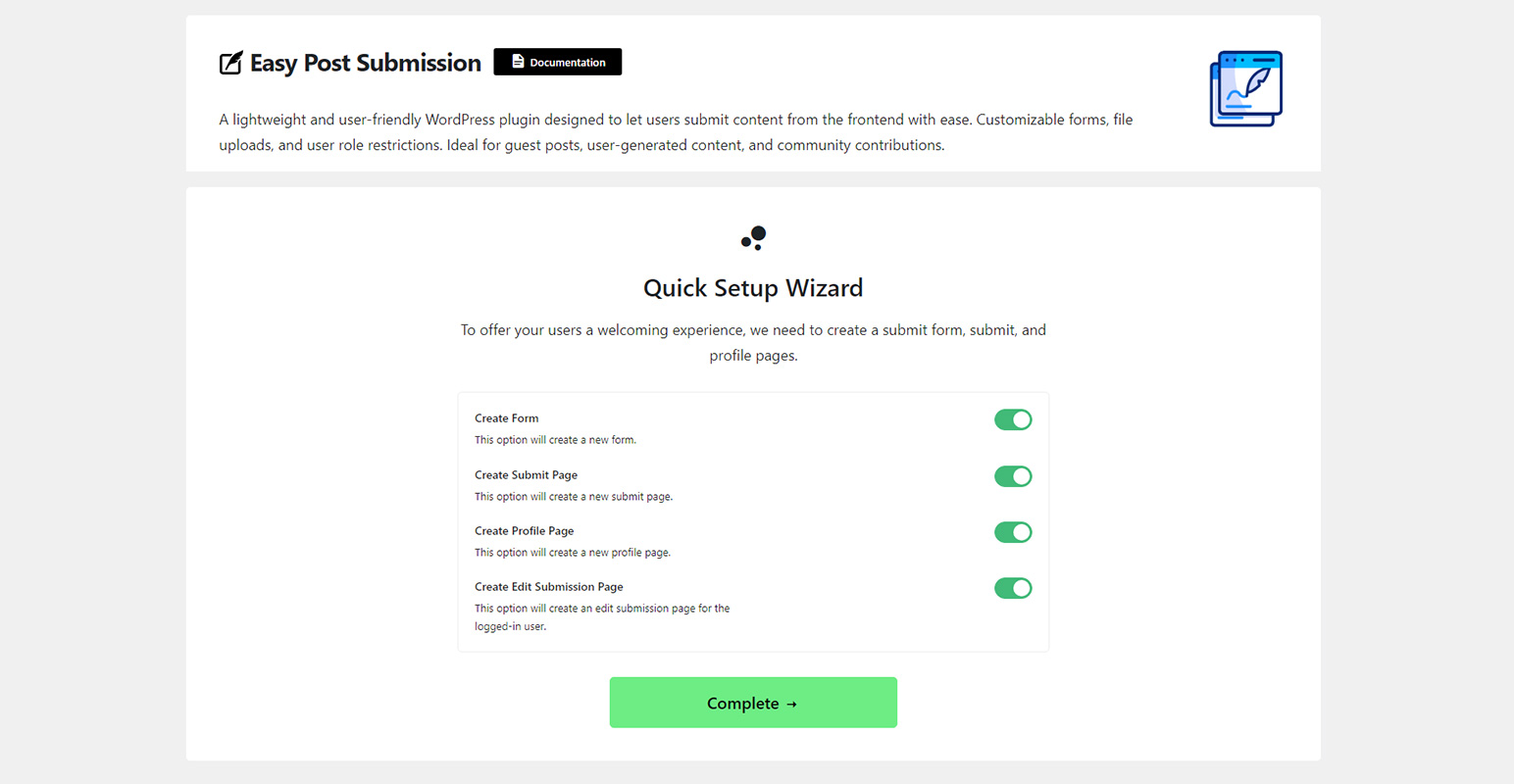
Quick Start Setup
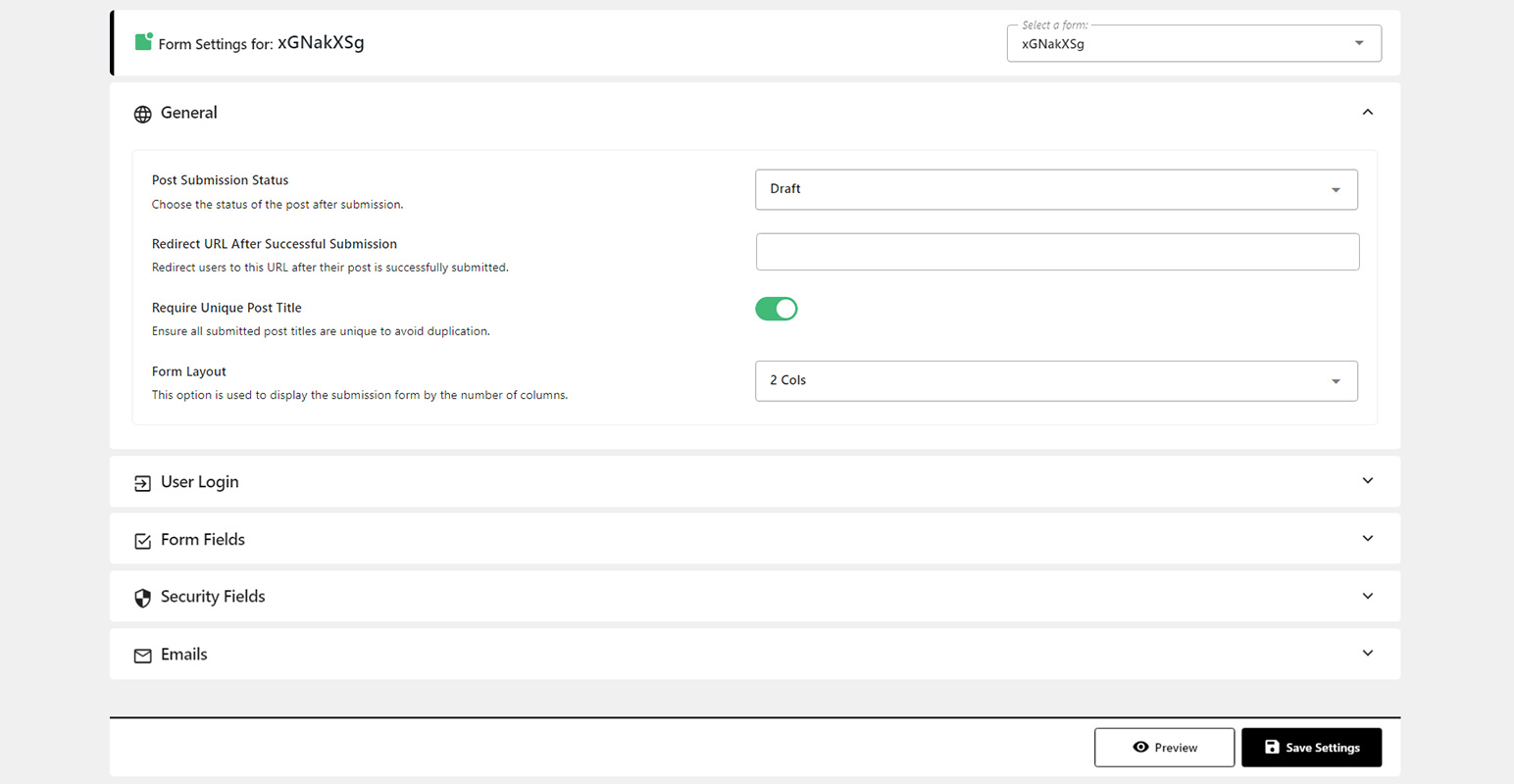
Form Submission Settings
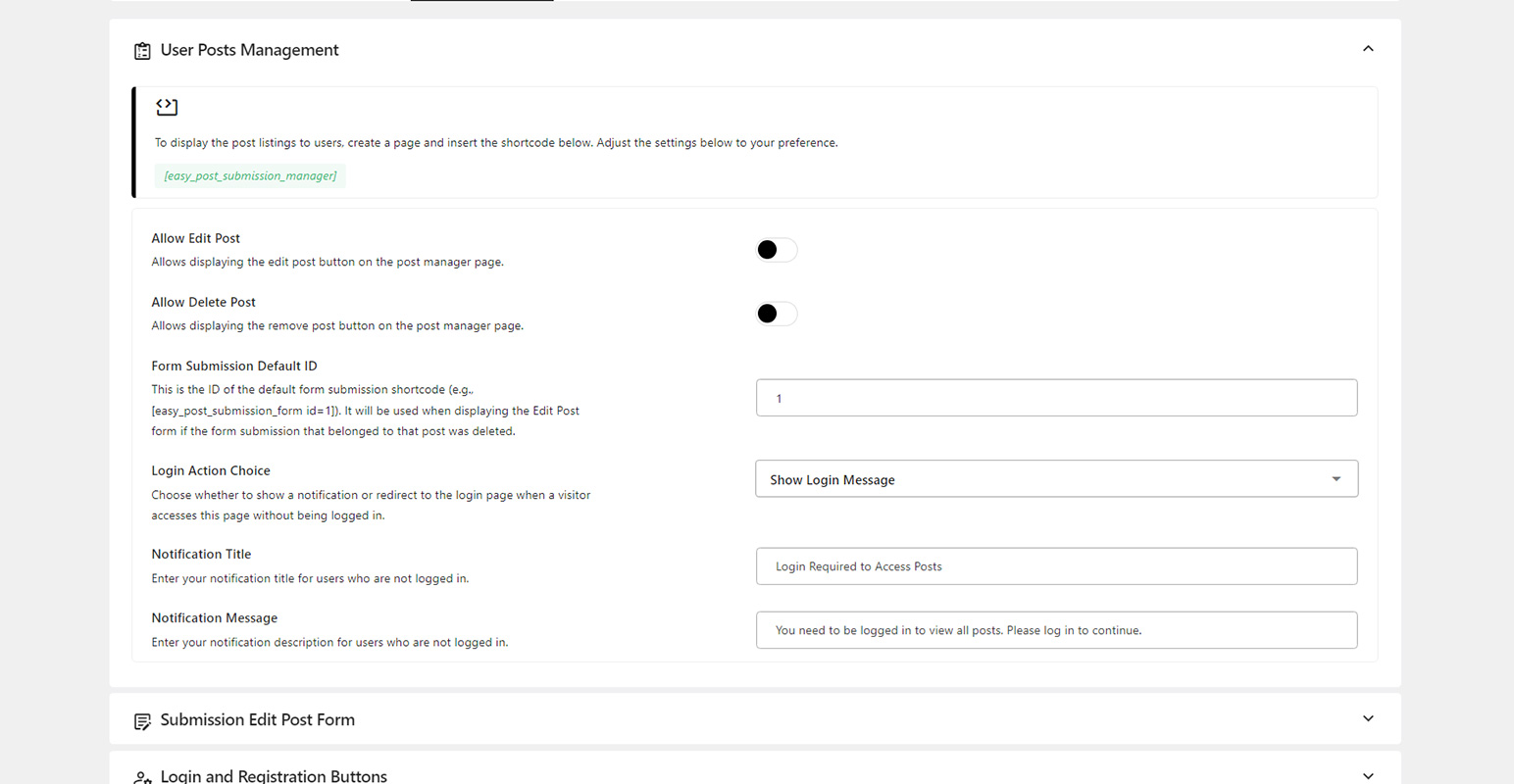
User Post Manager Settings
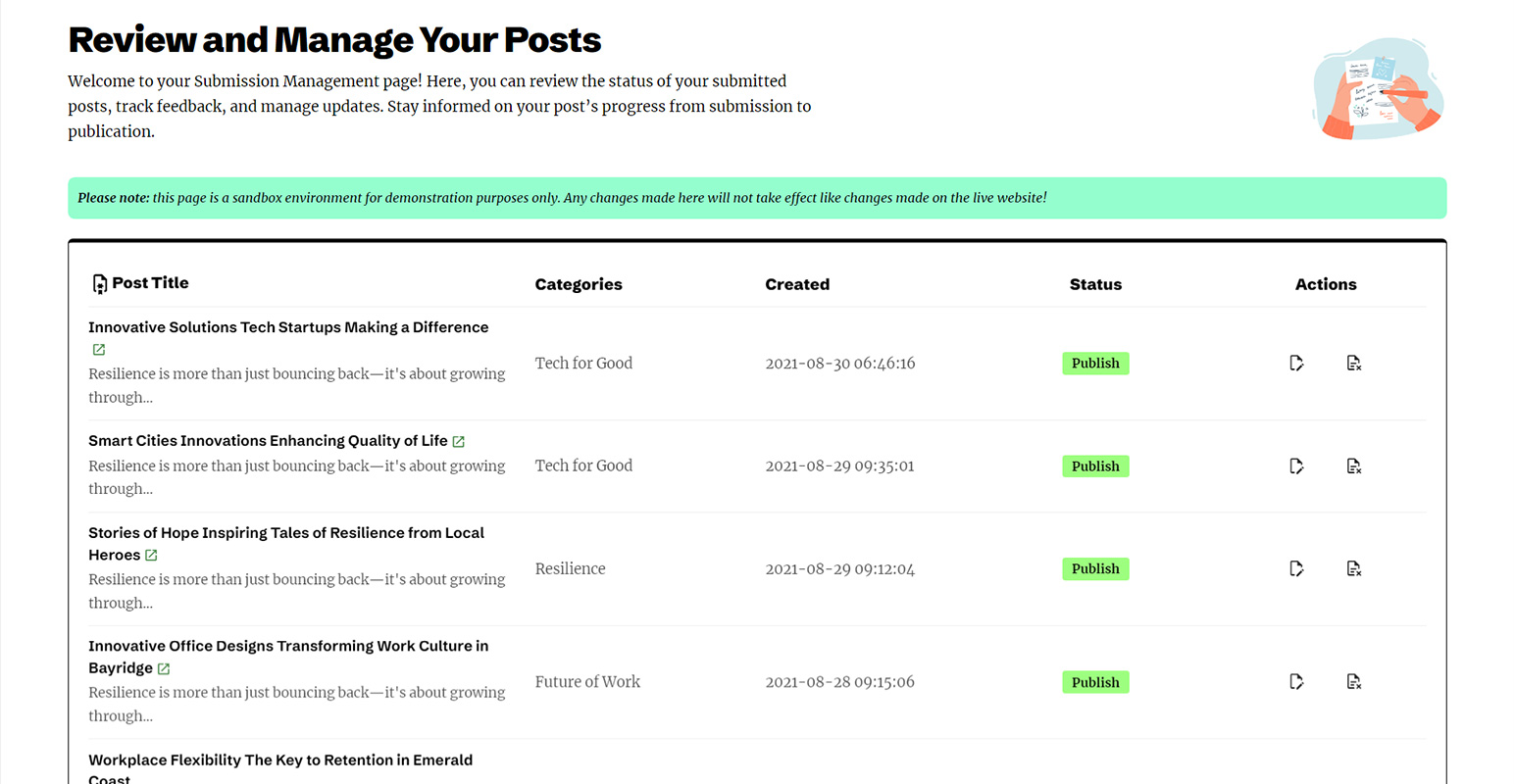
Frontend User Post Manager
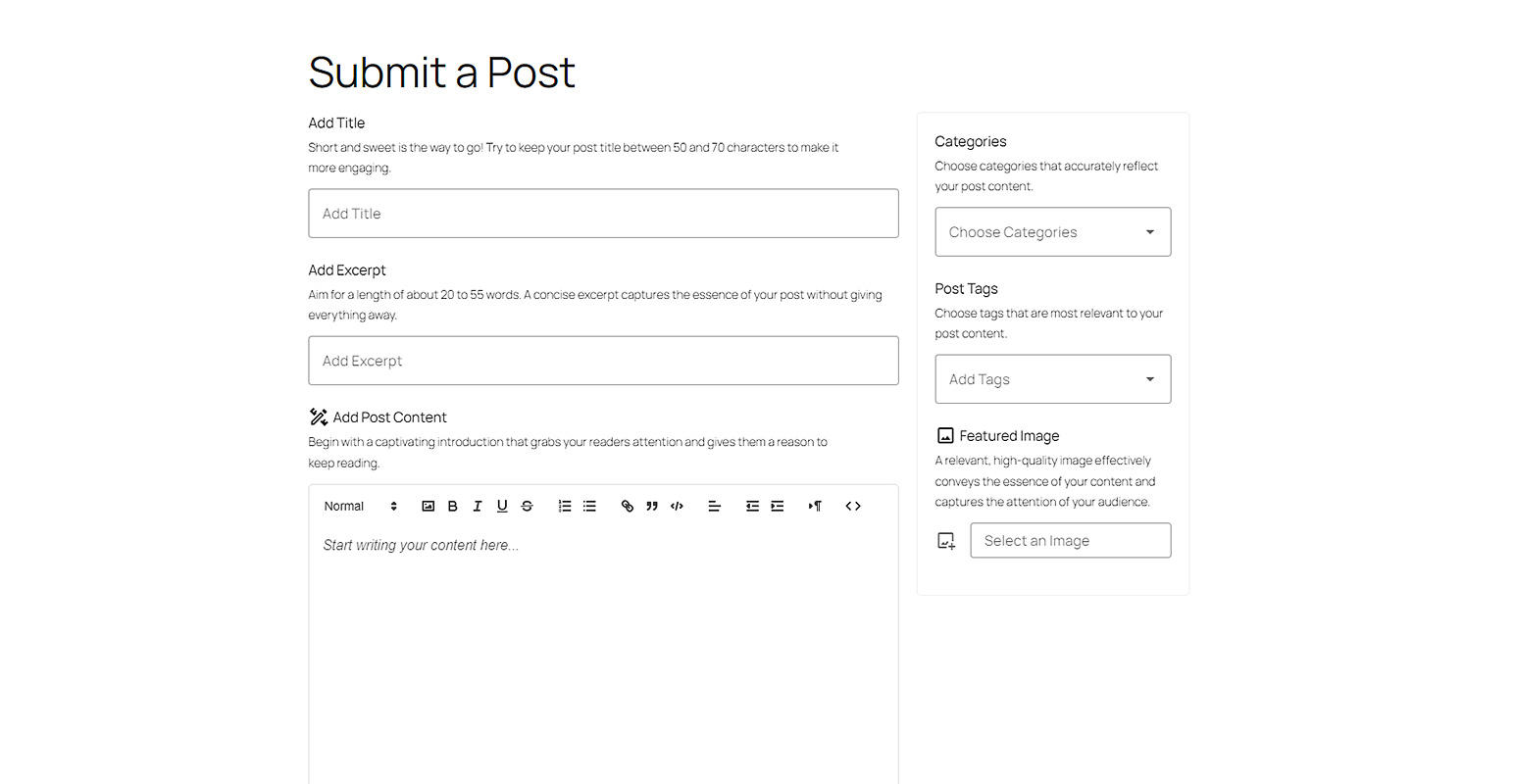
Frontend Post Submission Form
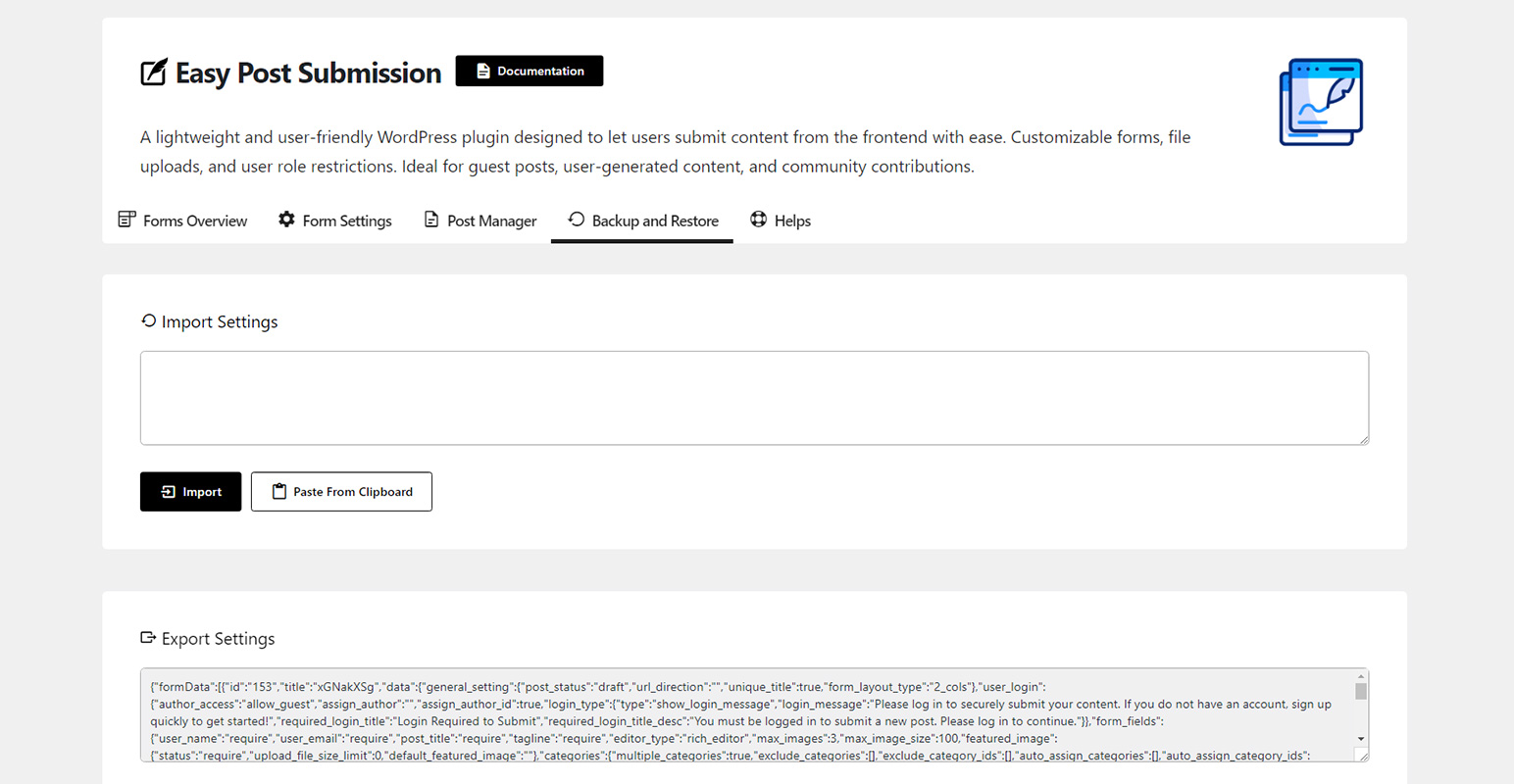
Backup and Restore
Faq
Yes, your users can create and edit posts from the frontend.
Yes, absolutely! Your users can upload featured images. You can also configure settings to limit file size and enable or disable this feature.
Yes, your users can choose a category for their posts. You can also manage exclusions or include specific designated categories.
Yes or no, depending on your choice in the settings.
If you want to contribute, visit our GitHub Repository and see where you can help.
Reviews
Nice Job
By 
Hi.. Tanks for the nice plugin
Iam working on a website with custum post type with the meta box plugin , your plugin is not compatible with it
Hier are some problems
i have made custum post type and yours works only with the original posts
Also the custum fields are not supported
otherwise I like the simplicity of your plugin and I hope that you make improvements in the future
This is definitely the most neatly written frontend post WordPress plugin seen
By 
Thanks for Creating this life saving it's 10/10 for me 👌🏻 I love the straightforwardness and easement of it
however I really wish there's possibly a way to reduce the content box please? I want to make the length a bit smaller the width is okay , also I wish I could change the submit button to deep green to fit in with my client's request
is there a way you can please help me achieve this please 🙏I will be forever greatful and big thanks in advance, hoping to hear from you soon
Great plugin
By 
Hello! The plugin is very easy to configure, it doesn’t seem to load the system. Thank you for your work!
I hope that you will support it constantly and improve it!
Great user post submission plugin
By 
This plugin makes it super easy to create forms for submitting posts without having to log in to the WordPress dashboard. There are plenty of customization options in the admin panel, but everything is clearly explained and easy to use. Setting it up is a breeze, even if you're not a tech expert. Thank you so much! Your plugin solved my problem perfectly, especially as a beginner.
Plugin Review
By 
It works really well for frontend posting, fast and lightweight too. If you need users or guests to submit content without touching the dashboard, it’s spot-on and does the trick nicely. Though the design’s simple, I think it's still worth trying.
Changelog
2.1.0
- Added: Shortcode [easy_post_submission_login] for displaying the login form.
- Added: Shortcode [easy_post_submission_register] for displaying the registration form.
- Improved: CAPTCHA settings moved to the global configuration.
- Improved: Media upload handling for better performance.
- Fixed: Challenge validation issue.
2.0.0
- Fixed: Category and tag entity decoding issue
- Fixed: Enhanced security and data protection
1.7.0
- Improved: Import/export functionality.
- Improved: Updated documentation page.
1.6.0
- Added: Label for post state when submitted via the submission form.
- Fixed: Email notification to contributor when the post has been published.
1.5.0
- Improved: Enhanced layout and design of the submission post manager.
- Fixed: Login and register buttons on the post manager page now redirect correctly for non-logged-in users.
- Fixed: “Delete post” action in the user post manager now functions as expected.
- Fixed: Validation form messages now display correctly.
- Fixed: Removed empty UI display when automatically redirecting.
1.4.0
- Improved: Compatible with WordPress 6.8.
- Improved: Notification when failing to handle images in post content.
1.3.0
- Improved: Disabled UI during automatic redirection in the submission form.
- Fixed: Login and register redirect issue in the submission form.
1.2.0
- Fixed: Issue with form submission when multiple tag selection is disabled.
- Fixed: Issue with adding content images.
1.1.0
- Improved: Changed the featured image limit setting to KB, allowing limits below 1MB.
- Fixed: Unable to re-add a featured image after removal.
- Fixed: Fallback submission form ID not applying.
1.0.0
- Initial release.