Easy Share Solution For WordPress

Easy Share Solution For WordPress
Description
Transform your WordPress site into a social sharing powerhouse with Easy Share Solution! Our plugin makes it incredibly easy for visitors to share your content across all major social networks, helping you reach more people and grow your audience naturally.
🚀 What Makes Easy Share Solution Special?
We’ve built this plugin with both beginners and advanced users in mind. Whether you’re running a personal blog or managing a business website, Easy Share Solution provides everything you need to maximize your content’s reach through social sharing.
✨ Key Features:
🌟 63+ Social Media Platforms – Share to Facebook, Twitter/X.com, LinkedIn, Pinterest, WhatsApp, Instagram, Reddit, Telegram, Tiktok, youtube, email, messenger, viber, snapchat, wechat, evernote, github, discord, baidu, behance and many more popular platforms.
📊 Advanced Analytics Dashboard – Track your sharing performance with detailed insights. See which content gets shared most, which platforms drive the most traffic, and optimize your social strategy.
🎨 Beautiful Design Options – Choose from multiple button styles including floating buttons, inline buttons, popup sharing windows, and customizable icon sets.
📱 Mobile-First Design – Fully responsive and touch-friendly interface that looks perfect on all devices, from smartphones to desktop computers.
⚡ Lightning Fast Performance – Optimized code that won’t slow down your website. Clean, efficient loading that maintains your site’s speed.
🛠️ Easy Customization – Drag-and-drop interface, color customization, size adjustments, and position controls. No coding required!
💬 Text-to-Tweet Feature – Let visitors highlight text on your page and share it directly to Twitter/X with one click.
🔧 Developer Friendly – Hooks, filters, and API for developers who want to extend functionality.
🎯 Perfect For:
– E-commerce stores sharing products
– Bloggers who want to increase their content reach
– Businesses looking to boost social media engagement
– News sites and magazines
– Portfolio sites showcasing work
– Any website wanting more social shares!
🏆 Why Users Love Easy Share Solution:
“Finally, a sharing plugin that actually works and looks great!” – The intuitive interface and reliable performance make it a favorite among WordPress users.
🎁 Pro Version Available:
Unlock even more powerful features with our Pro version, including advanced analytics, priority support, additional design options, and exclusive integrations.
🔗 See It In Action:
Check out our live demo to see Easy Share Solution in action before you install!
Installation
Getting started with Easy Share Solution is super simple! Here are two easy ways to install:
🎯 Method 1: Install from WordPress Dashboard (Recommended)
- Login to your WordPress admin – Go to your website’s admin area
- Navigate to Plugins – Click on “Plugins” “Add New” in your dashboard
- Search for “Easy Share Solution” – Type our plugin name in the search box
- Install & Activate – Click “Install Now” then “Activate” when it’s done
- You’re ready! – Find “Easy Share Solution” in your admin menu to start customizing
🔧 Method 2: Manual Upload
- Download the plugin – Get the .zip file from WordPress.org or our website
- Upload via WordPress – Go to Plugins Add New Upload Plugin
- Choose the file – Select the .zip file you downloaded
- Install & Activate – Click “Install Now” then “Activate”
🚀 Quick Setup (Takes 2 minutes!):
After activation, you’ll see a friendly setup wizard that will guide you through:
– Choosing your favorite social platforms
– Selecting button positions and styles
– Customizing colors to match your brand
– Testing everything works perfectly
💡 Pro Tip: Start with the default settings – they work great for most websites! You can always customize more later.
🆘 Need Help?
– Check our FAQ section below
– Visit our support page
– Watch our setup tutorial videos
Screenshots

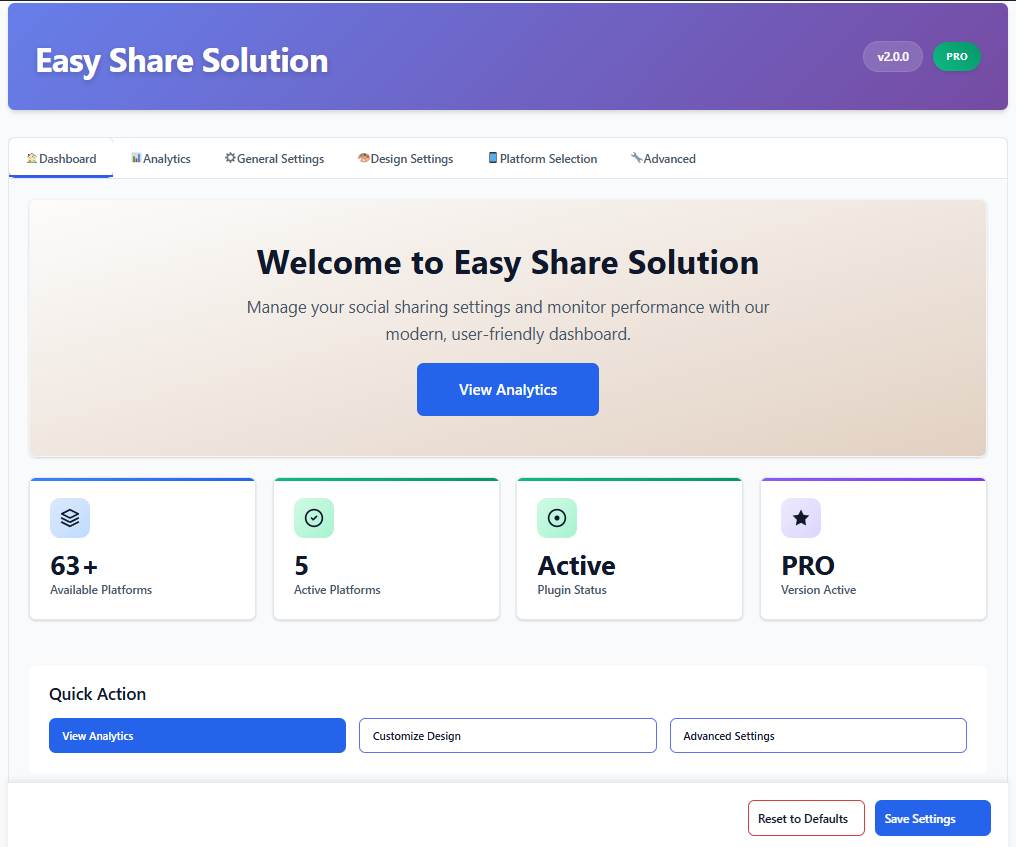
Modern Dashboard - Beautiful, intuitive admin interface with real-time analytics and easy customization options
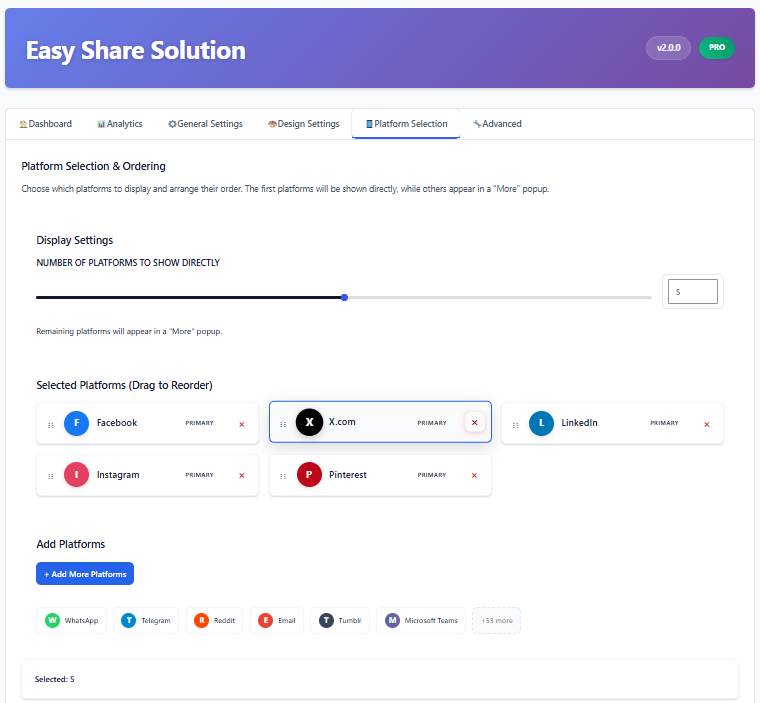
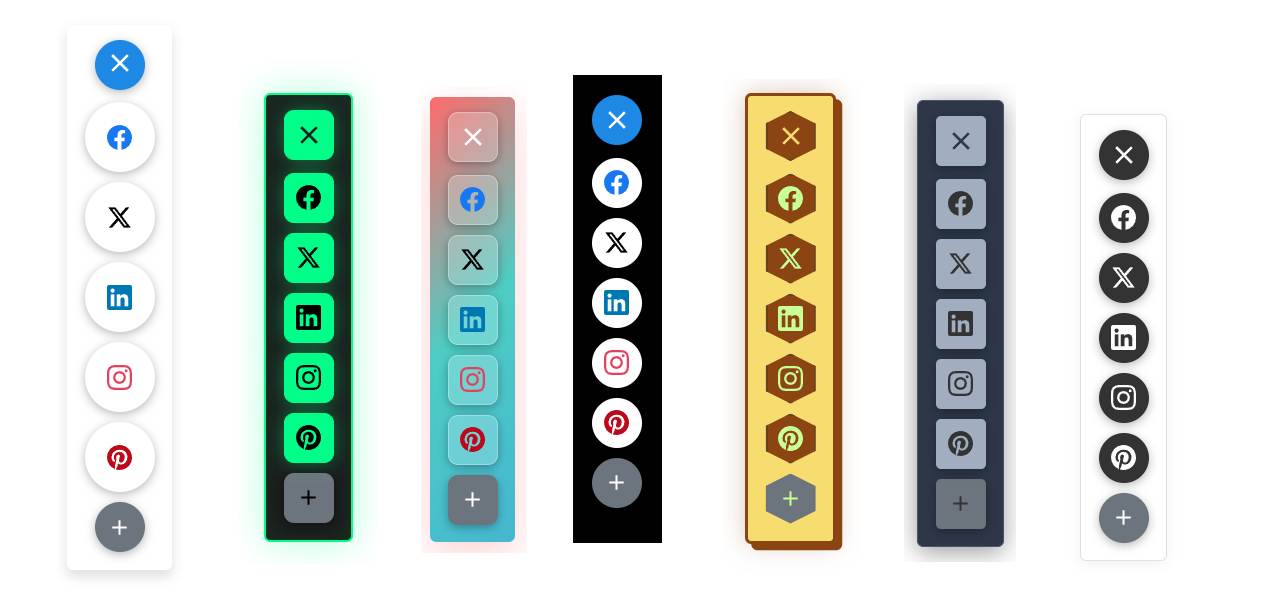
Multiple Button Positions - Floating sidebar buttons, inline content buttons, and bottom sticky bar options
Analytics Dashboard - Comprehensive sharing statistics with charts, trends, and platform-specific insights
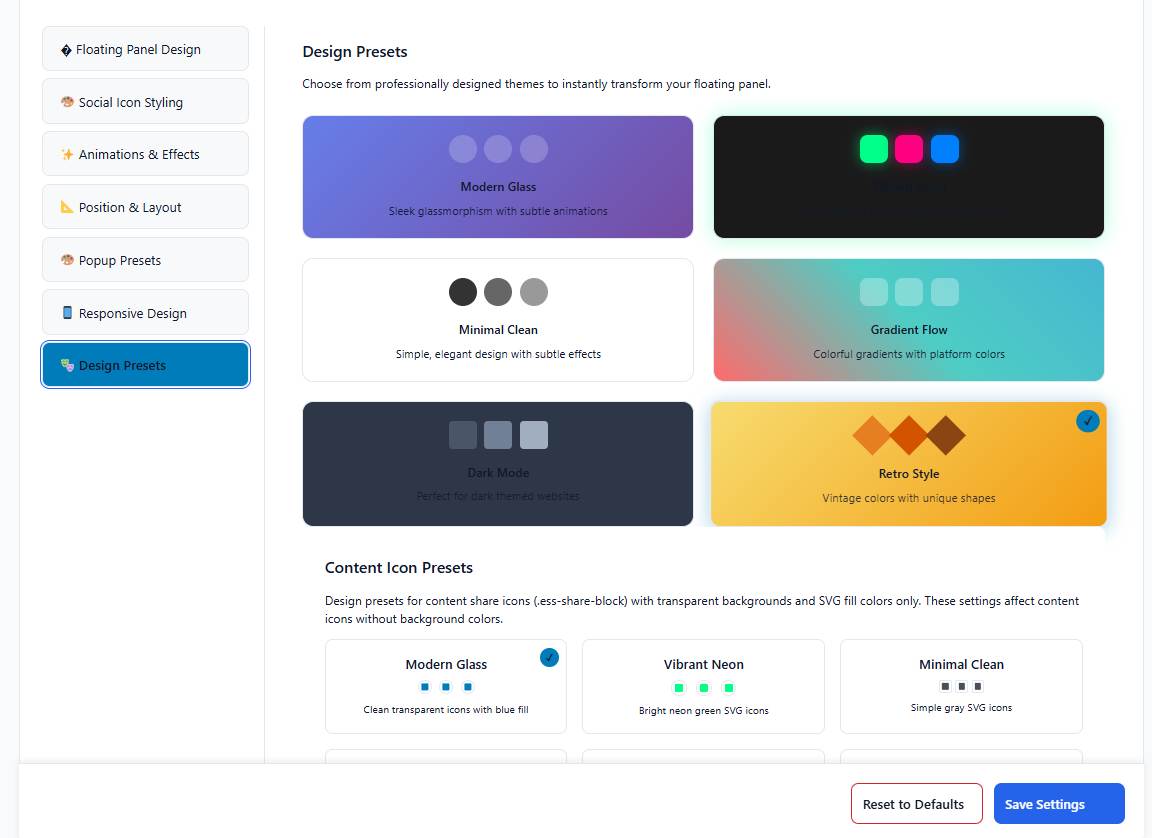
Design Customization - Color picker, style options, and live preview of your share buttons
Mobile Responsive - Perfect display and functionality across all devices and screen sizes
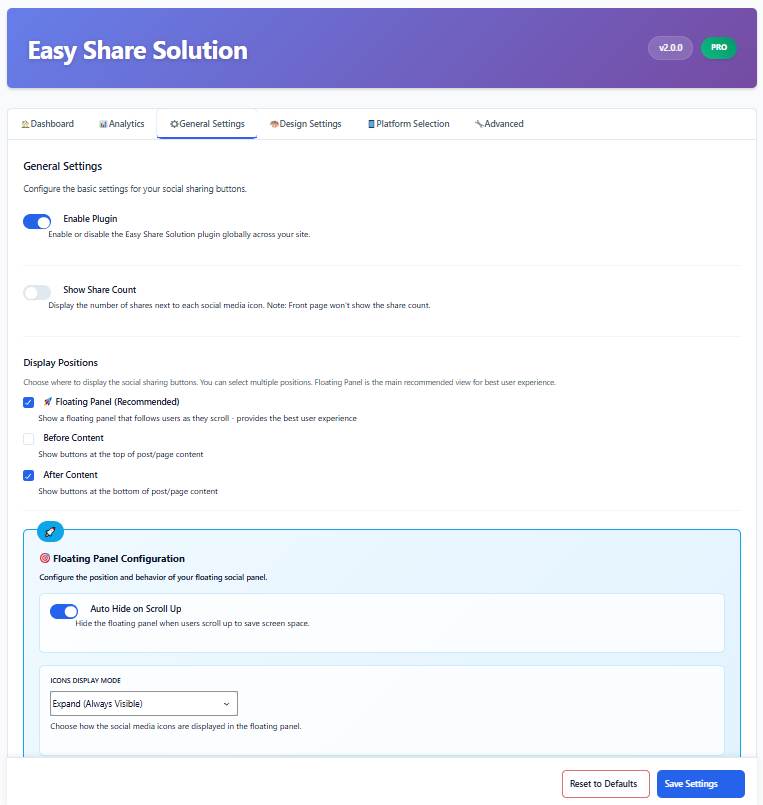
Text-to-Tweet Feature - Highlight text and share instantly to Twitter/X with custom formatting
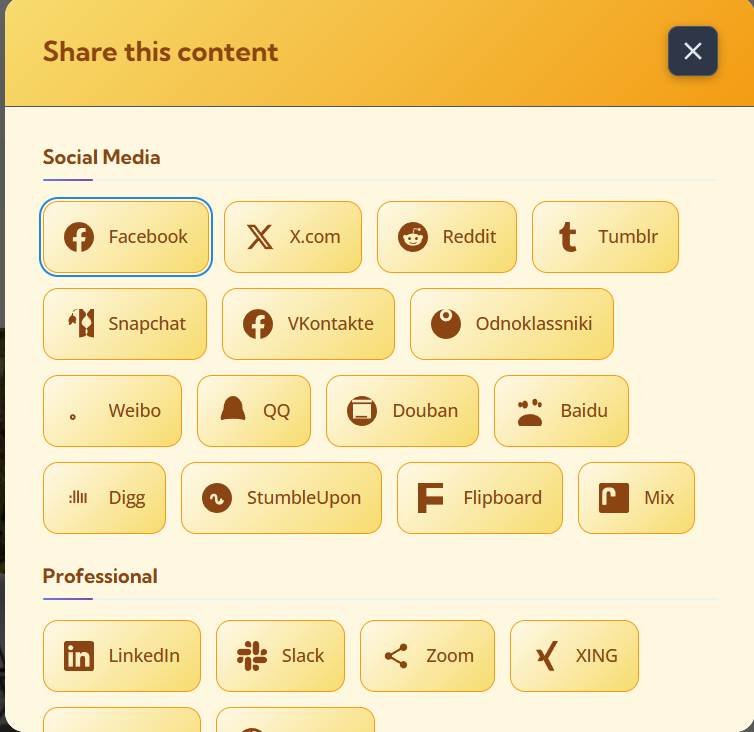
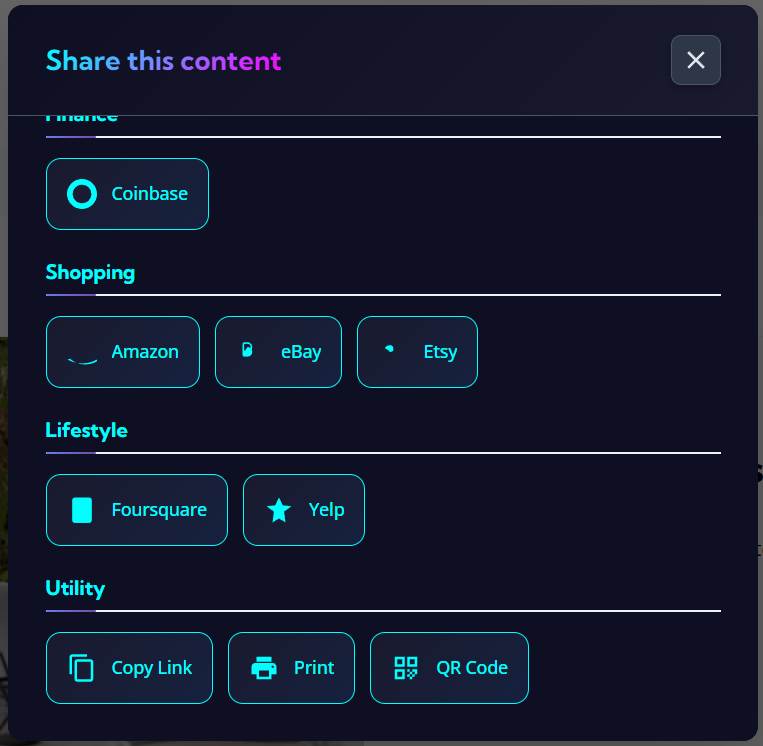
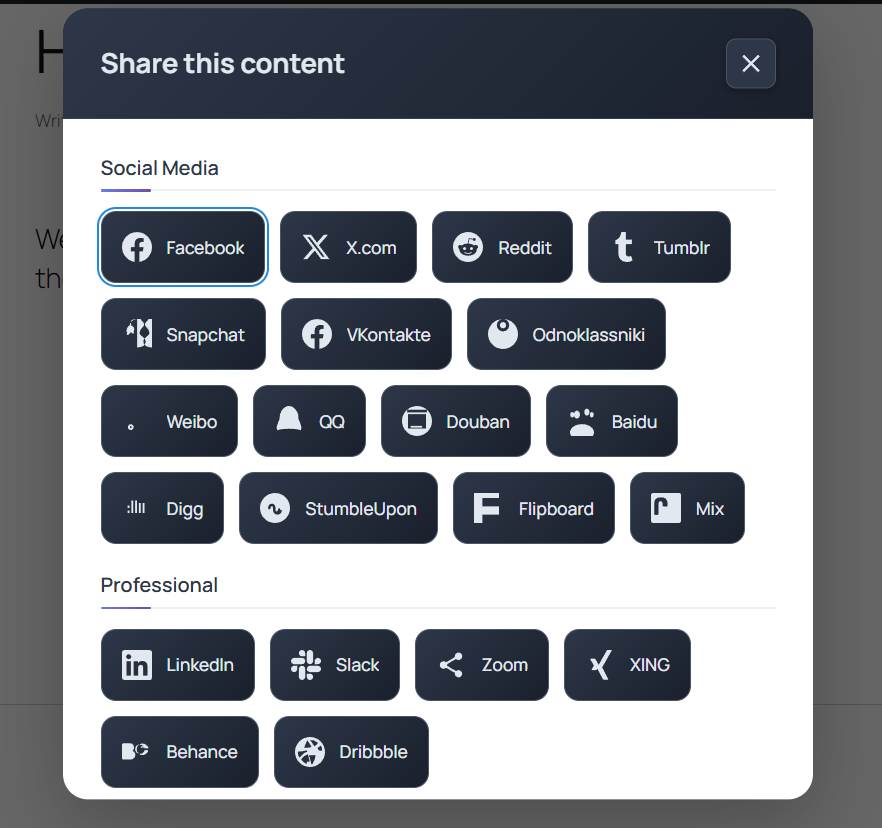
Popup Share Window - Elegant overlay sharing options that don't redirect users away from your content
Widget Integration - Easy-to-use widgets for sidebars, footers, and custom widget areas
Faq
We support 63+ major social media platforms including Facebook, Twitter/X, LinkedIn, Pinterest, WhatsApp, Instagram, Reddit, Telegram, Tumblr, and many more! We regularly add new platforms based on user requests.
Absolutely! You can customize colors, sizes, positions, styles, and animations. Choose from preset themes or create your own custom look. No coding skills required – everything is done through our user-friendly interface.
Yes! Our built-in analytics dashboard shows you detailed sharing statistics, including which content gets shared most, which platforms drive the most traffic, and engagement trends over time.
Yes! Easy Share Solution is fully responsive and optimized for mobile devices. The buttons automatically adapt to different screen sizes and are touch-friendly for the best mobile experience.
Not at all! We’ve optimized Easy Share Solution for maximum performance. The plugin uses efficient loading techniques and clean code to ensure your website stays fast while adding powerful sharing functionality.
Very easy! Most users get it set up in under 5 minutes. We include a setup wizard that guides you through the process, and the default settings work great for most websites right out of the box.
This cool feature lets your visitors highlight any text on your page and instantly share it on Twitter/X with a single click. It’s great for quotes, statistics, or any compelling content you want people to share.
Yes! You have full control over where share buttons appear. Display them on all posts, specific categories, certain pages, or use our shortcode to place them exactly where you want.
The free version includes all core sharing features. Pro adds advanced analytics, priority support, additional design options, custom button creation, scheduling features, and exclusive integrations. Perfect for businesses and serious content creators.
Yes! We offer support through WordPress.org forums for free users. Pro users get priority email support with faster response times and more detailed assistance.
Yes! We provide easy migration tools to import your settings from popular sharing plugins, making the switch to Easy Share Solution seamless.
Absolutely! Easy Share Solution is fully translation-ready and supports right-to-left (RTL) languages. We welcome community translations!
Reviews
Light weight and works great
By 
Light weight, easy setup, works as it should be.
Changelog
2.0.1
** icons padding issue fixed**
** Missing svg icons added**
2.0.0
🚀 Major Update – Complete Plugin Redesign!
* NEW: Modern React-based admin dashboard with intuitive controls
* NEW: Advanced analytics system with detailed sharing insights and charts
* NEW: Comprehensive notice system for updates and Pro features
* NEW: Gutenberg block for easy share button insertion
* NEW: Enhanced mobile responsiveness and touch interactions
* NEW: Improved security with proper nonce verification and input sanitization
* NEW: Translation-ready with full internationalization support
* NEW: Better performance optimization and code structure
* NEW: Pro version detection and smart feature management
* IMPROVED: Complete UI/UX overhaul for better user experience
* IMPROVED: Enhanced customization options with live preview
* IMPROVED: Better accessibility support with ARIA labels
* IMPROVED: Cleaner code architecture following WordPress best practices
* FIXED: All legacy security issues and deprecated functions
* FIXED: Compatibility with latest WordPress versions and PHP 8+
1.1.4
- FIXED: PHP error resolved for better stability
- FIXED: index.php file updated with proper PHP tags
- FIXED: Input sanitization improved for GET parameters
- SECURITY: Enhanced security measures implemented
1.1.3
- REMOVED: Abandoned domains (webnews.de, yigg.de, ziczac.it) for better reliability
- FIXED: Critical security issue with nonce verification
- UPDATED: Deprecated PHP functions (create_function, dirname(file)) replaced
- FIXED: Text domain path in load_plugin_textdomain function
- IMPROVED: Overall code security and WordPress standards compliance
1.1.1
- UPDATED: Twitter to X.com conversion – updated icon and sharing links
- NEW: Added fresh button style options
- IMPROVED: Better integration with current social media landscape
1.0.10
- NEW: Instagram Share functionality added
- FIXED: Security vulnerabilities patched
- FIXED: Empty image error resolved for better user experience
1.0.9
- NEW: Beautiful new styles for all share buttons
- FIXED: Button loading issues resolved
- IMPROVED: Faster button rendering and display
1.0.6
- FIXED: Icon display issues in different positions resolved
- IMPROVED: Better positioning accuracy across themes
1.0.5
- NEW: Additional stylish button designs added
- IMPROVED: Enhanced visual appeal and customization options
1.0.4
- FIXED: Pop-up share button styling issues resolved
- IMPROVED: Better popup window functionality and appearance
1.0.3
- FIXED: Share button click functionality improved
- REMOVED: Google+ button (service discontinued)
- NEW: Modern button styles and design options added
1.0.2
- NEW: Multiple new features and customization options
- FIXED: Various PHP bugs and compatibility issues
1.0.1
- NEW: Extensive new options and configuration settings
- IMPROVED: Enhanced functionality and user control
1.0
- INITIAL: First release with core sharing functionality
- FEATURE: Basic social sharing across major platforms