Easy Newsletter – Gutenberg block editor newsletter
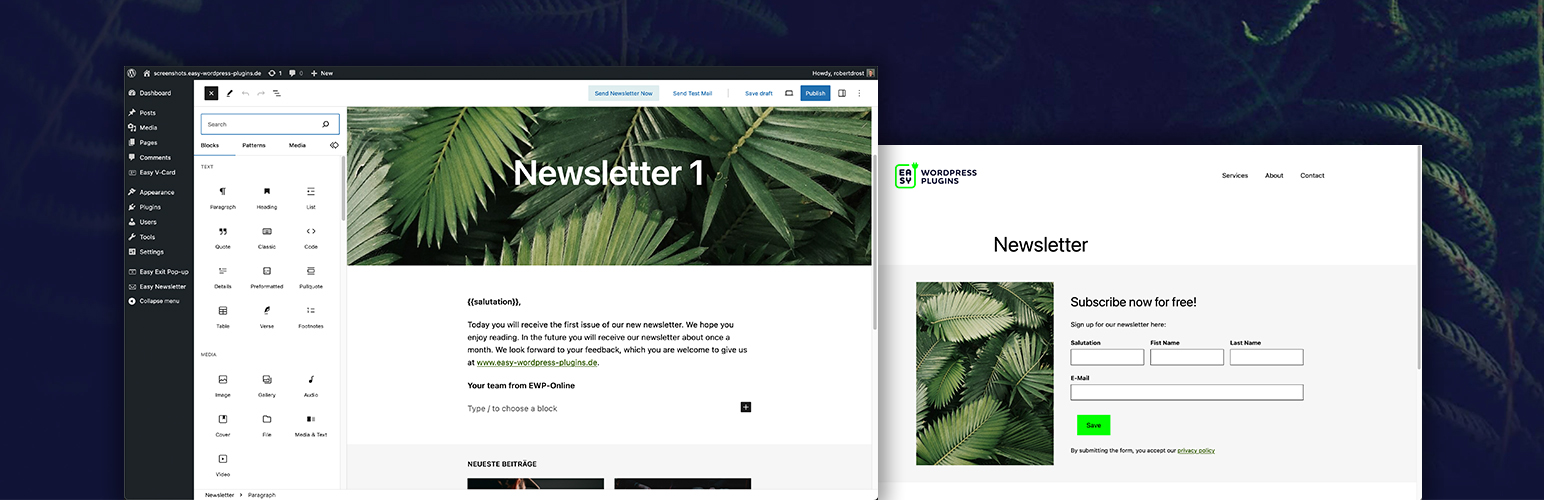
Easy Newsletter – Gutenberg block editor newsletter
Description
Create newsletters using familiar WordPress blocks, content and theme styles. Subscriber data is stored in your WordPress database. Email delivery uses your website’s mail configuration.
Features
- Create and send newsletters in the WordPress block editor
- Signup forms with double opt-in, welcome email and spam protection
- Manage subscribers and subscriber categories in WordPress
- Use theme styles and customize newsletter design
- Convert newsletter content into email-compatible HTML
- Use posts, custom post types and custom fields
- No plugin limit on subscriber or newsletter counts; sending capacity depends on your hosting and mail provider
- Send test emails and monitor or stop newsletter delivery
- Add attachments from the media library and personalize content
- Use your WordPress mail configuration, including SMTP plugins
- Display a newsletter archive with a block or shortcode
- Review subscriber details, consent records and sending history
Additional Pro features
- Filter recipients by subscriber categories or custom fields
- Use WordPress users as newsletter recipients
- Schedule newsletters for later delivery
- Import subscribers from CSV files
- Comprehensive newsletter statistics with open and click reports
- Manage three additional custom fields in the subscriber list
Links
Installation
- Install and activate the plugin in WordPress.
- Open Easy Newsletter and configure the sender, signup form and email delivery settings.
- Create a newsletter and send a test email before sending it to subscribers.
Screenshots

Newsletter creation in the WordPress block editor

Signup form with configurable fields

Subscriber management

Newsletter overview

Newsletter sending confirmation

Settings

Attachments and personalized content

Subject, preview text and test recipients

Easy Newsletter dashboard
Faq
Subscriber data is stored in your WordPress database. Mail delivery and any configured external services depend on your website settings.
Yes. Configure email delivery in WordPress and test it with a newsletter test email.
Email clients support different design features. Always check a test email in the email clients relevant to your audience.
Reviews
i like it
By 
I first used Easy Backend Style from the same company and then discovered Easy Newsletter. It's a very simple newsletter tool. I like that you can use the block editor to create and send newsletters and that its free with unlimited subscribers.
Changelog
4.2.11
- Added – Added secure one-click unsubscribe support to enhance user convenience.
- Added – Added subscriber consent history and details for better transparency.
- Changed – Moved newsletter archive into the core for improved accessibility.
4.2.10
- Added – Added automatic cleanup functionality to improve system maintenance.
- Changed – Improved the sending timeline and subscriber user experience for better usability.
- Fixed – Fixed an issue where status emails were not being handled correctly.
4.2.9
- Changed – Internal improvements and technical optimizations.
4.2.8
- Changed – Internal improvements and technical optimizations.
4.2.7
- Changed – Internal improvements and technical optimizations.
4.2.6
- Added – Introduced new admin dashboard widgets for improved scheduling and management.
- Added – Added an archive block feature to enhance content organization and accessibility.
4.2.5
- Changed – Improved the filters for selected lists to enhance user experience.
- Removed – Removed the legacy sidebar block example to streamline the interface.
- Fixed – Corrected the activation URL link to ensure proper navigation.
4.2.4
- Changed – Updated the plugin metadata to display the marketplace title.
4.2.2
- Added – Added fallback translations.
- Fixed – Repaired title display.
4.2.0
- Fixed – Automatic image sizing in responsive emails.
- Added – Added fluid block layouts and signup forms.
- Added – Introduced theme-based newsletter styling pipeline.
- Added – Added inline registration form layout.
- Added – Configurable signup checkbox text.
4.1.4
- Added – Added newsletter email rendering pipeline.
- Added – Added parameters for registration success page and redirect in easyNewsletter Form Shortcode.
4.1.3
- Changed – Added a new timeout feature to the schedule button.
4.1.0
- Changed – Added a progress indicator for current newsletter sending on the dashboard.
4.0.9
- Changed – Improved test email logic with better handling for empty HTML content, support for multiple recipients, and enhanced popup display.
4.0.8
- Security – Sanitize email input to ensure valid email addresses.
4.0.7
- Changed – Internal optimizations and stability improvements.
4.0.6
- Fixed – Resolved an issue with importing categories.
4.0.5
- Changed – Redirects users with invalid licenses in newsletter statistics.
4.0.4
- Changed – Internal optimizations and stability improvements.
1.0.2
- Changed – updated styling/formatting
- Changed – honeypot
- Changed – small bugfixes
1.0.1
- Changed – blueprint, icons, banner and screenshots for plugin marketplace
1.0.0
- Changed – First release