EbeRent – Equipment Rental for WooCommerce

EbeRent – Equipment Rental for WooCommerce
Description
Equipment rental plugin for WooCommerce. EbeRent turns your WooCommerce products into rentable equipment: customers pick their rental dates on the product page, the price is calculated per day, and every booking is protected against double-booking — automatically.
Built for photo and video gear, sound and event equipment, construction tools, sports and outdoor gear, and any business that rents physical equipment.
How it works:
- Enable rental mode on any WooCommerce product and set a daily price.
- The customer selects a start and end date on the product page.
- EbeRent checks availability in real time — dates that overlap an existing booking (including buffer days) cannot be booked.
- The customer checks out normally through WooCommerce; the booking is created with the order.
- You manage all bookings from a dedicated dashboard under WooCommerce > Rentals.
Key features:
- Turn any WooCommerce product into a rentable item with a per-day price.
- Real-time availability check — double bookings are impossible, overlapping dates are refused.
- Configurable buffer days between two rentals (for cleaning, inspection or return shipping).
- Bookings dashboard under WooCommerce > Rentals: customer name, linked product and order, rental period, billed days, colour-coded status badges, filters and pagination.
- Booking statuses: Reserved, Blocked, Cancelled — with status filters and counters.
- Manually block dates on any product (maintenance, repairs, offline rentals) directly from the product edit screen, and remove blocks from the dashboard.
- Bookings are tied to WooCommerce orders — refunds and cancellations stay in your normal workflow.
Ideal for:
- Photo and video equipment rental
- Sound, lighting and event equipment
- Construction and power tools
- Sports and outdoor gear
- Party and furniture hire
Installation
- Upload the plugin folder to
/wp-content/plugins/, or install via Plugins > Add New. - Activate the plugin.
- Edit a WooCommerce product and open the Rental tab to enable rental mode and set the daily price.
- Manage bookings under WooCommerce > Rentals.
Screenshots
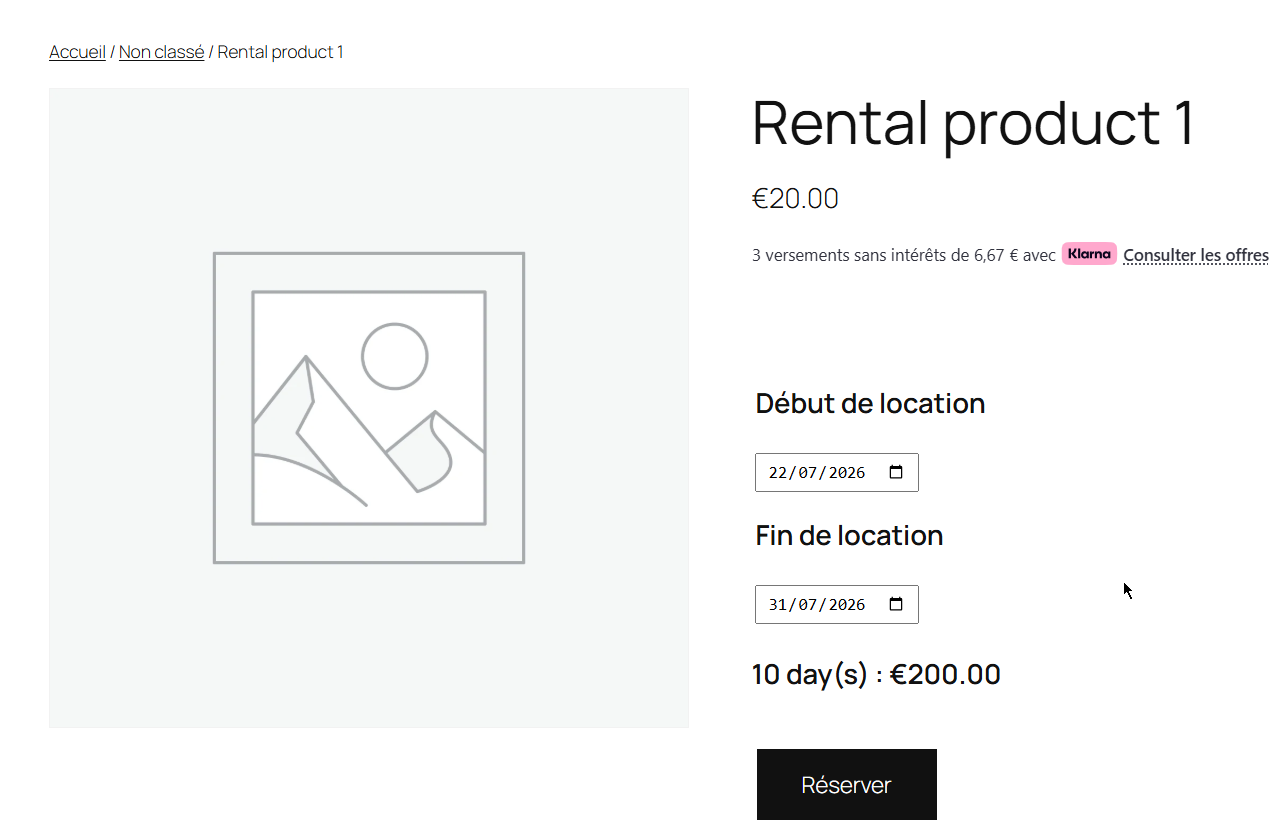
Product page — rental date selection and price calculation.
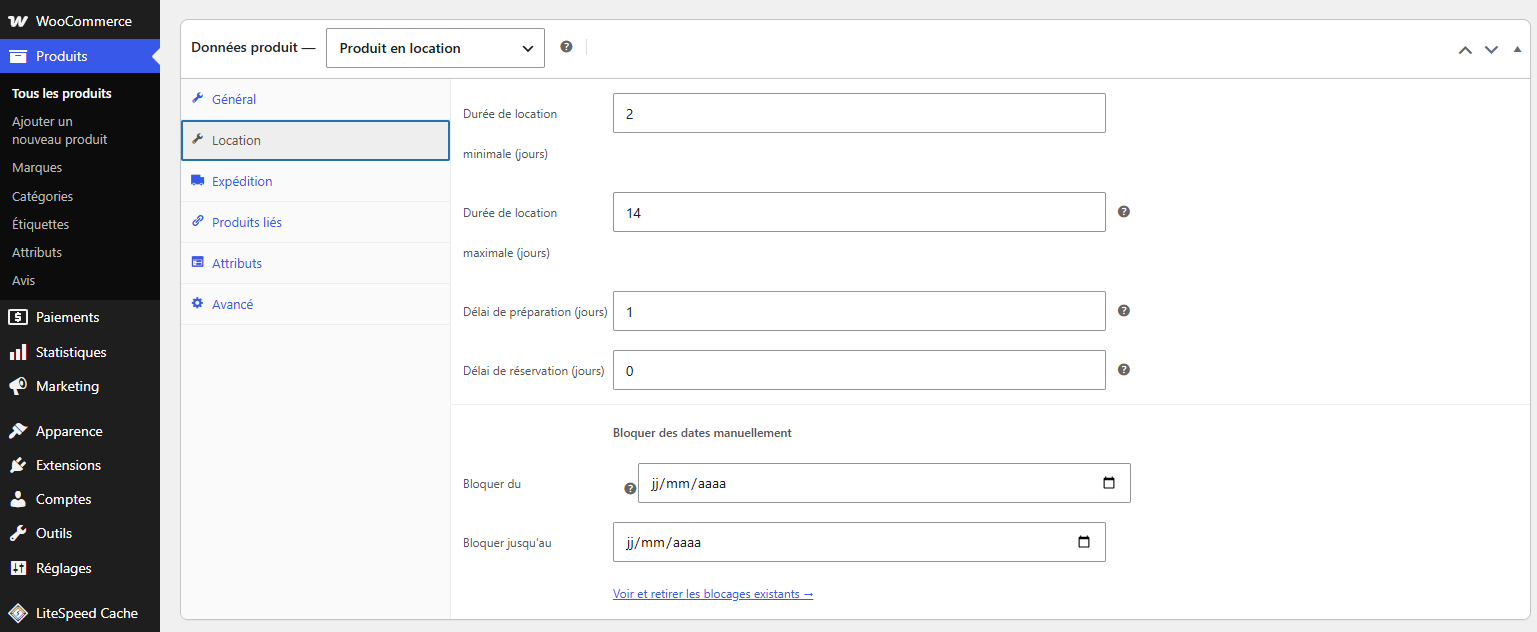
Product edit screen — Rental tab with daily price, buffer days and date blocking.
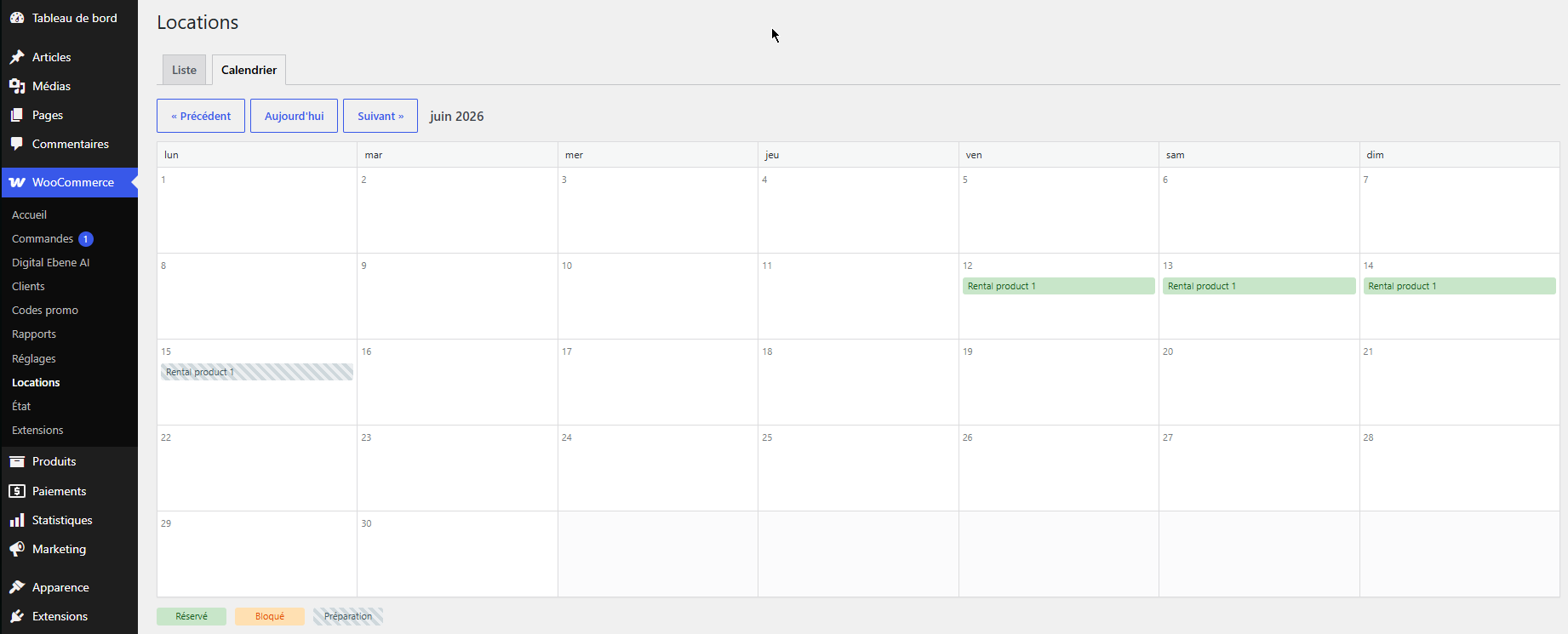
Bookings dashboard — WooCommerce > Rentals with status filters.
Faq
Yes. Every booking attempt is checked against existing reservations and blocked dates, including buffer days. Overlapping dates are refused at booking time.
Extra days automatically reserved after each rental, so you have time to clean, inspect or ship the equipment back before the next customer picks it up.
Yes. In the product’s Rental tab, set a “Block from” and “Block until” date — useful for maintenance or equipment rented offline. Blocks appear in the Rentals dashboard and can be removed at any time.
The booking is cancelled with it and the dates become available again.
EbeRent uses standard WooCommerce hooks and templates, so it works with any theme that supports WooCommerce.
Reviews
Changelog
1.1.0
- Developer API: public extension hooks (stable contract) for add-ons.
- New filters: eberent_rental_price, eberent_quote_response, eberent_product_capacity, eberent_booked_ranges, eberent_validate_range, eberent_cart_item_data, eberent_cart_item_display, eberent_frontend_data, eberent_bookings_table_columns, eberent_bookings_table_column_{key}.
- New actions: eberent_booking_created, eberent_bookings_released, eberent_booking_deleted, eberent_product_options, eberent_product_options_save, eberent_save_order_item_meta, eberent_after_date_fields.
- Price calculation unified between the live quote and the cart (single source of truth).
- No behavior change for existing stores.
1.0.0
- Initial release.
- Rental mode on any WooCommerce product with per-day pricing.
- Real-time availability check with anti-overlap protection.
- Configurable buffer days between rentals.
- Bookings dashboard (WooCommerce > Rentals) with statuses, filters and pagination.
- Manual date blocking per product with one-click removal.