Edit Flow

Edit Flow
Description
Edit Flow empowers you to collaborate with your editorial team inside WordPress. We’ve made it modular so you can customize it to your needs:
- Calendar – A convenient month-by-month look at your content.
- Custom Statuses – Define the key stages to your workflow.
- Editorial Comments – Threaded commenting in the admin for private discussion between writers and editors.
- Editorial Metadata – Keep track of the important details.
- Notifications – Receive timely updates on the content you’re following.
- Story Budget – View your upcoming content budget.
- User Groups – Keep your users organized by department or function.
More details for each feature, screenshots and documentation can be found on our website.
We’d love to hear from you! For support questions, feedback and ideas, please use the WordPress.org forums, which we look at often. If you’d like to contribute code, we’d love to have you involved.
Installation
The easiest way to install this plugin is to go to Add New in the Plugins section of your blog admin and search for “Edit Flow.” On the far right side of the search results, click “Install.”
If the automatic process above fails, follow these simple steps to do a manual install:
- Extract the contents of the zip file into your
/wp-content/plugins/directory - Activate the plugin through the ‘Plugins’ menu in WordPress
- Write and enjoy the merits of a structured editorial workflow!
Screenshots
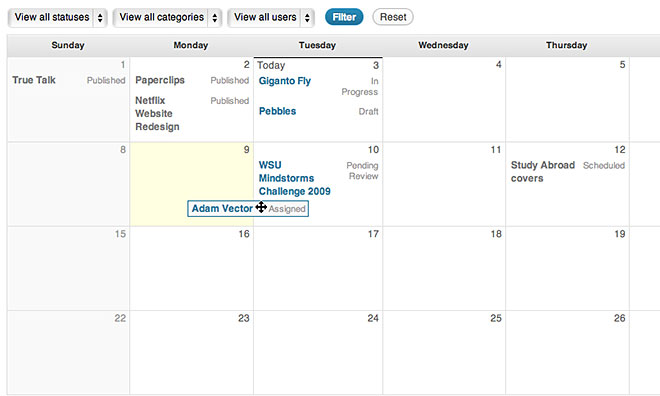
The calendar is a convenient month-by-month look at your content. Filter to specific statuses or categories to drill down.
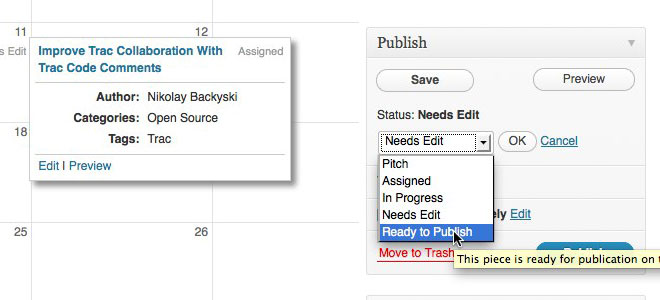
Custom statuses allow you to define the key stages of your workflow.
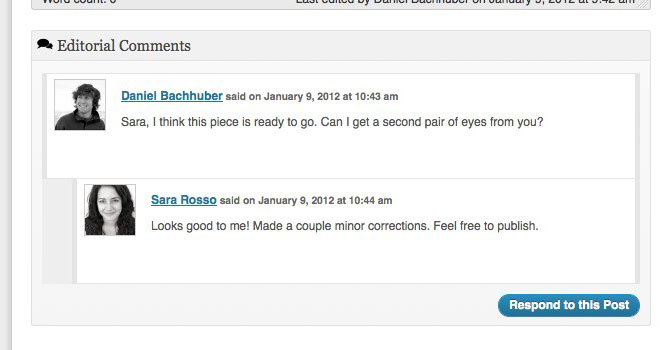
Editorial comments allow for private discussion between writers and editors on a post-by-post basis.
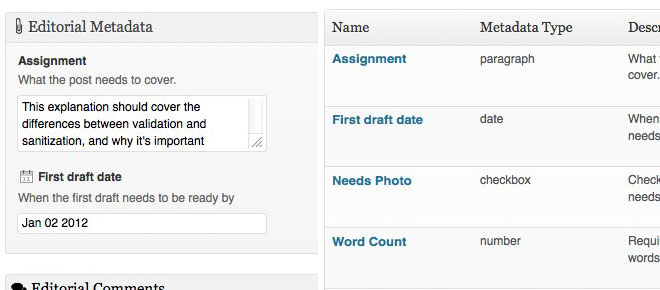
Keep track of the important details with editorial metadata.
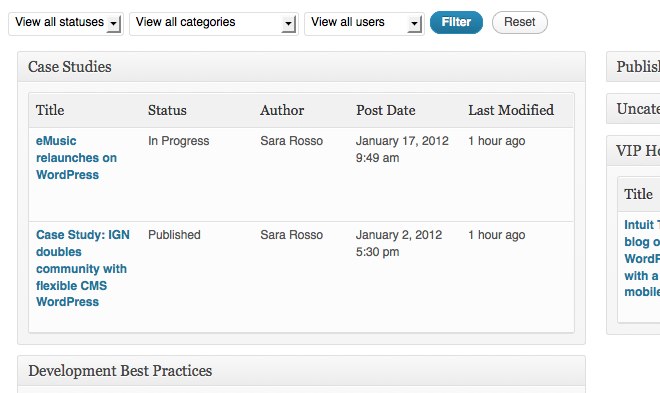
View all of your upcoming posts with the more traditional story budget view, and hit the print button to take it to your planning meeting.
Faq
Yep, in the sense that you can activate Edit Flow on each subsite. Edit Flow doesn’t yet offer the ability to manage content across a network of sites.
All development happens on GitHub.
For support questions, feedback and ideas, please use the WordPress.org forums, which we look at often. For everything else, say hello@editflow.org.
Reviews
1st update in two years produces fatal errors
By 
..was this release an accident? no accompanying changelog, kills the site with this error:
Parse error: syntax error, unexpected 'int' (T_STRING), expecting function (T_FUNCTION) or const (T_CONST) in /opt/rh/httpd24/root/var/www/html/wp-content/plugins/edit-flow/modules/calendar/calendar.php on line 25
xargs: sh: exited with status 255; aborting
Awesome for Large Content Sites!
By 
Application service experience
By 
Thank you for continuing to upgrade EditFlow
By 
Does not work in combination with Gutenberg
By 
- No active support from the developers
- It does not work on Gutenberg
Love this plugin
By 
Imprescindible
By 
Conflict with WPML plugin
By 
Good but...
By 
Unable to Activate
By 
Changelog
See CHANGELOG.md for the full changelog.