ELEX Multi Vendor Marketplace for WooCommerce

ELEX Multi Vendor Marketplace for WooCommerce
Description
The ELEX WooCommerce Multi Vendor Marketplace Plugin helps you transform your standard WooCommerce shop into a thriving multi vendor marketplace. With intuitive vendor onboarding, centralized controls, and a vendor dashboard tailored to ease operations, this plugin provides powerful marketplace functionality without complexity.
Whether you’re launching a new marketplace or adding vendor support to an existing store, this plugin streamlines vendor setup, product management, order processing, commission tracking, and settlement visibility.
The ELEX WooCommerce Multi-Vendor Marketplace Plugin lets you easily transform your WooCommerce store into a scalable marketplace where multiple vendors can register, add products, manage inventory, process orders, and receive payouts seamlessly.
Whether you’re building a niche marketplace or a large multi-seller platform, this plugin provides all the tools you need — from flexible vendor commissions and revenue sharing to product approval, shipping management, and analytics.
👉 Official Free Demo Link: Visit Product Page
👉 Need help? Contact Support
Key highlights:
* Simple vendor onboarding wizard
* Vendor dashboards for products, orders, coupons, shipping & payments
* Customizable commission structures
* Order & coupon controls for vendors
* Settlement tracking and reports
* Vendor store visibility on marketplace listings
Features
Here’s what your marketplace can do:
* Effortless vendor registration & onboarding wizard.
* User-friendly vendor dashboard for products, orders, coupons, and shipping.
* Secure vendor access: restrict backend access to essentials only.
* Order management from the vendor dashboard with detailed views.
* Built-in coupon creation and promotion tools.
* Flexible commission (admin/vendor).
* Comprehensive payment and settlement overview with history.
* Enhanced vendor store visibility on product and store pages.
* Product approval controls (optional review).
About ELEXtensions
We are a group of WordPress and WooCommerce enthusiasts with a vision to solve real-world problems for online stores. Our suite of plugins covers shipping, pricing, payments, and automation for WooCommerce.
Both ELEXtensions and ReachShip are brands owned by Elula Tech Private Limited — a SaaS-driven company focused on simplifying logistics and eCommerce solutions for global businesses.
Third-Party Libraries
This plugin includes the following third-party libraries. Minified/compiled files are derived from the sources listed below.
Select2
- Version: 4.0.13
- File: assets/js/select-2-min.js
- Source: https://github.com/select2/select2
- License: MIT — https://github.com/select2/select2/blob/master/LICENSE.md
International Telephone Input (intl-tel-input)
- Version: 25.3.1
- File: assets/lib/intl-tel-input/js/intlTelInput-jquery.min.js
- Source: https://github.com/jackocnr/intl-tel-input
- License: MIT — https://github.com/jackocnr/intl-tel-input/blob/master/LICENSE
DataTables
- Version: 2.3.7 (with Bootstrap 5 integration)
- File: assets/js/datatable_cdn.js
- Source: https://datatables.net / https://github.com/DataTables/DataTables
- License: MIT — https://datatables.net/license/mit
Popper.js
- Version: 2.11.8
- File: assets/js/popper.min.js
- Source: https://floating-ui.com / https://github.com/floating-ui/floating-ui
- License: MIT — https://github.com/floating-ui/floating-ui/blob/master/LICENSE
Bootstrap
- Version: 5.1.3
- File: assets/js/bootstrap.min.js
- Source: https://getbootstrap.com / https://github.com/twbs/bootstrap
- License: MIT — https://github.com/twbs/bootstrap/blob/main/LICENSE
WpFluent
- File: src/wp-fluent/ (bundled PHP library, included verbatim, not modified)
- Description: A lightweight WordPress database query builder (ORM-style wrapper around $wpdb). Forked from Pixie by @usmanhalalit and adapted for WordPress.
- Source: https://github.com/usmanhalalit/pixie
- License: MIT — https://github.com/usmanhalalit/pixie/blob/master/LICENSE
- Note: Uses its own WpFluent namespace. This is a third-party vendor library namespace, not a namespace registered by this plugin.
Viocon
- File: src/wp-fluent/libs/viocon/ (bundled PHP library, included verbatim, not modified)
- Description: A lightweight dependency injection container bundled as an internal dependency of WpFluent.
- License: MIT
- Note: Uses its own Viocon namespace. This is a third-party vendor library namespace, not a namespace registered by this plugin.
External Services
This plugin uses third-party/external services to provide certain functionalities.
- PayPal
This plugin connects to PayPal to process payments or send payment-related requests.
-
What the service is used for:
To handle payment processing and related transactions. -
What data is sent and when:
Payment-related data such as transaction amount, currency, and user/payment details are sent when a payment request is made. -
Service provider:
PayPal -
Terms of Service:
https://www.paypal.com/webapps/mpp/ua/useragreement-full -
Privacy Policy:
https://www.paypal.com/webapps/mpp/ua/privacy-full
- CARTO / OpenStreetMap (Map Tiles)
This plugin uses Leaflet.js with CARTO map tiles to display an interactive store location map on the vendor dashboard.
-
What the service is used for:
To render map tiles for the vendor store location map. -
What data is sent and when:
Tile requests (including the visitor’s IP address and browser user agent) are sent to CARTO’s tile servers when the store location map is displayed. -
Service provider:
CARTO — https://carto.com -
Terms of Service:
https://carto.com/legal/ -
Privacy Policy:
https://carto.com/privacy/ -
Map data:
© OpenStreetMap contributors — https://www.openstreetmap.org/copyright
Installation
- Upload the plugin files to the
/wp-content/plugins/elex-multi-vendor-for-woocommerce-plugin-for-woocommerce/directory, or install the plugin through the WordPress Plugins screen directly. - Activate the plugin through the ‘Plugins’ screen in WordPress.
- Use the new Multi Vendor menu item to configure global settings like vendor onboarding, commissions, and settlement options.
- Vendors can register and start managing products via their dashboard.
Screenshots
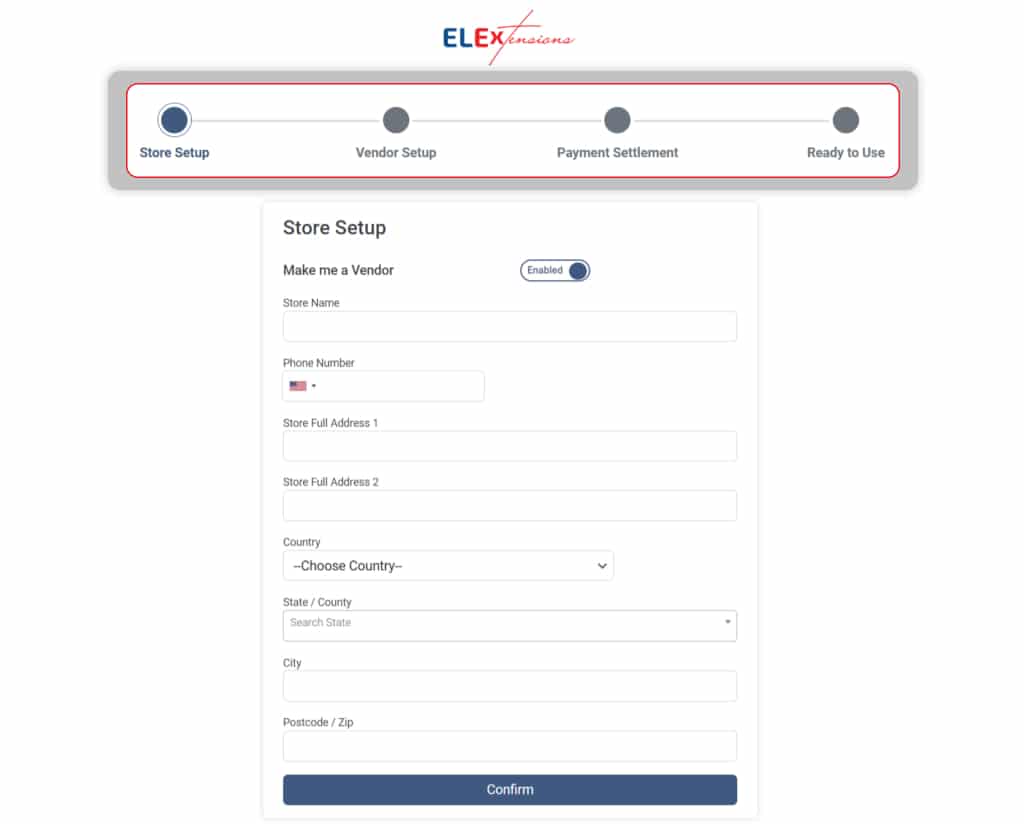
Effortless WooCommerce Vendor Onboarding
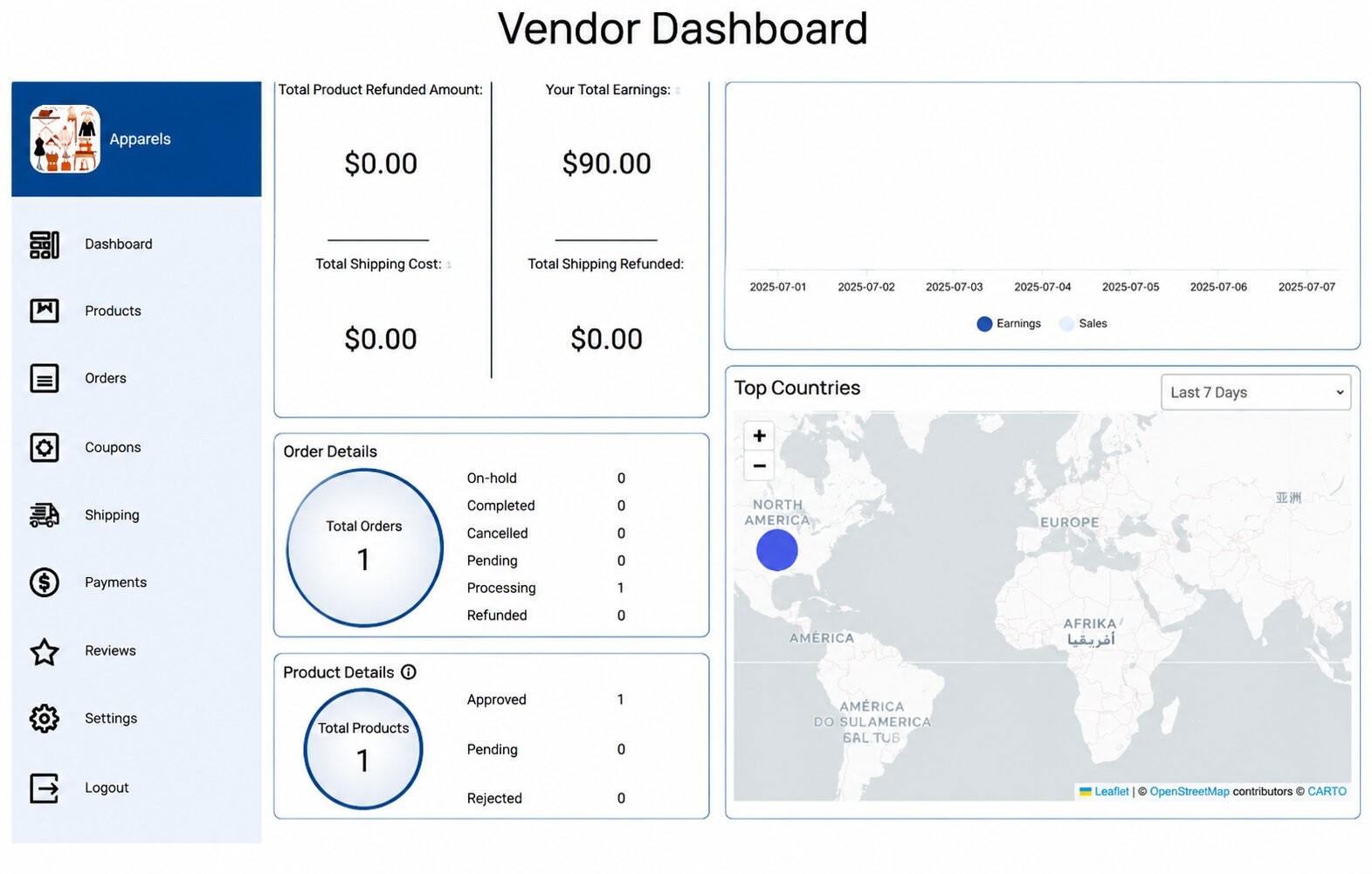
Vendor Dashboard
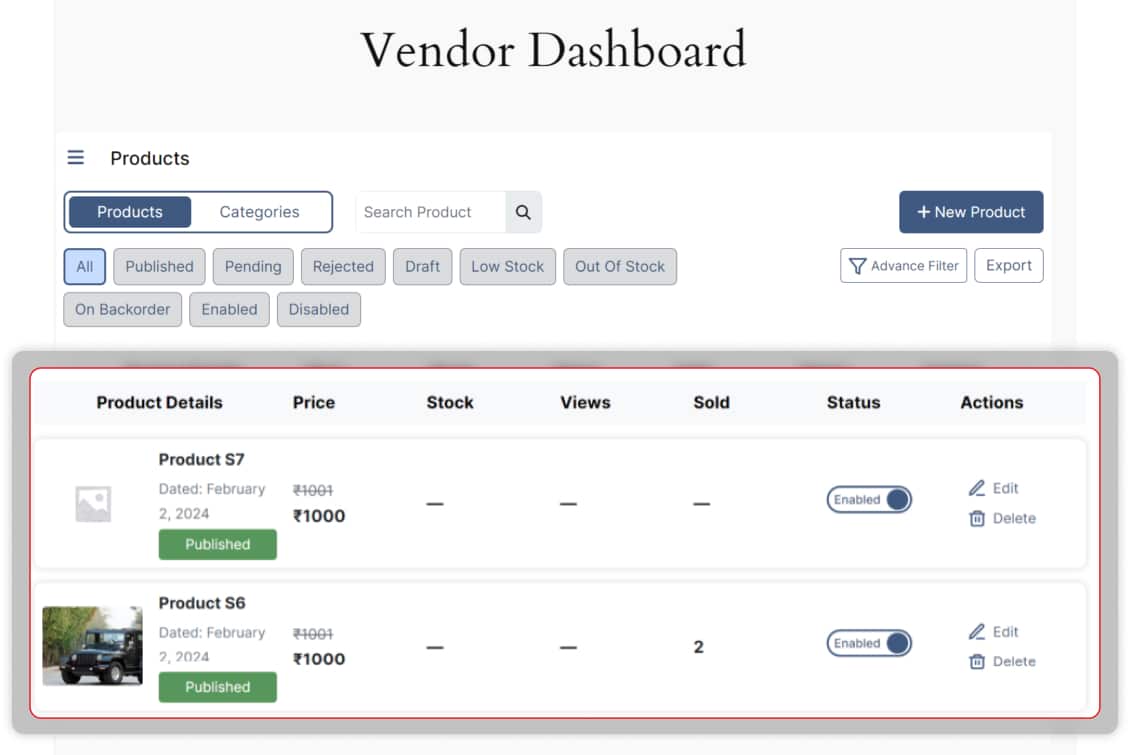
Product Control at your Fingertips
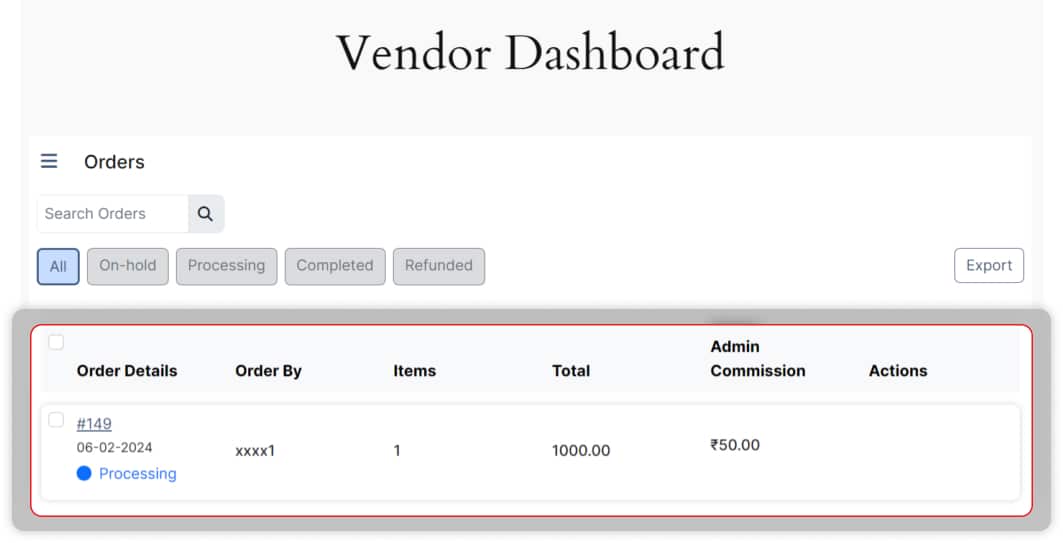
Effortless Order Management
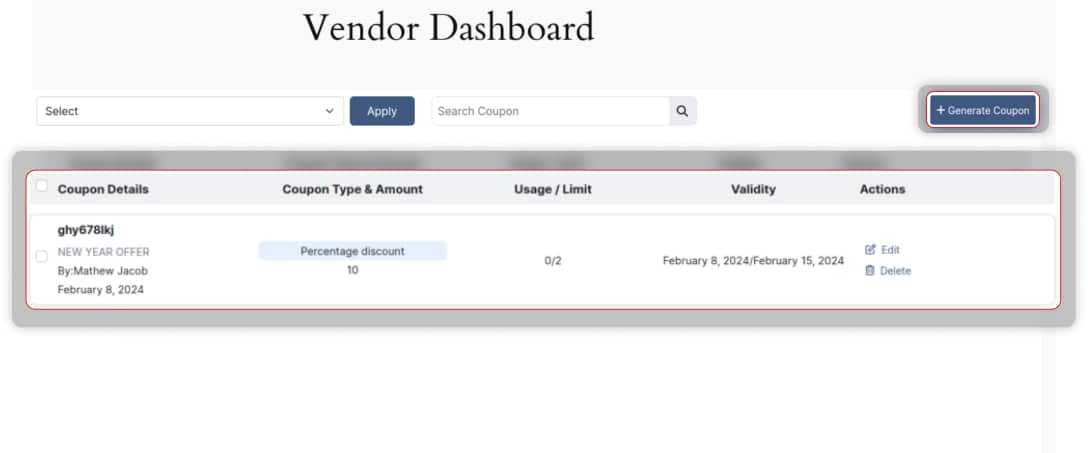
Coupon Generation Simplified
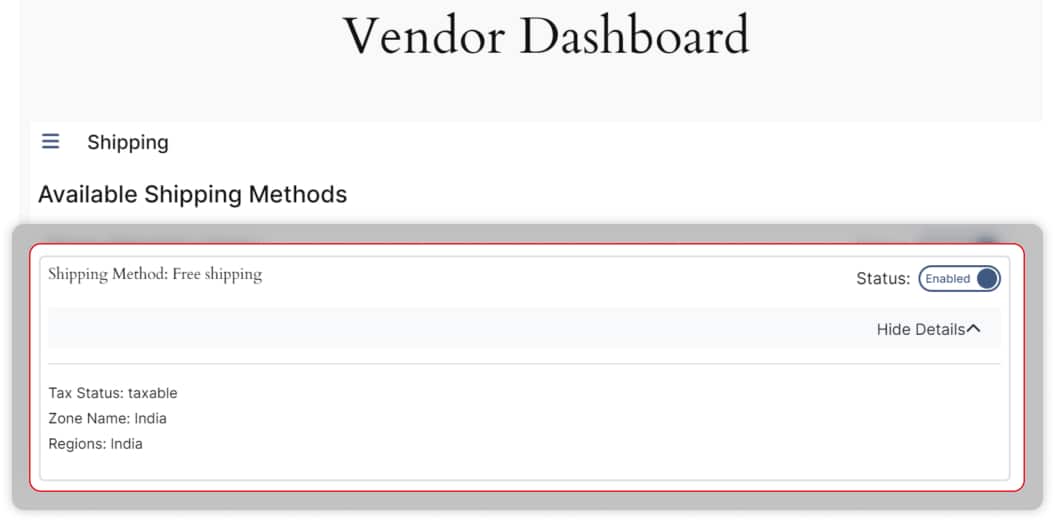
Shipping Management Made Easy
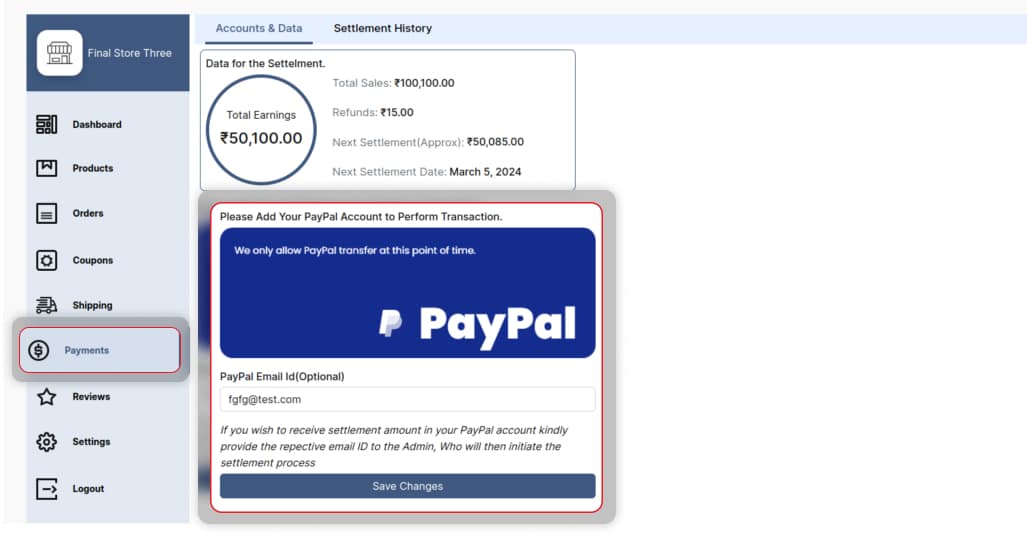
Insightful Payment and Settlement Overview
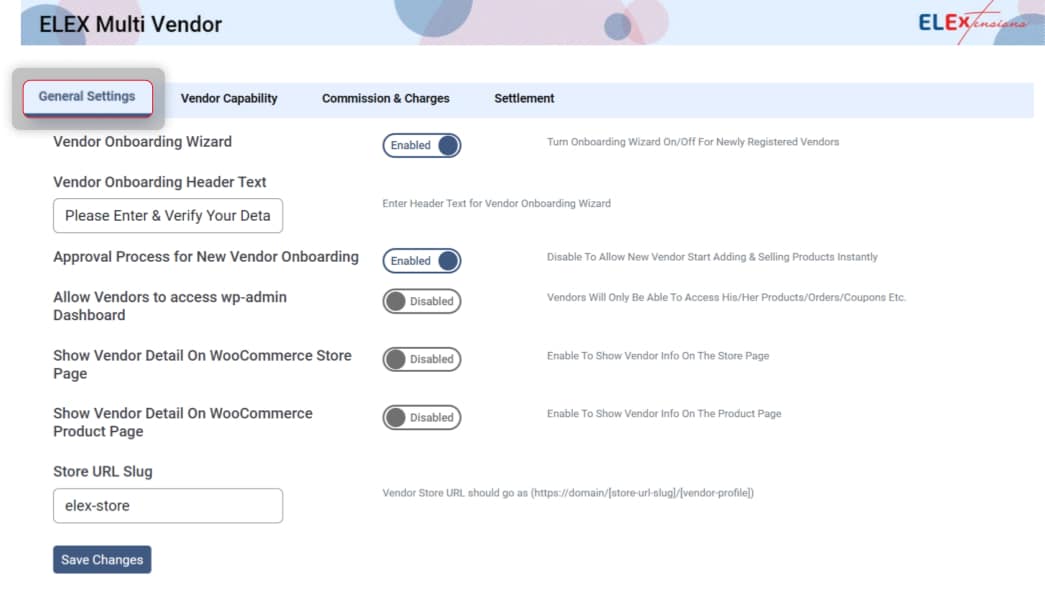
Enhanced Store and Product Visibility
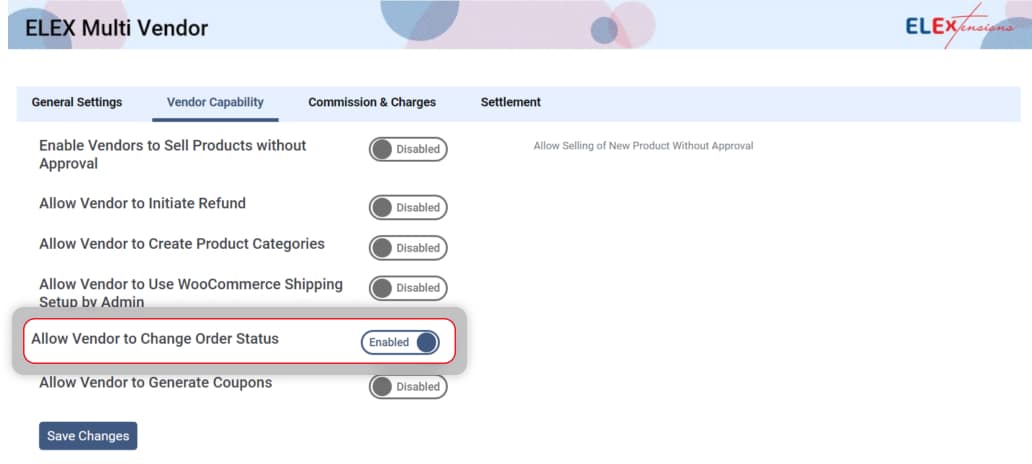
Streamlined Product Approval and Management
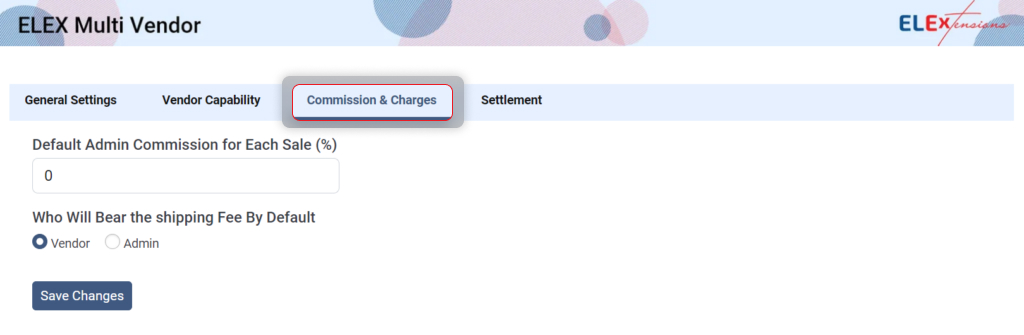
Flexible Commission and Charges
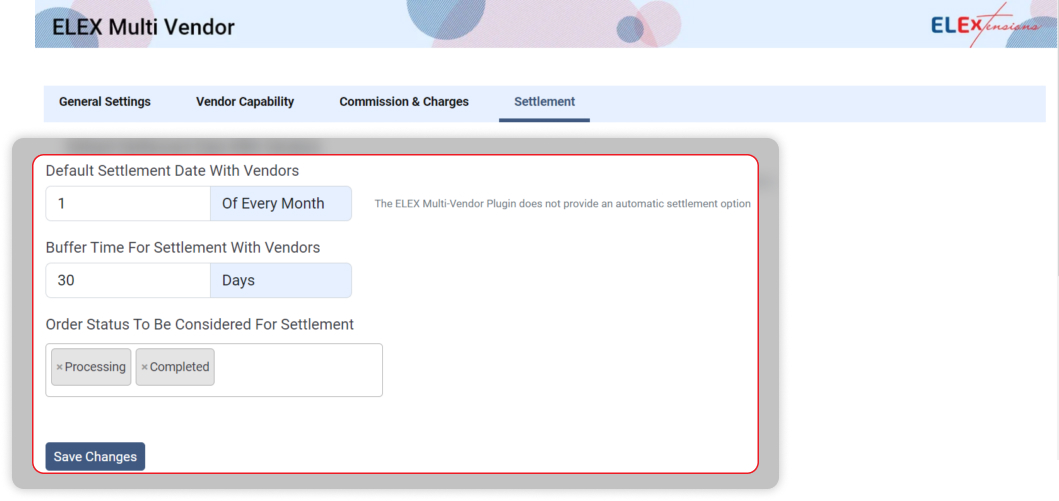
Efficient Settlement Options
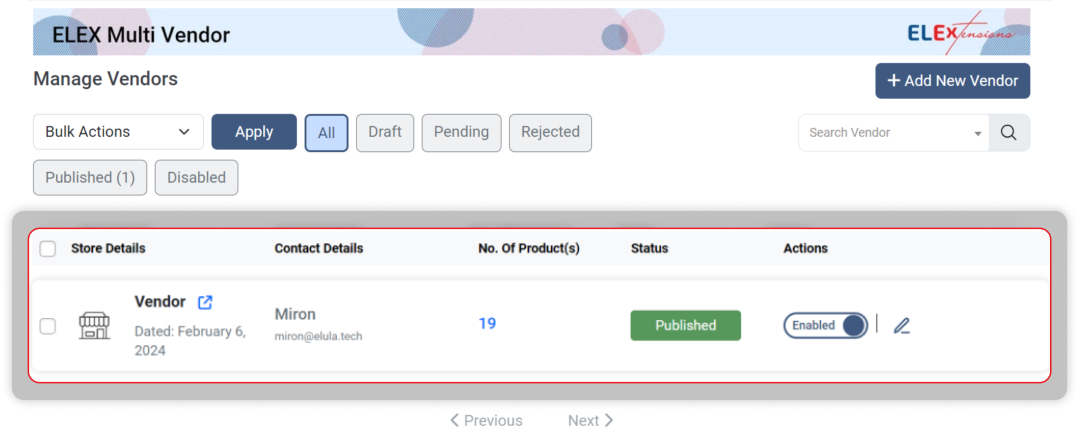
Simple Vendor Management
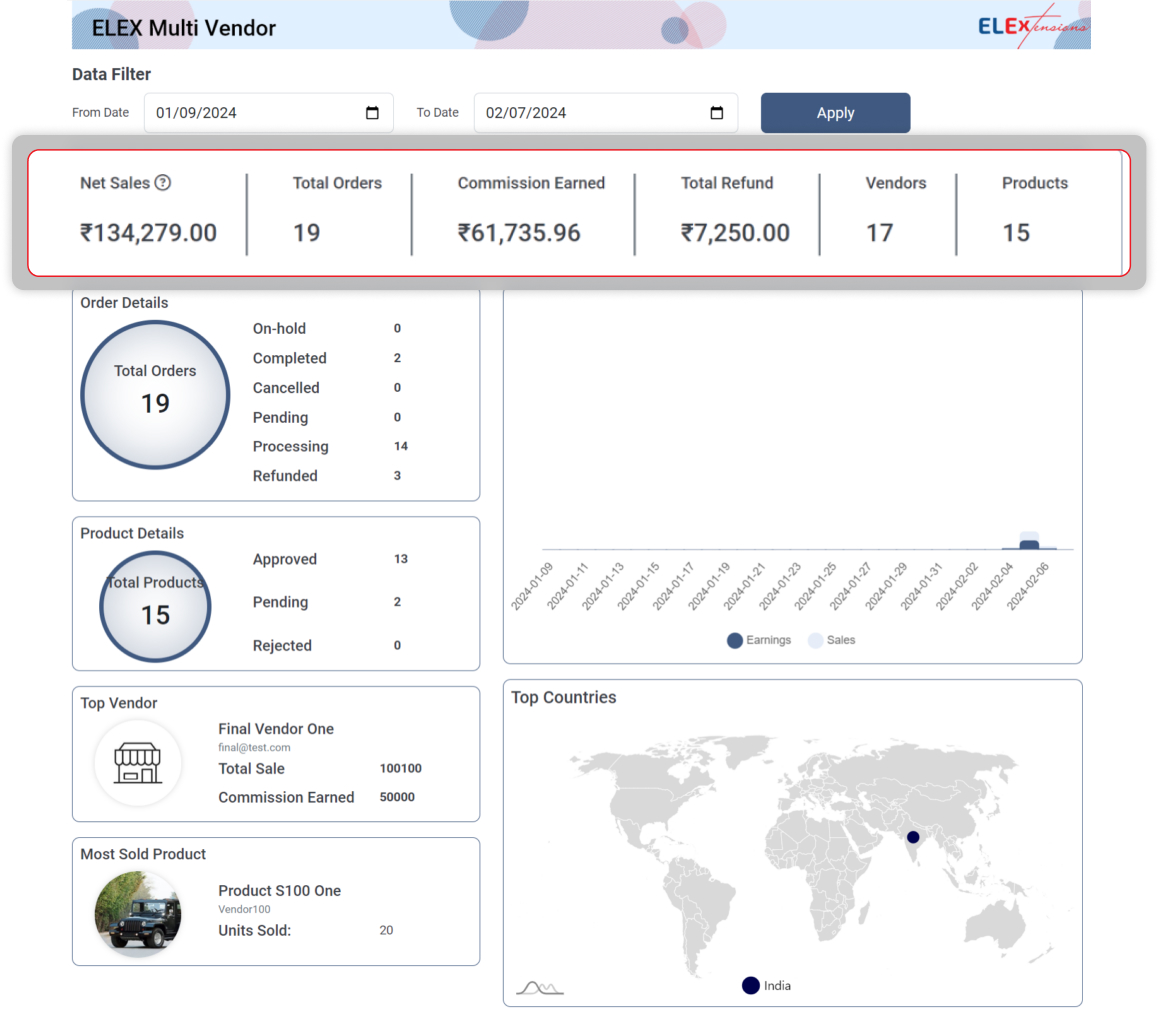
Comprehensive Payment Tracking Dashboard
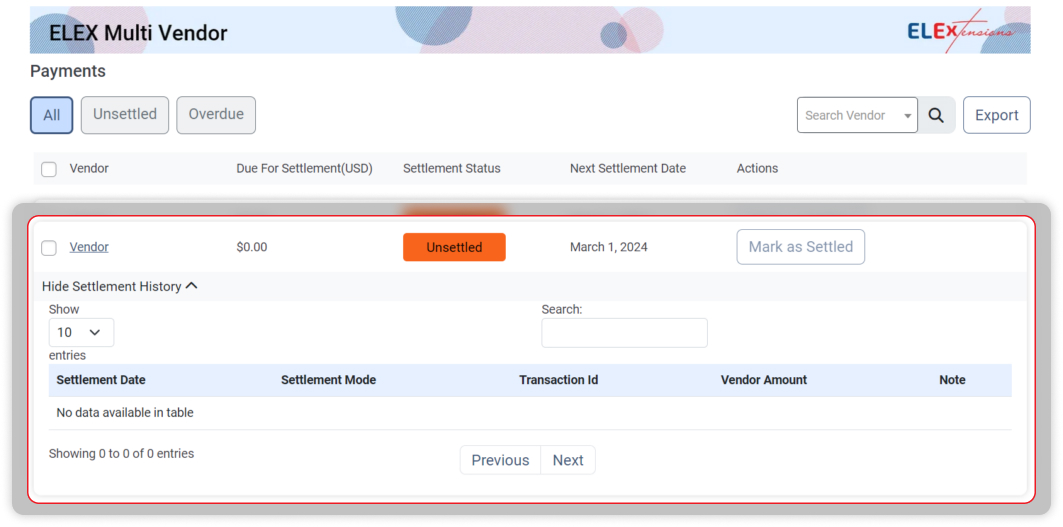
Transparent Vendor Payments
Faq
Yes. Vendors use the frontend dashboard to add, edit, and delete products without accessing wp-admin.
Configure default admin commission per sale. Choose whether shipping fees are paid by vendor or admin.
Yes. You may enable product approval workflow from settings.
Yes. The plugin continues functioning but will not receive further updates once your license expires.
Yes, vendors can use WooCommerce shipping methods configured by the admin.
You may consider free multi-carrier shipping plugin, ReachShip
Reviews
Changelog
1.1.4
- Fixed a few issues
1.1.3
- Made compatible with WordPress 6.9
- Made compatible with WooCommerce 10
1.1.2
- Made compatible with WordPress 6.6
- Made compatible with WooCommerce 9.2
1.1.1
- Made compatible with WooCommerce 8.9
- Vendor-based commission, product-based commission, and category-based commission included
- Settings for vendor-level capabilities
1.1.0
- Made compatible with variable products
- Made compatible with WordPress 6.5
- Made compatible with WooCommerce 8.7
1.0.0
- Initial Release
- Vendor registration and management
- Vendor dashboard with order and earnings overview
- Admin commission configuration (global & vendor-specific)
- Product approval and moderation workflow
- Vendor-specific shipping and tax settings
- Payout management (manual and automatic)
- Integrated reports and analytics