Email Funnel AI – Email Marketing, Newsletter, Automation, Funnels & Abandoned Cart for WooCommerce
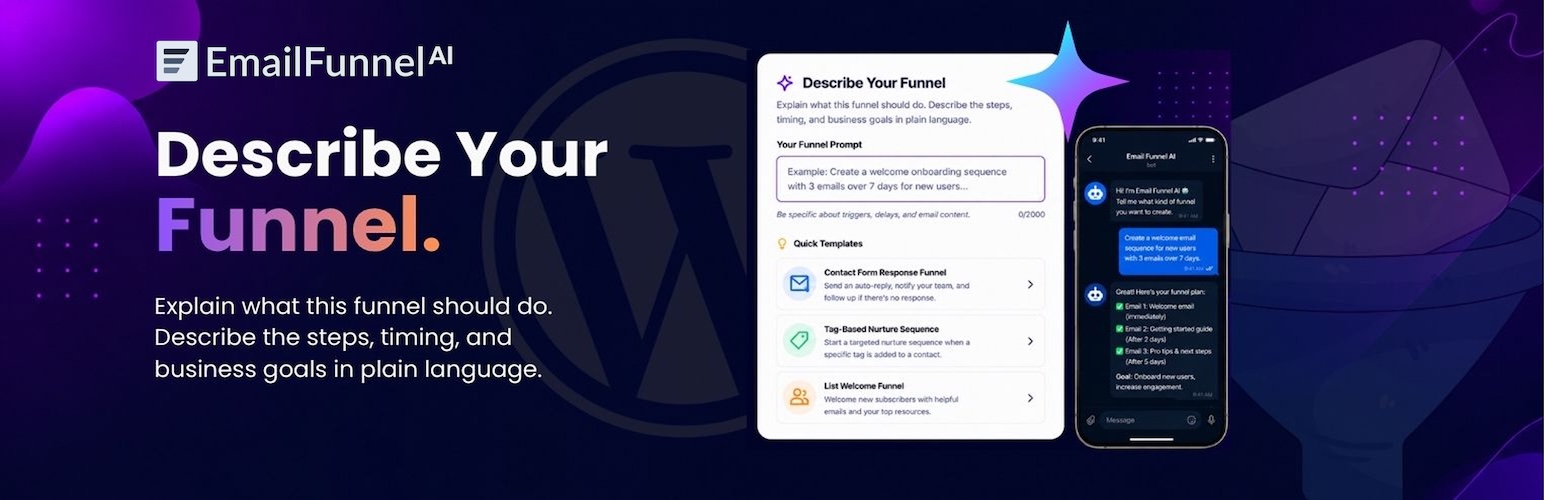
Email Funnel AI – Email Marketing, Newsletter, Automation, Funnels & Abandoned Cart for WooCommerce
Description
Email Funnel AI is an AI-powered email marketing and marketing automation plugin for WordPress and WooCommerce. It automatically syncs your WordPress users, WooCommerce customers, and comment authors to the Email Funnel AI platform — then lets you send newsletters, build automation funnels, run drip campaigns, and recover abandoned carts without ever leaving your WordPress dashboard.
No CSV exports. No Zapier. No manual list cleanup. Every new user, buyer, and commenter flows into your email lists in real time, ready for AI-generated campaigns and funnels.
Whether you run a WooCommerce store, a membership site, or a content blog, Email Funnel AI connects your WordPress audience to professional email marketing automation — powered by AI.
Why Email Funnel AI?
Most WordPress email marketing plugins make you export contacts, upload CSV files, or pay for third-party connectors. Email Funnel AI syncs your contacts automatically and intelligently, so your newsletter lists and automation funnels are always up to date. Then it adds AI on top: generate email templates, campaigns, and full automation funnels from a single sentence.
Key Features
- Real-Time Contact Sync — WordPress users, WooCommerce customers, and comment authors sync to your email lists the moment they register, buy, or comment.
- WooCommerce Abandoned Cart — Capture abandoned carts automatically and recover lost sales with timed follow-up emails.
- AI Email Marketing — Generate email newsletters, drip campaigns, and complete automation funnels from natural language. Spam-aware so your emails land in the inbox.
- Visual Funnel Builder — Build node-based email automation funnels with delays, conditions, tags, and true/false branching on the connected platform.
- Email Campaigns & Newsletters — Send one-time broadcasts or scheduled newsletters, with A/B testing and open/click tracking.
- Single Sign-On (SSO) — Jump from WordPress into the full Email Funnel AI platform with one click. No second login.
- Built-In Analytics Dashboard — Track funnel performance, campaign results, and form conversions right inside WordPress.
- List Management — Create and manage email contact lists without leaving WordPress.
- Custom Field Mapping — Map any WordPress or WooCommerce field (name, role, order value, phone, company) to your email contact fields for personalized campaigns.
- Auto-Tagging — Tag contacts automatically by WordPress role, purchase history, or form activity for precise segmentation.
- Bulk Import & Retry Queue — Import all existing contacts in batches, and retry any failed syncs from a built-in pending queue.
Perfect For
- WooCommerce stores — Sync buyers, recover abandoned carts, and run post-purchase drip campaigns automatically.
- Membership sites — Segment email contacts by user role or subscription level.
- Blogs & content sites — Capture and nurture comment authors and newsletter subscribers.
- Marketing agencies — Manage client email lists, funnels, and automation at scale.
What You Can Do on the Email Funnel AI Platform
This plugin connects WordPress to the Email Funnel AI platform, which adds:
- AI-generated email templates with a drag-and-drop block builder
- Visual automation funnels (email, delay, condition, tag, list nodes)
- Email campaigns with A/B testing and scheduling
- Dynamic segments and tag-based targeting
- Embeddable lead-capture forms (modal, inline, popup, exit-intent)
- Spam checker and deliverability tools
- Suppression lists, bounce and unsubscribe handling
How It Works
- Install and activate the plugin.
- Complete the 3-step setup wizard to connect WordPress to your Email Funnel AI account.
- Choose your sources (users, WooCommerce, comments), map fields, and set auto-tagging rules.
- Your contacts sync automatically — in real time, every time — and you start sending AI email campaigns and funnels.
Requirements
- WordPress 6.0 or higher
- PHP 8.2 or higher
- An active Email Funnel AI account
- WooCommerce (optional, for order and abandoned cart sync)
Installation
Option 1 — WordPress Plugin Directory (Recommended)
- Go to Plugins Add New in your WordPress admin.
- Search for Email Funnel AI.
- Click Install Now, then Activate.
- Follow the 3-step setup wizard to connect your account.
Option 2 — Manual Upload
- Download the plugin
.zipfile. - Go to Plugins Add New Upload Plugin.
- Upload the
.zipfile and click Install Now. - Activate the plugin and complete the setup wizard.
Option 3 — FTP
- Upload the
email-funnel-aifolder to/wp-content/plugins/. - Activate via the WordPress Plugins screen.
- Follow the setup wizard to link your Email Funnel AI account.
Screenshots

Dashboard — Contact sync status and email marketing analytics at a glance.

Analytics Dashboard — Funnel, campaign, and form performance inside WordPress.

Settings Panel — Manage API credentials, sync rules, and field mappings.

Contact Sync — Real-time contact sync status and pending retry queue.

Field Mapping — Map WordPress and WooCommerce fields to Email Funnel AI contact fields.

Auto-Tagging — Configure automatic tagging rules for contact segmentation.
Faq
Yes. This plugin connects your WordPress site to the Email Funnel AI email marketing platform. You’ll need an active account to sync contacts, send campaigns, and view analytics.
The WordPress plugin is free. The Email Funnel AI platform offers a free tier for testing plus paid plans (Startup, Pro, Business) and lifetime deals for higher sending volume and AI quota.
Yes. Email Funnel AI automatically syncs WooCommerce customers and order data, and captures abandoned carts so you can send recovery emails. WooCommerce is optional — all WooCommerce features hide automatically if it isn’t active.
Yes. The plugin tracks WooCommerce abandoned carts with a configurable timeout, captures the customer’s email, and syncs it so you can trigger abandoned cart recovery emails and drip campaigns.
Real time. The moment a user registers, places an order, or leaves a comment, their contact data is pushed to your email list. Existing contacts can be bulk imported at setup.
Yes. On the connected platform you can build visual automation funnels — emails, delays, conditions, tags, and branching — and run drip campaigns and newsletters, including AI-generated ones.
Yes. Email Funnel AI generates email templates, newsletters, campaigns, and complete funnels from natural language, with built-in spam awareness for better deliverability.
Yes. Configure per-source sync rules, WordPress role filters, field mapping, and auto-tagging to control exactly which contacts sync and how they’re segmented.
Failed syncs land in a built-in pending queue. You can retry a single contact or batch-retry an entire source at any time.
Yes. Each subsite connects independently with its own API keys and its own contact sync. Run the setup wizard on each subsite.
Yes. SSO uses encrypted, time-limited, single-use token authentication. Your API secret is encrypted at rest, and all admin actions require the manage_options capability and nonce verification.
Reviews
Changelog
1.0.1
- New: WooCommerce abandoned cart tracking and capture, with a configurable timeout.
- Fix: Various bug fixes and stability improvements.
- Tested and confirmed compatible with WordPress 7.0.
1.0.0
- Initial release — real-time contact sync, SSO authentication, analytics dashboard, list management, field mapping, auto-tagging, bulk import, and pending sync retry queue.