Gallery for Google Photos – Import and Showcase Photo Albums

Gallery for Google Photos – Import and Showcase Photo Albums
Description
The Embed Google Photos plugin offers a seamless solution for integrating beautiful Google Photos galleries directly into your WordPress website. With its intuitive interface and robust functionality, this plugin simplifies the process of showcasing your photos and galleries in a visually stunning way. Whether you’re a photographer, blogger, or business owner, this plugin provides a convenient and efficient way to share your visual content with your audience. With features like customizable layouts, responsive design, and easy-to-use settings, you can effortlessly create and manage your Google Photos galleries with ease. Say goodbye to complex embedding codes and manual updates – streamline your workflow and enhance your website’s visual appeal with the Embed Google Photos plugin.
Features
- Display all photos from Google Photos.
- Show all albums contained within Google Photos.
- Display photos from specific albums.
- Customize the layout columns with various options.
- Set image aspect ratios.
- Customize the “Load More” button’s color, typography, border, and padding.
- Add borders to images.
How to use
- First, install the Embed Google Photos plugin.
- Add the Embed Google Photos from the block category called “Widgets” in the Gutenberg editor.
- You can change block settings from the right-side settings sidebar.
-
Enjoy!
-
For installation help click on Installation Tab
Feedback
- Liked that plugin? Hate it? Want a new feature? Send me some feedback
Installation
From Gutenberg Editor:
- Go to the WordPress Block/Gutenberg Editor
- Search For Embed Google Photos
- Click on the Embed Google Photos to add the block
Download & Upload:
- Download the Embed Google Photos plugin (.zip file)
- In your admin area, go to the Plugins menu and click on Add New
- Click on Upload Plugin and choose the
embed-google-photos.zipfile and click on Install Now - Activate the plugin and Enjoy!
Manually:
- Download and upload the Embed Google Photos plugin to the
/wp-content/plugins/directory - Activate the plugin through the Plugins menu in WordPress
Screenshots
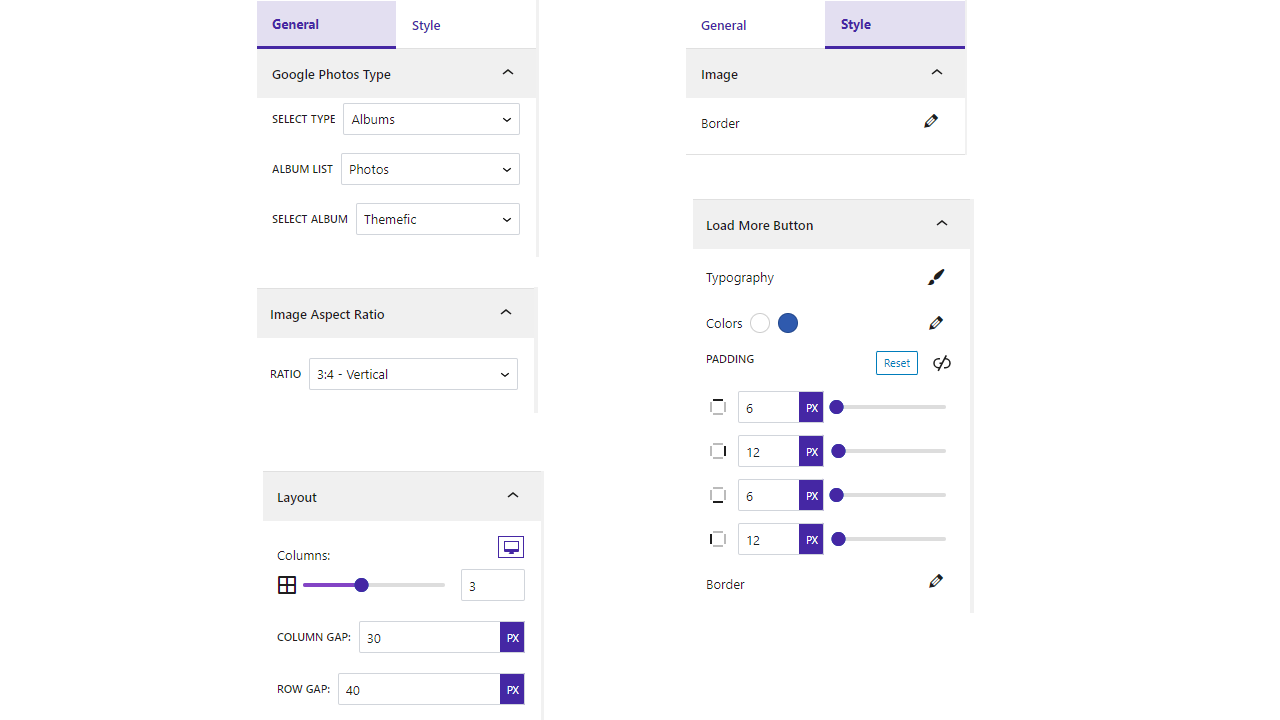
Settings

Default

Favorite

Only Photos

Only Videos

Specific Album

Ratio Square
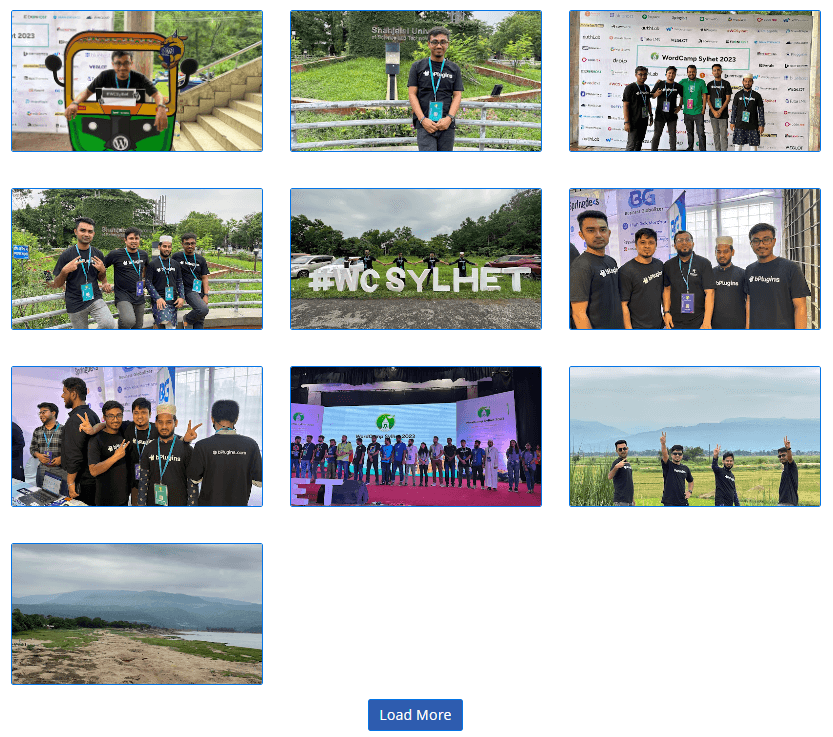
Ratio Landscape

Ratio Horizontal

Ratio Potrait
Faq
Yes, Embed Google Photos block is a free Gutenberg block plugin.
Yes, you can display all Google Photos.
Yes, you can display the entire album list.
Yes, you can display all images from a specific album.
Yes, you can filter both images and videos.
Yes, you can display your favorite images.
Yes, it will work with any standard WordPress theme.
Yes, you can change block settings from the Gutenberg block editor’s right sidebar.
You can use unlimited times as you want.
You can post your questions on the support forum here
Reviews
Google photos API got nuked - plugin is dead
By 
Since April 2025 Google removed public API access of the photos library entirely. The "Photos Library API" can now only access photos that were created through the API, which is completely useless, and there is no replacement other than using a plugin based on web-scraping a shared album link. Or you can reverse-engineer the private API of the official Google app or website, but who has time for that?
Another step-up in evilness for Google (they can go and choke on a c*ck), and 3 stars for the effort to make the only API-based plugin for this. Back to scraping it is - at least it costs Google more money in traffic and webhosting.
Good Plugin
By 
Working well. You just need to read the instruction well to create the API token.
Massive hard
By 
This has what seems like 500 pages of google stuff to try and do first get a degree from mit then take a week off if you want to install
Probably the worst plugin I ever dealt with.
By 
So many things wrong with this plugin starting with the horrible instructions. You activate the install the plugin, activate it...then what? There are no instructions - you have to go hunt them down. And unless you have a deep knowledge of Google API's don't waste your time. Even after I finally got everything set up, the plugin and Google API would not connect to each other. An hour out of my life gone with nothing to show for it.
Very good and fast support
By 
One of the best plugin to take Google Photos and Google Album into a wordpress post. The description for integrating Google Photos is very detailed. Anyone can do that!
Changelog
1.0.9 – 28 Dec, 2024
- Frontend useAjax use.
1.0.8 – 12 Dec, 2024
- Extra code remove.
1.0.7 – 8 Dec, 2024
- Some issues problem.
1.0.6 – 27 Nov, 2024
- No publicly documented resource for your compressed content
- Undocumented use of a 3rd Party / external service
1.0.5 – 21 Nov,24
- Trademark issues solved
1.0.4 – 9 Oct, 2024
- Solved the problem where album list images were not found.
1.0.3 – 12 sept, 2024
- Fixed the popup image resolution.
1.0.2 – 16 July, 2024
- Load more button update.
1.0.1 – 18 May,2024
- Authorization issues fixed.
1.0.0
- Initial Release