Embed Privacy

Embed Privacy
Description
Content embedded from external sites such as YouTube or Twitter is loaded immediately when visitors access your site. Embed Privacy addresses this issue and prevents the loading of these contents until the visitor decides to allow loading of external content.
But Embed Privacy not only protects your visitor’s privacy but also makes your site load faster.
All embeds will be replaced by placeholders, ready for you to apply style as you wish. With only a couple of lines of CSS.
By clicking on the placeholder the respective content will then be loaded.
Note: This plugins requires the PHP extension “Document Object Model” (php-dom).
Installation
- Upload the plugin files to the
/wp-content/plugins/embed-privacydirectory, or install the plugin through the WordPress plugins screen directly. - Activate the plugin through the ‘Plugins’ screen in WordPress.
- Embedded content will automatically be replaced by a placeholder and can be loaded on demand by your visitors. There are no additional settings.
- To allow users to opt-out of embed providers that they set to always active, place the shortcode
[embed_privacy_opt_out]into your privacy policy.
Screenshots
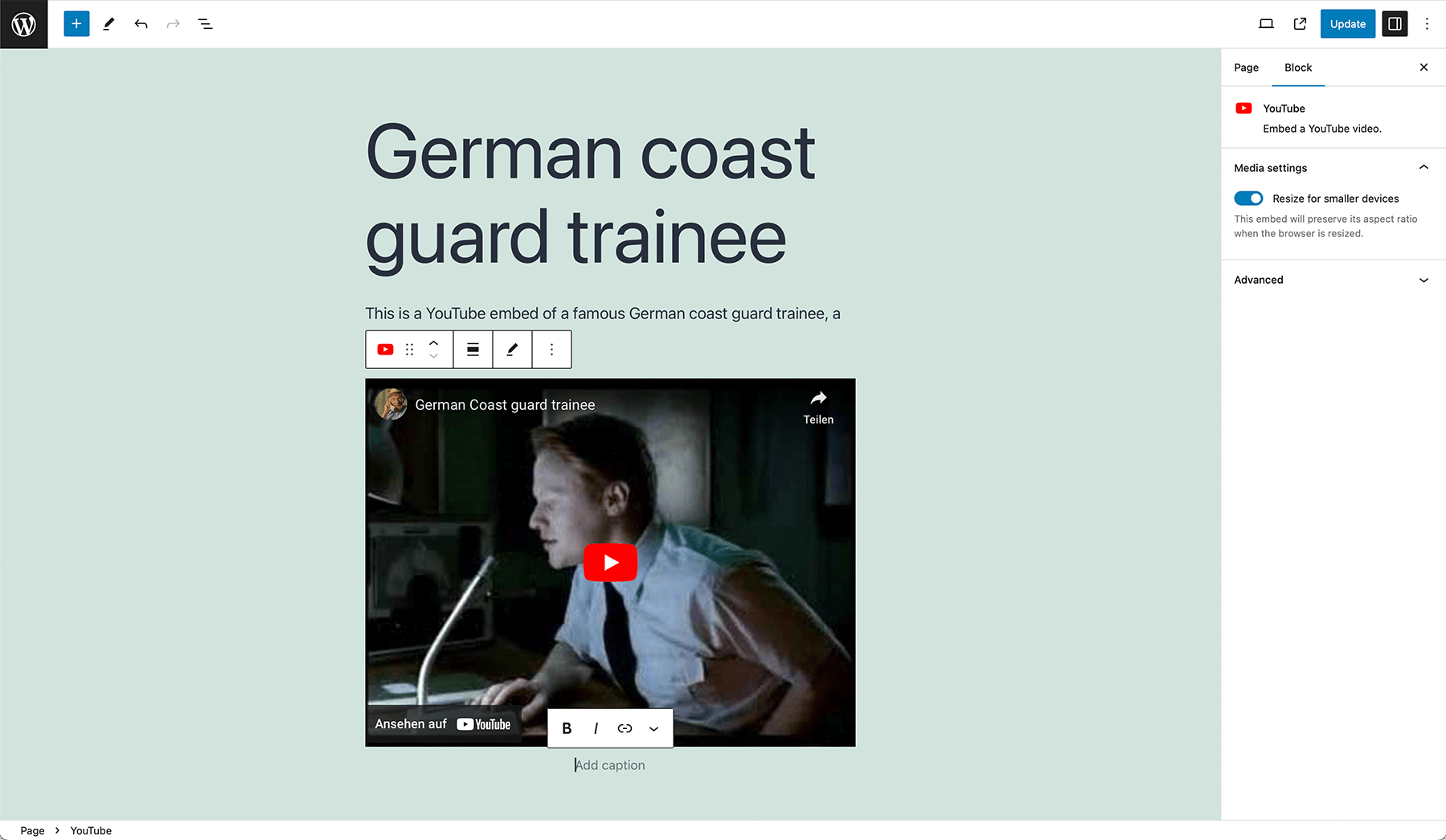
Add embeds using the classic editor or the block editor's embed blocks.
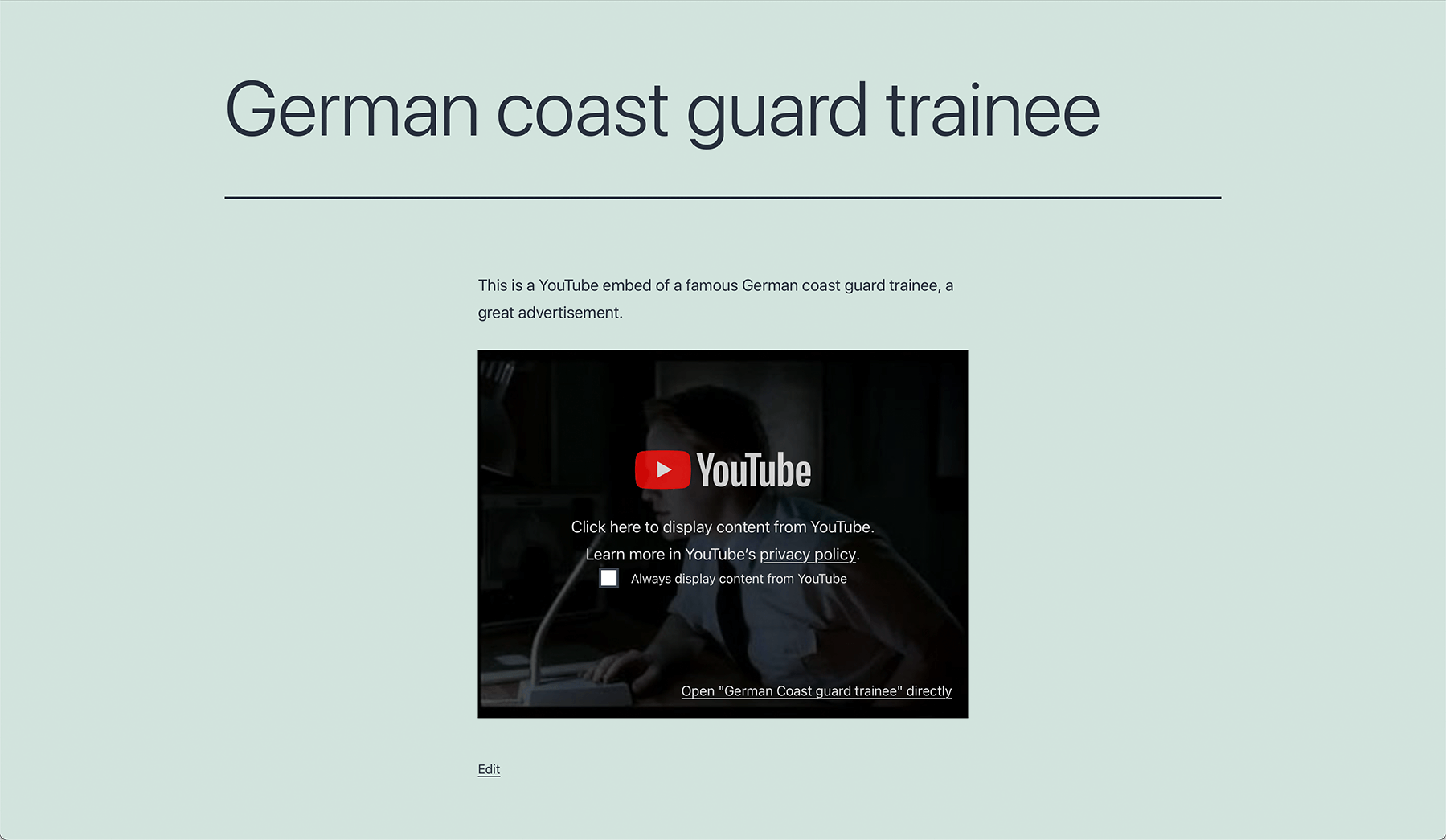
Embed Privacy will add an overlay to supported embeds automatically.
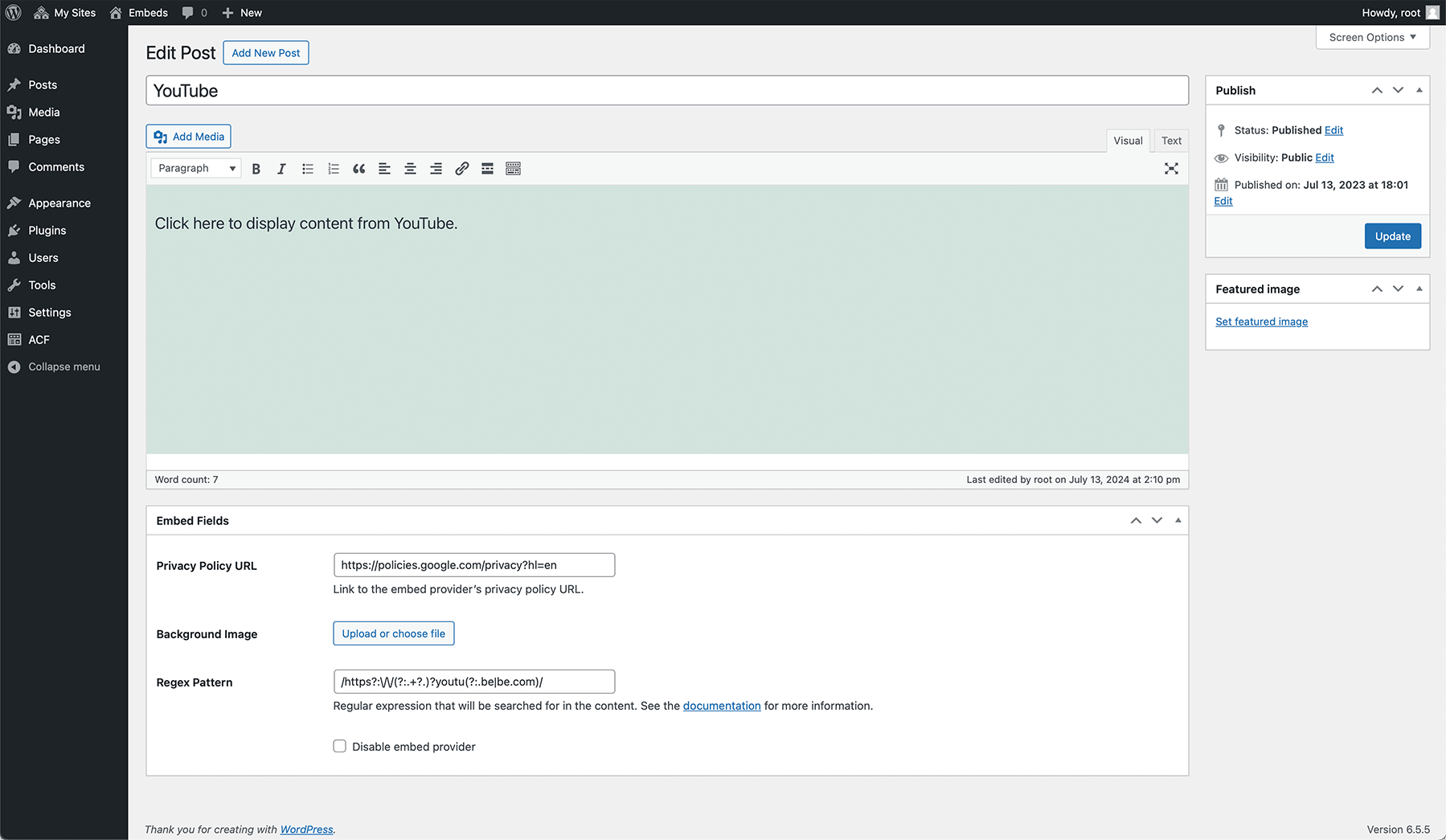
You can customize the overlays for each service individually.
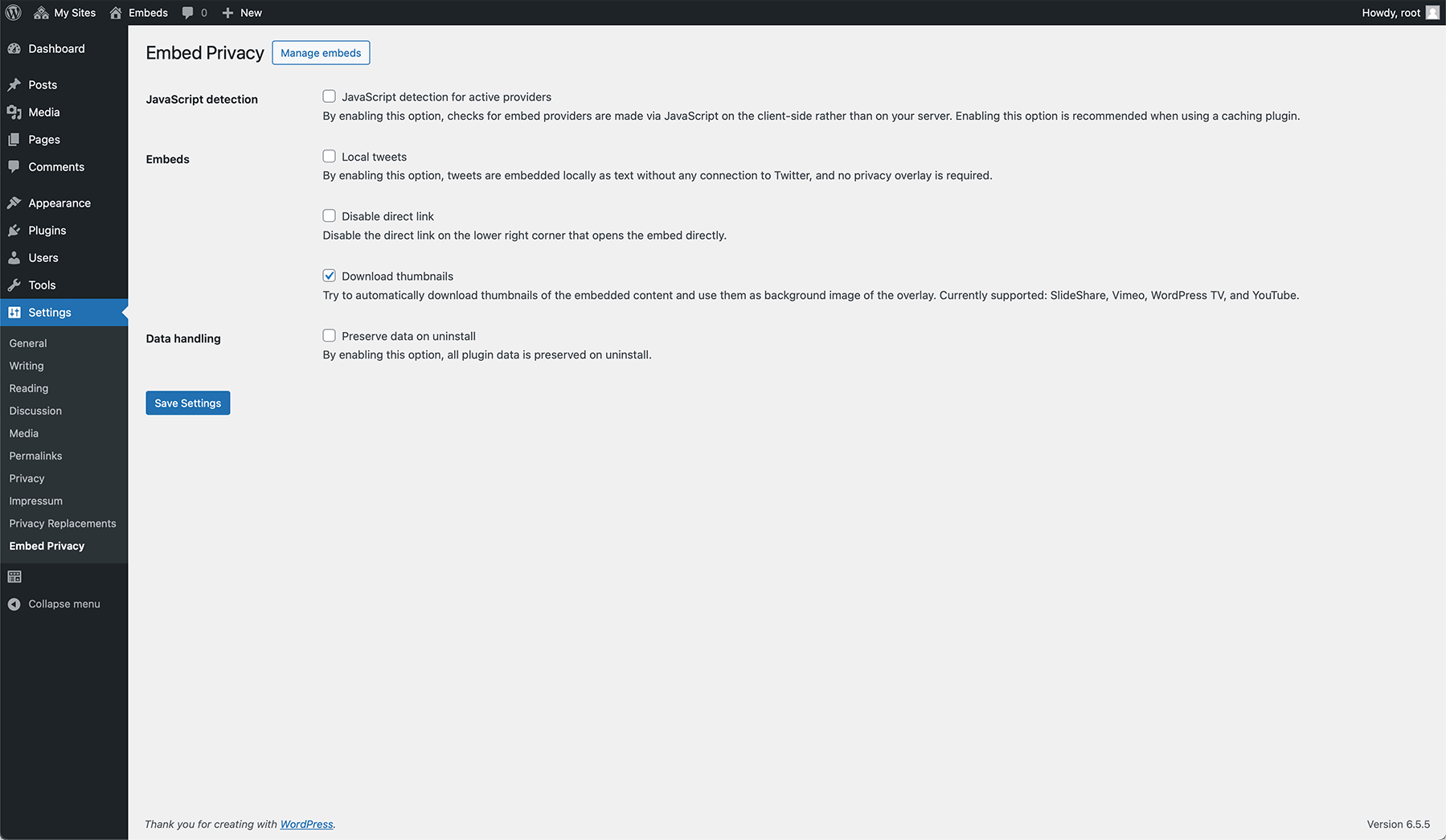
Different settings allow you to adjust the functionality of Embed Privacy according to your needs.
Faq
Yes. As long as you don’t opt in to load external content, you/your visitors can’t be tracked by these services.
The embedding process itself will be privacy-friendly with Embed Privacy. That means, that no third-party embed provider can track users without their explicit consent by clicking on the overlay to allow the embed to be loaded. However, to make sure everything is fine you need to expand your privacy policy for each embed provider you’re using or you want to use because you need to specify, where data will be sent to and what happens to them.
If you use the opt-out functionality with the shortcode or the functionality to allow the user to always display content of certain embed providers, Embed Privacy creates a single cookie called embed-privacy with an expiration of 1 year to store the user’s choice.
Sure thing! We enjoy playing with the block editor and developed Embed Privacy with Gutenberg in mind, the plugin will work no matter the editor you use.
We currently support all oEmbed providers known to WordPress core by default. Want to know about them? Here you go:
- Amazon Kindle
- Anghami
- Animoto
- Bluesky
- Canva
- Cloudup
- DailyMotion
- Flickr
- Funny Or Die
- Imgur
- Issuu
- Kickstarter
- Meetup
- Mixcloud
- Photobucket
- Pocket Casts
- Polldaddy.com
- ReverbNation
- Scribd
- Sketchfab
- SlideShare
- SmugMug
- SoundCloud
- Speaker Deck
- Spotify
- TikTok
- TED
- Tumblr
- VideoPress
- Vimeo
- WordPress.org
- WordPress.tv
- YouTube
We also support Google Maps via iframe and Divi and the following plugins:
- BuddyPress activity stream
- Jetpack (Facebook posts)
- Maps Marker (Pro)
- Shortcodes Ultimate
- wpForo (with the plugin wpForo Embeds)
Additionally, we support the following custom content:
- Local Fediverse content
- Local X posts
- Facebook embed code (HTML)
- Instagram embed code (HTML)
Since version 1.2.0, you can also add custom embed providers by going to Settings > Embed Privacy > Manage embeds. Here you can also modify any existing embed provider, change its logo, add a background image, change the text displaying on the embed or disable the embed provider entirely.
Yes! Since version 1.5.0, Embed Privacy supports downloading and displaying thumbnails in posts for SlideShare, Vimeo and YouTube as background of Embed Privacy’s overlay.
Yes! You can use the shortcode [embed_privacy_opt_out] to add a list of embed providers anywhere you want (recommendation: add it to your privacy policy) to allow your users to opt-out.
The shortcode [embed_privacy_opt_out] can be used to let users opt-out of embed providers that have been set to be always active by the user. It can have the following attributes:
headline – Add a custom headline (default: Embed providers)


[embed_privacy_opt_out headline="My custom headline"]


subline – Add a custom subline (default: Enable or disable embed providers globally. By enabling a provider, its embedded content will be displayed directly on every page without asking you anymore.)


[embed_privacy_opt_out subline="My custom subline"]


show_all – Whether to show all available embed providers or just the ones the user opted in (default: false)


[embed_privacy_opt_out show_all="1"]
You can also combine all of these attributes:
[embed_privacy_opt_out headline="My custom headline" subline="My custom subline" show_all="1"]
If you’re using a caching plugin, make sure you enable the “JavaScript detection for active providers” in Settings > Embed Privacy > JavaScript detection. Then, the plugin is fully compatible with your caching plugin.
Check out our documentation: https://epiph.yt/en/embed-privacy/documentation/
We are Epiphyt, your friendly neighborhood WordPress plugin shop from southern Germany.
You can report security bugs through the Patchstack Vulnerability Disclosure Program. The Patchstack team help validate, triage and handle any security vulnerabilities. Report a security vulnerability.
Reviews
Fantastic
By 
AMAZING
By 
Embed Privacy is an absolute game-changer for anyone who wants to embed vimeo videos without compromising user privacy!
simple and easy BUT with bugs
By 
cool plugin, apreciate it!
unfortunately on a page where I embed several videos from different video pattforms (eg. YouTube & Vimeo) once I click to accept one, it always load all the videos from all the plattforms. Even if I dont choose to accept all the YouTube ones it loads them anyway once I click on any video to be loaded.
Just what I was looking for!
By 
It's annoying that this plugin even has to exist (to prevent, for example, Google from tracking people before they've even viewed a YouTube video), but, in the world of GDPR, it's necessary. And I'm thankful for it.
There are just a couple of things I think could be improved:
- The default text "Click here to display content from X" isn't as clear as it could be for an opt in. I think it should be something like, "Click here to accept X tracking and view content". That's what I've customised it to be.
- The "Disable X" checkbox that can be inserted into a privacy policy via a shortcode is pre-selected. To me, this is confusing. I wonder whether it would be better as a toggle--or, when you click it, to briefly show the checkbox selected and then change to "Enable X". I also think the language could be clearer: "Opt out of X tracking on this site", or something like that.
Other than that, great, simple plugin. Thanks for making it!
Tolles Plugin!
By 
Funktioniert super mit dem Einbettungscode von FB und Instagram.
Amazing, super easy to use and effective!
By 
As far as I know it is not possible to use the nocookie adress for youtube videos with the default wordpress youtube embeds. This plugin solves this in the most perfect way.
Thank you very much for this!
Perfect solution
By 
Does what it is supposed to do and - from own experience - if you cant figure it out yourself (custom Regex or whatever) the support is splendid and fast (in my case the author replied in two minutes).
Perfect Plugin
By 
Perfect plugin for a smooth include of a GDPR relevant topic
Perfect solution
By 
A perfect solution which works literally with all kinds of embedded content and can even be extended in the backend. I also like the possibility to use preview images which are cached, so visitors have a glimpse what they could see without compromising their privacy.
Good work!
Super Plugin - auch für Laien
By 
Ein ganz tolles Plugin, leicht zu installieren und um iFrames DSGVO-konform in die WordPress Seite einzubetten perfekt!
Vielen Dank!
Changelog
1.12.1
- Fixed: Fatal error during activation and saving embed providers
1.12.0
- Added: Allow handling dynamic content (in combination with the setting “Force script loading”)
- Improved: Performance for content with many blocks
- Improved: Overall performance through various caching mechanisms
- Changed: Renamed tweets to X posts
- Fixed: Default English descriptions are now automatically translated as soon as a translation is available, if it’s missing during installation
- Fixed: Handling multiple Instagram/Facebook posts within the same content
- Fixed: Fatal error in combination with Sugar Calendar Lite and Elementor
For the full changelog, please visit https://docs.epiph.yt/embed-privacy/changelog.html.