Emercury for Gravity Forms
Emercury for Gravity Forms
Description
Collect more mailing list subscribers with the Emercury for Gravity Forms plugin! Directly integrate all of your forms with Emercury to collect more mailing list subscribers and push your email marketing to the next level.
Installation
This section describes how to install the plugin and get it working.
- Upload the plugin files to the
/wp-content/pluginsdirectory, or install the plugin through the WordPress plugins screen directly. - Activate the plugin through the ‘Plugins’ screen in WordPress.
- Go to Emercury Settings section and enter the data for the Emercury API Settings.
- You are done!
Screenshots

Add API key into Emercury Settings.

Create new Feed for selected Gravity Form.
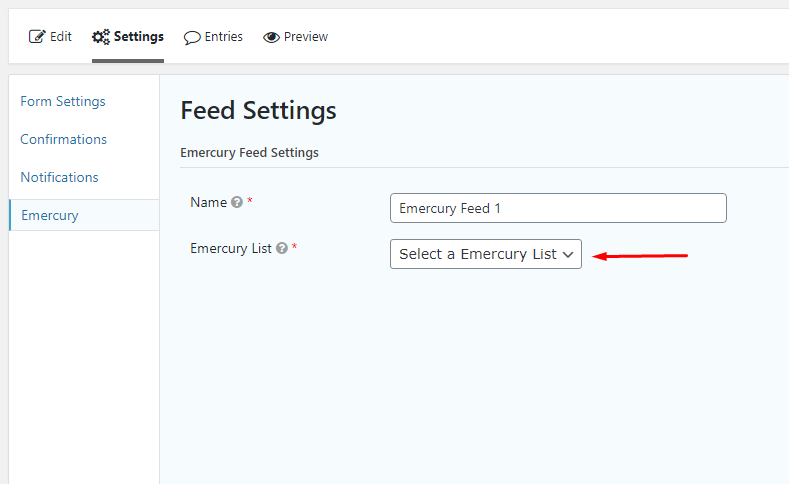
Select Emercury List to connect to.

Map Emercury fields to the form fields.

The Emercury list added as an entry.
Reviews
Changelog
VER 1.3 – 26/08/2020
- Fixed: Conflict with other Emercury plugins
VER 1.1 – 09/01/2020
- Fixed Emercury “List Name” field
VER 1.0 – 24/12/2019
- Released