Enable Drag and Drop on Adding Plugin Upload

Enable Drag and Drop on Adding Plugin Upload
Description
A WordPress plugin that adds drag and drop capabilities to plug-in uploads across the admin: the plug-in installer (/wp-admin/plugin-install.php), the Plugins page (/wp-admin/plugins.php), and the install/update result pages (/wp-admin/update.php), so you can keep uploading plug-ins without leaving the page.
Features:
- Drag and drop ZIP files directly onto the upload form
- Drag and drop one or more plugin ZIPs directly onto the Plugins list (
plugins.php) — no need to open the upload form first - Upload multiple plug-in ZIP files at once – they are installed one at a time with a per-file status list
- Upload queue: added files append to the list, each on its own line with a remove button
- “Upload Plugin” button on the Plugins page, next to “Add Plugin”, that reveals the upload form
- Upload form shown again after each install or update, so you can upload another plug-in right away
- One-click “Activate Uploaded Plugins Now” button after installation completes
- In-place replacement of already-installed plug-ins via a “replace existing [current version] with new [uploaded version]” link
- Click-to-browse functionality on the drop zone
- Automatic file validation (ZIP files only)
- Visual feedback, success/error messages, and smooth animations
How It Works:
The plug-in:
* Loads on the plug-in install page (plugin-install.php), the Plugins page (plugins.php), and the upload result pages (update.php)
* Adds a visual drop zone in place of the standard upload form
* On the Plugins list page, also accepts drops anywhere on the list (shows an overlay while dragging)
* Handles drag and drop events and validates dropped files (must be ZIP files)
* Queues the selected files and installs them one at a time using WordPress’s own upload handler
* Shows a per-file result list with options to replace already-installed plug-ins and activate the new ones
* Provides visual feedback during drag operations
Browser Support:
Works in all modern browsers that support the HTML5 Drag and Drop API:
* Chrome
* Firefox
* Safari
* Edge
Installation
- Upload the plug-in folder to
/wp-content/plugins/ - Activate the plug-in through the ‘Plug-ins’ menu in WordPress
- Navigate to Plug-ins > Add New > Upload Plug-in
- Drag and drop a plug-in ZIP file onto the form
Screenshots
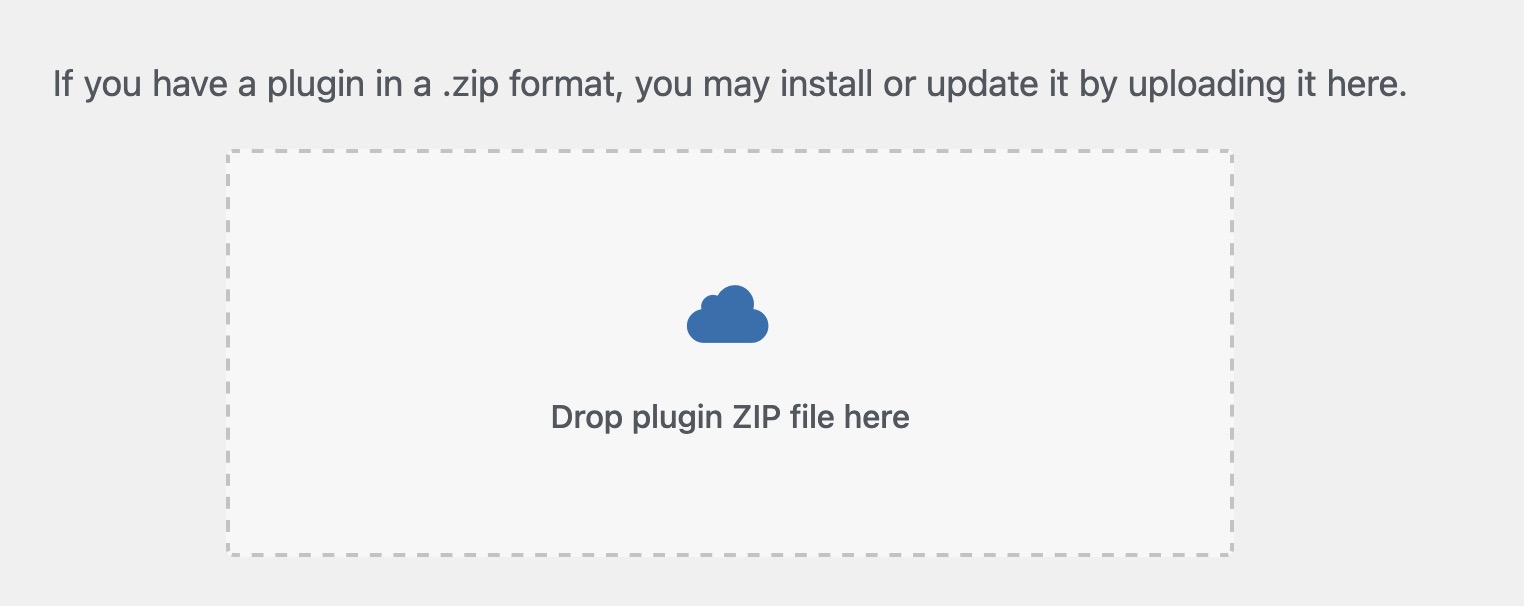
Drag and drop interface on the plug-in upload page
Faq
This plug-in works in all modern browsers that support the HTML5 Drag and Drop API, including Chrome, Firefox, Safari, and Edge.
Only ZIP files are supported. The plug-in automatically validates that dropped files are ZIP archives.
The drag and drop functionality appears on the plug-in upload page (/wp-admin/plugin-install.php), on the Plugins page (/wp-admin/plugins.php) — drop ZIP files onto the plugin list itself, or use the “Upload Plugin” button next to “Add Plugin” — and on the install/update result pages (/wp-admin/update.php) so you can upload another plug-in right away.
Yes. Drop or select several ZIP files and they are added to an upload queue, each on its own line with a remove button. Clicking “Install Now” installs them one at a time and shows the result for each file.
The result list shows a “replace existing [current version] with new [uploaded version]” link for that plug-in. Clicking it replaces the installed version with the uploaded one, without leaving the page.
Yes. After the uploads finish, an “Activate Uploaded Plugins Now” button appears; clicking it activates all plug-ins that were just installed. Plug-ins that were already active stay active.
Reviews
Huge timesaver!
By 
Very great for my caffeine-addled brain. I always lose track of my plugin uploads after the third or fourth file selection dialog screen. Drag and drop has (so far) reduced my repeat-uploads and missed-uploads counts to zero on new sites I've spun up.
Changelog
1.3
- Admin class namespaced under abda53\enabledraganddroponpluginupload.
1.2
- Fixes fatal error loading the admin class before the 53 Minute Tools suite bootstrap runs.
- Shared
fifty-three-minute-tools-suite-boot.phpfor deferred admin class loading.
1.1
- Updated plugin housekeeping
1.0.65
- Updated plugin description
1.0.64
- Updated plugin info
1.0.63
- Updated plugin description
1.0.62
- Updated Tested up to WordPress 7.0.2 and corrected the minimum PHP version requirement
1.0.61
- Incremental update
1.0.6
- Added drag and drop of one or more plugin ZIP files directly onto the Plugins list page (
plugins.php), with a full-page drop overlay while dragging.
1.0.5
- Minor code updates
1.0.4
- Added upload tracking pixel after each uploaded plugin filename
- Added total plugins uploaded badge below the support button
1.0.3
- Added drag and drop upload form to the Plugins page (
plugins.php), hidden behind a new “Upload Plugin” button next to “Add Plugin” - Added the upload form to the install/update result pages on
update.php, including after replacing an existing plugin, so another plugin can be uploaded right away - Added support for uploading multiple plugin ZIP files at once, installed one at a time with a per-file status list
- Added an upload queue: newly added files append to the list, each file shown on its own line with a remove button; a new session starts automatically after a finished batch
- Added “Activate Uploaded Plugins Now” button to activate the just-uploaded plugins after installation completes
- Added in-place replacement for plugins that are already installed, via a “replace existing [current version] with new [uploaded version]” link
- Added a support button shown after uploads and activation are complete
- Fixed the drop zone incorrectly appearing on the plugin conflict (“replace current with uploaded”) screen
- Fixed page detection matching the plugin’s own script source, which prevented the upload form from being inserted
- Fixed single plugin uploads stalling at “Installing” when the native submit button was disabled by WordPress core
- Fixed clicks on links and buttons inside the drop zone unintentionally opening the file picker
1.0.0
- Initial release
- Added drag and drop functionality to plug-in upload form
- Visual feedback during drag operations
- Automatic file validation for ZIP files
- Click-to-browse functionality on drop zone