EPD Product Designer
EPD Product Designer
Description
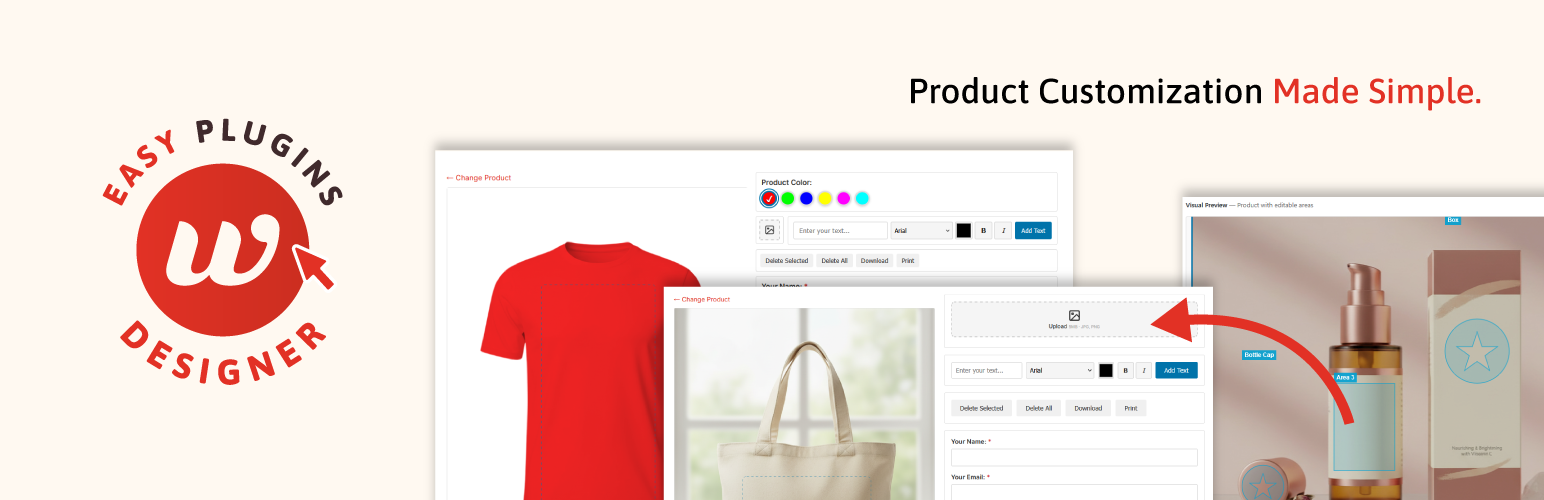
EPD Product Designer is a lightweight, user-friendly product customization plugin for WordPress. It allows your customers to personalize products by adding custom text and images using an intuitive drag-and-drop canvas editor. No WooCommerce required — works standalone for quotes, inquiries, and custom orders.
Demos | Documentation | Get Pro
Designer Canvas
- Drag & drop canvas editor powered by Fabric.js
- Double-click text to edit directly on canvas
- Apply styles to selected text (mixed fonts/colors in one text block)
- Keyboard shortcuts: Ctrl+D duplicate, Ctrl+C/V copy/paste, Delete, Escape
- Layer ordering controls with floating toolbar
- Print and download design as PNG
Product Customization
- Multiple editable areas (masks) per product with rectangle and ellipse shapes
- Text customization with system fonts, optional Google Fonts, bold, and italic
- Image upload with file type validation and size limits
- NEW: Image library — assign predefined images per product for customers to choose from
- Product color tinting with predefined swatches or free color picker
- Mask coloring — let users fill editable areas with background colors
Forms & Submissions
- Built-in submission form with honeypot and rate limiting spam protection
- Contact Form 7 integration with automatic design attachment
- Submission management with status workflow and CSV export
- Email notifications with optional design image attachments
Layout & Compatibility
- Three layout options: Two Columns, Stacked, Compact
- Mobile responsive with touch support and pinch-to-zoom
- Works with Elementor, Gutenberg, WPBakery, and Divi
- Translation-ready — compatible with Loco Translate, Polylang, WPML, and more
Accessibility
- WCAG 2.1 AA color contrast throughout the interface
- Keyboard navigation with visible focus indicators on all interactive elements
- Screen reader support with ARIA labels, tab roles, and live regions
Pro Features
- Custom SVG Mask Shapes — Use any SVG shape (hearts, stars, badges, logos) as an editable area
- Product Bundles — Combine multiple products (front, back, sleeve) into one design session with tab navigation, design persistence, and single-form submission
- Customer SVG Uploads — Let customers upload SVG files with automatic server-side sanitization
- Image Quality Warnings — Alert users when uploaded images are below recommended resolution
- Synchronized product colors across bundle products
- NEW: Per-Area Image Source Control — Configure each area to show library only, upload only, both, or none
- Per-product layout, form, and feature overrides
- Mobile tab layout for tools on small screens
- Bundle categories for organization
WooCommerce (Optional)
EPD Product Designer works standalone — no WooCommerce required. Collect designs through the built-in form or Contact Form 7 without running a shop.
For store owners, the WooCommerce Addon (sold separately) adds cart integration:
- Link designer products to WooCommerce products
- Add design fees per editable area
- Add customized products to the WooCommerce cart
- Design preview with uploaded files and fonts used in order details
- Full support for WooCommerce product variations
External Services
This plugin optionally connects to external services:
Google Fonts
When the “Enable Google Fonts” setting is activated in EP Designer > Settings, the plugin loads web fonts from Google Fonts (fonts.googleapis.com) to provide additional font choices for text customization.
- Service URL: https://fonts.googleapis.com
- Google Privacy Policy: https://policies.google.com/privacy
- Google Terms of Service: https://policies.google.com/terms
No user data is sent to Google. Only font files are loaded when this feature is enabled. This feature is disabled by default.
Freemius
This plugin uses the Freemius SDK for license management, software updates, and optional usage tracking. When the plugin is activated, it may communicate with Freemius servers to verify license status and check for updates. If the user opts in during the plugin activation process, non-sensitive diagnostic data (such as WordPress version, PHP version, and plugin settings) may be shared to help improve the plugin.
- Service URL: https://api.freemius.com
- Freemius Privacy Policy: https://freemius.com/privacy/
- Freemius Terms of Service: https://freemius.com/terms/
No data is shared with Freemius without user consent. Users can opt out at any time from the plugin’s account page.
Installation
- Upload the plugin files to
/wp-content/plugins/epd-product-designer/ - Activate the plugin through the ‘Plugins’ screen in WordPress
- Go to EP Designer > Add New Product to create your first product
- Configure editable areas where customers can add their designs
- Copy the shortcode and add it to any page
Screenshots

Product designer frontend - intuitive drag & drop canvas for customers

Admin product editor with editable areas configuration

Submission management with design previews and status tracking
Faq
Customers can upload JPG and PNG images. With Pro, you can also enable SVG uploads (with automatic server-side sanitization for security).
Yes! A separate WooCommerce addon is available that lets you link designer products to WooCommerce products, add design fees, and integrate with the cart/checkout flow.
Yes! You can enable Google Fonts in the settings, or add custom fonts via filters.
Yes, the designer is fully responsive with touch support including pinch-to-zoom.
Yes! Go to EP Designer > Submissions and click the “Export CSV” button. This downloads a spreadsheet with all submission data including customer info, product names, and links to the design images.
The designer supports these shortcuts:
* Ctrl+D (Cmd+D on Mac) – Duplicate selected object
* Ctrl+C / Ctrl+V – Copy and paste objects
* Delete / Backspace – Remove selected object
* Escape – Deselect object or exit text edit mode
* Double-click text – Edit text directly on canvas
Yes! Double-click a text object to enter edit mode, select specific characters, then change the font, color, or style. Only the selected portion will change, allowing mixed styles within one text block.
Reviews
Changelog
1.4.1
- New: Image Library — assign predefined images per product that customers can choose from via a “Choose Design” modal
- New: Per-area Image Source control — configure each area to show library only, upload only, both, or none (Pro)
1.4.0
- Improved: Settings page reorganized into tabbed sections for better navigation
- Improved: Premium features now highlighted with star indicators in settings (premium only)
- Improved: Active editable area is now visually highlighted in the product editor preview
- Improved: Product editor settings now use interactive tooltips instead of browser-only title attributes
- Improved: Upload button now shows a spinner during image upload for visual feedback
- Improved: Accessibility – ARIA labels added to all icon-only buttons, canvas elements, and color inputs
- Improved: Accessibility – Color contrast increased to meet WCAG AA requirements
- Improved: Accessibility – Keyboard focus indicators added to all interactive elements
- Improved: Accessibility – Mobile tool tabs and bundle tabs now use proper ARIA tab roles
- Improved: Accessibility – Bold/Italic toggles announce pressed state to screen readers
- Improved: Accessibility – Dynamic notices and bundle progress announced to screen readers via aria-live
1.3.9
- Improved: Designer now loads smoothly without visible layout flash during initialization
- Improved: Product and bundle selectors now transition smoothly to the designer with fade animations
- Improved: Page scrolls to the designer position when selecting a product, so users stay in place
- Fixed: Editable area index collision when adding new areas to existing products
1.3.8
- Fixed: Editable area tabs no longer show multiple panels simultaneously when working with custom SVG shapes
- Fixed: SVG uploader no longer creates duplicate media frames when switching between areas
- Fixed: Mobile bundle navigation arrows hidden when navigation is disabled per bundle
1.3.7
- Improved: Mobile tool tabs now scroll horizontally when all tools are enabled, preventing cramped layout
- Fixed: Add to Cart section no longer appears above design tools on mobile with “With Controls” layout
1.3.6
- Fixed: SVG mask shapes now render at correct position and size in the frontend designer (Pro)
1.3.5
- Fixed: Upload directory now uses WordPress-compliant plugin folder path (
/uploads/epd-product-designer/) - Improved: Plugin upload directory is cleaned up on uninstall
- Improved: Upload directory path defined as constant for consistency
1.3.4
- Improved: Image uploads are now sent to the server first, producing lightweight URL references instead of inline base64 data — significantly reduces memory usage and improves performance for all integrations (WooCommerce, CF7, fallback form)
- New: Server-side image upload endpoint with strict file-type, MIME, and size validation
- Security: Temp upload directory hardened with .htaccess to prevent PHP execution
- Security: Filterable upload permission via
epdesigner_can_upload_imagehook
1.3.3
- Removed: Unused minified asset files that contained unstripped code
- Improved: WordPress.org plugin directory compliance
1.3.2
- Improved: WordPress.org plugin directory compliance
- Cleaned: Removed all premium-related references from free version code and comments
- Cleaned: Translation template updated to match current codebase
1.3.1
- Fixed: Bundle color synchronization now works without requiring manual color selection
- Fixed: Branding consistency – all admin labels now show “EP Designer”
- Fixed: Missing directory listing protection in vendor directories
- Updated: readme.txt references to match current menu labels
- Updated: Translation template (POT) with all current strings
1.3.0
- Changed: Plugin renamed to EPD Product Designer
- Changed: All internal prefixes unified to epdesigner_ for WordPress.org compliance
- Changed: CPT slugs updated (epdesigner_product, epdesigner_submit, epdesigner_bundle)
- Changed: Primary shortcode is now [epdesigner]
- Improved: WordPress.org plugin directory compliance
- Improved: Cleaner free/premium feature separation
- Improved: Free version is now fully functional with no locked features
- Removed: Deprecated PHP function calls
1.2.2
- Improved: Better security for design submissions via Contact Form 7
- Improved: Safer CSV export with protection against spreadsheet formula issues
- Improved: More precise permission checks for bundle editing
- Fixed: Rare edge case with form settings not saving correctly
1.2.1
- Fixed: Bundle products now display correct titles and settings for each product
- Fixed: Color synchronization now properly checks if first product has colors enabled
- Improved: Better handling of bundle product order after reordering
1.2.0
- New: Tabbed interface for Editable Areas – much better for small screens
- New: Native tooltips on admin options explain what each setting does
- New: Area count badge in section header
- New Pro Feature: Customer SVG uploads with server-side sanitization
- New Pro Feature: Image quality warnings when uploads are below minimum resolution
- New Pro Feature: Synchronized product colors across bundle products
- Improved: Full-width layout for Product Colors and Font Colors sections
- Improved: Centralized product meta access for better performance
- Improved: Enhanced security with PHP/WP version checks on activation
- Improved: Better IP detection with filter for proxy environments
- Improved: Stronger base64 image validation
- Improved: Double-submit prevention on forms
- Improved: Directory listing prevention in all plugin folders
- Improved: Code organization – split CPT classes by responsibility
- Developer: New EPDesigner_Product_Meta helper class for type-safe meta access
- Developer: Frontend controls can now be reordered via CSS (two-columns/stacked layouts)
1.1.0
- New Pro Feature: Product Bundles – combine multiple products into one configurable bundle
- New: Bundle navigation with Prev/Next arrows and clickable product tabs
- New: Design persistence when switching between bundled products
- New: Single form submission for all products in a bundle
- New: Bundle categories for organization
- New: Admin warning when bundled products are deleted
- New: Optional email attachments toggle in settings
- Improved: Better CF7 email subject handling for bundles
1.0.9
- Improved: Better performance and stability
- Improved: Cleaner, more efficient code under the hood
- Fixed: Minor code cleanup
1.0.8
- New: Press Escape to deselect objects or exit text editing
- Improved: Google Fonts now display correctly when changing fonts
- Fixed: Removed unnecessary scrollbars from canvas
1.0.7
- New: Export all submissions to CSV spreadsheet
- New: Double-click text to edit it directly on canvas
- New: Style selected text – mix different fonts and colors in one text block
- New: Keyboard shortcuts – Ctrl+D duplicate, Ctrl+C/V copy/paste
- New: Print button now available for everyone
- Fixed: Print now fits properly on one page
1.0.6
- Changed: Plugin and shortcode renamed
- Improved: Better stability and performance
1.0.5
- Fixed: Gutenberg block editor compatibility – resolved horizontal overflow issue
- Fixed: Canvas ResizeObserver error in certain page builders
- Fixed: Image upload container CSS causing layout issues
1.0.4
- New: 1:1 Original Size preview toggle in admin for precise mask positioning
- New: Hide mask strokes option – hide dashed borders on frontend for cleaner look
- Improved: Thinner, more transparent mask overlays in admin preview
- Fixed: Mask color picker now correctly applies to selected mask with multiple SVG shapes
1.0.3
- New: Show specific products only using products=”123,456″ in shortcode
- New: Adjustable transparency for mask background colors
- Improved: Reorganized admin settings for easier use
- Improved: Better code organization
1.0.2
- New: Mask coloring – users can fill editable areas with background colors
- New: Customizable mask stroke width and color per product
- New: Global setting to enable/disable mask coloring
- Improved: SVG masks now preserve original aspect ratio (circles stay circles)
- Improved: Consistent stroke appearance across all mask types (rectangle, ellipse, SVG)
- Improved: SVG alignment – multiple SVGs from same artboard now align perfectly
- Fixed: Stroke rendering differences between active and inactive masks
1.0.1
- Tested with WordPress 6.9
- Minor documentation improvements
1.0.0
- Initial release
- Canvas-based product designer with Fabric.js 7.x
- Custom text with font, color, bold, and italic options
- Image upload with validation and size limits
- Mask-based editable areas (rectangle, ellipse, custom SVG)
- Contact Form 7 integration with automatic design attachment
- Built-in fallback form with spam protection
- Submission management system
- Email notifications with design attachments
- Responsive design with mobile touch support
- Layer ordering controls
- Product color options (swatches or free color picker)
- Optional Google Fonts integration (25+ fonts)
- Three layout options