ESB Post Type Order

ESB Post Type Order
Description
-
This plugin will allow you to change the any post type menu order using drag & drop.
-
It is compatible for any WordPress site.
- Change post type order using drag & drop using WordPress inbuilt jQuery.
- Also manage from settings page, you can manage which post type will use drag & drop functionality.
- Also manage which post type will display based on sort order in back-end post type lists.
- Use parameter on front query : Array ( [orderby] => menu_order )
Installation
- Upload the entire esb-post-type-order folder to the /wp-content/plugins/ directory, or just upload the ZIP package via ‘Plugins > Add New > Upload’ in your WP Admin
- Activate ESB Post Type Order from the ‘Plugins’ page in WordPress
Screenshots

Setting Link in plugin list Page
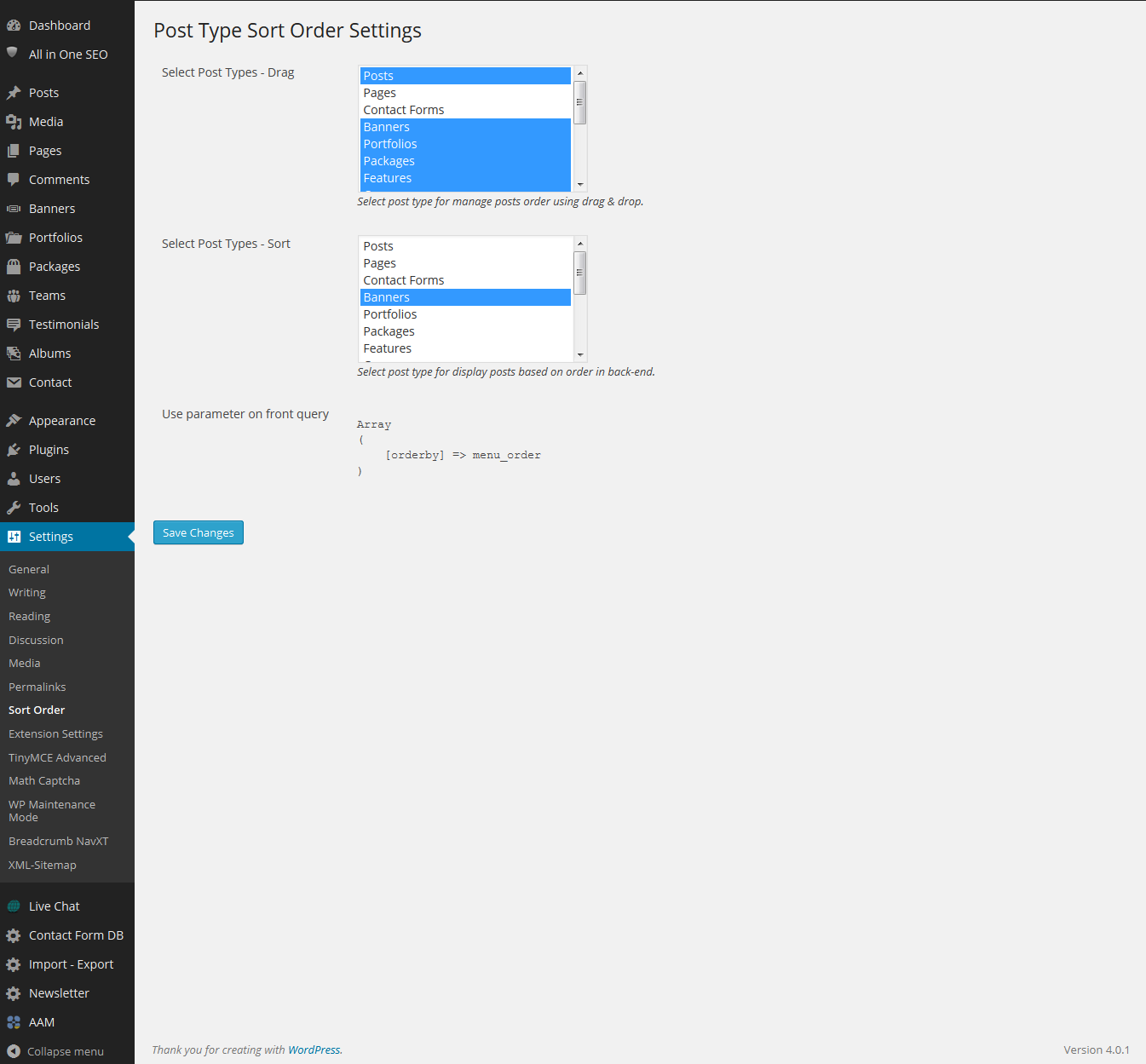
Settings Page

Drag Column with save order button in post lists page.
Reviews
Very Nice
By 
It's good to have the sort order on the native post type list instead of a separate screen like other plugins.
Simply just great
By 
awesome plugin