Eventify – Events, Lists and Calendar

Eventify – Events, Lists and Calendar
Description
Create and manage scheduled events in WordPress. Publish events as popup details or linked posts, display them in lists or calendars, and control who may submit events. Use native blocks, classic widgets, or shortcodes to place Eventify content throughout your site. Choose how each event is presented: * Popup events show event details without creating a WordPress post. * Post-backed events link to generated WordPress posts, subject to the post’s visibility and password settings. * Recurring events support fixed daily, weekly, and longer day intervals. Use blocks, widgets, or shortcodes to display event lists and calendars or to add submission forms. Forms follow an explicit role policy. Guest submissions can be enabled for popup events; creating linked posts requires a permitted, authenticated role. Eventify includes six-column CSV import and an eleven-column spreadsheet-safe CSV download. The download is intended for viewing, not as a file that can be imported back as a full-fidelity backup. See the CSV section below before importing data. Eventify does not remove event data, settings, or generated posts when deactivated, replaced, or deleted. Back up the database before upgrading. If an existing database schema is unsupported, Eventify reports an error rather than renumbering or replacing event IDs.
Features
- Manage event titles, dates, start and end times, descriptions, venues, and timezone labels.
- Add upcoming event lists, calendars, and event submission forms with dynamic Gutenberg blocks.
- Keep classic widgets and existing shortcodes for established pages and themes.
- Choose popup details or linked WordPress posts for each event.
- Create recurring series with fixed intervals and an optional end date.
- Set submission permissions; public guest submissions are restricted to popup events.
- Import events from a six-column CSV and download an eleven-column spreadsheet-safe CSV.
- Customize calendar colors and the full calendar stylesheet from the Theme tab.
- Preserve existing event records, settings, and generated posts during upgrades.
Shortcodes
Calendar
Add a calendar to a page or post:
[eventifycalbig]
Event list
Display the next five events:
[eventifytag displaytype="events" displayno="5"]
Display events scheduled within the next seven days:
[eventifytag displaytype="days" displayno="7"]

displaytype accepts `events` or `days`; `displayno` sets the corresponding count or day range.
Event submission form
This example enables the public submission policy and restricts submissions to popup events:
[eventifyform loggedin="user" popuponly="1"]
Only use a public submission form where submissions are intended. Guest submissions can attract spam. Guest-created events cannot publish WordPress posts. Restrict post-backed submissions to trusted authenticated roles and pages.
Gutenberg blocks
Add Eventify blocks from the WordPress editor:
- Event List displays upcoming events or events within a day range. Choose the date format and list size.
- Eventify Calendar displays the interactive calendar on the published page; the editor uses a labeled placeholder.
- Eventify Submission Form follows the configured role policy and can be restricted to popup-only events.
The blocks render from current Eventify data. Existing [eventifytag], [eventifycalbig], [eventifyform], and widget content remains supported.
REST API
The versioned API is available under /wp-json/eventify/v1. On sites without pretty permalinks, use WordPress’s ?rest_route=/eventify/v1/events route form instead.
GET /eventslists public, upcoming events. Usemode=days&amount=7for a date range;page,per_page(maximum 100), andsearchsupport pagination and filtering.GET /events/{id}returns a public event. Events linked to private or password-protected posts are not exposed.GET /events?scope=allincludes all visible events, including past events, and requires themanage_optionscapability.POST /events,PATCH /events/{id}, andDELETE /events/{id}requiremanage_optionsand normal WordPress REST authentication. PATCH updates only supplied fields. DELETE acceptsassociated=trueto remove related event occurrences.
Create requests accept title, date (YYYY-MM-DD), start_time, end_time, and optional description, venue, timezone, mode, repeat, repeat_interval, and repeat_until. Event writes use the same validation and storage as the Eventify admin screen. Existing data is not migrated to posts or another storage format.
CSV import and download
The import file uses six positional columns: title, date, time, description, venue, and timezone. Column names are not used to map fields. The included uploads/EventifyEg.csv file demonstrates the accepted layout.
Import through Eventify Import. Select a genuine .csv upload no larger than 5 MiB and containing no more than 10,000 data rows. The import validates the file before writing events. Imported events are popup-only and do not repeat.
The downloaded CSV has eleven columns and is not a lossless import/restore file. Text that could be interpreted as a spreadsheet formula is escaped in the download only; stored event values are not changed.
Compatibility and security
Eventify 3.0.6’s event administration, submission forms, date/time controls, and frontend calendar were browser-checked on WordPress 7.1.3 with PHP 8.3.6. The minimum requirements are WordPress 6.9 and PHP 8.2.
Event dates and times use the site’s local wall-clock values. Timezone choices are stored as labels; they do not convert the entered event time. Existing event dates and timestamps are not rewritten during upgrades.
Recurrence uses fixed day intervals of 1, 7, 15, 30, 60, 120, 182, or 365 days. An optional end date is inclusive. Without one, occurrences are generated through three calendar years after the start; end dates beyond that horizon or series exceeding 1,100 occurrences are rejected. Editing changes only the selected occurrence. Deleting event rows does not delete linked WordPress posts.
Public forms require a valid signed form context and same-origin request headers. Forms expire after one day. Changes to a widget’s enabled state or settings, or to the owning post’s content or visibility, invalidate its rendered submission context.
Post-backed events respect linked-post visibility and password protection in event lists, calendars, and event details. Popup-only events are public.
Calendar, form, and popup assets are self-hosted. FullCalendar 7.1.2 is included under its MIT license; no CDN is required.
Installation
- Upload the
eventifydirectory to/wp-content/plugins/, or install the plugin through the WordPress Plugins screen. - Activate Eventify from the Plugins screen.
- Open Eventify in the left admin menu to manage events and configure the plugin.
- Add an Eventify block in the editor, or use an existing widget or shortcode.
- Back up the database before upgrading. Do not delete plugin data to resolve an initialization or schema error.
Screenshots
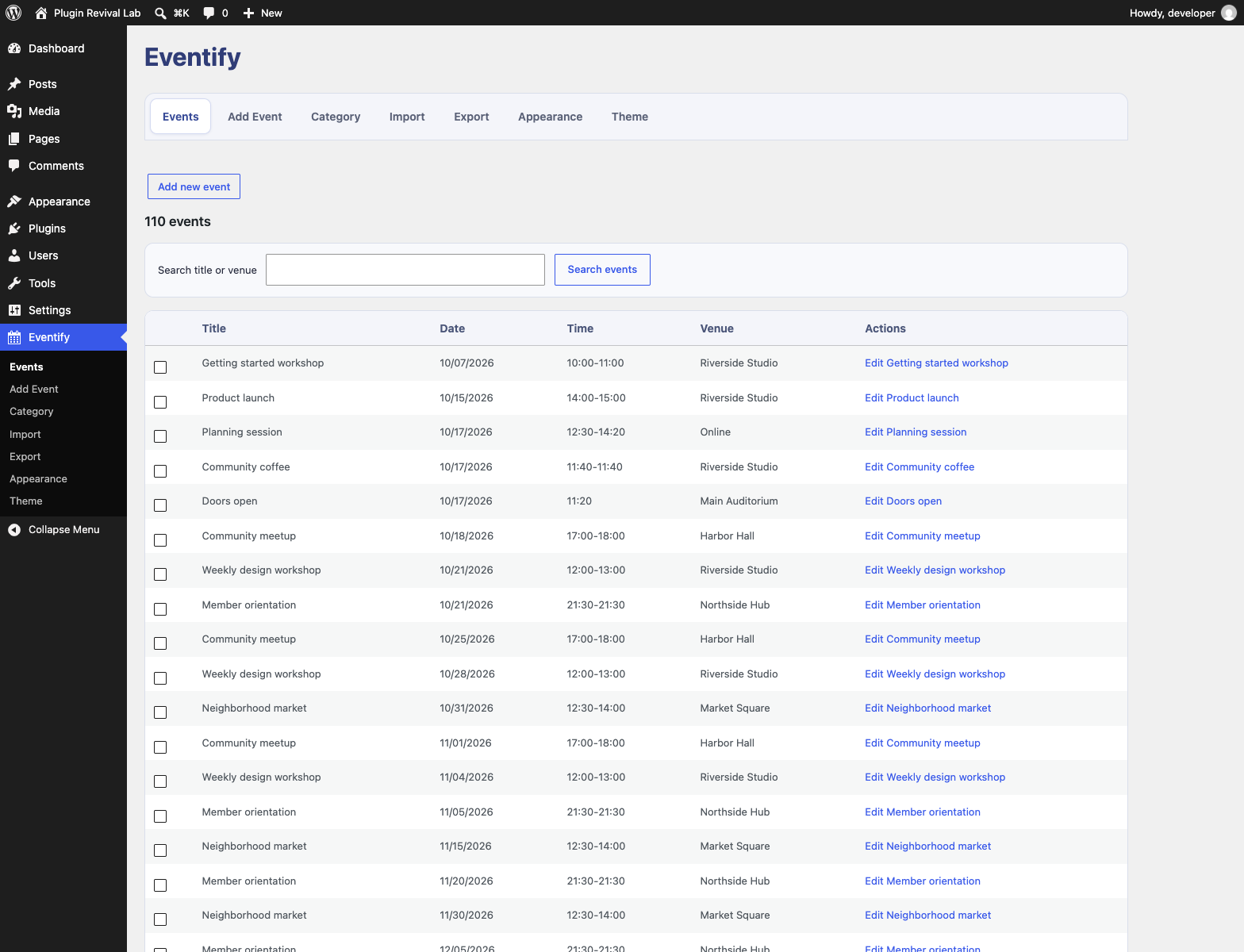
Event manager with searchable event rows, dates, venues, and edit actions.
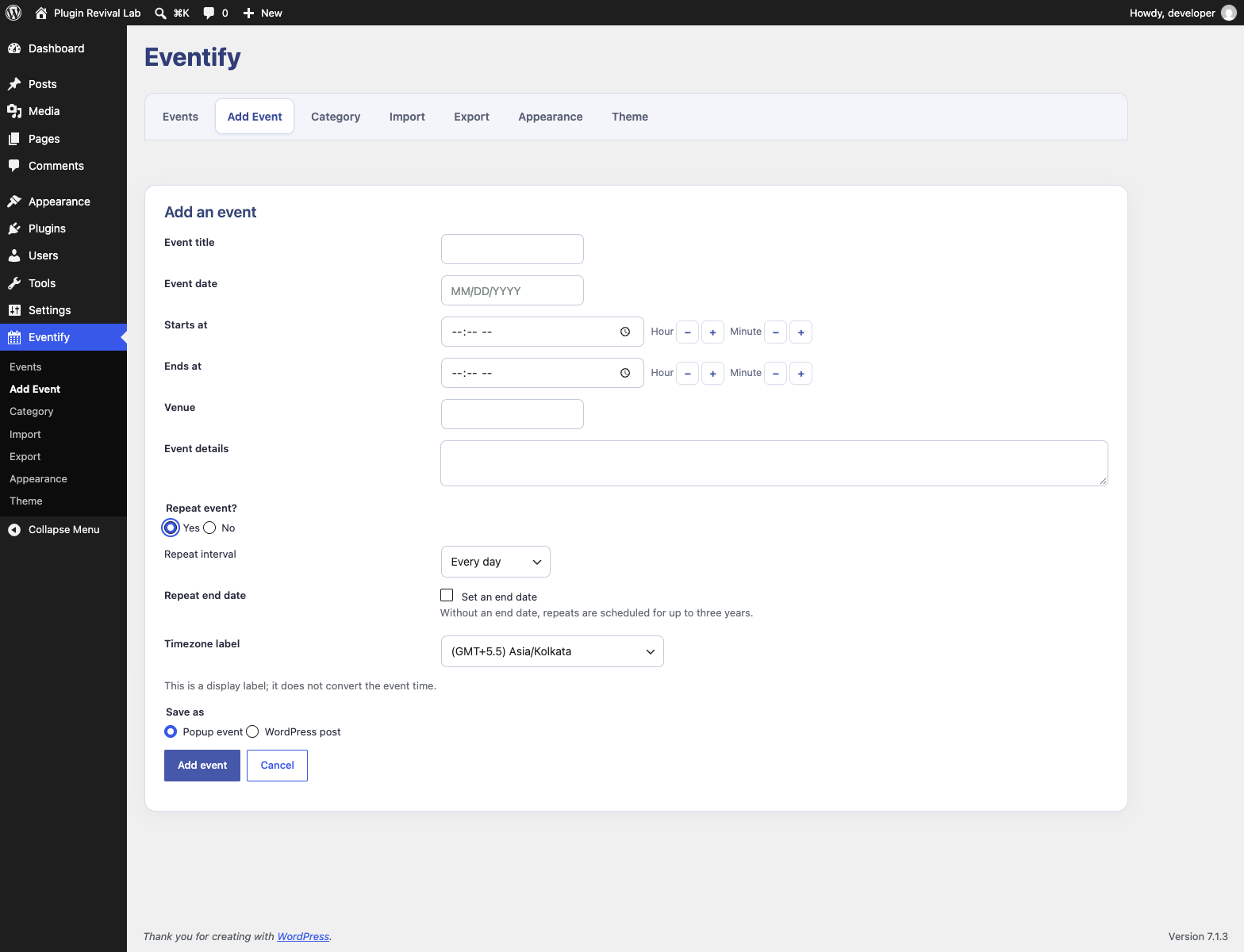
Add Event form with native date/time controls, hour and minute steppers, and optional recurrence settings.
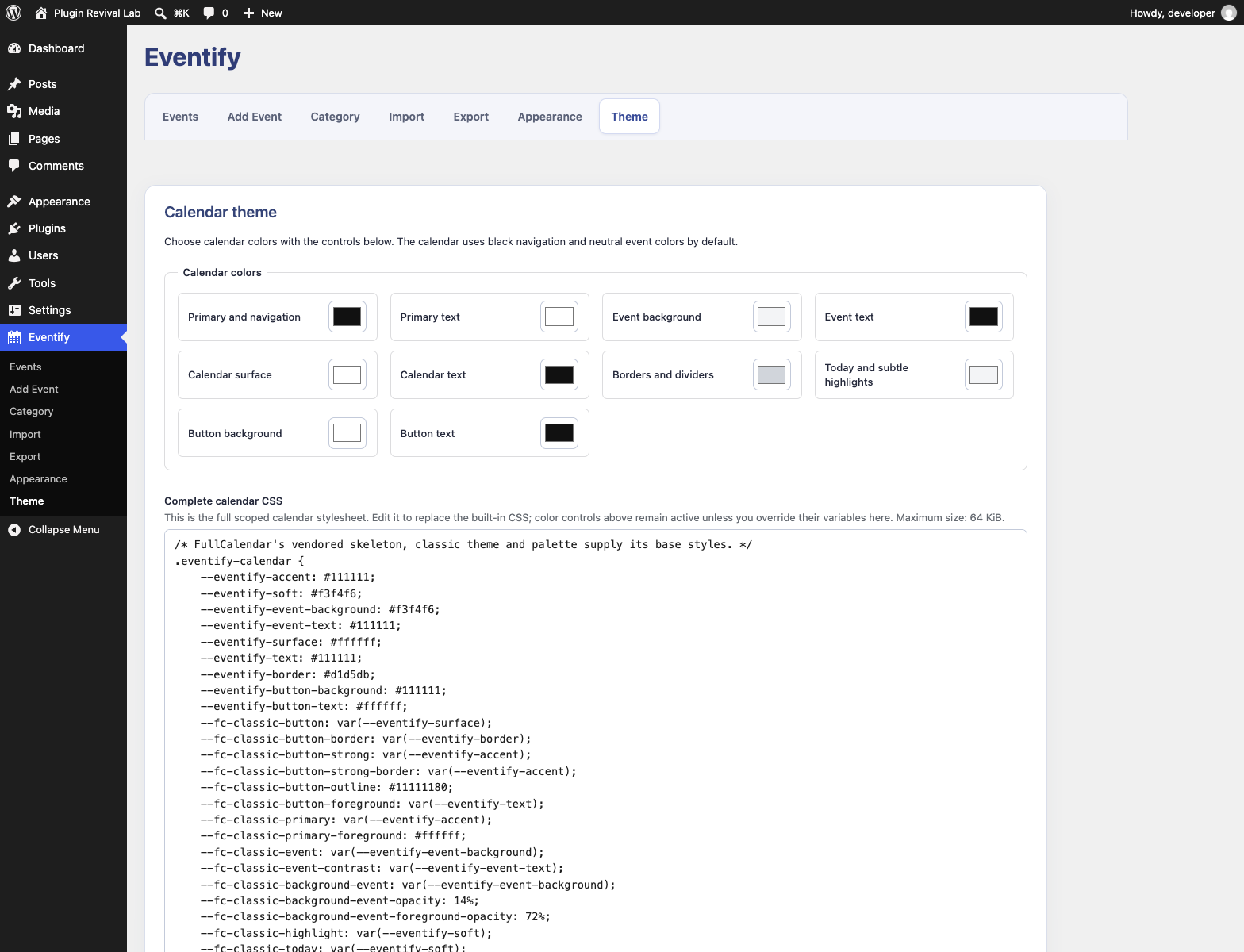
Theme settings with calendar color controls and the complete CSS editor.
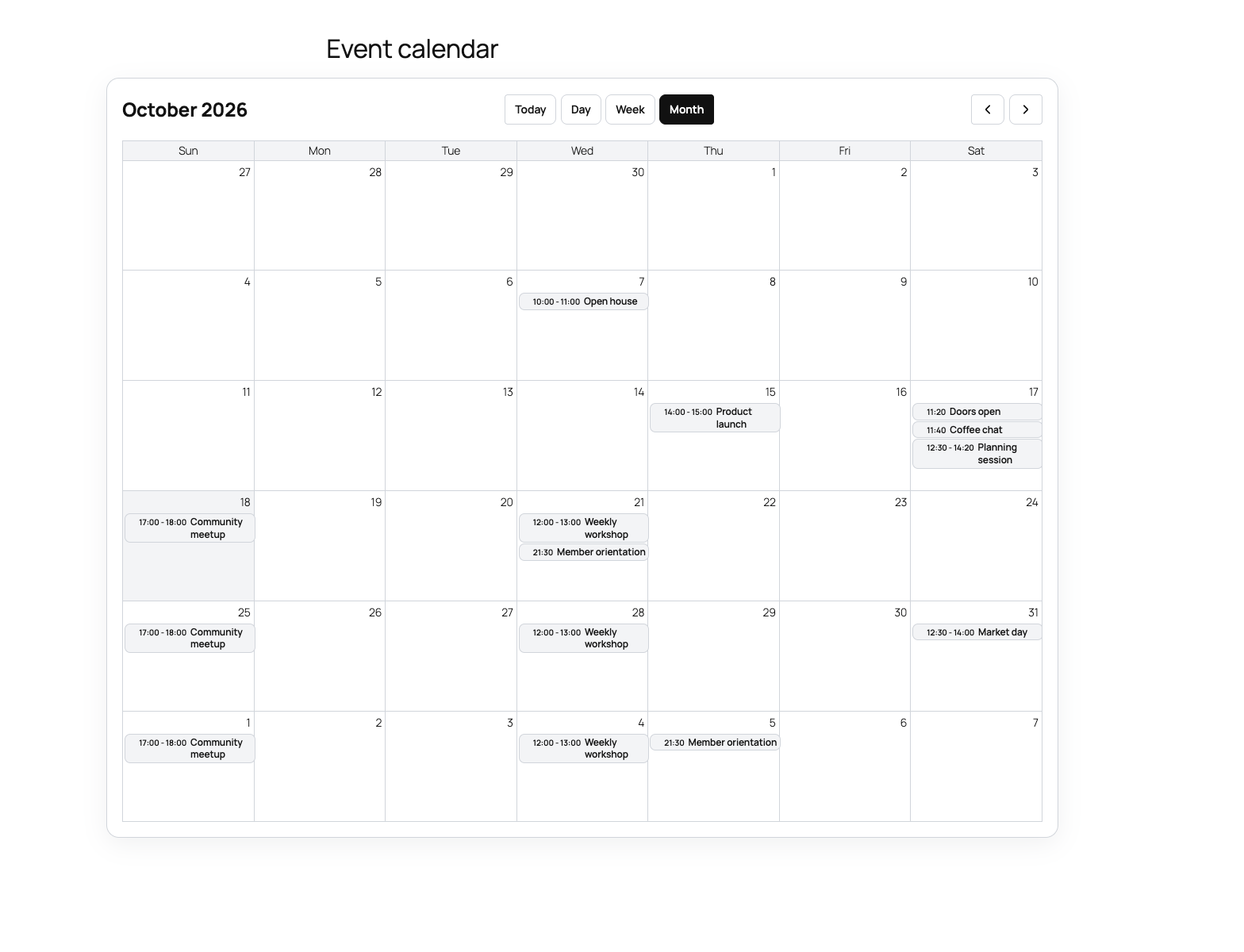
Frontend event calendar with month, week, and day navigation.
Faq
No. Eventify does not purge events, settings, or generated posts during deactivation, replacement, or plugin deletion. Back up your database before making changes.
Yes, if you deliberately enable a public form. Guest submissions are limited to popup events and may attract spam. For post-backed events, use a form restricted to trusted authenticated roles.
No. Import accepts a six-column positional format. The eleven-column download is intended for spreadsheet viewing and is not a lossless restore format. Keep a database backup for recovery.
Post-backed events follow the visibility and password settings of their linked WordPress posts. Popup-only events are public.
Reviews
Not Localization ready!
By 
You can't translate the plugin! BAD thing! Have to edit core files!
Changelog
3.0.6
- Add visible hour/minute steppers to native event time fields.
- Make the repeat-through date optional and reveal it only when selected; open-ended series are scheduled up to three years.
3.0.5
- Use a distinct indigo accent across the Eventify admin and its date picker.
- Keep event start and end fields native so browser time controls and keyboard steppers are available.
3.0.4
- Add a localized 24-hour time picker to event submission and admin event forms, preserving the stored
HH:mmvalues. - Keep Today available in every calendar view, use a white day-view grid, and contain long event titles within week-view event cards.
- Use the same modern date picker in admin event forms while keeping historical date editing available.
- Give repeated shortcode form instances distinct, post-bound context tokens.
3.0.3
- Add a self-hosted frontend date picker with direct month and year navigation, localized labels, and date-range validation.
- Show an accessible loading indicator while popup event details load, then reveal the completed event or an error.
3.0.2
- Use neutral black calendar navigation by default and keep event titles visible in month cells.
- Add configurable calendar colors and a complete CSS editor in the Theme tab.
3.0.1
- Refresh the Eventify interface and add a microanimations preference.
3.0.0
- Release Eventify 3.0.0.
2.3.4
- Give Eventify a dedicated admin menu with tabbed sections for events, categories, import, and export.
- Refresh asset cache versions.
2.3.3
- Add Gutenberg block wrapper props to the Event List and Submission Form blocks so they can be selected, moved, and removed.
- Refresh asset cache versions.
2.3.2
- Add Gutenberg block wrapper props so the Eventify Calendar block can be selected, moved, and removed.
- Refresh asset cache versions.
2.3.1
- Show a clear editor placeholder for the Eventify Calendar block and refresh asset caches.
2.3.0
- Add a versioned REST API for public event reads and capability-protected event management.
- Add API version 3 Gutenberg blocks for event lists, calendars, and event submission forms.
- Improve admin event search and pagination, form accessibility, and responsive event-list presentation.
- Load calendar assets only where a calendar is rendered; retain legacy widgets and shortcodes.
2.2.0
- Restore PHP 8 initialization and preserve existing data through lifecycle and schema upgrades.
- Validate event and recurrence persistence; separate administrative permissions from public submission policies.
- Validate CSV uploads and provide streamed spreadsheet-safe downloads.
- Escape output, enforce linked-post visibility, and return generic database errors without exposing SQL diagnostics.
- Replace legacy calendar and popup assets with self-hosted, locally maintained assets.
- Add isolated WordPress compatibility and security regression tooling.
Earlier versions
Earlier releases introduced event lists, widgets, calendar display, popup and post-backed events, recurrence, CSV import, and event editing. Historical release notes are omitted because they describe retired interfaces and support resources.