Events Calendar Modules for Divi

Events Calendar Modules for Divi
Description
Showcase your events beautifully inside Divi
Events Calendar Modules for Divi plugin is a powerful addon that connects The Events Calendar plugin with the Divi Builder. By default, The Events Calendar provides basic event pages, but the layouts are not highly customizable. With this addon, you can design modern and stylish event sections inside Divi using drag-and-drop modules.
Whether you’re running a small workshop, a series of classes, or large conferences, this plugin helps you display events in a way that matches your site’s design and engages your audience.
Key Features
-
Divi Builder Integration: The plugin adds new event modules directly inside the Divi Builder, just drag and drop event modules just like any other Divi module, making it easier to design event sections.
-
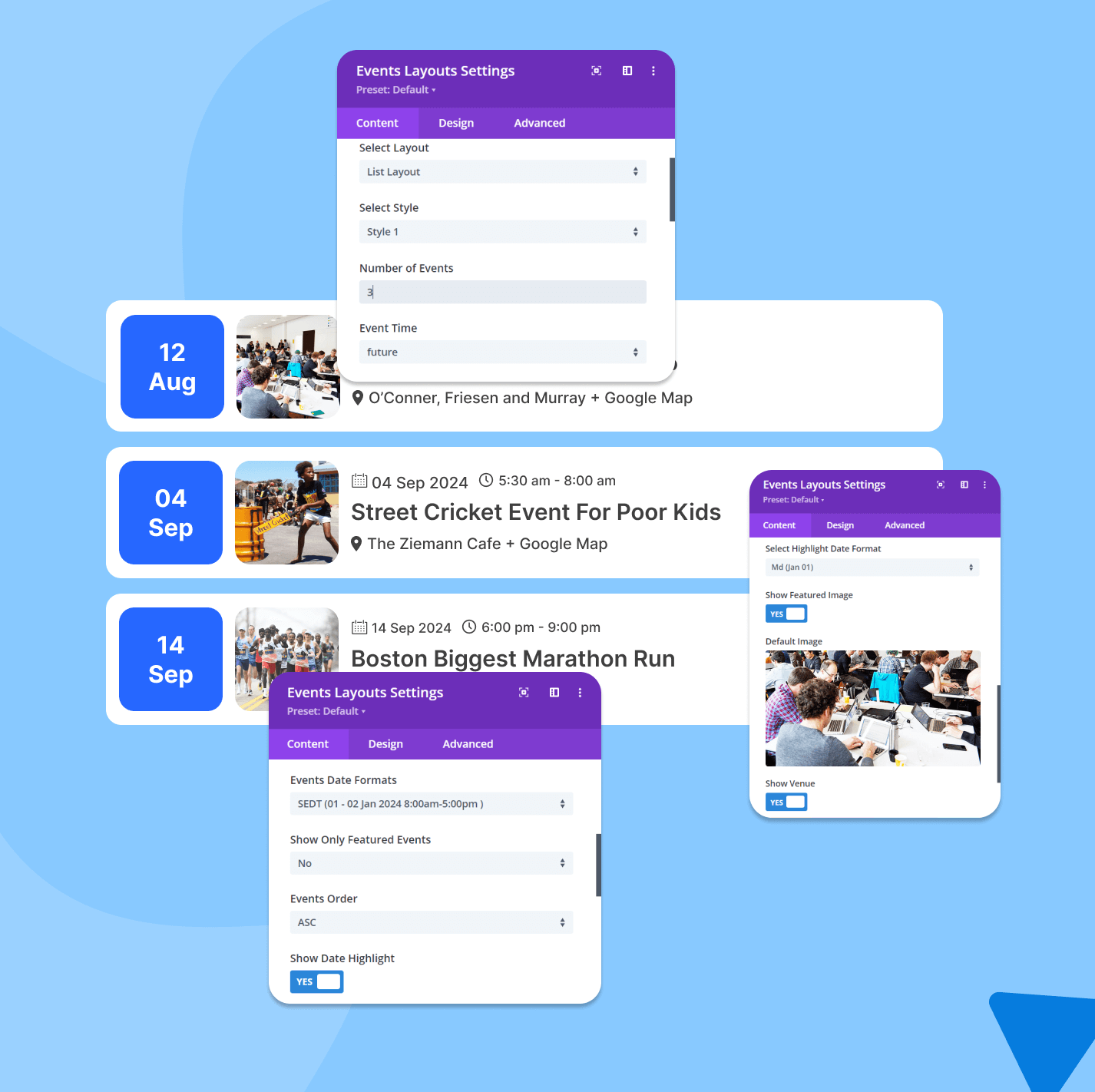
List Layout: Display events in a professional list format. Each event displaying details like title, date, and time, making it easy for visitors to quickly scan upcoming events.
-
Multiple Styles for List Layout: Choose from pre-designed list styles according to your website.
-
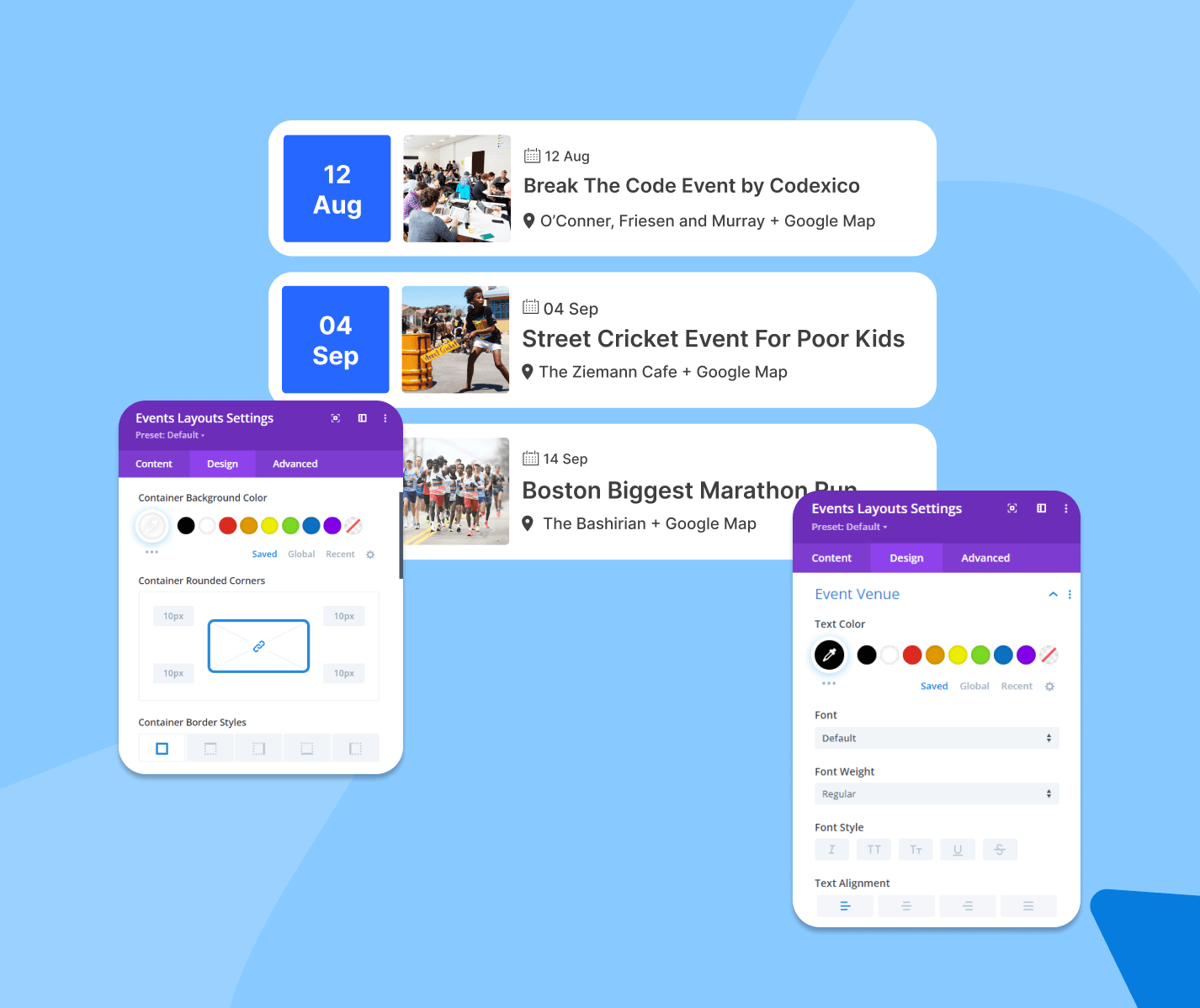
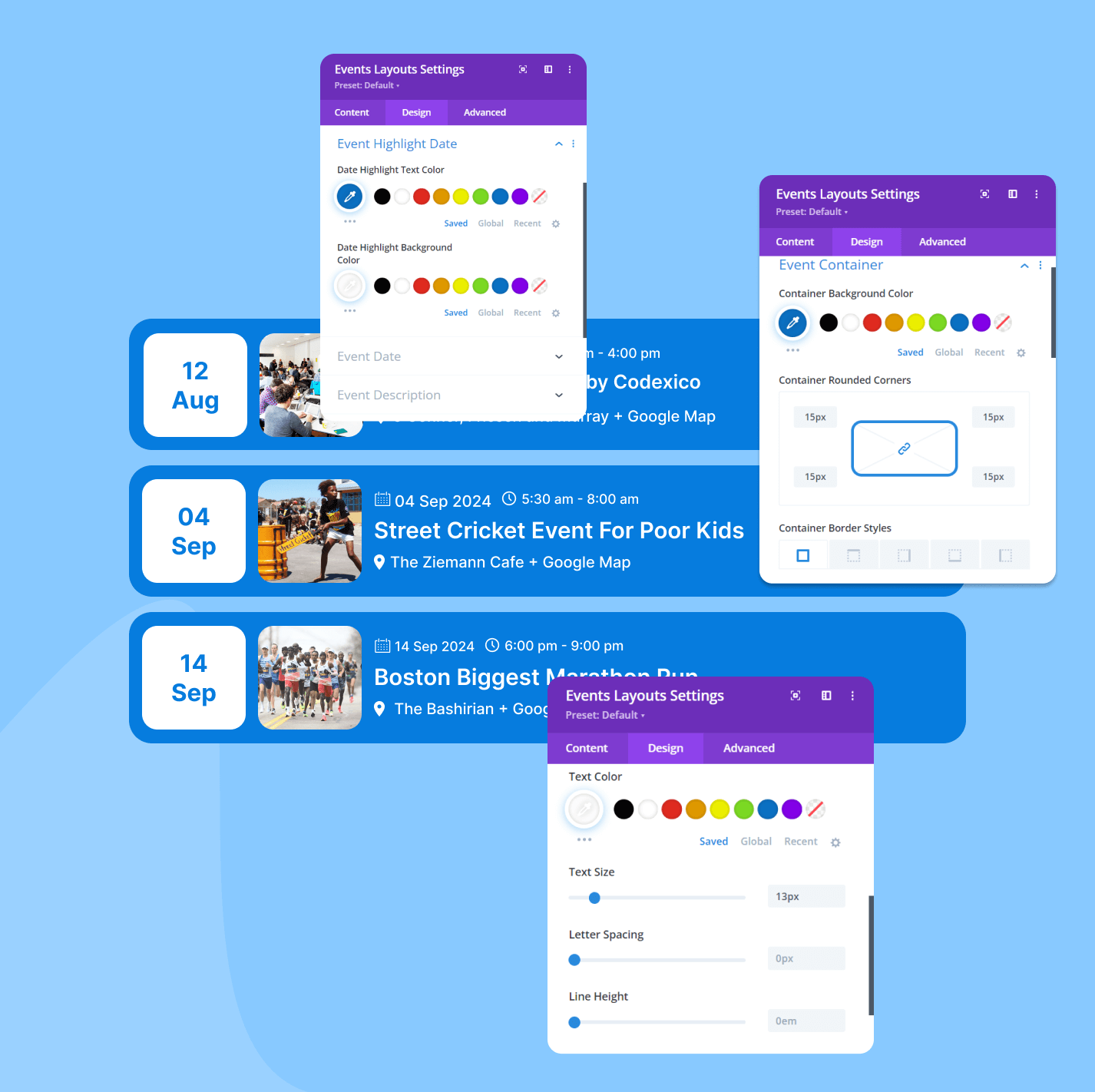
Customization Options: Adjust colors, fonts, and styles using Divi’s built-in design controls. You can also refine details like backgrounds, text colors, spacing, and typography.
-
Mobile-Friendly Design: All layouts are fully responsive. Events will automatically adjust to different screen sizes.
-
Easy to Use: With a simple interface and ready-made layouts, you can display and style events without needing coding or web design expertise.
Pro features
-
Multiple Layouts – Choose from versatile layout options, including list and grid views, to showcase events in the best format for your site. (Note: The free version includes only a single list layout).
-
Multiple Styles for Each Layout – Customize each layout with a variety of styles, offering two distinct design options per layout.
-
Customizable Design Options – Adjust colors, fonts, and other design elements, ensuring your event modules match your site’s branding perfectly.
-
Advanced Event Query Settings – Filter events based on criteria like featured status and date ranges, allowing you to change your event feed to specific needs.
-
Load More Functionality – Let users load additional events dynamically, enhancing engagement without needing page reloads.
-
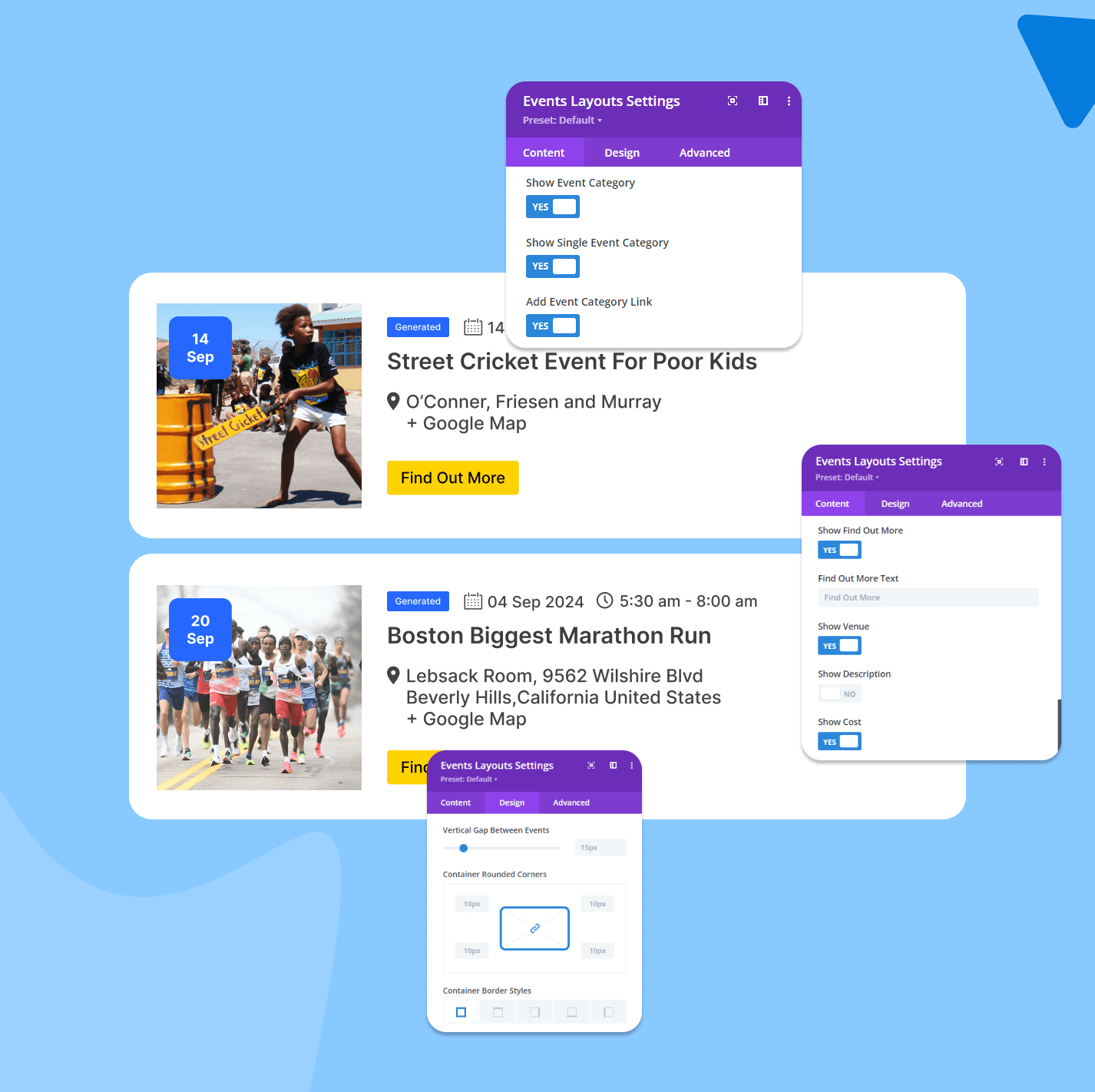
Customizable Event Details – Decide which details to display, with options to show or hide the event title, description, venue, cost, and more.
Explore Our Other The Event Calendar Addons
In addition to the Events Calendar Modules for Divi plugin, there are more addons available to extend the features of The Events Calendar plugin:
-
Events Single Page Builder Pro – Design stunning single event pages with Elementor using pre-built templates and 20+ customizable widgets.
-
Events Shortcodes Pro – Events Shortcodes Pro For The Events Calendar adds the missing shortcode functionality to The Events Calendar plugin. With this plugin, you can easily display your events on any page or post in a list, grid, carousel, slider, masonry, accordion, or even a timeline format.
-
Events Widgets Pro – Show events list, grid, carousel, and more in Elementor pages using The Events Calendar Elementor Widgets.
This plugin is not developed by or affiliated with The Events Calendar or Modern Tribe in any way. It is a third party addon.
⚠️Important Notice
Migration from Divi 4 to Divi 5 will only be supported till Divi 5 Public Alpha 14. If you are planning to upgrade your site or plugins, please make sure to complete the migration process before Alpha 14. After this point, direct migration from Divi 4 will no longer be available, and this may lead to compatibility issues.
Installation
1. Install The Dependencies
- Before getting started, ensure you have the Divi Theme by Elegant Themes installed and activated. This is essential, as our product is fully integrated with Divi.
2. Upload the Plugin:
- Log in to your WordPress admin dashboard.
- From the left-hand menu, go to Plugins > Add New.
- Search “Events Calendar Modules for Divi by coolplugins”
- Select Events Calendar Modules for Divi created by Cool Plugins
- After selecting the file, click Install Now.
3. Activate the Plugin:
- Once the installation is complete, click the Activate Plugin button.
- Alternatively, you can navigate to Plugins > Installed Plugins, find the Events Calendar Modules for Divi plugin, and click Activate.
Set Up and Customize Your Events Layout
1. Access the Divi Builder:
- Go to the page or post where you’d like to add an Events Layout.
- Click on the Edit with Divi Builder button to launch the Divi Builder.
2. Add the Events Layouts Module:
- In the Divi Builder, click the + icon to add a new module.
- From the list of modules, select the Events Layouts module.
3. Customize the Events Layouts:
-
Once the Events Layouts module is added to your page, you can personalize it to suit your needs.
-
Use the live preview in Divi Builder to see your changes in real-time.
4. Save and Publish:
- After customizing your Events Layout, click Save in the Divi Builder.
- Finally, click Publish or Update to make your Events Layout live on your website.
Screenshots
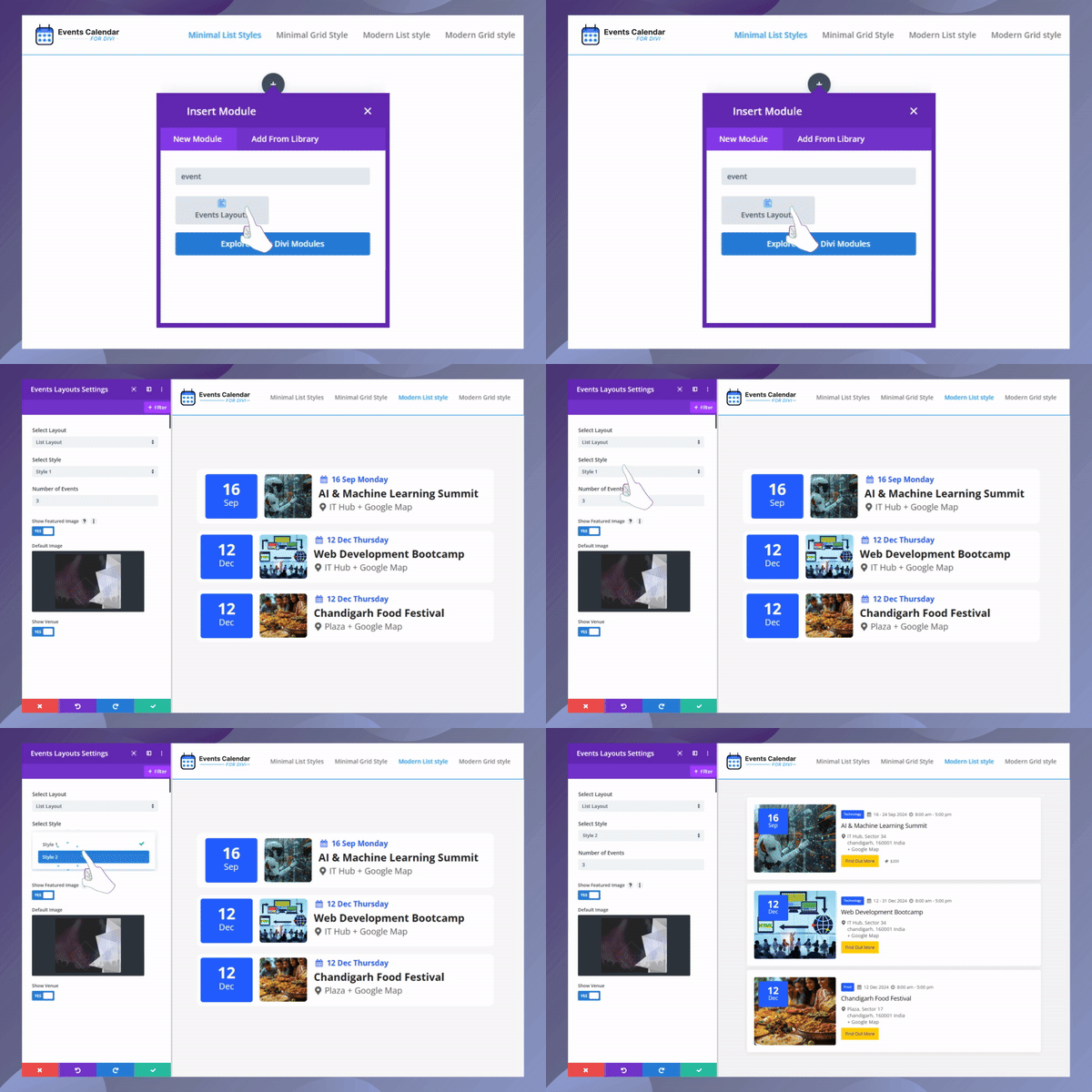
Events Calendar Modules for Divi Preview
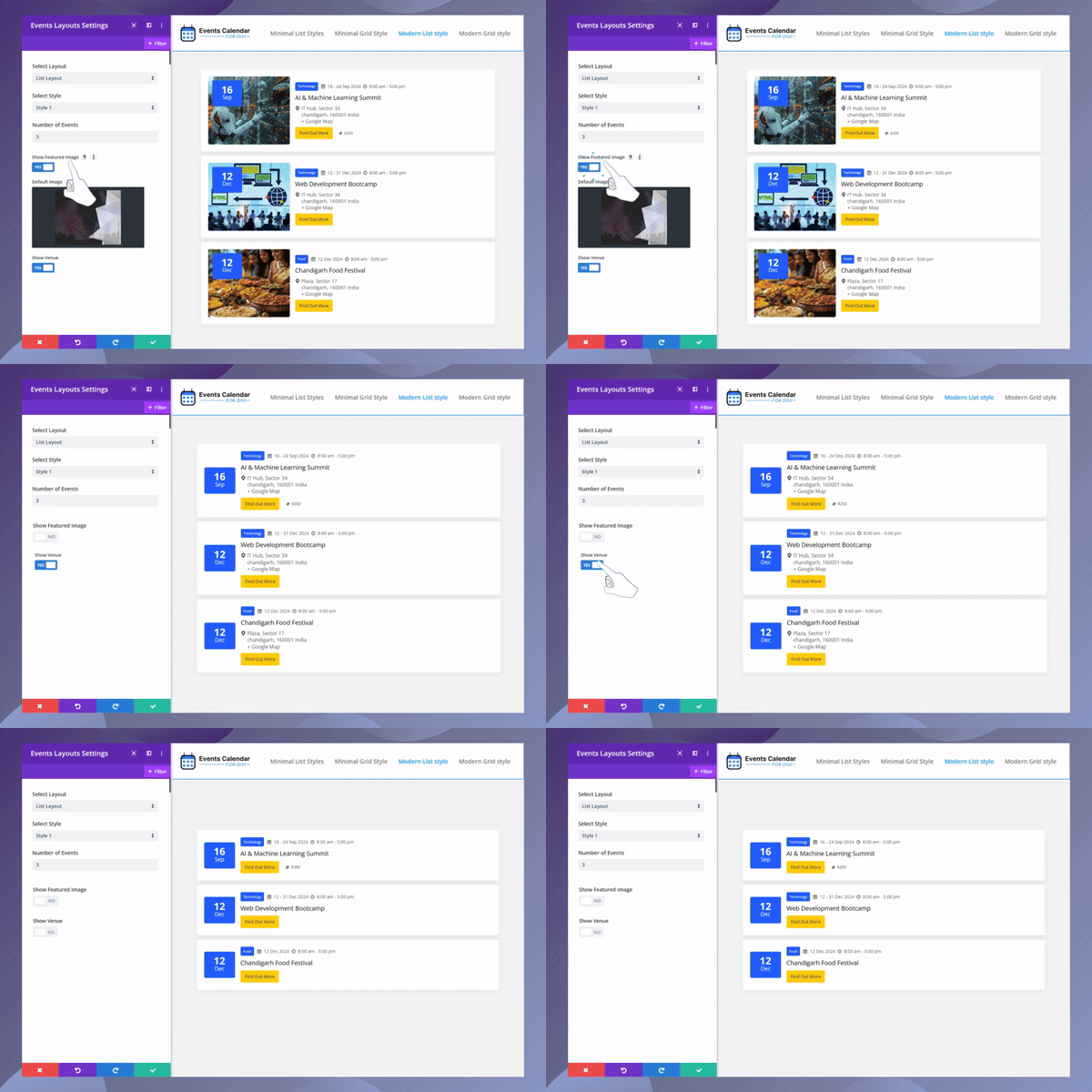
Example of a list view design.
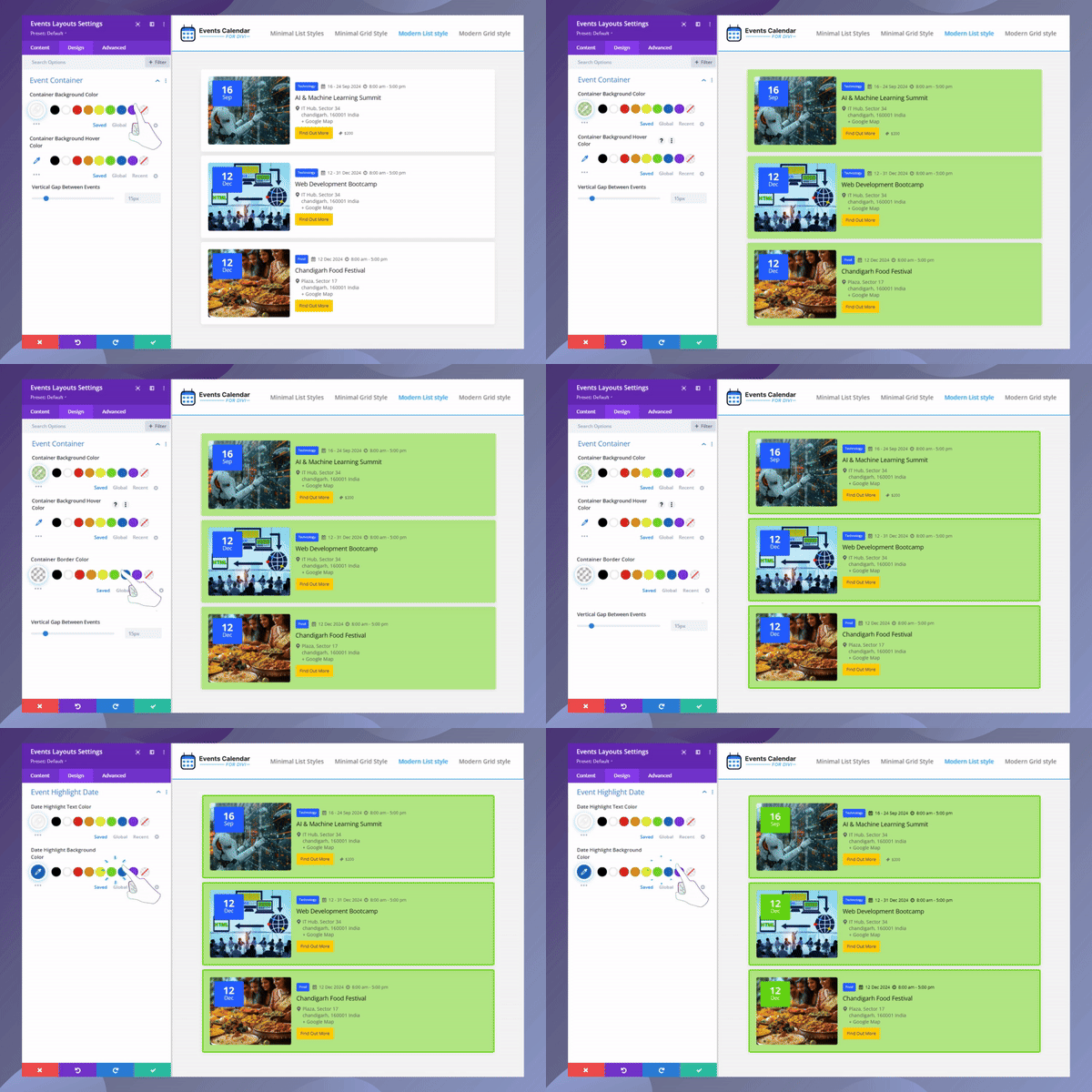
Example of an alternate list design.
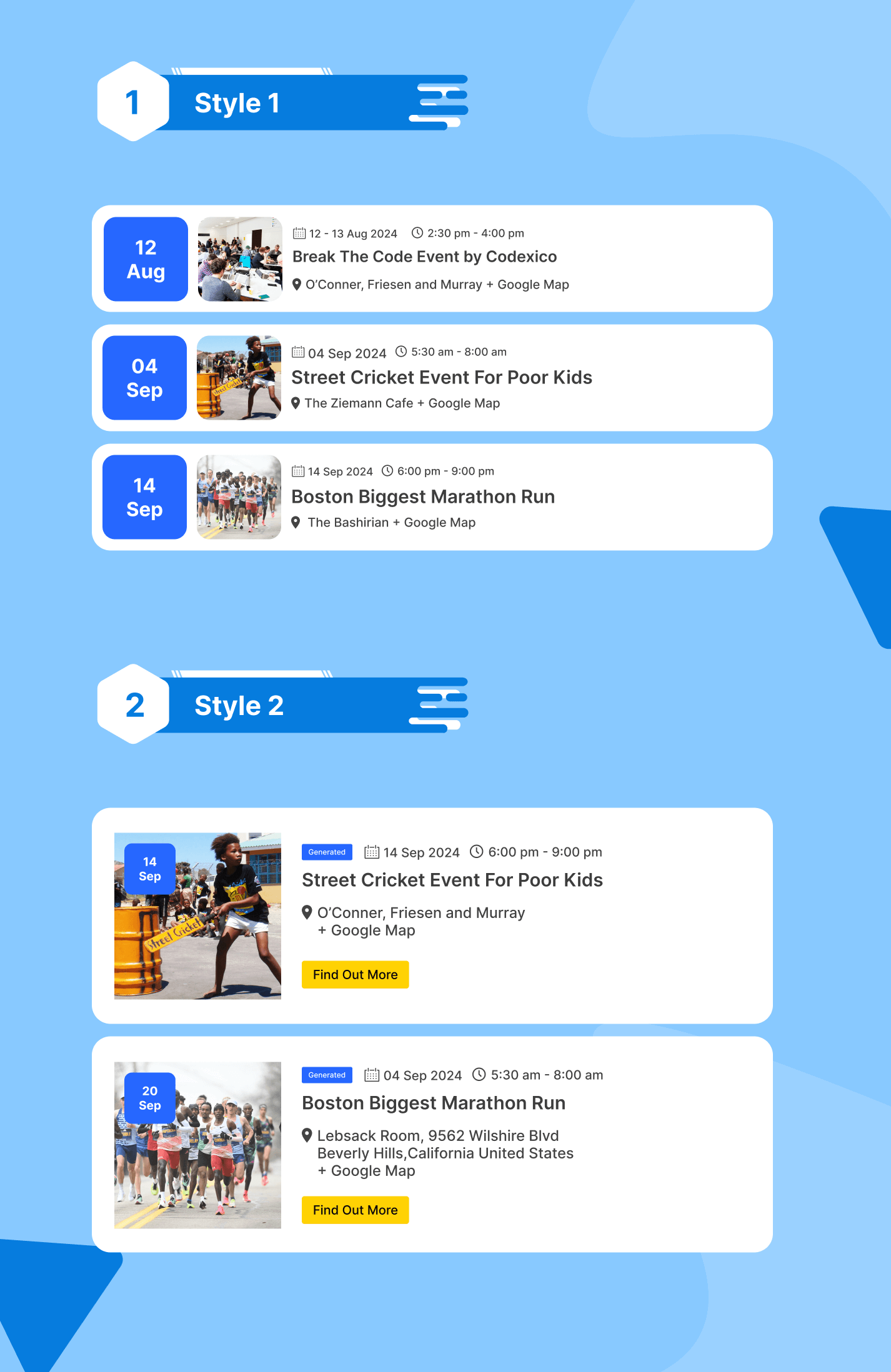
Faq
Once the plugin is activated, go to Divi Builder, and you’ll see a new “Events Layouts” module. Simply add it to your page and customize it to your preference.
Absolutely! You can modify the colors, fonts, and styles directly in Divi Builder’s module settings to fit your design requirements.
Yes, all event layouts created with this plugin are fully responsive, ensuring a seamless display across all devices.
Yes, The Events Calendar plugin must be installed and active for the Events Calendar Modules to function properly.
Yes, the plugin allows you to choose from multiple layouts, such as list, grid, or slider, to showcase your events in Divi.
Yes, you can customize the layouts by adjusting various design settings, including colors, fonts, and layout structure within the Divi Builder.
No, this plugin is optimized for performance and won’t slow down your site. It’s designed to work efficiently within Divi.
Yes, the plugin allows you to filter and display past or upcoming events based on your preference through the module’s query settings.
Currently, the plugin is designed to work specifically with The Events Calendar plugin and may not support custom post types for events.
Yes, you can add multiple event modules on the same page, each with different designs and event queries.
You can report security bugs through the Patchstack Vulnerability Disclosure Program. The Patchstack team help validate, triage and handle any security vulnerabilities. Report a security vulnerability.
Reviews
Mantapp Jiwa Berguna Gess
By 
I Like It!!!
Love This
By 
Lovely little plugin I have to say. Well done! Hasnt been an update in a while which worries me.
This works as a good bridge
By 
Does what it says. Allows Events Calendar to be used within Divi Modules. Wonderful. Works -no hassles on my end since using it. Don't know that the Pro version is worth it.
Easy to work with
By 
Events calendar module is easy to understand and work with. Easily customizable with Divi, and works like a charm.
Incredible Plugin for Seamless Event Management with Divi!
By 
The Events Calendar Modules for Divi plugin has been a game changer for me. It's incredibly user-friendly, integrates perfectly with Divi, and offers a wide range of customization options that allow you to display events beautifully. The drag-and-drop functionality makes it super easy to use, and I was able to set everything up without any coding experience. The design options are fantastic, allowing me to match the look and feel of my website effortlessly. Overall, this plugin has exceeded my expectations, and I highly recommend it to anyone looking for a reliable event management solution. Five stars!
Flexible And Visually Customizable
By 
The Events Calendar Modules for Divi plugin allows seamless integration of The Events Calendar with the Divi Builder. It provides customizable modules for displaying event lists, grids, and calendars directly in Divi, with easy-to-use design options. It's great for users wanting visually appealing event layouts without coding, though it may need adjustments for compatibility with updates. Ideal for Divi users looking for flexibility in presenting events.
Seamless Event Management with Divi's Events Calendar Modules
By 
The Events Calendar Modules for Divi are a fantastic addition to any site. They offer easy customization, seamless integration, and a variety of layout options to showcase events beautifully. The responsive design and user-friendly interface make managing events a breeze. Highly recommended for Divi users!
Changelog
Version 1.1.3 | 18 Nov 2025
- Improved: Rating div styling.
- Tested upto: The Events Calendar version 6.15.11
Version 1.1.2 | 29 Aug 2025
- Fixed: Addressed security vulnerabilities.
- Fixed: Minor Issues.
Version 1.1.1 | 04 Apr 2025
- Added: Compatibility with Divi 5.
- Added: Full and Short Description Options.
- Fixed: Minor Issues.
- Improved: Overall Code.
Version 1.0.5 | 14 Nov 2024
- Added: Feedback Form.
Version 1.0.4 | 13 Nov 2024
- Improved: Minor Textual Changes.
- Improved: Overall code.
Version 1.0.3 | 09 Oct 2024
- Added: Add style settings for event cost.
- Fixed: Fix minor issues.
Version 1.0.2 | 11/09/2024
- Added: Admin notice and user feedback form.
- Tweak: Minor Textual changes
Version 1.0.1 | 05/09/2024
- Removed: Loading icon CSS from wp_head, now enqueued with wp_enqueue_script.
- Improved: Enhanced security by blocking direct access to PHP files.
- Updated: Prefixed all functions, classes, and other elements to avoid potential conflicts.
- Added: Plugin tag to ensure The Events Calendar plugin is installed and active.
Version 1.0.0 | 02/09/2024
- Initial release with event list style options.
- Full customization options for colors, fonts, and styles.
- Responsive design for seamless viewing across devices.