Eway Payment Gateway

Eway Payment Gateway
Description
The Eway Payment Gateway adds integrations for the Eway credit card payment gateway through Rapid API Direct Payments. These plugins are supported:
- WP eCommerce shopping cart plugin
- WooCommerce shopping cart plugin
- WordPress Classifieds Plugin classified ads plugin
- Event Espresso 4
- Events Manager Pro event bookings plugin
Looking for a Gravity Forms integration? Try Gravity Forms Eway.
Features
- card holder’s name can be different to the purchaser’s name
- basic data validation performed before submitting to Eway
- Eway transaction ID and bank authcode are recorded for successful payments
- supports Authorize (PreAuth) for drop-ship merchants / delayed billing
- supports Beagle anti-fraud measures (for supporting plugins)
- it’s free!
Requirements
- you need to install one of the ecommerce plugins listed above
- you need an SSL/TLS certificate for your hosting account
- you need an account with Eway Australia
- this plugin uses Eway’s Rapid API Direct Payments, and does not support Eway’s Responsive Shared Page
Translations
Many thanks to the generous efforts of our translators:
- English (en_GB) — the English (British) translation team
If you’d like to help out by translating this plugin, please sign up for an account and dig in.
Sponsorships
- Another WordPress Classifieds Plugin integration generously sponsored by Michael Major Media
- Events Manager Pro integration generously sponsored by Michael Major Media
- Event Espresso 4 integration generously sponsored by Rural Aid
Thanks for sponsoring new features for Eway Payment Gateway!
Privacy
Information gathered for processing a credit card transaction is transmitted to Eway for processing, and in turn, Eway passes that information on to your bank. Please review Eway’s Privacy Policy for information about how that affects your website’s privacy policy. By using this plugin, you are agreeing to the terms of use for Eway.
Screenshots
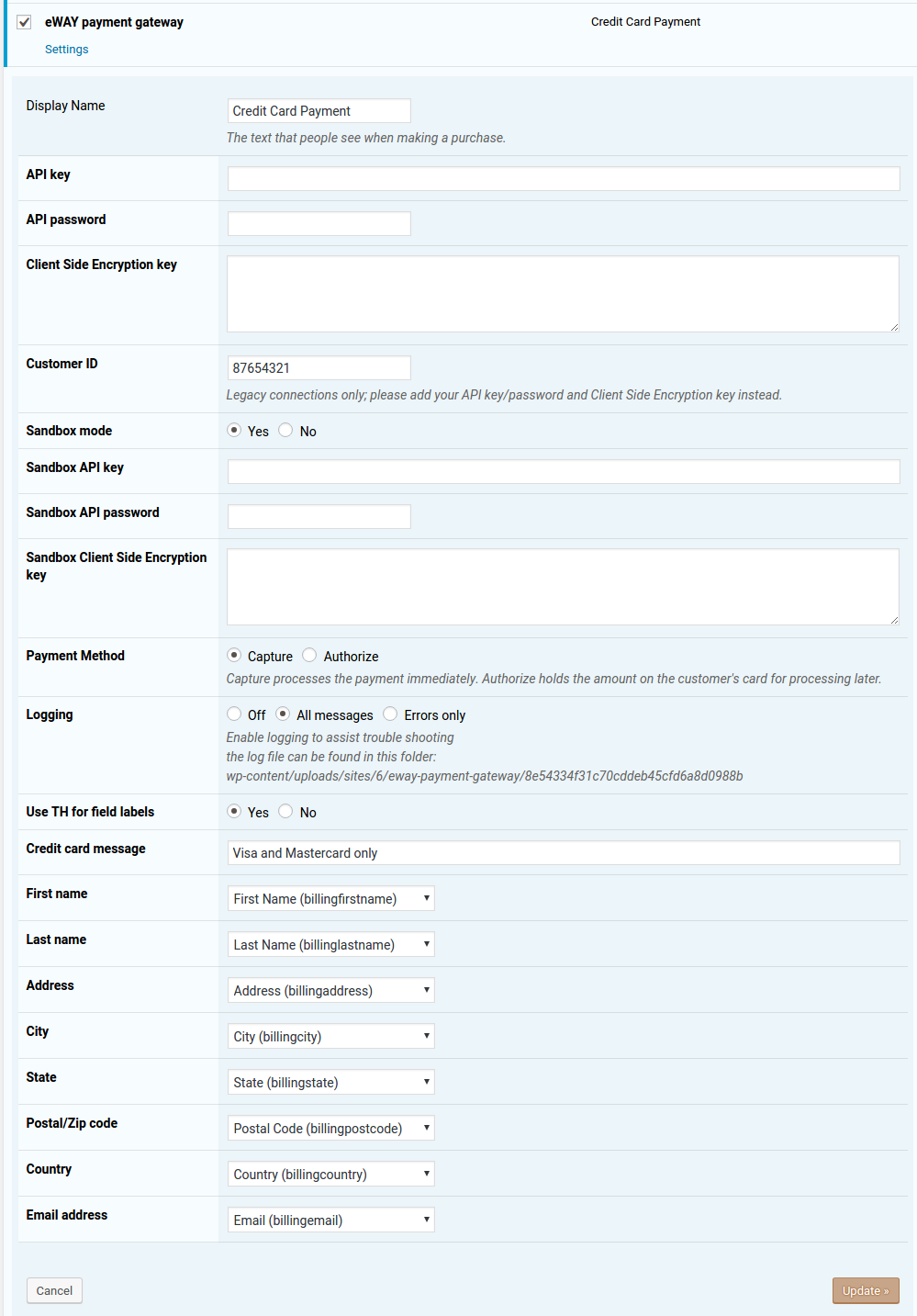
WP eCommerce payments settings
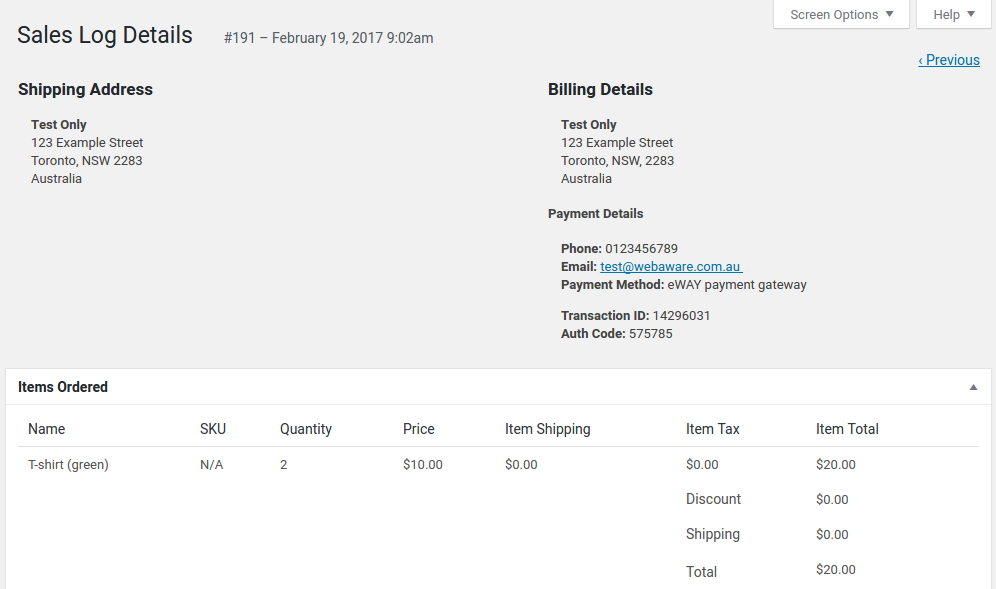
WP eCommerce Sales Log with transaction ID and authcode
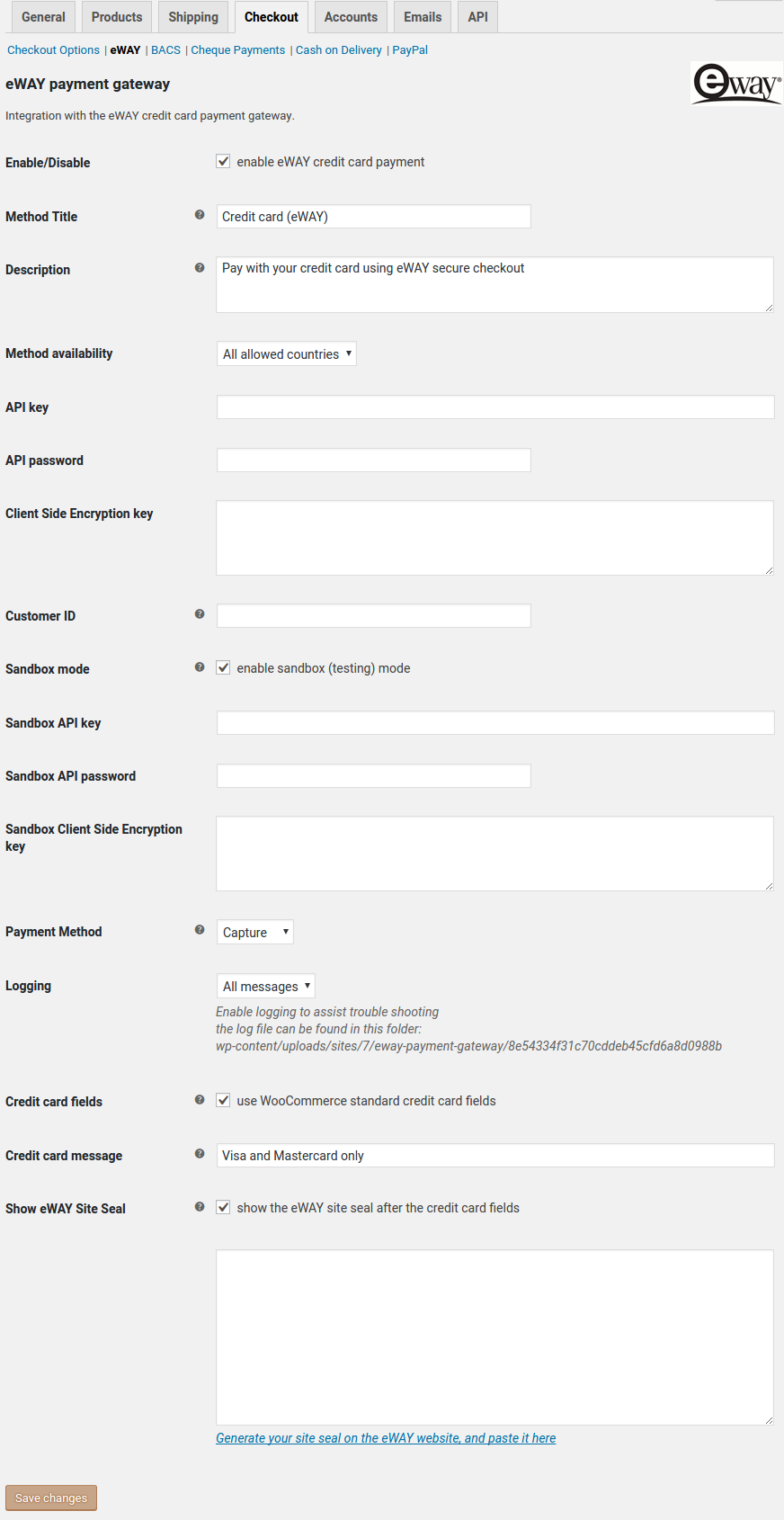
WooCommerce payments settings
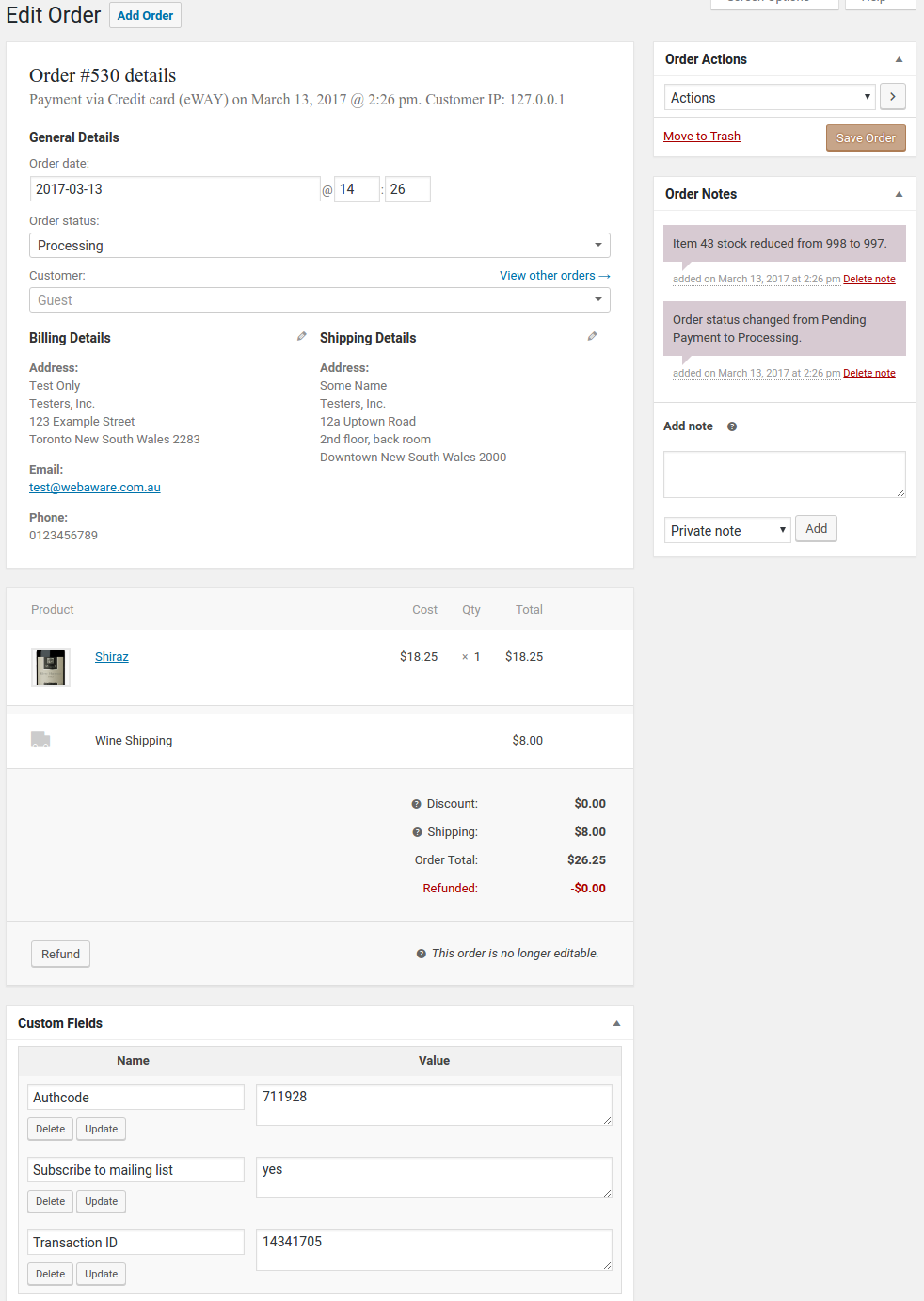
WooCommerce order details with transaction ID and authcode
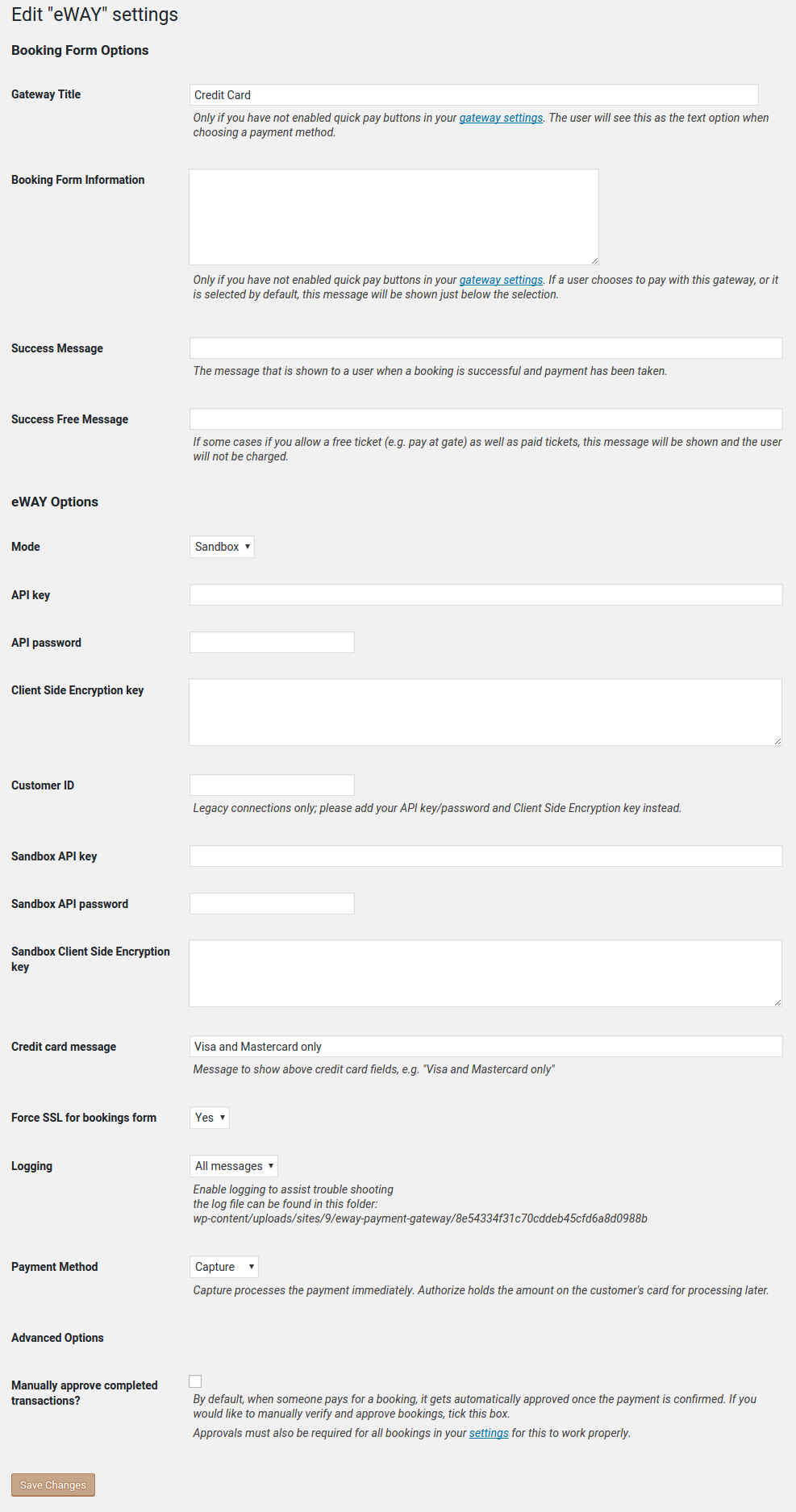
Events Manager payments settings
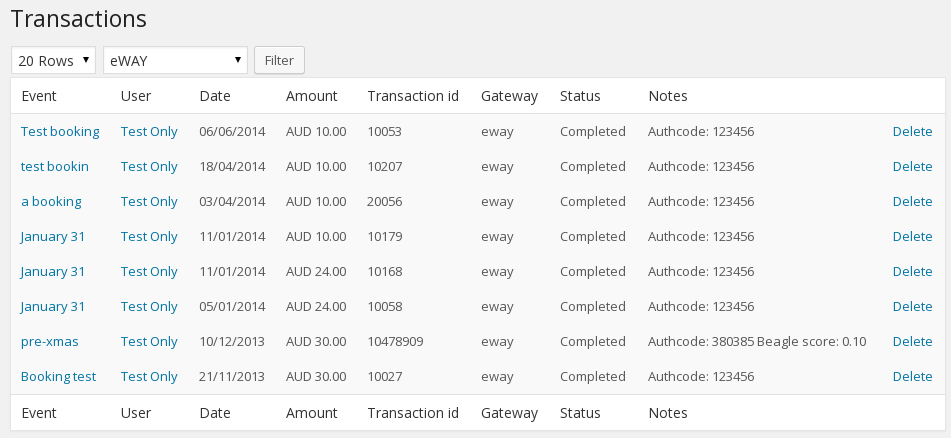
Events Manager transactions with transaction ID and authcode
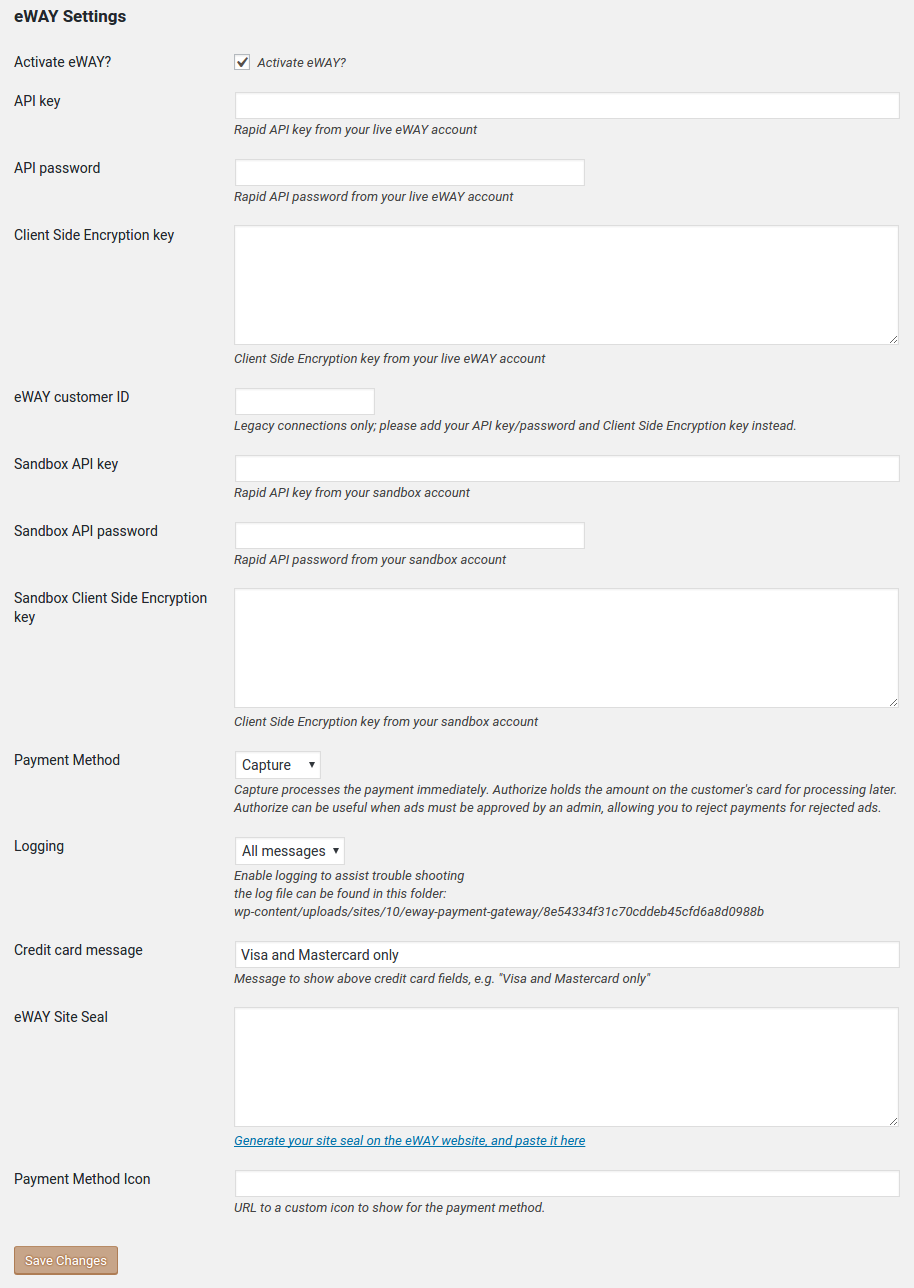
Another WordPress Classifieds Plugin payments settings
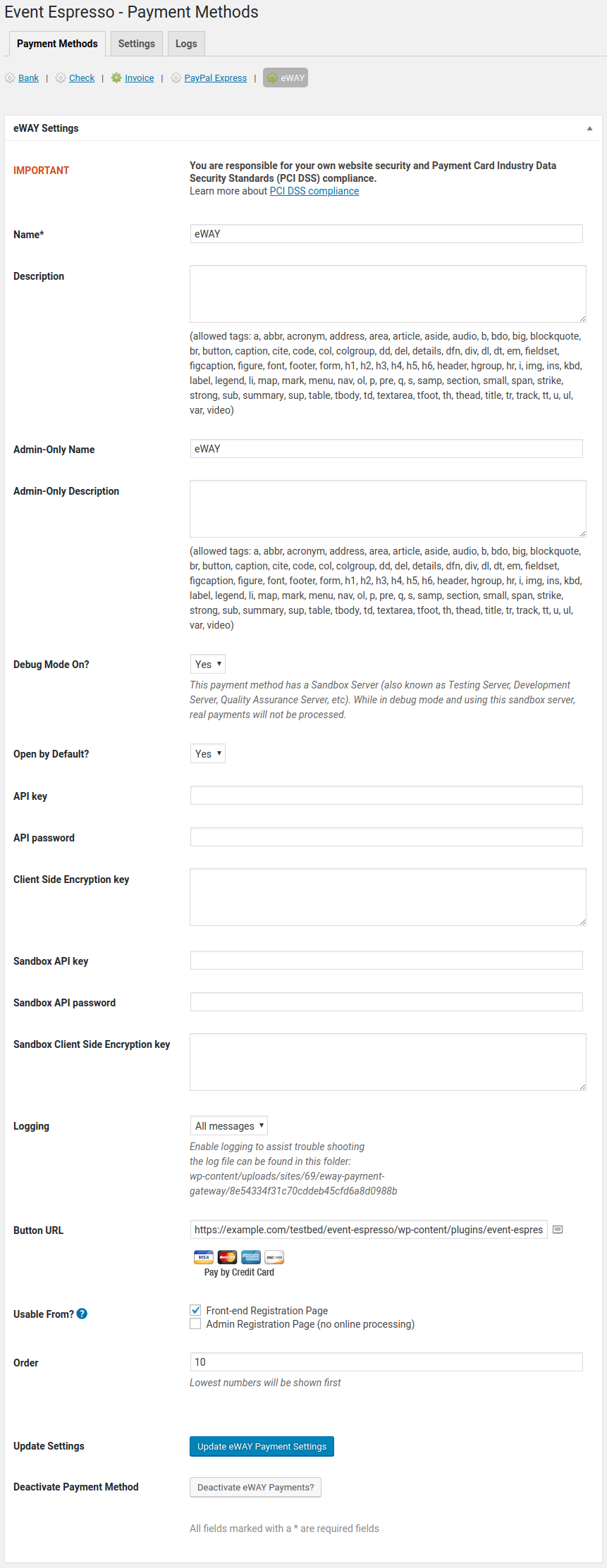
Event Espresso 4 payments settings
Faq
- Navigate to ‘Settings > Store > Payments’ on the menu
- Activate the Eway payment gateway and click the Update button
- Edit the Eway payment gateway settings by hovering your mouse over the gateway’s name and clicking the hidden ‘edit’ link
- Enter your Rapid API key/password and Client Side Encryption keys for your live site and the sandbox
- Select the appropriate settings for your site, including which checkout fields map to Eway fields
- Navigate to ‘WooCommerce > Settings > Payment Gateways’ on the menu
- Select Eway from the Payment Gateways menu
- Tick the field ‘Enable/Disable’ to enable the gateway
- Enter your Rapid API key/password and Client Side Encryption keys for your live site and the sandbox
- Select the appropriate settings for your site
- Navigate to ‘Classified > Settings > Payment’ on the menu
- Click the Activate Eway checkbox
- Enter your Rapid API key/password and Client Side Encryption keys for your live site and the sandbox
- Select the appropriate settings for your site
- Navigate to ‘Event Espresso > Payment Methods’ on the menu
- Select Eway from the Payment Methods menu
- Click the Activate Eway Payments button
- Enter your Rapid API key/password and Client Side Encryption keys for your live site and the sandbox
- Select the appropriate settings for your site
- Navigate to ‘Events > Payment Gateways’ on the menu
- Click the Activate link underneath the Eway gateway name
- Click the Settings link underneath the Eway gateway name
- Enter your Rapid API key/password and Client Side Encryption keys for your live site and the sandbox
- Select the appropriate settings for your site
You should always test your payments first in the Eway sandbox. You will need to sign up for a sandbox account, and copy your Rapid API key/password and Client Side Encryption key from the sandbox MyEway. When you go to pay, only use dummy card numbers like 4444333322221111. This allows you to make as many test purchases as you like, without billing a real credit card.
Eway is a leading provider of online payments solutions with a presence in Australia, New Zealand, and Asia. This plugin integrates with Eway so that your website can safely accept credit card payments.
Not yet. I know it can be done but I haven’t had a website that needs it yet, so have not written the code for it.
If you just need a simple way to record recurring payments such as donations, you might want to try Gravity Forms and Gravity Forms Eway which does support recurring payments.
Yes. This plugin uses the Direction Connection method to process transactions, so you must have HTTPS encryption for your website.
Capture charges the customer’s credit card immediately. This is the default payment method, and is the method most websites will use for credit card payments.
Authorize checks to see that the transaction would be approved, but does not process it. Eway calls this method PreAuth. Once the transaction has been authorized, you can complete it manually in your MyEway console. You cannot complete PreAuth transactions from WordPress.
NB: PreAuth is currently only available for Australian, Singapore, Malaysian, & Hong Kong merchants. Do not select Authorize if you are a New Zealand merchant!
Client-Side Encryption is required for websites that are not PCI certified. It encrypts sensitive credit card details in the browser, so that only Eway can see them. All websites are encouraged to set the Client-Side Encryption Key for improved security of credit card details.
If you get the following error, you must add your Client-Side Encryption key:
V6111: Unauthorized API Access, Account Not PCI Certified
You will find your Client-Side Encryption key in MyEway where you created your API key and password. Copy it from MyEway and paste into the Eway Payments settings page.
V6010: Invalid TransactionType, account not certified for eCome only MOTO or Recurring available
It probably means you need to set your Client-Side Encryption key; see above. It can also indicate that your website has JavaScript errors, which can prevent Client-Side Encryption from working. Check for errors in your browser’s developer console.
If your website is PCI Certified and you don’t want to use Client-Side Encryption for some reason, then you will still get this error in the sandbox until you enable PCI for Direct Connections in MyEway:
Settings > Sandbox > Direction Connection > PCI
Beagle Lite is a service from Eway that provides fraud protection for your transactions. It uses information about the purchaser to suggest whether there is a risk of fraud. Configure Beagle Lite rules in your MyEway console.
NB: Beagle Lite fraud detection requires an address for each transaction. Be sure to add an Address field to your forms, and make it a required field. The minimum address part required is the Country, so you can just enable that subfield if you don’t need a full address.
- WP eCommerce: the Eway transaction number and the bank authcode are shown under Billing Details when you view the sales log for a purchase in the WordPress admin.
- WooCommerce: the Eway transaction number and the bank authcode are shown in the Custom Fields block when you view the order in the WordPress admin.
- Event Espresso: the Eway transaction number and the bank authcode are shown in the Payment Details block when you view the transaction in the WordPress admin.
- Events Manager: from the Payment Gateways menu item or the Bookings menu item, you can view a list of transactions; the Eway transaction ID is shown in the Transaction ID column, and the authcode in the Notes column.
- Another WordPress Classifieds Plugin: not available yet
Yes, if you deactivate the Gold Cart’s Eway payment gateway and activate this one.
This is a common problem in local testing environments. Please read this post for more information.
The plugin will run in shared hosting environments, but requires PHP 7.4 or later.
Developers can refer to the code for filter hook parameters.
wpsc_merchant_eway_invoice_descfor modifying the invoice descriptionwpsc_merchant_eway_invoice_reffor modifying the invoice referencewpsc_eway_credentialsfor modifying the Eway credentials used in the transaction
Developers can refer to the code for filter hook parameters.
woocommerce_eway_invoice_descfor modifying the invoice descriptionwoocommerce_eway_invoice_reffor modifying the invoice referencewoocommerce_eway_iconfor changing the payment gateway iconwoocommerce_eway_credentialsfor modifying the Eway credentials used in the transactionwoocommerce_eway_method_captureto allow per-order capture or authorizewoocommerce_eway_error_msgto allow developers to provide richer error messages
Developers can refer to the code for filter hook parameters.
awpcp_eway_invoice_descfor modifying the invoice descriptionawpcp_eway_invoice_reffor modifying the invoice referenceawpcp_eway_iconfor changing the payment gateway iconawpcp_eway_checkout_messagefor changing the message above the checkout formawpcp_eway_credentialsfor modifying the Eway credentials used in the transaction
Developers can refer to the code for filter hook parameters.
em_eway_invoice_descfor modifying the invoice descriptionem_eway_invoice_reffor modifying the invoice referenceem_eway_amountfor changing the billed amount (e.g. adding fees)em_eway_credentialsfor modifying the Eway credentials used in the transaction
Developers can refer to the code for filter hook parameters.
event_espresso_eway_invoice_descfor modifying the invoice descriptionevent_espresso_eway_invoice_reffor modifying the invoice reference
Reviews
It's better than the official plugin
By 
Works but not exactly as described - PREAUTH
By 
Superb integration with Event Espresso 4
By 
Place Holder Change
By 
Good Job
By 
Avoid them like they have Ebola
By 
Better than the official WooCommerce eWay plugin.
By 
0/5 Stars
By 
Great plugin and great support!
By 
I love this plugin! It's easy to install, simple to operate and works and the best part is that it's free! To top it off, support is efficient and friendly
Absolutely Perfect!
By 
Thank you. It does everything I need, very simple, very effective.
Thanks!
Changelog
The full changelog can be found on GitHub. Recent entries:
5.3.0
Released 2024-06-07
- changed: set the WooCommerce order transaction ID property; still also setting custom Transaction ID meta data, for now
- changed: marked as tested up to WooCommerce 8.9