Executive VIP Transfer Service

Executive VIP Transfer Service
Description
⚠️ WooCommerce is required.
This plugin relies on WooCommerce to process bookings and manage orders.
Executive VIP Transfer Service is a professional booking system for chauffeur, limousine, and VIP airport transfer businesses.
Customers can book rides with Google-powered address autocomplete and distance calculation, while you manage currency, pricing, and (in Pro) vehicles from the dashboard.
✨ Free Features
- Customizable transfer booking form
- Google Places address autocomplete
- Google Distance Matrix distance-based pricing
- Minimum price & max distance limits
- WooCommerce order integration
- Automatic Order Tracking page with secure links
- Modern, responsive UI
- Admin settings:
- Country restriction for autocomplete
- Currency & symbol (€, $, ₺, £, etc.)
- Per-km Pricing (global)
- Minimum Service Price
- Maximum Distance (km)
- Contact Number
Note: The interactive route map is part of the Pro experience. Free version focuses on fast booking with distance-based pricing and autocomplete.
💎 Pro Features
Upgrade to Pro Version to unlock business-critical features:
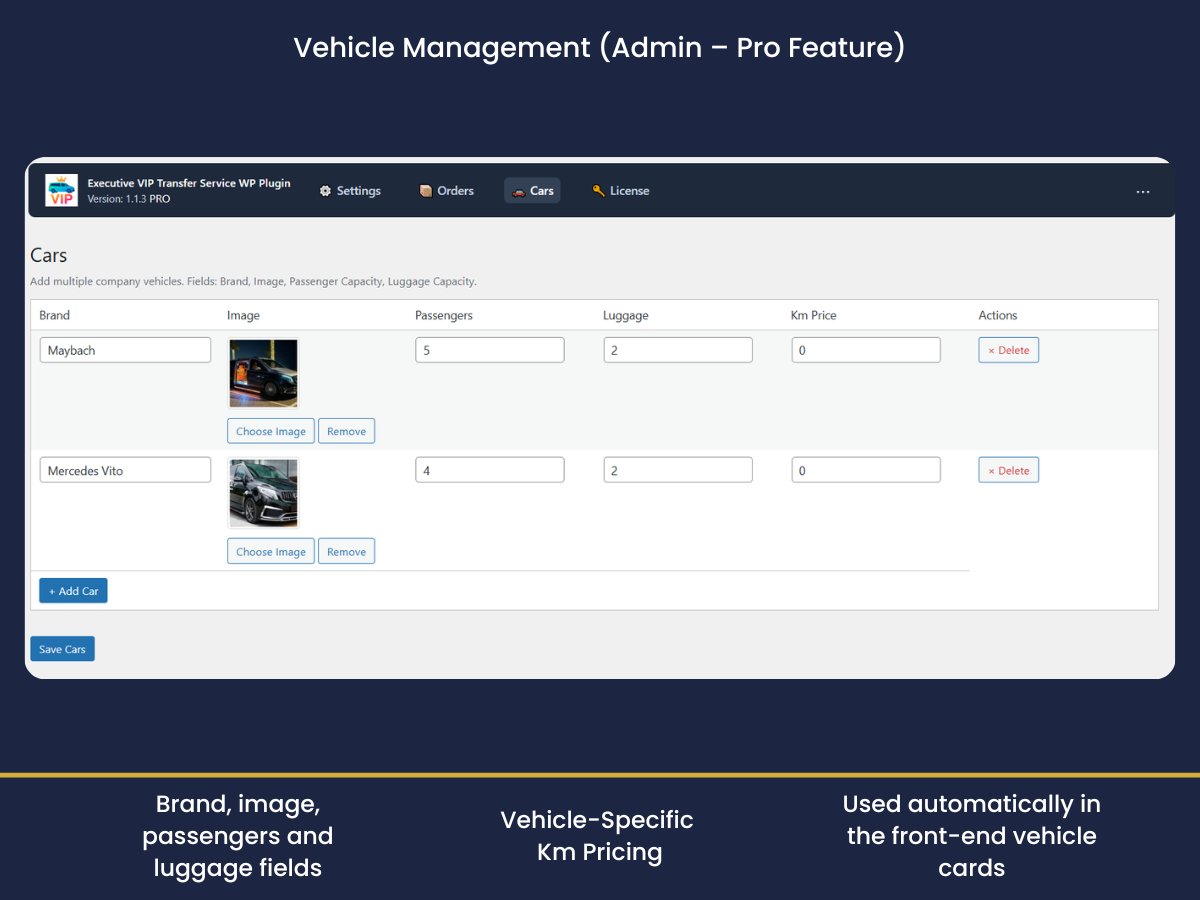
- 🚗 Vehicle management (brand, capacity, image)
- 💵 Vehicle-specific per-km pricing (car cards auto-update after distance is calculated)
- 🗺️ Live route map with Directions (drawn after route is estimated), geolocation start, and conflict-safe loader
- 🕒 Pickup date & time fields with 30-minute slots and min-time logic
- 🧾 Enhanced tracking/summary (distance, duration, vehicle brand)
- 🧭 Priority support
Works seamlessly with the free core — just activate your license key and Pro modules are enabled.
🧰 Requirements
- WordPress 5.6+
- PHP 7.2+
- WooCommerce active
- Google Cloud APIs enabled (and a valid API key):
- Maps JavaScript API
- Places API
- Distance Matrix API
💡 Tip: Restrict your API key by HTTP referrer and set daily limits for security.
Shortcodes
[execvitr_form]— Displays the transfer booking form.
The Order Tracking page is created automatically (execvitr-tracking).
Customers are redirected there with a secure, time-stamped link after placing an order.
(There is no separate tracking shortcode.)
How It Works
Upon activation, the plugin automatically creates:
– A Booking Form page with [execvitr_form]
– A Tracking page for order lookup
Customers can:
– Enter pickup & drop-off addresses (Google Autocomplete)
– View price estimates instantly (km-based)
– Choose vehicle (Pro) and schedule date/time (Pro)
– Complete payment via WooCommerce checkout
Admins can:
– Configure API key, pricing, currency, and country restrictions
– (Pro) Add/manage vehicles in Execvitr Cars with per-km rates
– View/manage all bookings in WooCommerce Orders
Privacy
This plugin uses the Google Maps JavaScript API and the Distance Matrix API solely to calculate distances and travel times.
No personal analytics or tracking is performed by the plugin.
Data collected during checkout follows your site’s WooCommerce privacy policy.
Installation
- Ensure WooCommerce is active.
- Upload and activate the plugin.
- Go to VIP Transfer Service Settings to configure Google API key, currency, and pricing.
- Use the created Booking Form page or insert
[execvitr_form]anywhere.
Screenshots
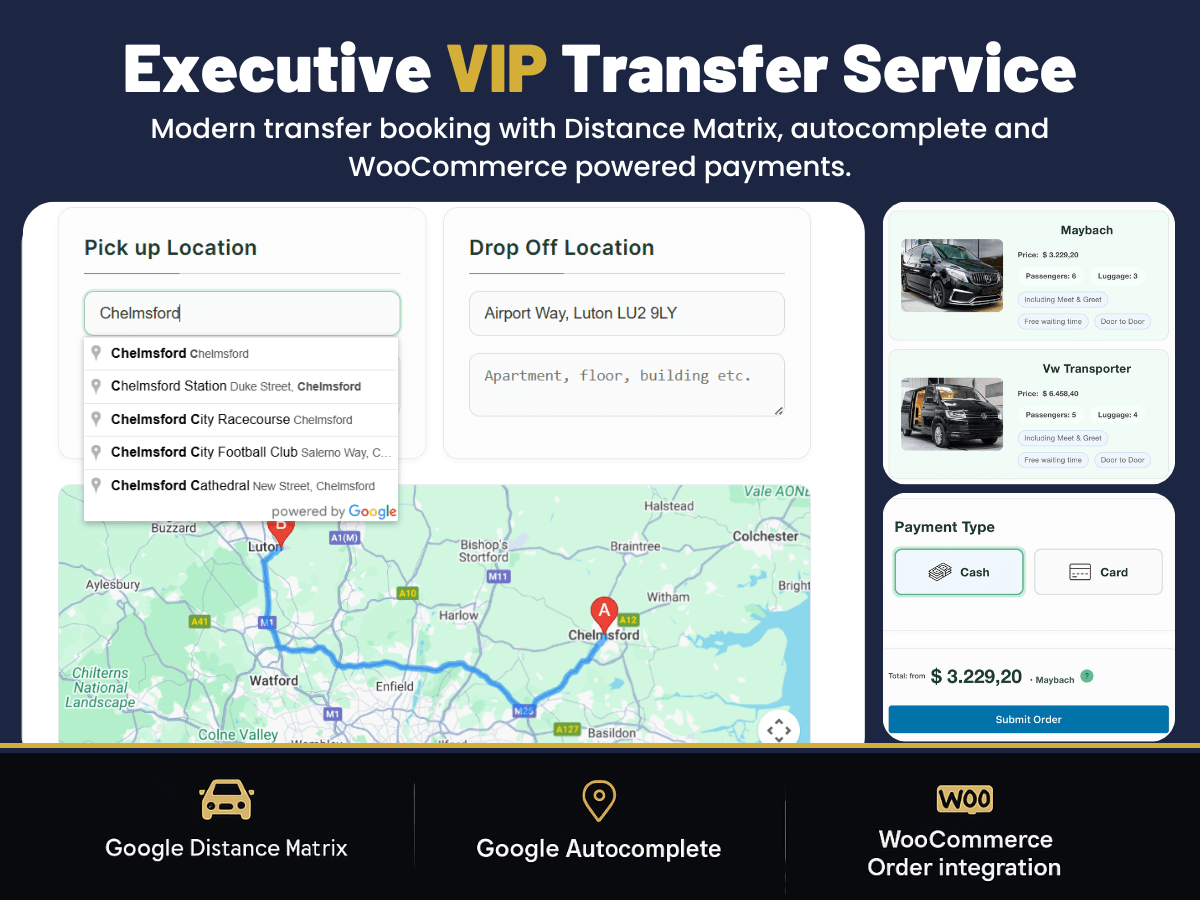
Booking form with Google integration
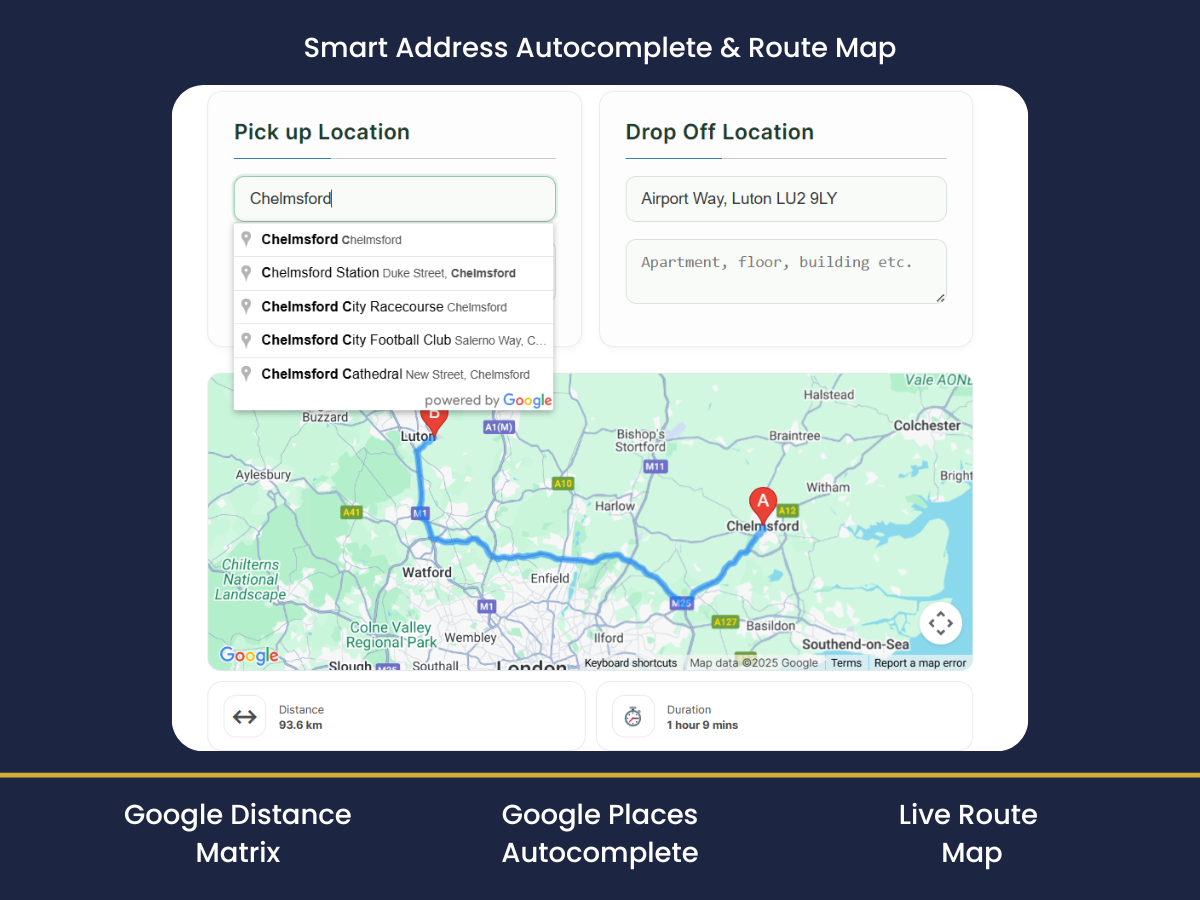
Address autocomplete and distance-based pricing
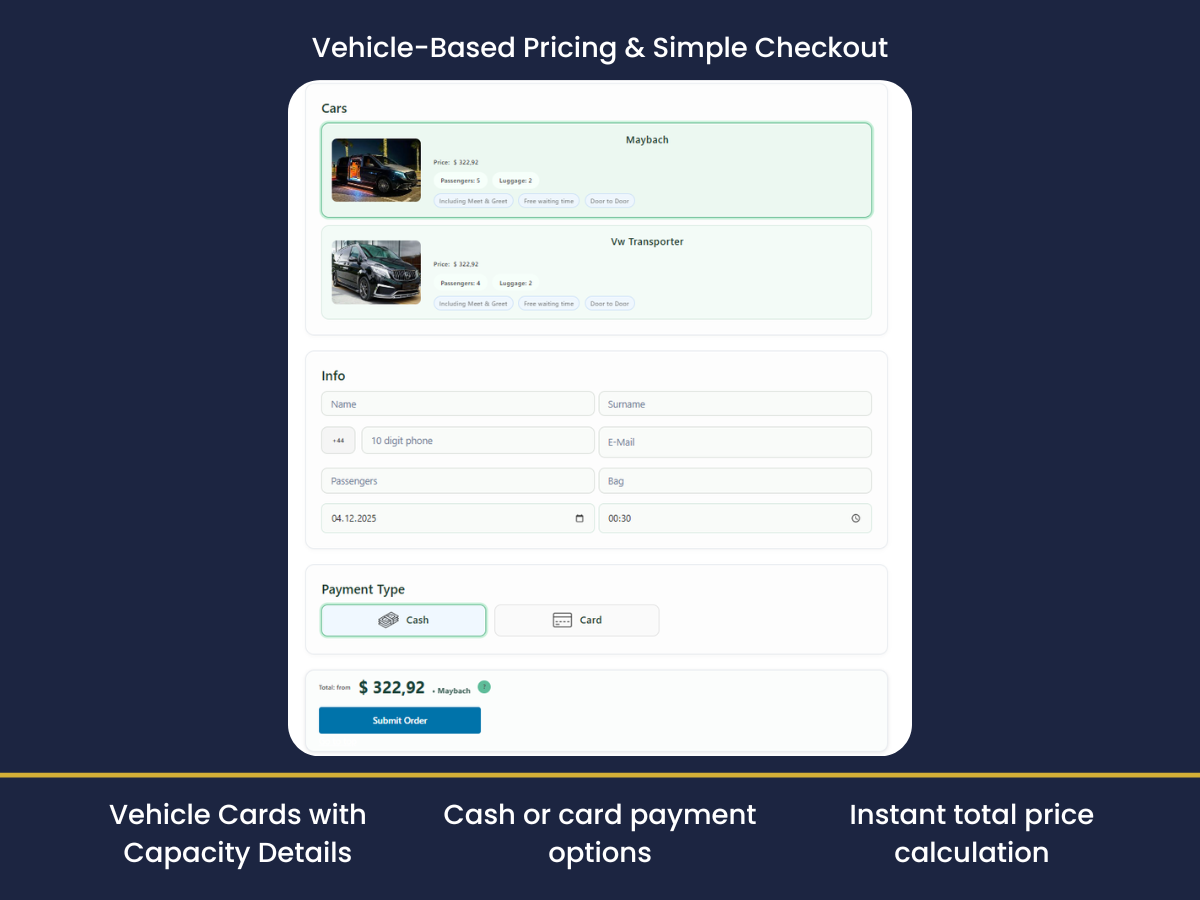
Checkout and payment page
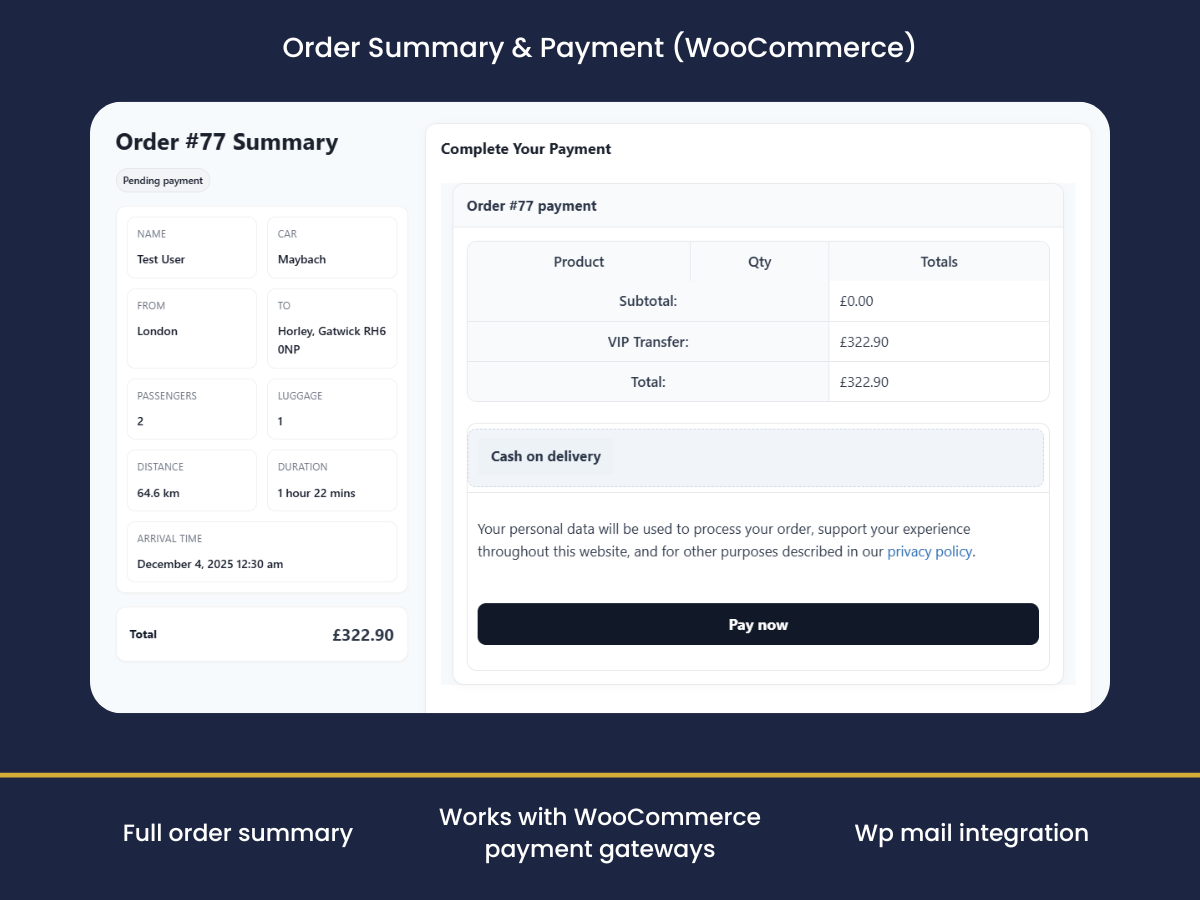
Order tracking
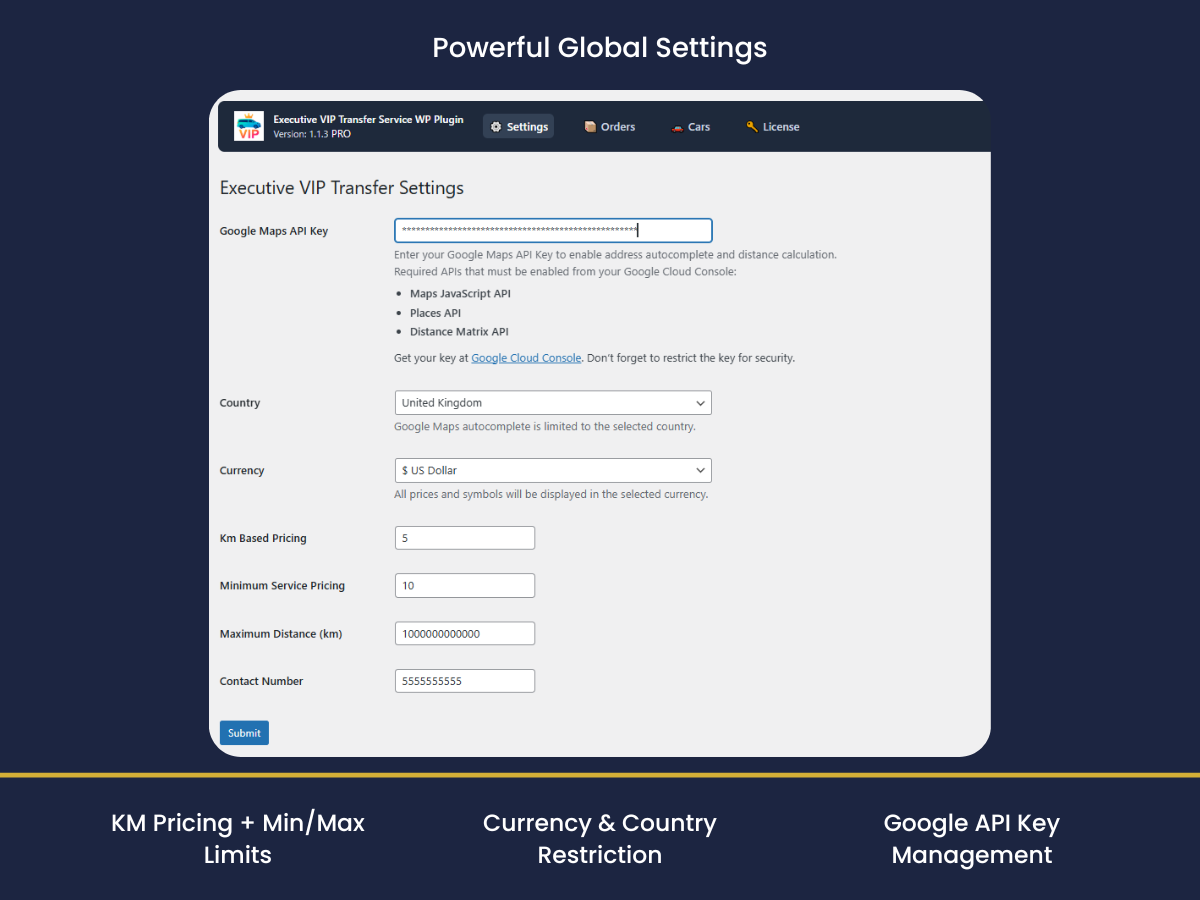
Admin settings panel

Vehicle management & vehicle-based pricing (Pro)
Faq
Your rate is based on your per-km pricing and minimum service fee, not on Google’s fare assumptions.
Ensure your Google API key is valid, the required APIs are enabled, and the key is restricted to your domain.
Execvitr includes a conflict-safe loader and single-init guards.
If a third-party script still injects duplicate Maps JS on the same page, you can optionally enable per-page dequeue from the settings or via a small compatibility snippet (see plugin docs).
Currently, a single currency is set globally in Settings Currency.
Reviews
Changelog
1.1.9
- Updated: Bugfix
1.1.8
- NEW: Booking Summary Order-Pay flow (skip WooCommerce checkout/billing address)
- IMPROVE: Order-Pay page shows payment methods only for ExecVITR orders
1.1.7
- Added: Minimum advance booking time setting (hours) to restrict earliest pickup time.
- Updated: Passenger and luggage fields are now required on the booking form.
- Updated: Cars table “Km Price” column header now reflects the selected distance unit (km/mi).
- Added: Car short description field (shown on the vehicle card in the booking form).
1.1.6
- Updated: Improved checkout stability, ticket generation, and email handling.
Added full WooCommerce Checkout support, automatic booking product creation, reservation summary, ticket PDF delivery,
KM/Mile distance option, vehicle capacity limits, and theme-independent booking form UI. Fixed multiple checkout, map, email, and ticket-related issues.
1.1.5
- Updated: Update Google Maps API settings and distance calculation
1.1.4
- Updated: Add font family
1.1.3
- New: Free/Pro pricing modes — Free uses global per-km; Pro adds vehicle-specific per-km.
- New (Pro): Car cards auto-pricing after distance is calculated (no click required).
- New (Pro): Live route map with geolocation start & directions; markers suppressed after draw.
- New: Summary metrics (distance, duration, brand) surfaced on tracking page.
- Improved: Google Maps conflict guard to avoid duplicate loaders from third-party plugins.
- Improved: Mobile layout — responsive columns and accessible stepper.
- Fix: Brand mismatch on front-end vs order meta.
1.1.2
- Updated: Add km-based price for cars
1.1.1
- Improved: License page layout
1.1.0
- Added: Pro version upgrade section and link
- Added: Admin settings for country, currency, km pricing, min/max distance, and contact number
- Improved: Readme with feature overview
- Updated: Tested up to WordPress 6.8
1.0.1
- Improved: Admin settings page layout
- Updated: Readme.txt with screenshots
1.0
- Initial release.