ExpiryFlow – Temporary User Access & Expiry Manager

ExpiryFlow – Temporary User Access & Expiry Manager
Description
Giving temporary access to contractors, guest writers, or support agents is a standard part of managing a WordPress site. The problem? Administrators often forget to revoke that access.
These “Zombie Accounts” are a major security risk and lead to database bloat over time.
ExpiryFlow solves this by automating the offboarding process. You set an expiry date at the moment of account creation, and the plugin handles the rest—from blocking login to permanent deletion.
Built with a performance-first, object-oriented architecture for modern WordPress sites.
Who is this for?
- Agencies & Developers giving temporary site access to contractors.
- Membership Sites offering limited-time “Trial” or “Preview” accounts.
- News & Blogs hiring guest contributors for specific projects.
- Security-Conscious Admins who want to ensure access is always revoked on time.
Core Features
- Expiry Date Management — Easily set an expiration date for any non-administrator user directly from the user profile or registration screen.
- Manual Status Control — Revoke access immediately with a single click using the “Account Status” toggle, overriding the automated expiry date.
- Real-Time Enforcement — Expired users are blocked immediately.
Even if they are already logged in, the system re-validates their status hourly. - Auto-Deletion System — Choose to have expired users automatically removed from your database after a configurable grace period.
- Content Preservation — When a user is auto-deleted, all their posts and comments are safely reassigned to a site administrator.
- Admin Immunity — Site administrators are protected from accidental expiration to ensure you never lose access to your own site.
- Clean Admin Interface — Adds “Status” and “Expires” columns to the Users list with color-coded badges for at-a-glance management.
- Developer Friendly — Namespaced, class-based architecture following PHP 8 standards and WordPress best practices.
Privacy First
This plugin is built with data minimization in mind. It helps you comply with GDPR by ensuring personal data (user accounts) is not kept longer than necessary. No external tracking, no “Powered by” links, and no remote data collection.
Future Roadmap
- Email Notifications — Automated warnings sent to users before their access expires.
- Bulk Actions — Set or clear expiry dates for multiple users at once from the Users list.
- Customizable Settings — Adjust the grace period and auto-deletion batch sizes.
Installation
- Upload the
expiryflowfolder to the/wp-content/plugins/directory, or install via Plugins Add New in your WordPress dashboard. - Activate the plugin through the Plugins menu.
- Go to Users Add New or edit an existing user.
- Look for the Account Expiry Settings section at the bottom of the form.
- Set an expiry date and (optionally) enable auto-deletion.
Screenshots
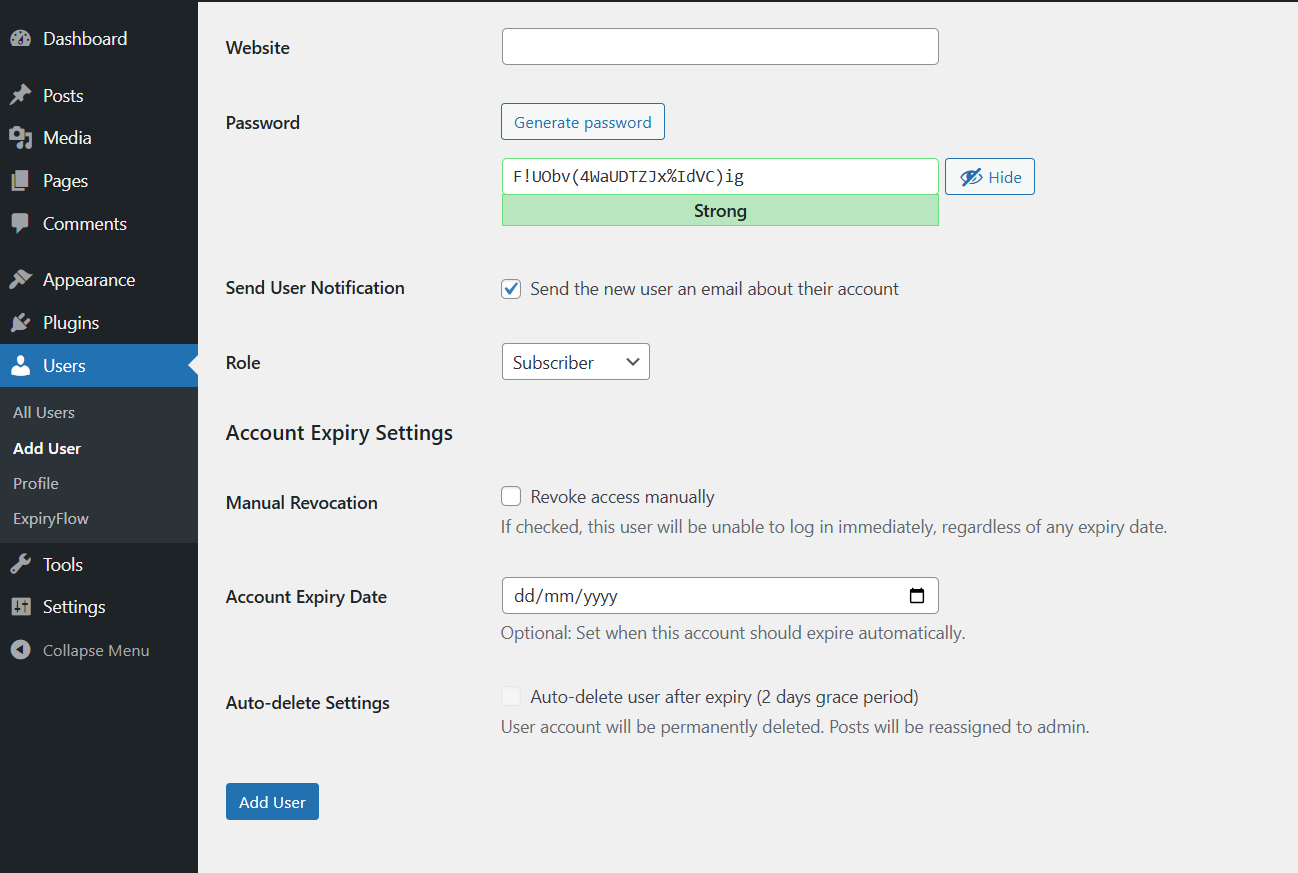
Add new user form with the Account Expiry Settings.
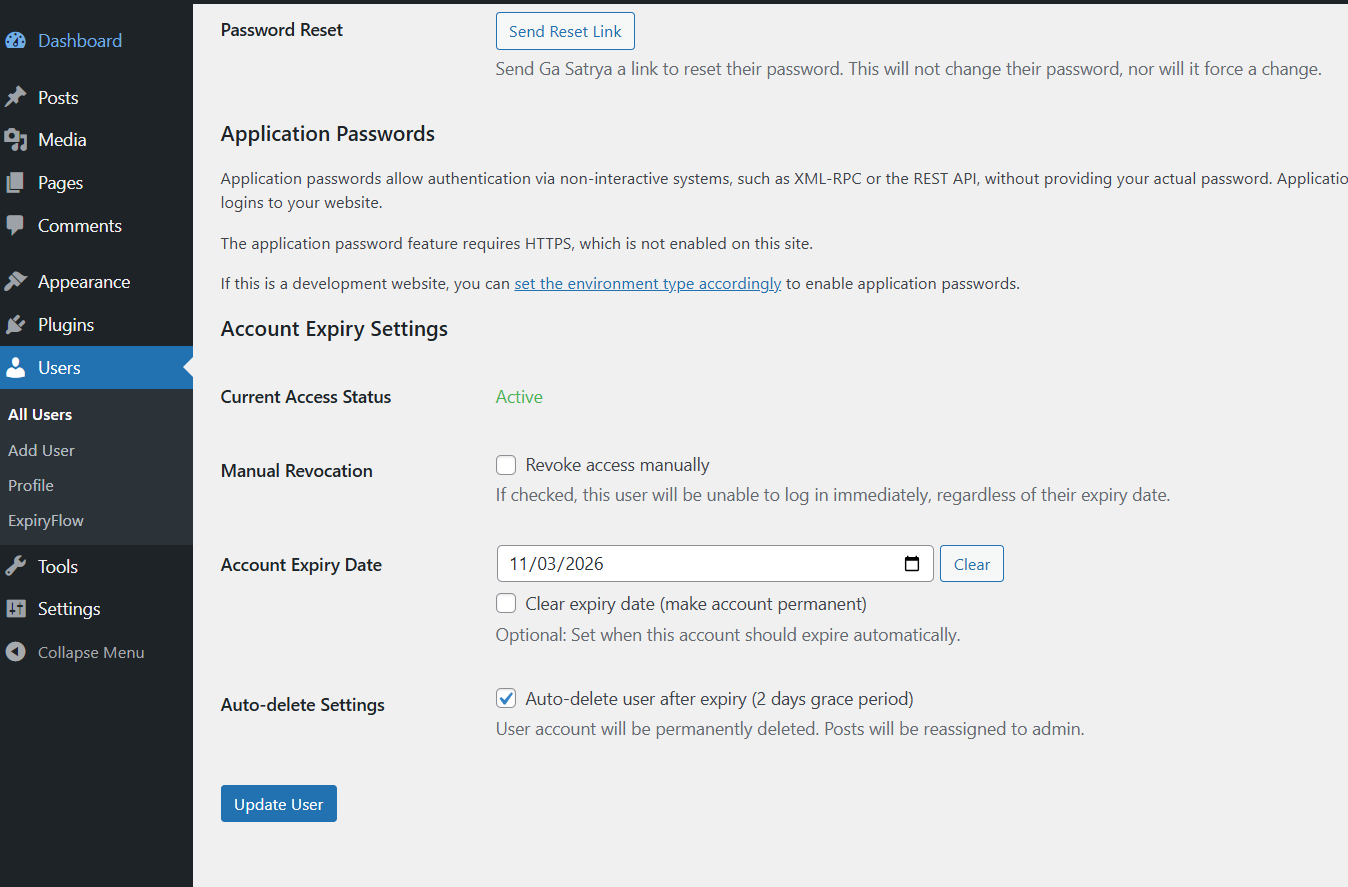
User profile with the new Account Expiry Settings.
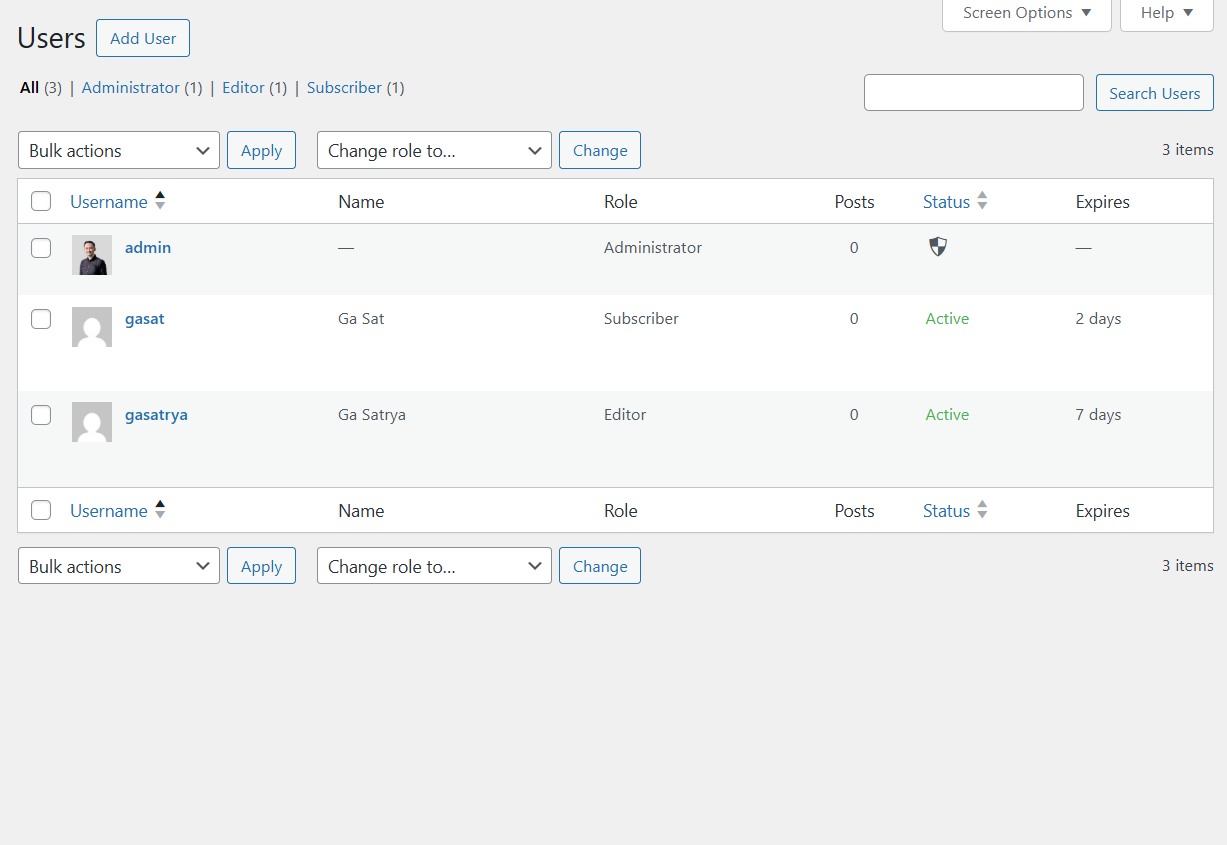
The Users list table featuring color-coded expiry status columns.
Faq
No. For security reasons, Administrator accounts are intentionally exempt from all expiration and deletion logic. This prevents “locking yourself out” of your own site.
As soon as the expiry date passes, the user is blocked from logging in. If they have an active session, they will be logged out within one hour (due to the forced 1-hour cookie expiration for temporary users).
If “Auto-delete” is enabled, the plugin waits for the configured number of days (default 2) after the account has expired before deleting it. This gives you a window to extend their access if needed. You can adjust this in Users > ExpiryFlow.
Yes. The plugin uses your site’s global timezone setting (set in Settings > General) to calculate exactly when “midnight” occurs for expiry.
No. The plugin is lightweight, uses no external dependencies, and its heaviest task (auto-deletion) is throttled to run only once per hour via WP-Cron in small batches.
Reviews
Changelog
1.0.2
- Branded: Renamed plugin to ExpiryFlow.
- Standardized: Namespaces, constants, and prefixes updated to ‘ExpiryFlow’.
- Updated: Documentation and asset handles to reflect the new brand.
1.0.1
- Fixed: Resolved WordPress core loading violation (wp-load.php).
- Added: Configurable grace period setting for auto-deletion.
- Improved: Reduced default grace period to 2 days (48 hours).
- Fixed: Cron initialization timing and activation schedule reliability.
1.0.0
- Initial release.
- Core expiry logic and login blocking.
- Auto-deletion with grace period and content reassignment.
- Admin UI enhancements (custom columns and sorting).
- Modern namespaced architecture (PHP 8).