Express Checkout via PayPal for WooCommerce

Express Checkout via PayPal for WooCommerce
Description
PayPal for WooCommerce is the official solution for integrating PayPal Express Checkout and additional payment options into your WooCommerce store. Developed by an official PayPal Partner, this plugin ensures you can offer PayPal, credit cards, and local payment methods, providing a secure and reliable payment experience for your customers.
With PayPal for WooCommerce, you can enable:
* PayPal Smart Payment Buttons
* Pay in 4 (Buy Now, Pay Later)
* Credit and Debit Card Payments with 3D Secure
* Venmo, iDEAL, Sofort, and other local payment methods
Key Features of PayPal for WooCommerce
- PayPal Express Checkout with Smart Payment Buttons
- Multiple Payment Methods including PayPal, Venmo, Visa, Mastercard, American Express, and more
- Buy Now, Pay Later with Pay in 4
- 3D Secure for Credit/Debit Cards ensuring compliance with PSD2 for European merchants
- Localization and Multi-currency Support with automatic currency conversion
Why PayPal for WooCommerce?
- Integrate PayPal, one of the most trusted payment methods, directly into your WooCommerce store with ease.
- Offer a variety of payment options, including PayPal, credit/debit cards, and local payment methods like Sofort and iDEAL.
- Improve customer experience by offering Pay in 4, allowing buyers to pay in installments.
- Ensure 3D Secure compliance, keeping transactions safe and PSD2 compliant.
Why PayPal for WooCommerce?
– Quick setup with minimal configuration
– Provide multiple payment options with a single integration
– Increase average order value with Pay in 4 (Buy Now, Pay Later)
– Ensure secure and PSD2-compliant payments with 3D Secure
– Accept global payments with multi-currency support
PayPal for WooCommerce is the best choice for WooCommerce store owners who want a secure, scalable, and easy-to-use payment solution.
Installation
Automatic Installation
- Log in to your WordPress dashboard.
- Navigate to Plugins > Add New.
- Search for “Express Checkout via PayPal for WooCommerce”.
- Click Install Now, then Activate.
- Configure your PayPal settings under WooCommerce > Settings > Payments.
Manual Installation
- Download the plugin’s zip file.
- Extract the zip file and upload the plugin folder to
/wp-content/plugins/. - Go to Plugins in your WordPress dashboard and activate the plugin.
- Set up PayPal credentials in WooCommerce > Settings > Payments.
Screenshots

PayPal for WooCommerce settings page

Product page with PayPal Smart Button

Cart page displaying available PayPal payment options
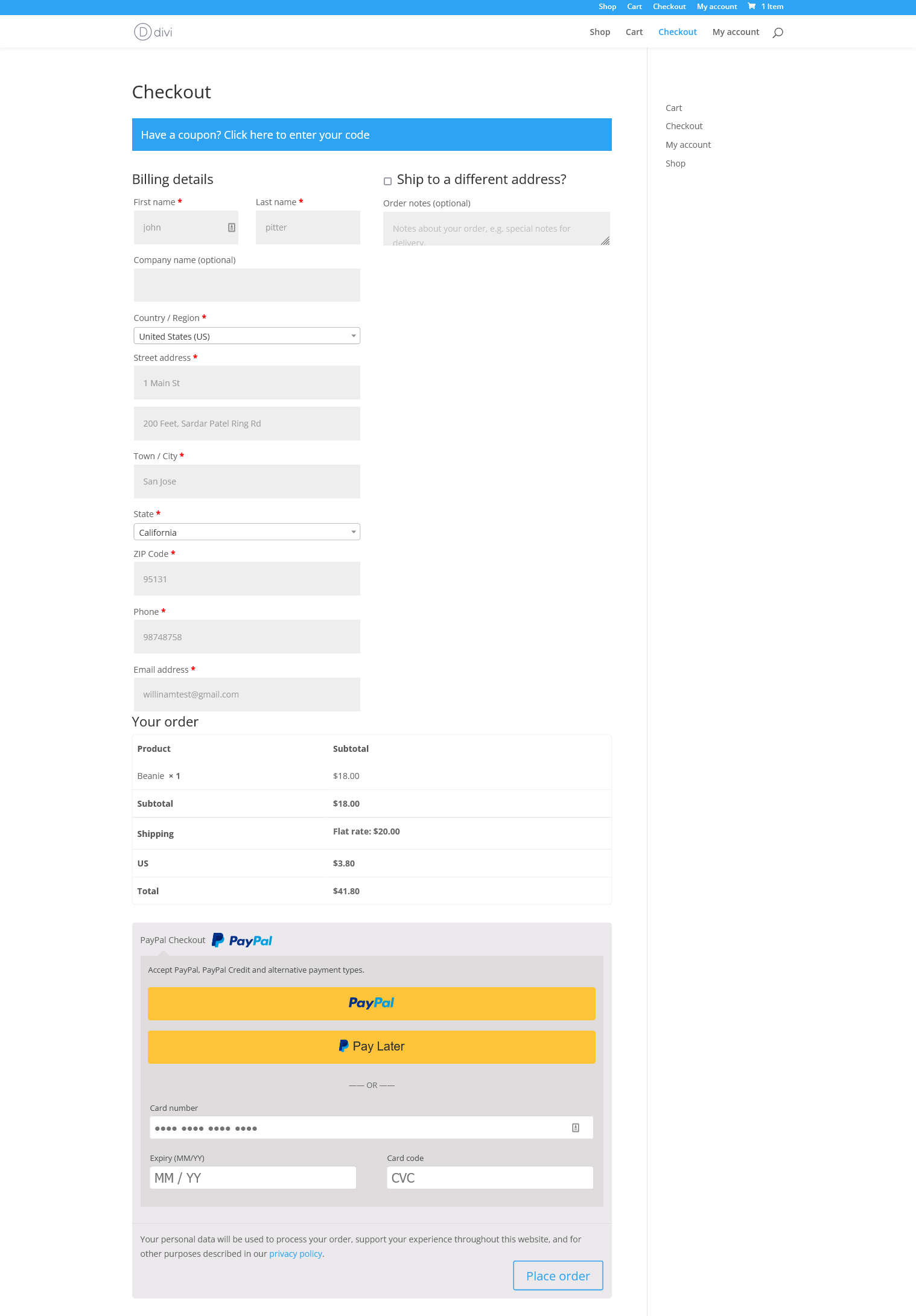
Checkout page with PayPal and other payment methods
Faq
After activating the plugin, go to WooCommerce > Settings > Payments, select PayPal for WooCommerce, and enter your PayPal API credentials (Client ID and Secret). Save your changes, and you’re ready to go.
To test transactions:
1. Log in to PayPal Developer and create sandbox accounts.
2. Use sandbox API credentials in the PayPal settings under WooCommerce > Payments.
3. Place test orders with sandbox buyer accounts.
Yes! The plugin integrates with WooCommerce Subscriptions, allowing you to offer recurring payment options for your customers.
Along with PayPal, this plugin supports major credit cards like Visa, Mastercard, American Express, and local payment methods such as Venmo, Sofort, Bancontact, giropay, and iDEAL.
Reviews
Excellent support
By 
The Best woo commerce plugins
By 
The Best woo commerce plugins, we'v been using almost 7 years
Great plugin!
By 
I've using this for years now on all my eCommerce sites.
Highly Reccomended!
We Been Using this plugin since 2016, and it works great to our sites
By 
We Been Using this plugin since 2016, and it works great to our sites
Best PayPal Checkout Plugin
By 
Is it a joke?
By 
Simply PayPal button not showing
By 
Was good, but not destroyed my site.
By 
Do not use this plugin, it killed my shop and nobody wants to help me to fix it
By 
one of the best
By 
Changelog
6.0.0
- Fixed PHP notices and improved compatibility with PHP 7.4+
5.1.2
- Added Smart Buttons to the checkout and cart page
5.1.1
- Improved performance on large WooCommerce stores
5.0.9
- Verified compatibility with WordPress 6.4.0
5.0.8
- Fixed discount calculation issue
5.0.7
- Fixed rounding issue in PayPal payments