Express One Shipment

Express One Shipment
Description
This plugin integrates Express One shipping services into WooCommerce, providing:
- Pickup Point map integration (Parcel Shops & Lockers)
- Home Delivery shipment calculation
- Real-time validation of delivery availability
- Automatic creation/update of shipments in Express One system
- Printing of shipping labels
- Tracking link generation inside WooCommerce orders
- Multi-label bulk printing
- Separate configuration for Pickup and Home Delivery shipping methods
This plugin requires a valid Express One API Key, provided by Express One.
Features
✔ Pickup Point Map (Leaflet-based)
✔ Marker-based Locker/ParcelShop selection
✔ Automatic checkout address autofill
✔ API validation for ZIP/City delivery availability
✔ Create, update, and manage shipments from WP Admin
✔ Print PDF shipping labels
✔ COD (Cash on Delivery) support
✔ Bulk label printing
✔ Full WooCommerce integration
✔ Admin settings panels for both shipment types
Privacy
This plugin sends customer and order data to Express One API when creating or updating a shipment.
This includes:
- Customer name
- Delivery address
- Phone number
- Order details
- Package weight and contents
This data is required for postal delivery and is processed on the Express One logistics platform.
No data is transmitted to any service other than https://api.expressone.si/.
No analytics, telemetry, or tracking is performed by this plugin.
Official Express One Privacy Policies:
Slovenian (SI):
https://expressone.si/si/informacije/politika-zasebnosti-4
English (EN):
https://expressone.si/en/info/privacy-policy-4
By using this plugin, store owners are responsible for ensuring GDPR compliance for their shop and informing customers about the use of Express One as a shipping carrier.
External API Disclosure
This plugin communicates with the following external service:
Service: Express One API
Base URL: https://api.expressone.si/
Used For:
– Fetching pickup point locations
– Validating delivery availability
– Creating shipments
– Updating shipments
– Retrieving PDF shipping labels
No other external services are contacted.
Notes
This plugin is not an official WordPress.org or WooCommerce plugin.
Express One owns all rights to its API service.
Installation
- Upload the plugin files to
/wp-content/plugins/express-one-shipment/ - Activate the plugin through the Plugins menu in WordPress
- Go to Express One Main Settings
- Enter your API Key and Sender Information
- Configure shipping zones:
- WooCommerce Settings Shipping Pickup Shipment
- WooCommerce Settings Shipping Home Delivery Shipment
- Save settings
Pickup Map will automatically appear on checkout when the Pickup Shipment method is selected.
Screenshots
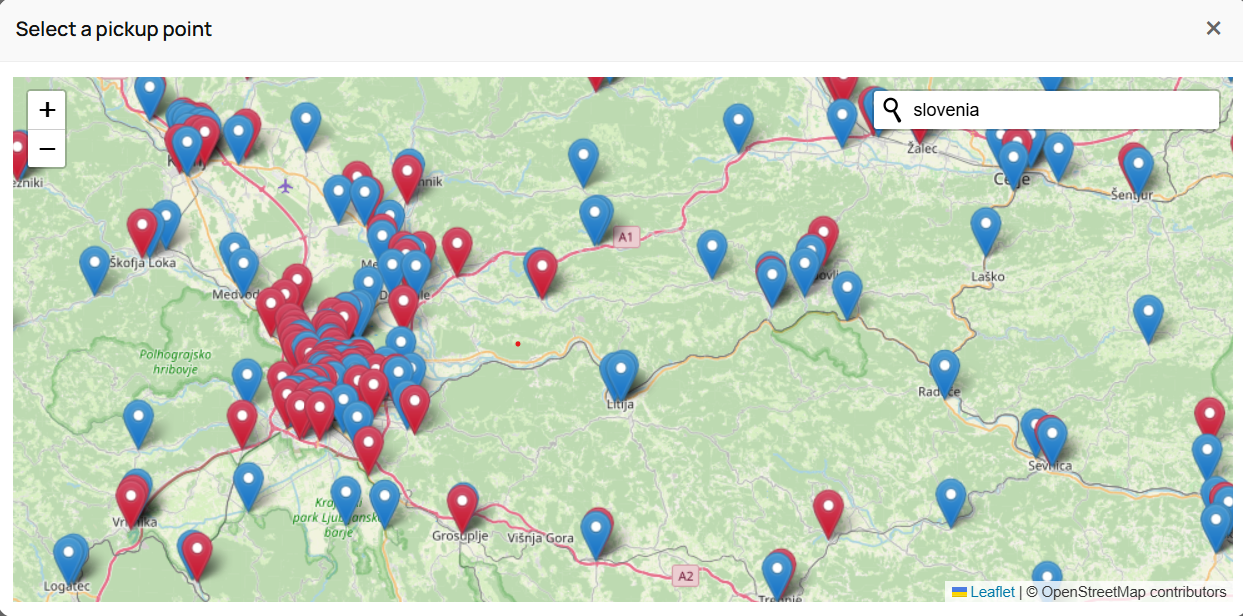
Pickup Point Map inside checkout
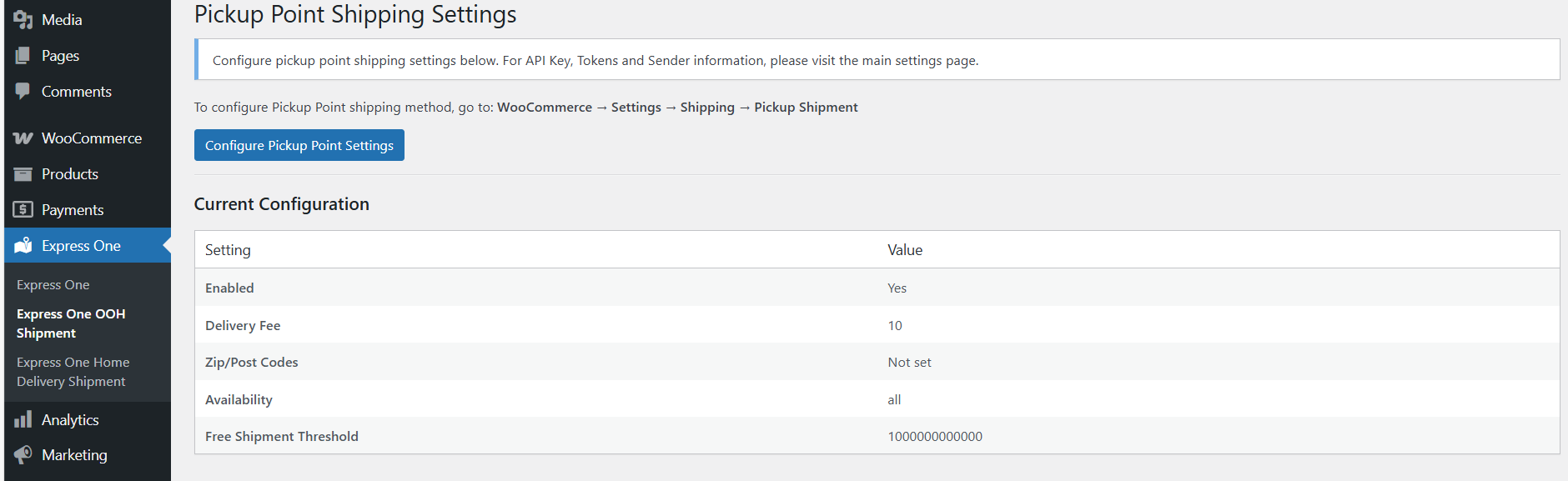
Admin settings for Pickup Shipment
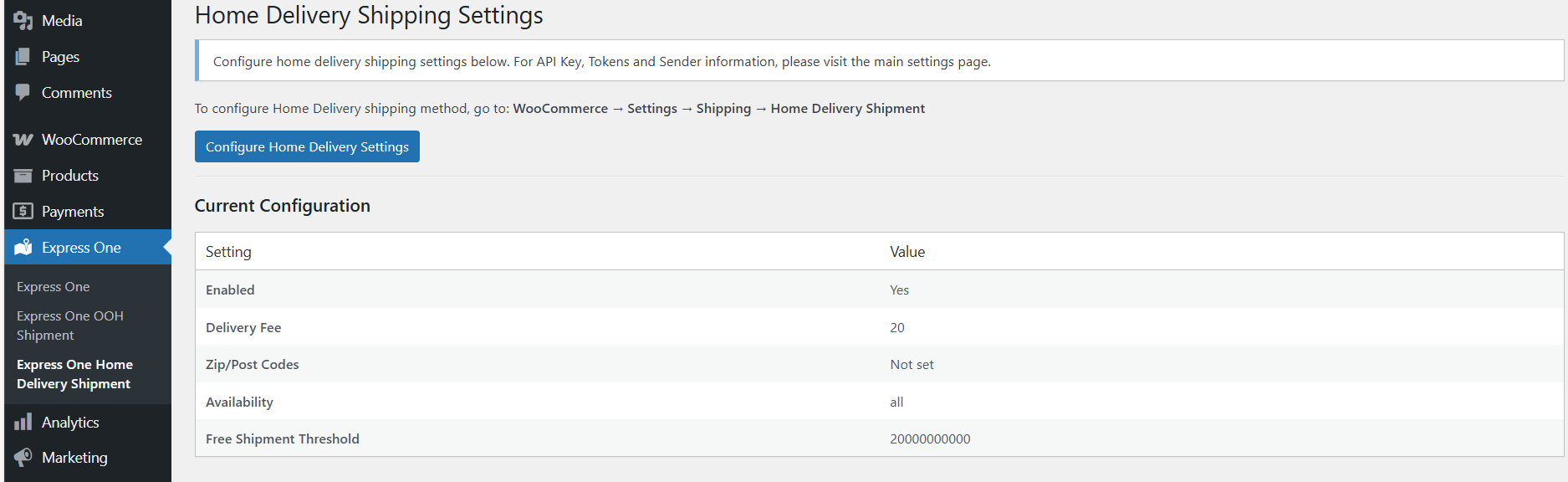
Admin settings for Home Delivery Shipment
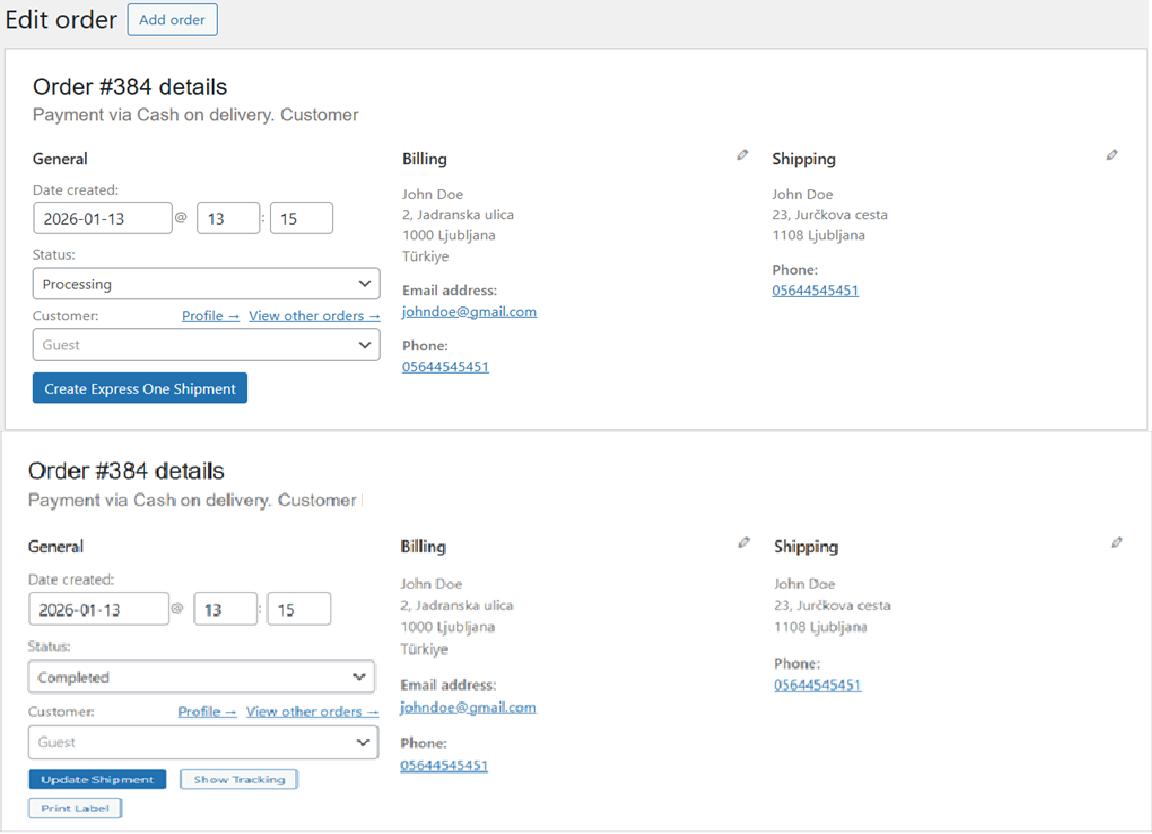
Shipment controls inside WooCommerce Order
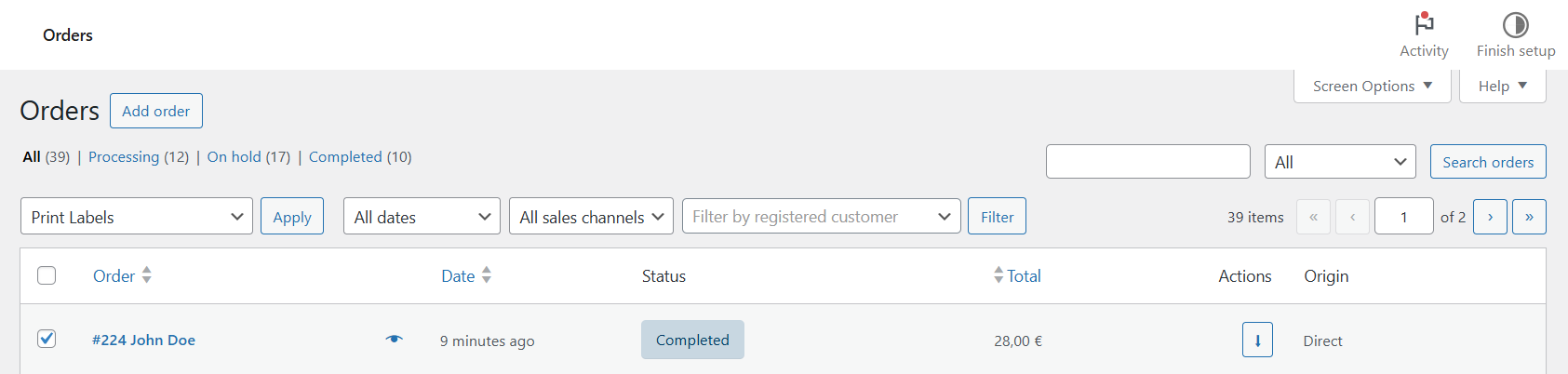
Bulk label printing panel
Faq
Yes. You must obtain your API key from Express One. Without it, the plugin cannot operate.
Only when creating or updating a shipment, or validating a delivery address.
This data is required to generate shipping labels and provide courier delivery.
Pickup points are currently available in supported regions only, depending on Express One API availability.
The plugin fills in the chosen pickup point address automatically.
No — Leaflet and map scripts load only on WooCommerce Checkout.
Reviews
Changelog
1.0.1
- Added Pickup Shipment method
- Added Home Delivery Shipment method
- Added checkout map integration
- Added shipment creation and label printing
- Added admin settings pages
- Added bulk label printing
1.0.2
- Added HPOS (High-Performance Order Storage) compatibility
- Added collie count modal — admins can now specify the number of collies when creating or updating a shipment
- Added express_one_build_collies() helper for round-robin item distribution across collies
- Fixed admin notices on HPOS order edit screens
- Fixed error redirect to use transients instead of query string parameters
- Fixed bulk label handler to use order CRUD for HPOS compatibility
- Updated “Create Express One” button label to “Create Express One Shipment”