F4 Media Taxonomies

F4 Media Taxonomies
Description
F4 Media Taxonomies provides the ability to filter the media library by categories, tags and/or custom taxonomies.
You can use the built-in taxonomies (category or post_tag) or any custom taxonomy.
If a taxonomy is enabled for attachments, you can assign as many of their terms to an attachment as you need.
You can assign them directly in the media library or in every media-selector overlay.
There is also a nifty bulk function in the media library, which allows you to assign a single term to multiple attachments at once.
Attachments can then be filtered by these terms. The filters are available in the media library and in every media-selector overlay.
Different than other similar plugins, F4 Media Taxonomies is 100% free!
Usage
See FAQ for a guide how to enable categories, tags and custom taxonomies.
Features overview
- Use any taxonomy (built-in or custom)
- Assign one or more terms to an attachment in media library/overlay
- Bulk assign terms to multiple attachments at once in media library
- Filter attachments by terms in media library/overlay
- Easy to use
- Lightweight and optimized
- 100% free!
Installation
- Upload the plugin files to the
/wp-content/plugins/f4-media-taxonomiesdirectory, or install the plugin through the WordPress plugins screen directly - Activate the plugin through the ‘Plugins’ screen in WordPress
- See FAQ for a guide how to enable categories, tags and custom taxonomies
- All taxonomies that are assigned to the attachment post-type are automatically enabled
Screenshots

Filter by taxonomies in media library list
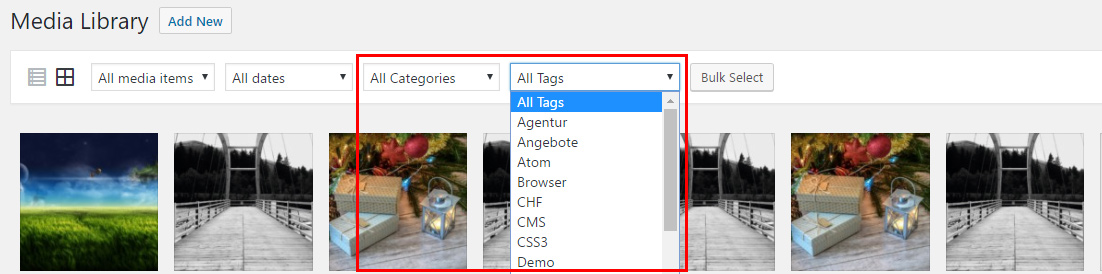
Filter by taxonomies in media library grid
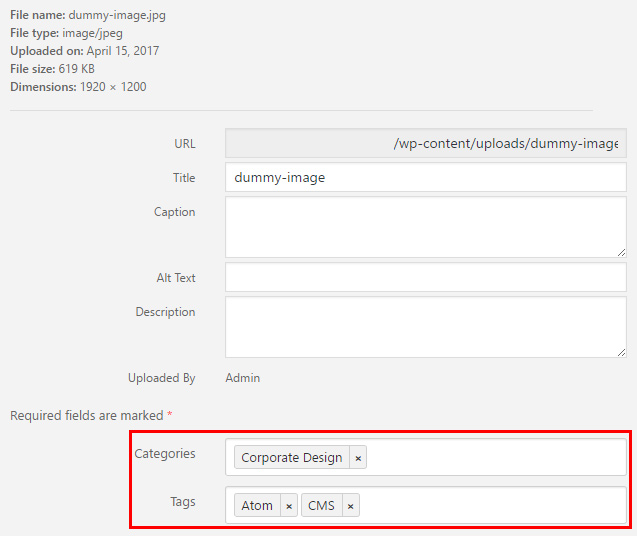
Assign one or more taxonomies to an attachment
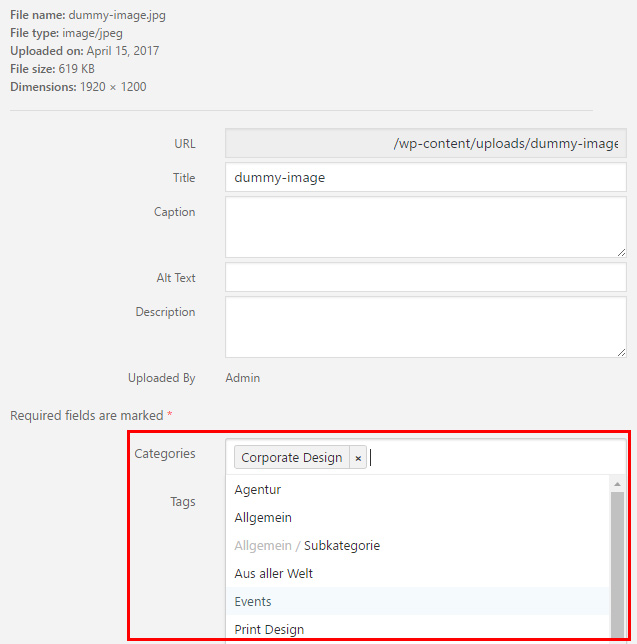
Hierarchical dropdown menu for taxonomies assignment
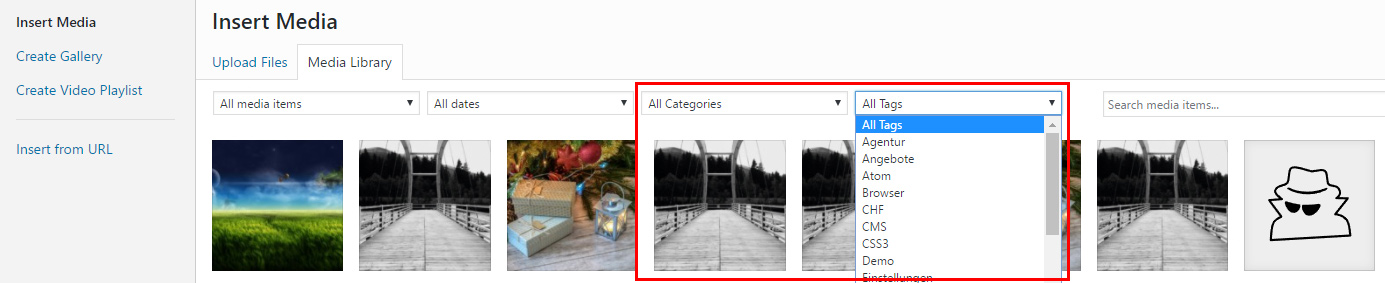
Filter by taxonomies in media insert overlay
Faq
The built-in taxonomy category can be enabled with this snippet. Just put it into your functions.php:
add_action('init', function() {
    register_taxonomy_for_object_type('category', 'attachment');
});
The built-in taxonomy post_tag can be enabled with this snippet. Just put it into your functions.php:
add_action('init', function() {
    register_taxonomy_for_object_type('post_tag', 'attachment');
});
There are two ways to enable custom taxonomies for attachments:
New taxonomy:
If the taxonomy does not exist yet and you want to create a new one, you have to set the object_type in the register_taxonomy() function to attachment (see WordPress codex).
add_action('init', function() {
    register_taxonomy(
        'media-category',
        'attachment'
    );
});
Existing taxonomy:
If the taxonomy is already registered, you can assign it with this snippet. Just put it into your functions.php and change media-category to your taxonomy:
add_action('init', function() {
    register_taxonomy_for_object_type('media-category', 'attachment');
});
For a better performance, we only include the scripts and files when they are needed. Some plugins can cause a problem with this functionality.
For this case we offer a hook, which allows you to enable the filter for special conditions. If this hook returns true, the filter is enabled for the current site.
add_filter('F4/MT/Core/has_filter', function() {
    return true;
});
No. We simply use the taxonomies that are registered in the code. Maybe in the future, but we want to keep this plugin as lightweight and simple as possible.
Yes, absolutely!
Reviews
Excellent, working, free - THANK YOU
By 
Excellent plugin. With added taxonomies I can sort media easily. Excellent. Thank you.
Briljant!!
By 
After testing a bunch of plugins that promised a lot but never did the thing...
This plugin is simple, light, and works like a charme!!
Ace
By 
Good clean solution to tagging uploaded files.
Perfect Perfect Perfect
By 
Effizient
By 
Perfect, Clean Solution
By 
Works nicely
By 
so simple, so great
By 
Great plugin.
By 
This ROCKS!
By 
Changelog
1.1.5
- Fix broken access control vulnerability
- Update selectize.js to version 0.15.2 and add condition to admin upload for CMB2
- Support WordPress 6.8
1.1.4
- Remove double array key
- Support WordPress 6.5
1.1.3
- Support WordPress 6.1
1.1.2
- Update www.f4dev.ch links
1.1.1
- Fix bulk action and taxonomy filter dropdowns
- Improve the grid view performance
1.1.0
- Terms are now lazy loaded with ajax in assignment select
- Term assignment styles and scripts optimized
- Term assignment sorting fixed
- Update selectize to verison 0.13.5
1.0.17
- Support WordPress 6.0
1.0.16
- Correctly update post term count (thanks to @nonverbla for the hint)
- Support WordPress 5.9
1.0.15
- Support WordPress 5.8
1.0.14
- Support WordPress 5.7
1.0.13
- Fix taxonomy select for new jQuery version
- Support WordPress 5.6
1.0.12
- Fix behaviour after taxonomy selection
1.0.11
- Support WordPress 5.5
1.0.10
- Support WordPress 5.4
1.0.9
- Fix bottom bulk action button in media list
1.0.8
- Add CMB2 plugin support
1.0.7
- WordPress 5.3 compatibility fixes
- Optimized dropdown width in media modal
1.0.6
- Update deprecated get_terms function
1.0.5
- Few PHP and JS code optimisations
1.0.4
- Fix customizer error
- Fix missing dropdowns in media overlay
1.0.3
- Fix filter error
1.0.2
- Show only taxonomies with show_ui true
1.0.1
- Version upgrade for correct repository infos
1.0.0
- Initial stable release