Fair Events

Fair Events
Description
Fair Events provides event publishing, calendars, ticket configuration and signup for WordPress. Create events with real start and end dates, repeat them weekly or on hand-picked dates, show them in a responsive monthly calendar, and let visitors sign up or buy tickets — all with native Gutenberg blocks that inherit your theme’s styling.
Fair pricing, no subscription: The plugin is free to install and every feature is included — there is no premium version. Publishing events and taking free signups costs nothing, ever. When you sell paid tickets through Fair Payments Connector, a flat 2% integration fee is collected automatically in the payment flow, with no monthly cap: sell nothing, pay €0; sell €200 in tickets, pay €4. The integration fee is waived through 31 December 2026, and Mollie’s processing fees apply separately. See fair-event-plugins.com for details.
Key Features:
- Real Event Dates: Start, end, and all-day events, always displayed in your site’s date and time format
- Recurring Events: Weekly rules or manually picked dates, with per-occurrence edits and cancellations that don’t break the series
- Ticket Configuration and Signup: Ticket types, sale periods, scheduled prices, pay-what-you-can pricing, ticket and activity capacity, and activity options. Free signup is included; paid checkout requires Fair Payments Connector
- Signup Administration: Manage signups, edit tickets and answers, allocate activities, and export signup data
- Venues and Event Copies: Reuse venues with addresses, coordinates and map links; copy events with adjusted dates and ticket configuration
- Weekly Event Notifications: Post the week’s events to Telegram chats and channels, email them to one address of your choice and, with Fair Audience, to your subscribers — each channel on its own schedule, with previews, test sends and delivery status
- Suite Integrations: Event statistics require Fair Audience; event budgets require Fair Finance; multilingual event links and activity options integrate with Polylang
- Responsive Calendar: Monthly grid with category filtering that collapses gracefully on mobile
- Add to Calendar & iCal: Visitors save events to Google, Apple, or Outlook; your site exposes an iCal feed
- Organizer Dashboard: An admin calendar, a filterable list of all events, and a Manage Event page that gathers details, dates, and tickets in one place
- Theme-Friendly: Events use your theme’s templates; blocks are server-rendered and SEO-friendly
- Fair Pricing Model: No premium tiers or hidden features – everything is included
Available Blocks:
- 📅 Events Calendar – Monthly grid with category filtering
- 📋 Events List – Filterable list of upcoming or past events
- 🗓 Events Week – Seven-day overview of the current week
- ℹ️ Event Info – Date, time, and venue of a single event
- 🔁 Other Sessions – Upcoming sessions of a recurring event, each linking to its own page
- ⏰ Event Dates – Start and end times in your site’s format
- 💶 Event Prices – Display configured ticket prices
- ➕ Add to Calendar – A core Button variation for saving events to personal calendars; the separate Fair Calendar Button plugin provides a standalone block
- 🎟 Event Signup – Signup and ticket purchase for an event date
The legacy Get Tickets block remains compatible with saved content and renders through Event Signup. The Event Proposal form is currently unavailable, including with Fair Events Experimental active.
Perfect For:
- Community groups publishing a shared calendar
- Venues and clubs with weekly recurring events
- Conference and workshop organizers selling tickets
- Nonprofits and associations running free signups
- Any site builder who needs events without a subscription
Fair Events works on its own and grows with the rest of the suite: add Fair Payments Connector for online payments through Mollie, Fair Audience for attendee management and mailing subscriptions, Fair Audience Experimental for scheduled event mailings, Fair Finance for event budgets, and Fair Timetable for multi-track schedules.
Event notifications
Fair Events Event notifications is the one place to manage weekly event notifications. Each channel has its own on/off switch, choice of events, weekday, time, choice of week, save button, preview, test and delivery status, so one channel never changes or blocks another.
- Telegram posts the week’s events to the chats and channels you list. It needs only Fair Events and a bot token. A test posts to the saved chats.
- Bulk email sends the week’s events to your subscribers. It needs Fair Audience, which decides who receives it (participants who agreed to marketing emails and did not opt out of the weekly summary), adds each recipient’s unsubscribe link and sends the email. A test goes to your own address only.
- Individual email sends the week’s events to one email address you type in, such as your own inbox or a shared mailbox. It needs only Fair Events: no Fair Audience, no Fair Events Experimental and no event source.
Telegram and bulk email list the events of an event source. Event sources are created with Fair Events Experimental; existing sources keep working without it. Individual email can also list all published local events, with no event source at all.
Individual email setup.
- Open Fair Events Event notifications. Under Individual email enter the address in “Send to”. Exactly one address is accepted; it does not have to belong to a WordPress user or a participant, and a list of addresses is refused rather than shortened.
- Choose the events to include — “All published local events” or one of your event sources — and the weekday, time and week. Weeks run from Monday to Sunday, in the site’s timezone. Drafts and private events are never included.
- Optionally edit the subject (
{week_start}and{week_end}insert the week’s dates) and the text above and below the list of events. - Save, then use “Preview next email” and “Send test email”. Both use the saved settings and name the address they are for. The test goes to that address only, works while the weekly email is off, does not count as the week’s send and does not move the next one.
- Turn on “Email the weekly summary to this address” and save. The channel starts off and cannot be turned on without a valid address.
What the email looks like. The email has the same layout and content as Fair Audience’s weekly email to subscribers: the site name as a header, your text above the events, the events grouped by day with their time (or “All day”) and a link to their page, your text below, a sign-off and the site name in the footer. Events from other websites say where they come from, for example “(by example.com)”. Because the email goes to an address rather than a participant, it has no greeting by name and no link to manage subscription preferences. The layout narrows to fit phone screens.
Empty weeks. By default no email is sent for a week without events, and the delivery status says so. Turn off “Skip the email when the week has no events” to receive an email that says no events are scheduled.
Delivery status. The section lists the next send and the recent ones, each with its week, address and outcome. “Handed over for delivery” means the site’s mail system accepted the email; it does not confirm that it reached the inbox. A failed send is shown as failed and is not repeated automatically: at most one email is sent per week, also when the address or schedule changes afterwards. If the selected event source is deleted or disabled, nothing is sent and the section reports it instead of falling back to other events.
Telegram setup. Requires WordPress 7.0 or newer for the Connectors screen.
- Create a bot with @BotFather and copy its bot token.
- Open Settings Connectors, choose “Set up” on the Telegram connector, paste the token as the API key and save. A value that is not a bot token is refused and the saved token stays in place.
- Add the bot to each chat or channel it should post to, with permission to post.
- Open Fair Events Event notifications. Under Telegram choose the event source, heading page, schedule and the chats or channels, then save.
- Choose “Send test to the saved chats”. Connectors only stores the token; the test is what confirms that Telegram accepts it and that the bot can post to each chat.
The token can also be supplied outside the database, as an environment variable or a PHP constant, both named FAIR_EVENTS_EXPERIMENTAL_TELEGRAM_BOT_TOKEN (the name is kept from Fair Events Experimental so existing configuration keeps working). The environment variable is used first, then the constant, then the token saved in Connectors. The page says which one is in use and never shows the token.
When a plugin is inactive. Deactivating Fair Audience pauses the bulk email only: its settings are kept, Telegram and individual email keep running, and sending resumes at the next scheduled time after Fair Audience is active again. Deactivating Fair Events pauses every channel until it is active again. A send that was missed in the meantime is not sent later.
Upgrading from Fair Events Experimental and Fair Audience. Telegram summaries used to be set up in Fair Events Settings Experimental and the weekly email in Fair Audience Weekly Digest. Fair Events takes both over the first time it runs next to versions of those plugins that hand them over (or while they are inactive): the settings, schedules, event sources, email wording, chats, the bot token and the delivery history are kept, each channel with its own schedule. Nothing is sent during the takeover and no channel is turned on by it; a channel that was not being sent arrives turned off. The former settings screens now lead to Event notifications. Update all three plugins together. While an older Fair Events Experimental or Fair Audience is still active, its channel keeps running from its old screen and Event notifications asks you to update it; the other channel is not affected. With an updated companion and an older Fair Events, that channel is paused until Fair Events is updated.
When Telegram posting is turned on, the plugin sends the week’s event summary to Telegram (Telegram Messenger Inc.) through the Telegram Bot API at api.telegram.org, at the day and time the administrator schedules, and whenever an administrator requests a test. Each request carries the administrator-supplied bot token and chat or channel identifier, and the summary text: the title and link of the public page the administrator selects, the date range, and each public event’s weekday, start time, title and link. No visitor or attendee data is sent. Telegram’s Terms of Service, Bot Platform terms and Privacy Policy apply.
Development
- GitHub Repository: marcin-wosinek/fair-event-plugins
- Report Issues: Issues
- Contribute: Pull Requests
Developer Notes
The plugin is open source and contributions are welcome on GitHub.
Checkout total for conversion tracking
The Event Signup form shows one total directly above its submit button. Site-level tracking (for example a Meta event configured in a tag manager) can read the current payable amount from it:
- Selector:
.fair-events-signup-checkout-total data-amount: the total as a dot-separated decimal with two places (e.g.42.50), independent of the site language’s number format. It is0.00for free signups or before a payable choice is made.data-currency: the ISO currency code (e.g.EUR).
Both attributes update whenever the visitor changes a ticket type, quantity, date, or activity, and always match the visible amount. Core Fair Events sends no tracking events. Fair Events Experimental can optionally send consented Meta conversions when configured. This selector and its attributes are a stable interface and will not be renamed.
Installation
- Upload the plugin files to the
/wp-content/plugins/fair-eventsdirectory, or install the plugin through the WordPress plugins screen directly. - Activate the plugin through the ‘Plugins’ screen in WordPress.
- Navigate to “Events” in the WordPress admin menu to create your first event.
- Fill in the event details including start time, end time, and content.
- Publish your event and add the Events Calendar or Events List block to any page to display it.
Screenshots
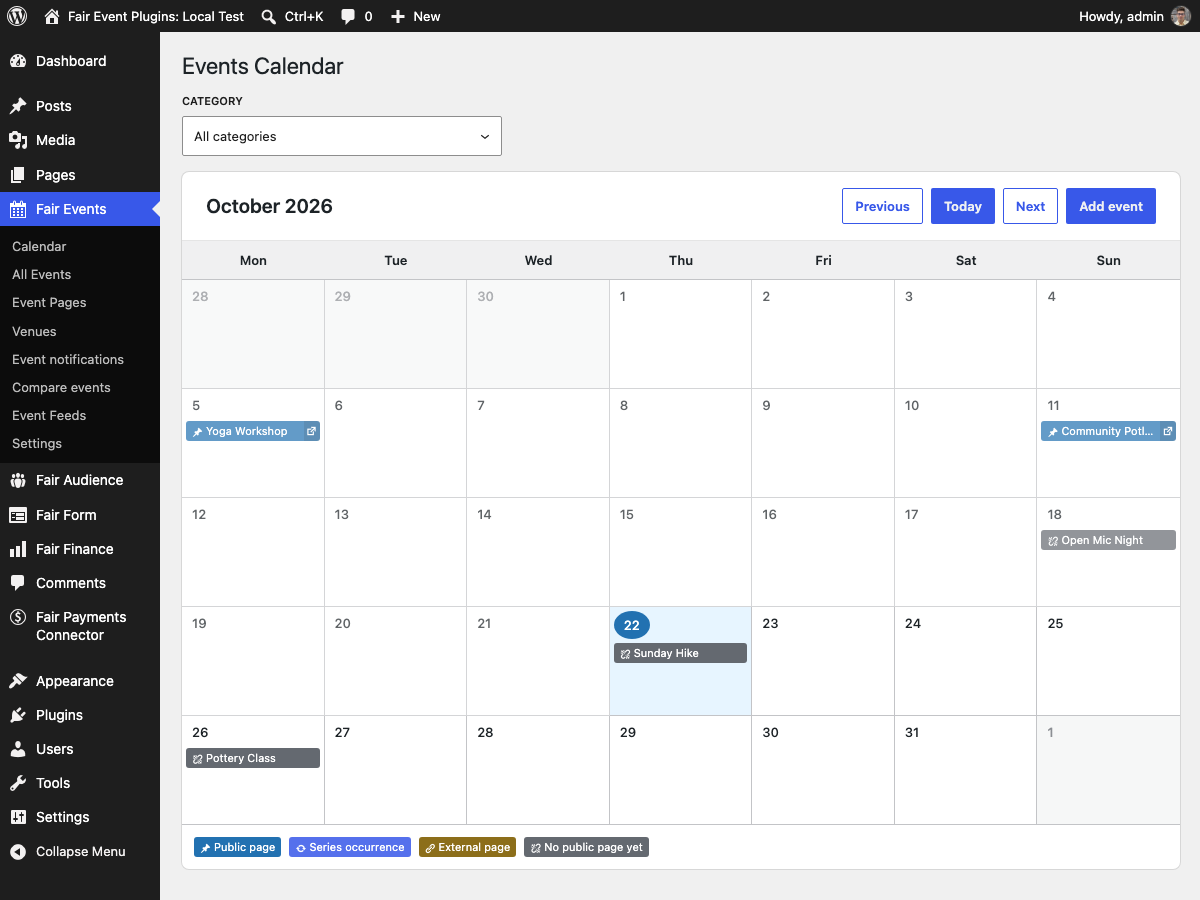
Events Calendar admin page with seeded events across the month
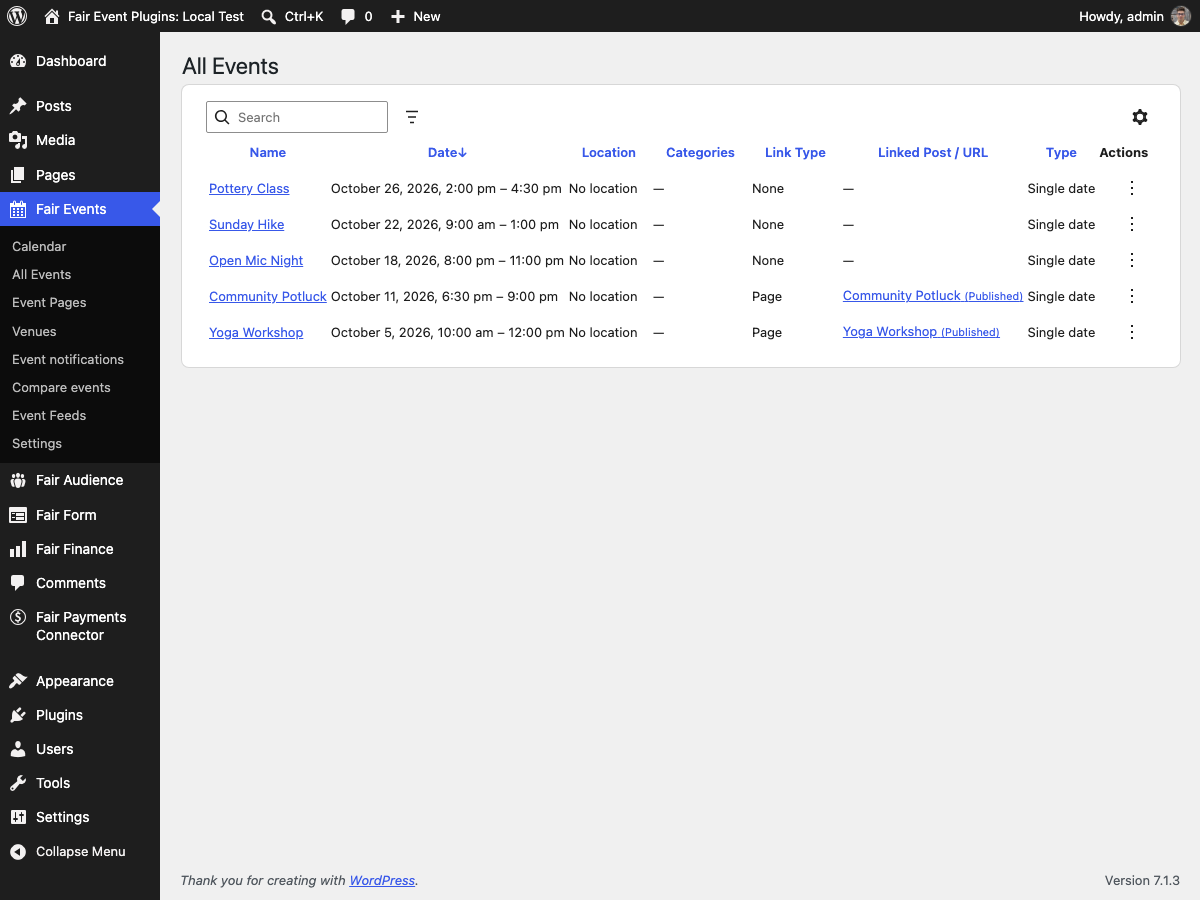
All Events admin list with linked posts and link types
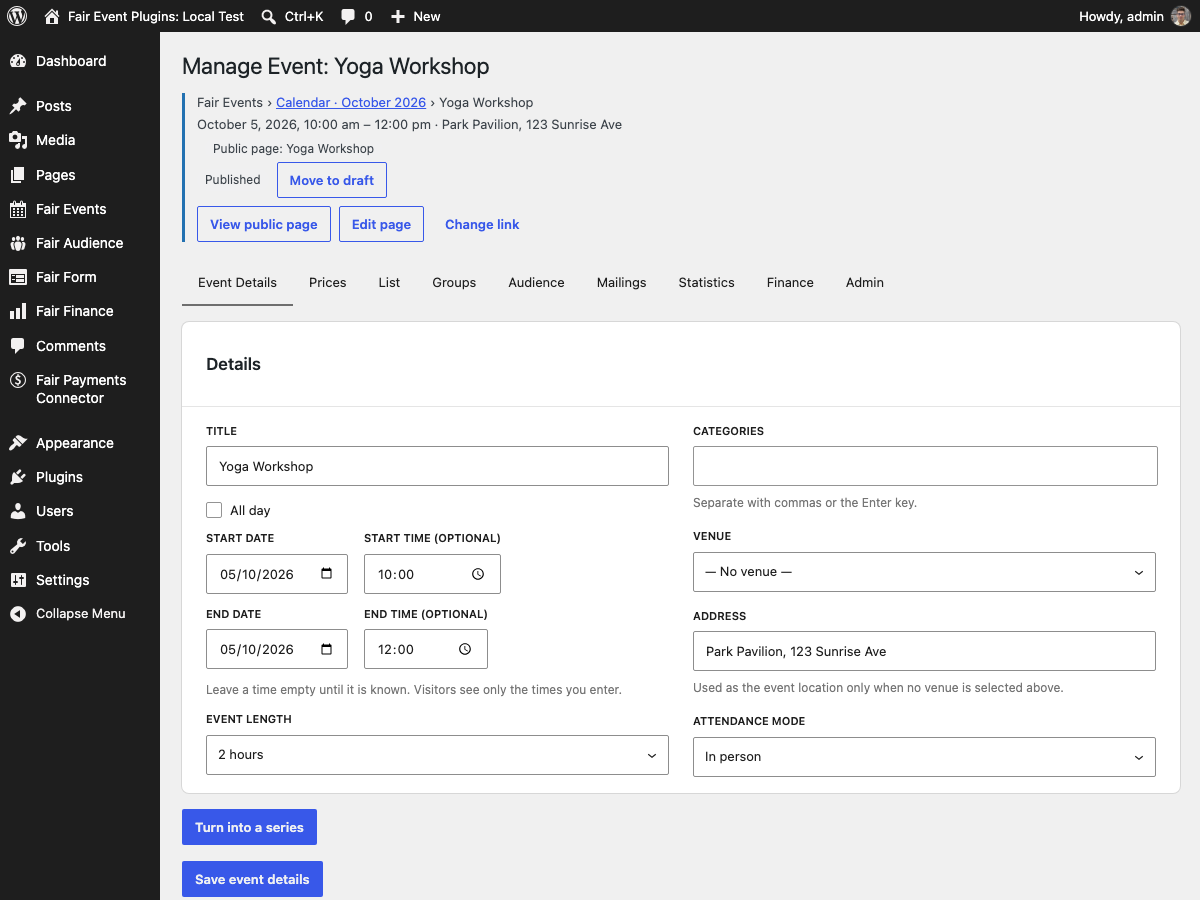
Manage Event admin page (Details, Recurrence, Link Options cards)
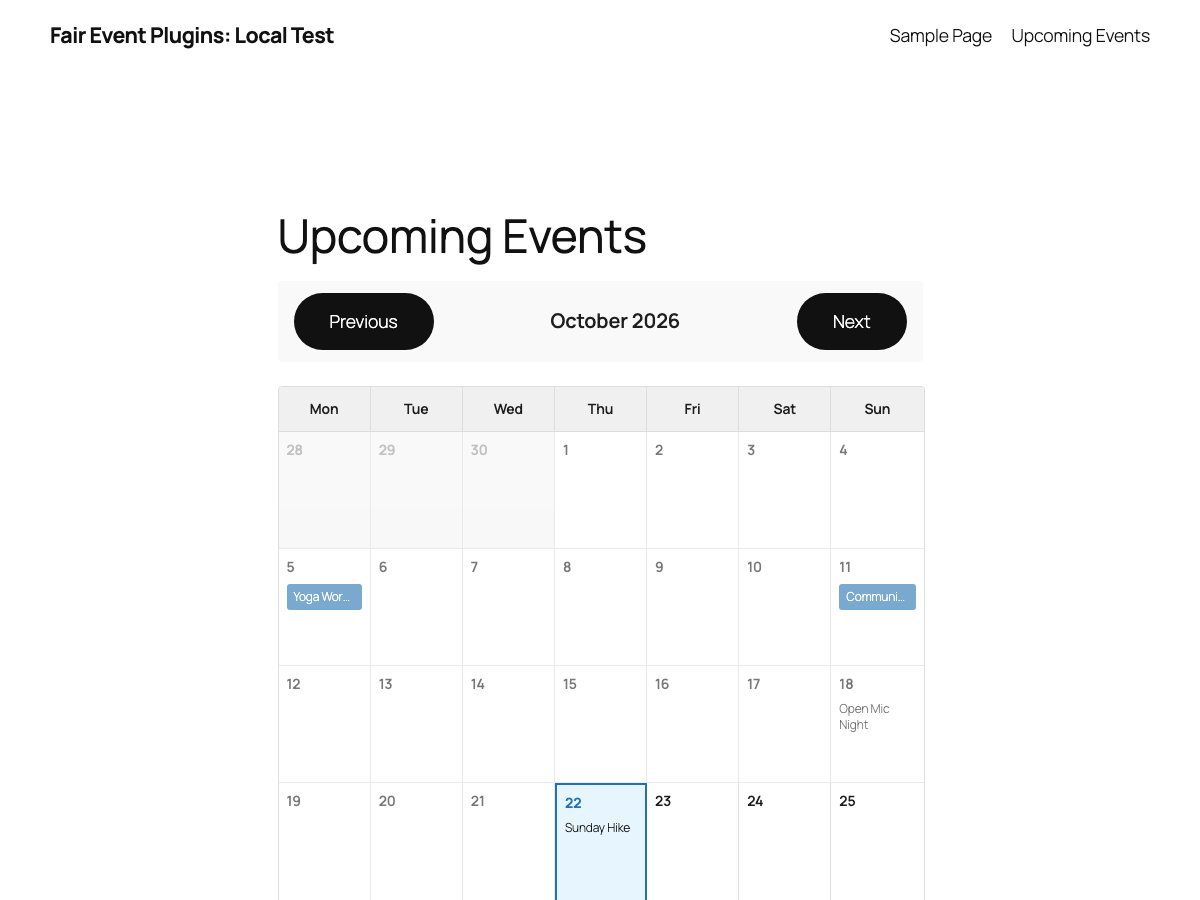
Events Calendar block on a public page

Event Info block on an event page (date and venue address)

Add to Calendar block on an event page
Faq
After activating the plugin, you’ll see “Events” in your WordPress admin menu. Click “Add New” to create an event just like you would create a post.
Yes. Set a weekly rule or pick dates by hand. Each occurrence can be edited or cancelled individually without affecting the rest of the series.
Yes. Define ticket types with sale periods, capacity limits, and optional pay-what-you-can pricing, then place the Event Signup block. Free signups work out of the box; for paid tickets, install Fair Payments Connector to check out through Mollie.
Use the “Events Calendar” block in the block editor. You can filter by categories, choose the start day of the week (Monday/Sunday), and select how events are displayed. The calendar is responsive and shows only event days on mobile devices.
Yes! Events use WordPress’s template hierarchy and will automatically use your theme’s single post template. Event metadata (times) is automatically added to the content.
Event times are automatically formatted using your site’s date and time format settings from Settings General in WordPress admin.
Yes! Events support standard WordPress categories and tags. You can organize your events using these taxonomies just like regular posts.
Every release ships block-docs/index.json in the plugin folder. It lists each block the plugin supplies and the “Add to Calendar” variation of the core Button block, with its block.json, a usage guide, and serialized examples that match this release. To check which blocks are registered on a particular site, use the authenticated WordPress endpoint /wp-json/wp/v2/block-types (it requires the edit_posts capability). block-docs/README.md explains the difference between shipped, registered, and insertable blocks.
Reviews
Changelog
The full changelog is maintained on GitHub:
CHANGELOG.md