Fast Cart – Ultralight Ajax Side Cart for WooCommerce
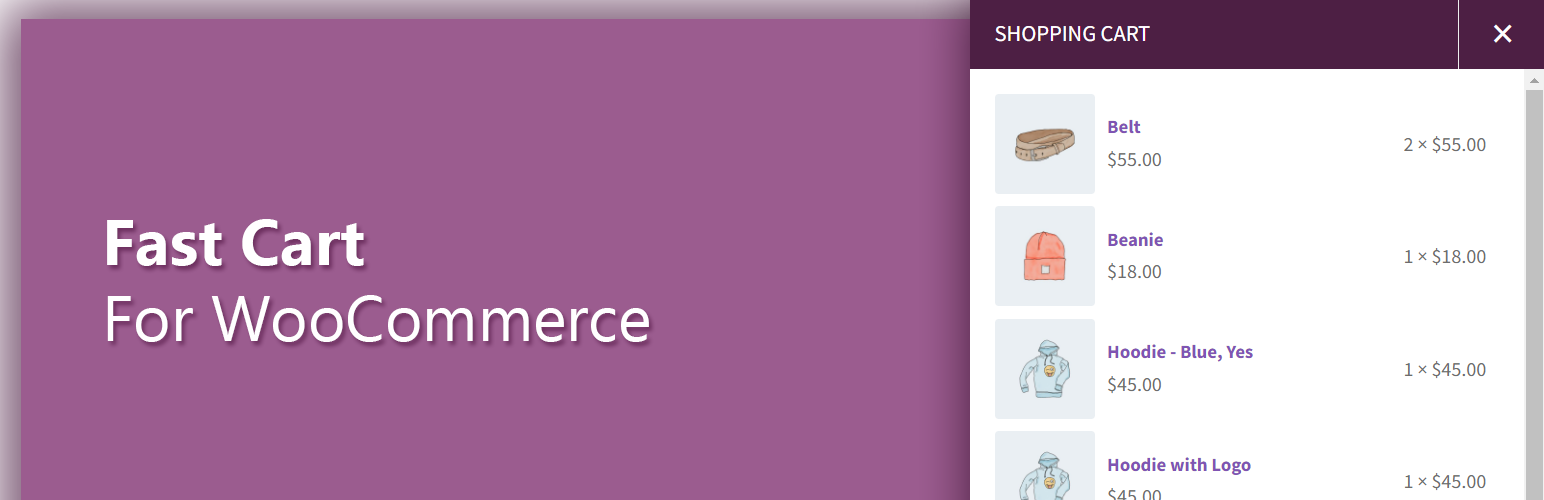
Fast Cart – Ultralight Ajax Side Cart for WooCommerce
Description
Fast Cart is the ultimate lightweight WooCommerce Ajax Side Cart and Slide Cart plugin designed to deliver a blazing-fast, high-converting shopping experience. Upgrade your store with an interactive sliding cart drawer, floating cart icon, and dynamic free shipping bar. And best of all? You get all of this without compromising your store’s loading speed with heavy scripts or bloat.
Whether users call it a WooCommerce Side Cart, Slide Cart, Off-Canvas Cart Drawer, or WooCommerce Floating Cart, Fast Cart delivers a seamless Ajax add-to-cart experience that keeps customers shopping without slow, friction-heavy page reloads.
Usually, shoppers have to switch back and forth between product pages and the cart page just to check their items. This friction causes cart abandonment 😞️. Fast Cart solves this by instantly displaying an interactive Ajax cart drawer and floating cart icon on every page of your store.
As one of the best WooCommerce Ajax side cart plugins, Fast Cart provides a vibrant, modern UI that allows customers to update quantities, remove items, and see cart totals instantly.
Feature Highlights of Fast Cart for WooCommerce
Basic Settings Options
🚀️ Open side cart on Ajax Add to Cart
🚀️ Open the side cart on Normal Add to Cart
🚀️ Hide or show an overlay layer
🚀️ Ability to control Tray position
(display position of the side cart)
🚀️ Control how users close the side cart
🚀 Refresh WooCommerce cart fragments to observe settings changes immediately
🚀 Display the cart icon and added item prices total with menus
🚀 Open a popup right after adding products to the cart to display the current carted item.
🚀 Free Shipping Progress bar.
Item Settings Options
🚀️ Link Behavior of item (how you want the link to open)
🚀️ Show the current cart items at the top of the list.
🚀️ Display a link to remove all the carted items from the cart tray.
🚀️ Before removing all items from the cart tray, display a confirmation message.
🚀️ Display the strikethrough regular price with the sale price for an item.
🚀️ Enable or disable the remove item from cart button
🚀️ Add or remove the quantity field on the side cart
🚀️ Display plus/minus button with the quantity field to control the quantities from the cart tray.
🚀️ Show or hide the total price of the items added
🚀️ Control the visibility of the View Cart and Checkout buttons displayed in the floating cart tray.
🚀️ Display your custom message on the fast-cart tray when the cart is empty.
Floating Cart Icon Settings Options
🚀️ Enable or disable WooCommerce floating cart icon
🚀️ Control the display position of the floating cart icon
🚀️ Enable the shake effect to prompt the customer for checkout
🚀️ Hide the floating cart counter bubble if there are no items added (the cart is empty)
🚀️ Hide the floating cart if there are no items added (the cart is empty)
Styling Options
🚀️ Set the mode (style) to Light/Dark
🚀️ Choose a color that best matches your brand
🚀️ Choose a style to display View Cart and Checkout button in two different formats
🚀️ Get instant insights into cart activity without leaving your dashboard. See total opens, daily usage, and 7-day trends to understand shopper engagement at a glance.
Key Features of Fast Cart
⚡ Ultralight & Performance-Focused
Isn’t site performance the main headache that keeps store owners awake at night? We built Fast Cart specifically for performance junkies. You get a feature-complete Ajax cart drawer without heavy JS frameworks, layout shifts, or bloated stylesheets slowing down your Core Web Vitals.
🛒 Interactive Floating Cart Icon
Keep the cart accessible anywhere on your site with the Floating Cart Trigger. It displays the real-time item count and can trigger a subtle shake animation to draw customers’ attention and prompt them to check out.
⚙️ Granular Customization Options
This WooCommerce Side Cart with Free Shipping Bar offers granular control for both the Ajax Side Cart and the Floating Cart Icon. Options are distributed under logical sections to ensure you get the desired output in the shortest time.
♿ Accessibility-First Design (a11y)
Make your store inclusive and compliant. Fast Cart is built with standard semantic markup, proper ARIA attributes, full keyboard navigation, and screen reader support. It keeps your store compliant while giving every shopper a smooth, barrier-free shopping experience.
🚚 WooCommerce Free Shipping Bar
Boost your Average Order Value with a dynamic Free Shipping Bar. Show a real-time progress bar in the Ajax cart drawer that lets customers know exactly how much more they need to add to qualify for free shipping.
🎨 Clean, Modern, Responsive Side Cart UI
Fast Cart has a modern, vibrant design while ensuring responsiveness across your store pages. Customers will love the user interface for tweaking or removing items in their cart.
🔄 Instant Ajax Actions
Customers can add items, change product quantities, or remove items in real time without refreshing the page.
🌓 Styling Options (Light/Dark Mode)
You will also love Fast Cart’s customization options. You can switch between light and dark mode and set your desired colors for both the Ajax Side Cart and the Floating Cart Icon. Apart from the listed customization options, if you want to customize something, please let us know. We will be more than happy to help you out.
Installation
After downloading the ZIP file,
- Log in to the administrator panel.
- Go to Plugins Add > New > Upload.
- Click “Choose file” (“Browse”) and select the downloaded zip file.
- Fast cart at the top position.
- Fast cart at the center position.
- Fast cart at the bottom position.
Screenshots

Settings link of the plugin.

Sub menu under WPXtension Menu.


Faq
Yes, Fast Cart for WooCommerce is compatible with both the Ajax and Normal Add To Cart. So, you can enjoy the side cart feature on product details pages too.
Adding a side cart to your WooCommerce store is simplified by Fast Cart for WooCommerce. Installing it will add an interactive Ajax Side Cart to your WooCommerce store. You can learn more about the installation process here – https://wordpress.org/plugins/fast-cart/#installation
We have a large community of theme and plugin authors. It is difficult for any plugin author to guarantee compatibility with every theme. If you notice an issue, report it to us instantly.
- Seamless Shopping Experience: Customers review their order items immediately without leaving the page they are browsing.
- Higher Conversions & AOV (Average Order Value): Nudge customers toward checkout with a floating cart animation and dynamic free shipping progress bar.
- Zero Performance Loss: Lightweight code ensures your Google PageSpeed and Core Web Vitals stay green while giving shoppers a modern cart experience.
Reviews
Awesome Plugin and outstanding support
By 
Awesome plugin, works like a charm.
I was in need of some customisation with the MOBILE rendering of the side cart
Reza found quickly the workaround and correct the bug, I'm very grateful for the prompt & PRO assistance!!
Keep up the good work guys!!
Awesome plugin ann support
By 
Very Happy with this plugin : light, nice and great level of support . I wanted to fine tune some elements not in the native way and the support helped me to achieve it !
6 stars
Lightweight and works perfectly
By 
I've used other side cart plugins for several years, but was looking for something more lightweight (my last one loaded about 98kb of css/js on every page). I was super happy to find Fast Cart, as it works perfectly and is far less bloated (only 16.2kb of css/js loaded!). Great plugin.
Great plugin and excellent support
By 
I really love this "site cart plugin", as it offers the user a nice and helpful overview of the shopping card, each time you add a product - without having to open the shopping card site.
Since there was an issue with relatively long product descriptions, my support request was handled and solved very quickly!
Once again thanks for this plugin and for your awesome support 🙂
Dedicated cart plugin
By 
Adding items to the cart without reloading a specific page is advantageous. Hopefully, this cart plugin will help my store deliver a better customer experience.
Changelog
1.2.5 [29-08-2026] Saturday
- Fix: New option php warning.
- Enhancement: Accessibility markup added.
- Enhancement: Styling.
- Compatibility- WooCommerce 11.0.1
1.2.4 [28-07-2026] Tuesday
- Feature: Control the visibility of the View Cart and Checkout buttons displayed in the floating cart tray.
- Compatibility- WooCommerce 10.9.4
1.2.3 [10-06-2026] Wednesday
- Feature: Get instant insights into total cart opens, daily usage, and 7-day trends to better understand shopper engagement.
- Compatibility- WooCommerce 10.8.1
1.2.2 [13-04-2026] Monday
- Feature: Free shipping progress bar.
- Fix: Minor CSS.
- Compatibility- WordPress 7.0 & WooCommerce 10.6.2
1.2.1 [04-02-2026] Wednesday
- Security- Check based on Plugin Check Plugin (PCP).
- Compatibility- WooCommerce 10.4.3
1.2.0 [30-11-2025] Sunday
- Feature: Added an option to close the tray using either the overlay layer or the close button.
- Feature: Use the ‘Hide Quantity Bubble’ option to remove the zero displayed on the floating cart icon when the cart is empty.
- Feature: Added a custom message display on the cart tray when the cart is empty.
- Fix: Dependency field on the plugin settings page.
- Update: All hooks follow the Plugin Check Plugin (PCP) WPCS coding standards. If you’ve added custom code using Fast Cart hooks, please replace the
fc_andfcw_prefixes withfast_cart_. - Compatibility- WordPress 6.9.
1.1.4 [16-11-2025] Sunday
- Fix: Minor CSS.
- Compatibility- WooCommerce 10.3.5
1.1.3 [08-09-2025] Monday
- Fix: Upgarde Options.
- Update: Options default values.
- Update: Settings framework.
- Remove:
load_plugin_textdomain()as it has been discouraged since WordPress version 4.6. When a plugin is hosted on WordPress.org, it is not necessary to manually include this function call for translations under the plugin slug. WordPress will automatically load the translations when needed. - Compatibility- WooCommerce 10.1.2
1.1.2 [24-06-2025] Tuesday
- Feature- Current item added – Popup.
- Compatibility- WooCommerce 9.9
1.1.1 [24-04-2025] Thursday
- Fix: Duplicate +/- button with quantity field in cart tray – Porto Theme.
- Update: Some condition for settings.
- Compatibility- WordPress 6.8 & WooCommerce 9.8
1.1.0 [27-02-2025] Thursday
- Feature: Styling options to make the cart tray more appealing.
- Security- Check based on Plugin Check Plugin (PCP).
- Compatibility- WooCommerce 9.7
1.0.16 [28-01-2025] Wednesday
- Fix- Quantity field and +/- button CSS for block and hybrid theme.
- Enhancement- Settings Top nav and Save button markup.
- Add- Block theme support (on archive page cart tray open facility).
- Compatibility- WooCommerce 9.6.
1.0.15 [06-01-2025] Monday
- Feature- Display cart icon with items total for selected menus. It will act like floating cart icon.
- Feature- Quantity contorl option with plus/minus icon to increase/decrease quantity from the cart tray.
- Compatibility- WooCommerce 9.5
1.0.14 [24-11-2024] Sunday
- Security- Check based on Plugin Check Plugin (PCP).
- Fix- Text Domain issues.
- Compatibility- WordPress 6.7 & WooCommerce 9.4
1.0.13 [03-09-2024] Tuesday
- Security- Check based on Plugin Check Plugin (PCP).
- Update- Frontend CSS.
- Update- The trash icon for empty cart and individual item trash.
- Update- fast-mini-cart.php template. Added a filter hook
fc_cart_remove_item_iconto change individual trash icon.
1.0.12 [01-08-2024] Thursday
- Update- Backend and Frontend JS.
- Fix- The icon disappear after double click
icons to displayoption. - Fix- (Hide if empty behavior) if product added or removed from the side cart panel.
- Fix- (Shake Effect) if product added or removed from the side cart panel.
- Compatibility- WordPress 6.6 & WooCommerce 9.1
1.0.11 [28-05-2024] Tuesday
- Feature- Display empty cart link.
- Feature- Display confrimation alert.
- Update- fast-mini-cart.php template.
1.0.10 [15-05-2024] Wednesday
- Feature- Display strikethrough regular price with the sale price.
- Update- fast-mini-cart.php template.
- Compatibility- WooCommerce 8.9
1.0.9 [28-03-2024] Thursday
- Tweak- Check the whole codebase (Using PCP).
- Update- fast-mini-cart.php template.
- Compatibility- WooCommerce 8.7
1.0.8 [27-02-2024] Tuesday
- Fix- Width issue of quantity field with Hello Elementor theme.
- Added- Attribute name and value when any is selected as variation combination.
- Tweak- Now the remove button is clickable as a full button area not only the cross icon.
- Update- fast-mini-cart.php template.
- Compatibility- WooCommerce 8.6
1.0.7 [28-01-2024] Sunday
- Feature- Added tax value text if tax is properly configured in WooCommerce tax settings.
- Update- fast-mini-cart.php template.
- Added-
fc_woocommerce_widget_shopping_cart_totalhook to display subtotal & total. - Removed-
woocommerce_widget_shopping_cart_totalhook from fast-mini-cart.php template. - Compatibility- WooCommerce 8.5
1.0.6 [22-11-2023] Wednesday
- Feature- Buttons style to display View Cart & Checkout button in two different formats.
- Fix- Text domain related issues.
- Added- .pot file for translation.
- Compatibility- WordPress 6.4+ WooCommerce 8.3.1.
1.0.5 [04-11-2023] Saturday
- Feature- Reverse the carted items list.
- Fix- Minor CSS.
- Compatibility- WordPress 6.3+ WooCommerce 8.2+.
1.0.4 [03-09-2023] Sunday
- Feature- Option to check settings effects immediately on the frontend.
- Fix- Minor CSS & JS.
- Enhancement- Loader addded on removing item from cart tray.
- Compatibility- WordPress 6.3+ WooCommerce 8.0+.
1.0.3.1 [26-06-2023] Monday
- Fix- Minor fix Open on Normal Add to Cart Feature.
1.0.3 [26-06-2023] Monday
- Feature- More icons for Floating Icon.
- Fix- Minor CSS fix.
- Fix- WooCommerce 7.8.0 fragment script issue for fast cart tray.
- Enhancement- added
fcfor icon class to avoid conflict with theme [inside main font css file]. - Compatibility- WooCommerce 7.8.0.
1.0.2 [22-05-2023] Monday
- Fix- Theme Compatibility check and fixed with themes like: Astra, Blocksy, Hestia, Kadence, OceanWP, StoreFront, Sydeny, Twenty Twenty-Three, Twenty Twenty-Two, Woostify etc.
- Tweak-
fc_mini_cart_itemadded by replacingmini_cart_itemfor better styling and avoiding conflict - Tweak-
quantityclasses replaced withfc-quanity&fc-quantity-innerfor<div>&<span>. - Enhancement- Fast-Mini-cart template was updated.
1.0.1 [14-05-2023] Sunday
- Dev- Changed the script object
fc_public_objectfor wp_localize_script to avoid conflict with Social Share for WooCommerce. - Compatibility- Tested with WordPress 6.2, WooCommerce 7.7
- Compatibility- High-Performance order storage (COT)
- Enhancement- Loader added on changing quantity to let the user know the changes are processing.
- Enhancement- Submenu
Useful Pluginskept at the bottom for better usability. - Enhancement- Version tag added on the plugin settings page.
1.0 [18-02-2023]
Initial release.