Featured Image Column Display
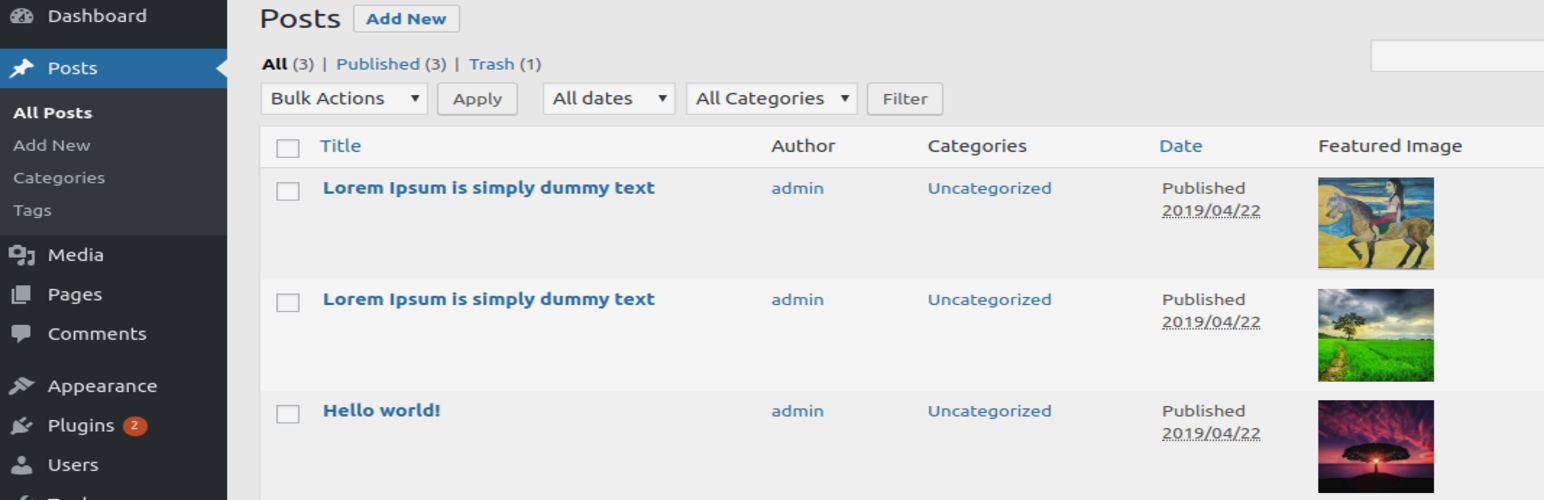
Featured Image Column Display
Description
It is a simple plugin to add a column for “Featured Image” in post type listing display.
Installation
-
Important Backup your files and database.
-
(Recommended) Install directly from the WP Directory through your admin panel Plugins > Add New > Search for “Featured Image Column Display”. Click install under the name, and activate when prompted.
-
Upload featured-image-column-display.zip via “wp-admin/plugin-install.php?tab=upload” or if using FTP, unzip
featured-image-column-display.zip and upload/featured-image-column-display/directory to the/wp-content/plugins/
directory. -
Activate the plugin through the ‘Plugins’ menu in WordPress (under plugin name: “Featured Image Column Display”).
Faq
I have some questions. How do I contact you?
Send them to https://wordpress.org/support/plugin/featured-image-column-display
Where are the settings for the plugin?
Settings are not required for this plugin.
Reviews
Great little plugin
By 
Extra
By 
Really nice
By 
This is really wonderful plugin and i am searching a plugin like this
Great, Work on one click
By 
Clever, lightweight plugin just install and use. very easy....
Changelog
0.5.9
- tested with WP 4.5
- tested with WP 4.9
- tested with WP 5.2