Filr – Secure document library
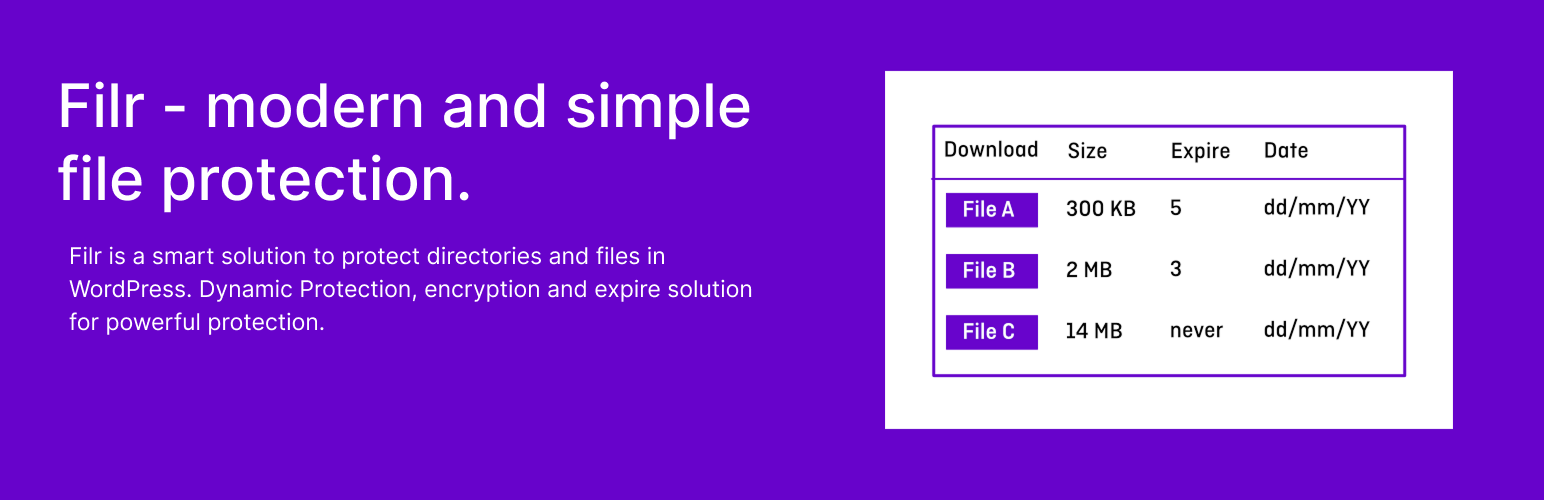
Filr – Secure document library
Description
Easily Create a Secure Document Library with Filr
Filr helps you safely upload, organize, and share documents on your site. Use direct links or show all files in a library for easy access.
Filr Pro – advanced features available after making a purchase
Enhanced File Security & Access Control
– Support for external files.
– Restrict file access by user email or user role.
– Encrypt filenames for extra privacy.
– Password-protected ZIP files.
Flexible File Expiry Options
– Expire uploads after a set number of downloads.
– Set an expiration date for files to auto-remove access.
Advanced Upload & Storage Management
– Upload multiple files at once and automatically zip them.
– Store files in custom directories for better organization.
– Manage folders efficiently with built-in folder management.
Extended Shortcode Customization
– More options to configure, style, and customize document library shortcodes.
Get it now on wpdocumentlibrary.com
Documentation
Learn more about this plugin [in our official documentation]](https://wpdocumentlibrary.com/kb/)
Support
- Free users: Ask in our forum
- Pro users: Get priority help
Installation
Default Method
- Go to Settings > Plugins in your administrator panel.
- Click
Add New - Search for Qr
- Click install.
Easy Method
- Download the zip file.
- Login to your
Dashboard - Open your plugins bar and click
Add New - Click the
upload tab - Choose
filr-protectionfrom your downloads folder - Click
Install Now - All done, now just activate the plugin
- Go to Filr and create restricted media links.
Old Method
- Upload
filr-protectionto the/wp-content/plugins/directory - Activate the plugin through the ‘Plugins’ menu in WordPress
Screenshots
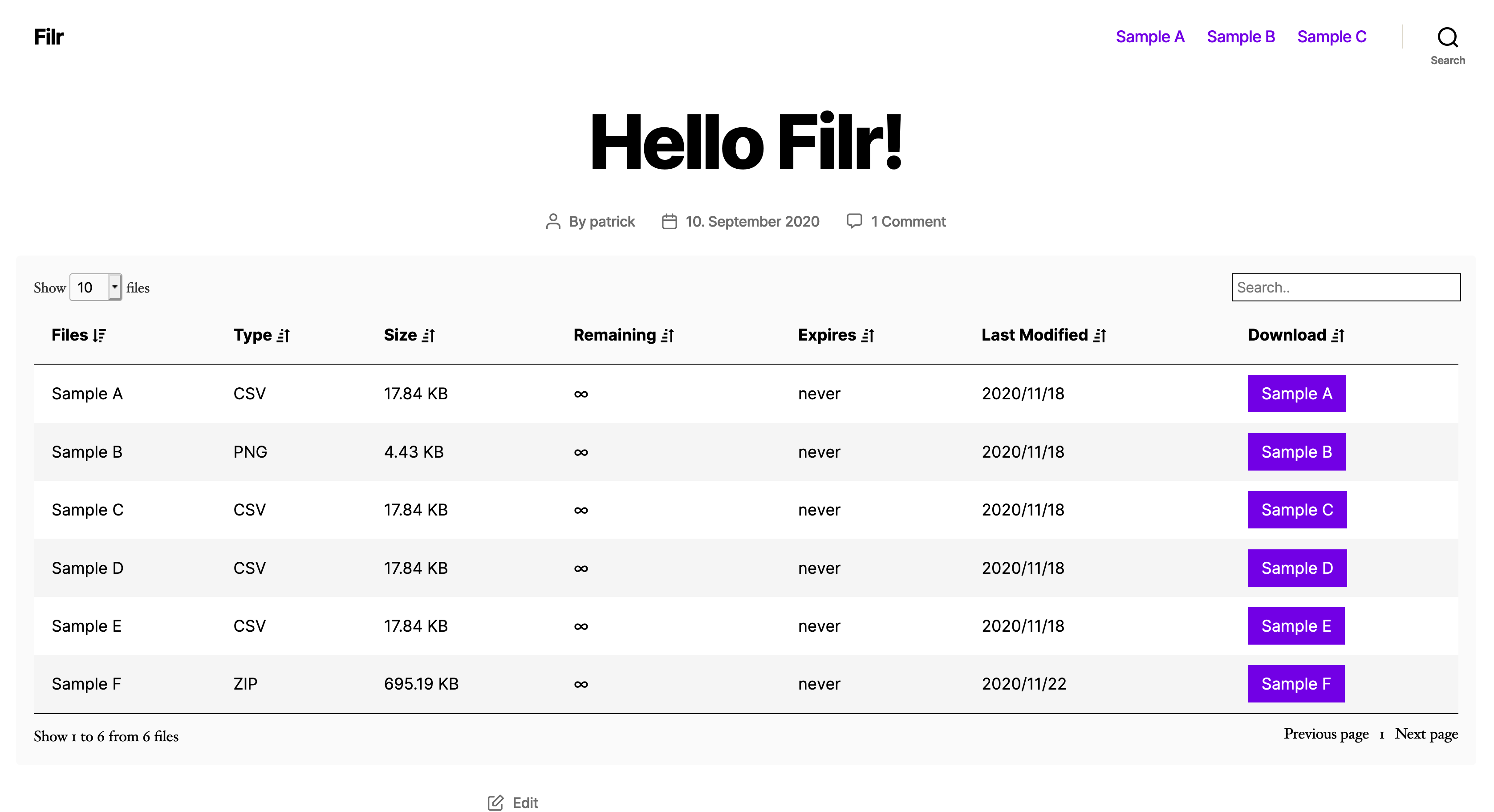
Filr library shortcode
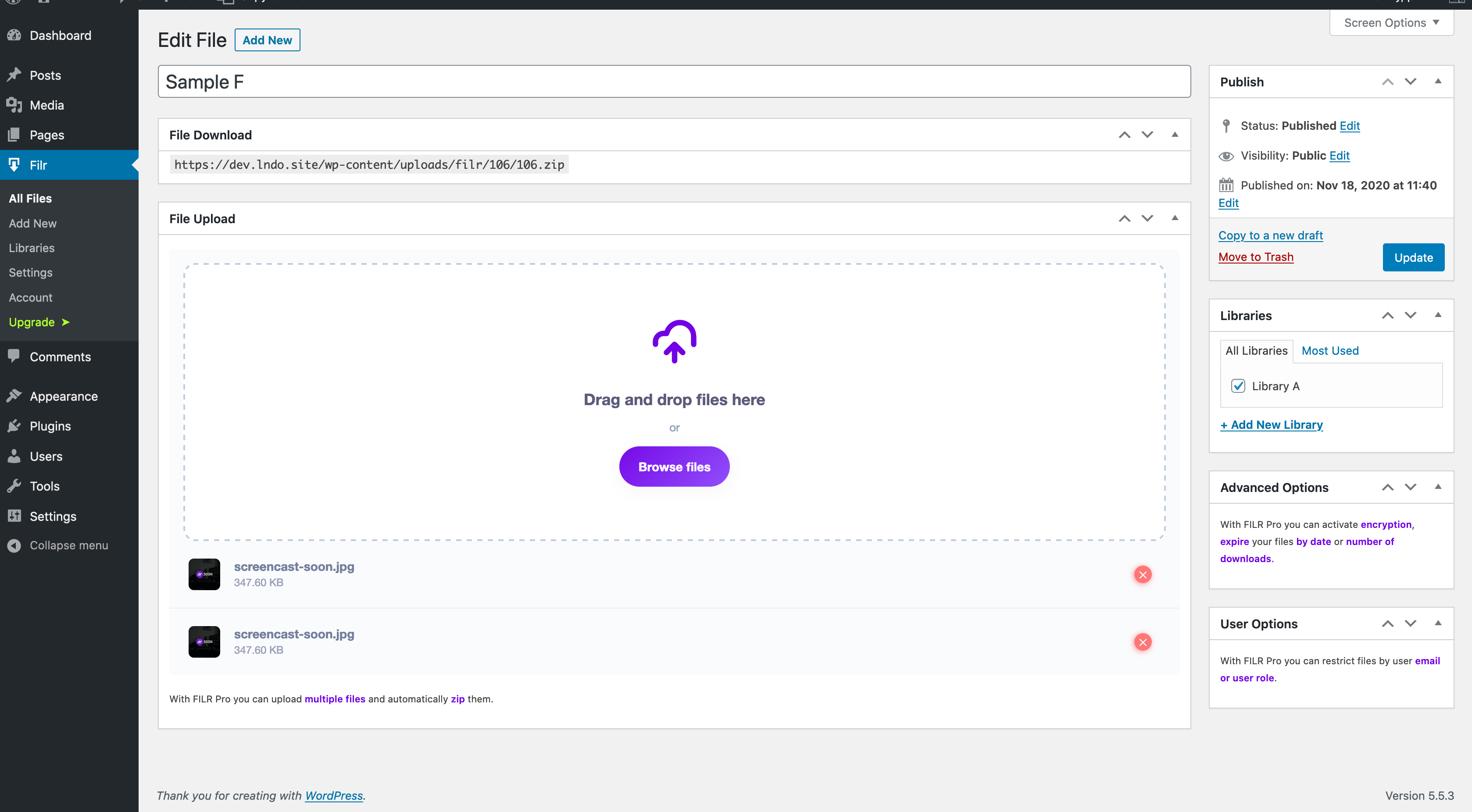
Filr files admin
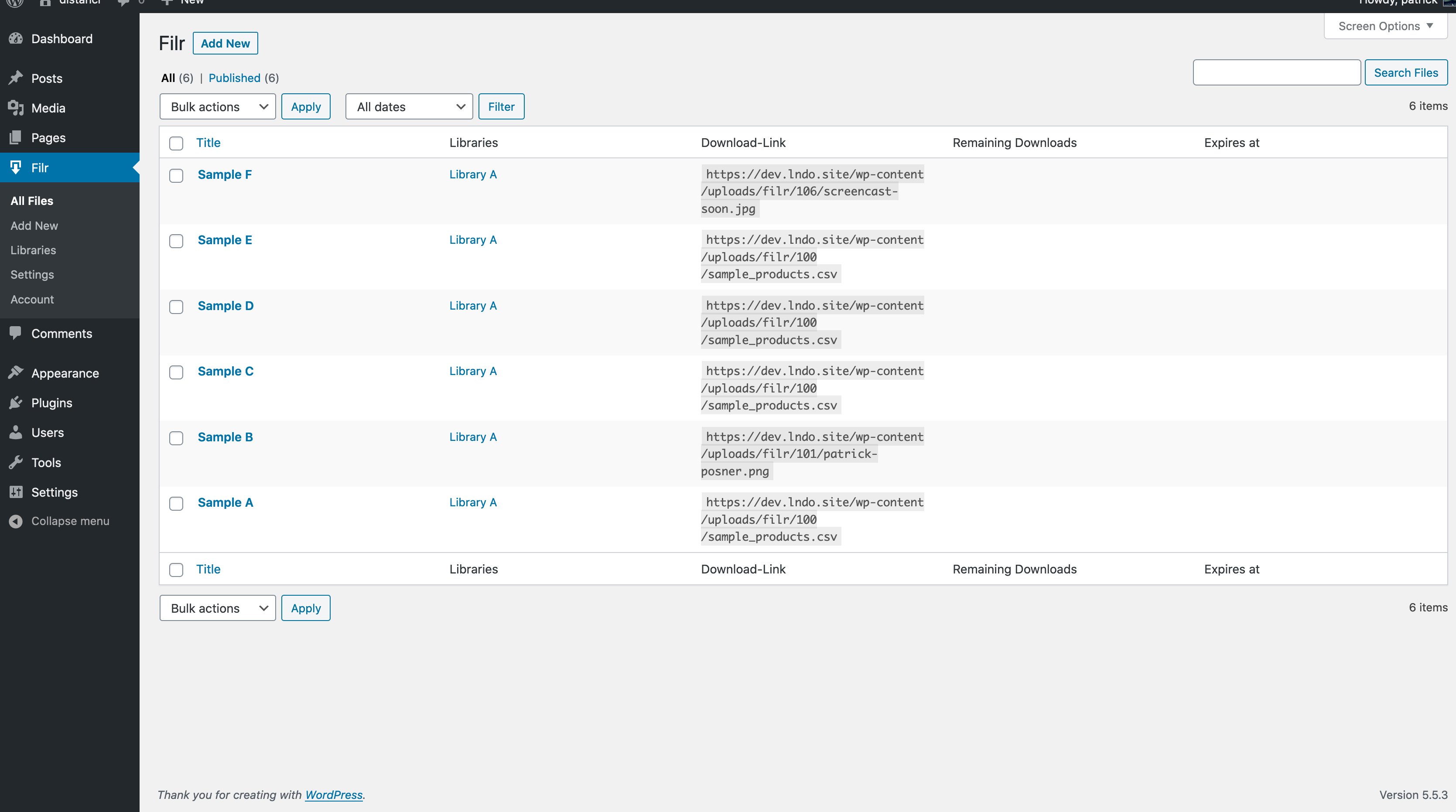
Filr uploader
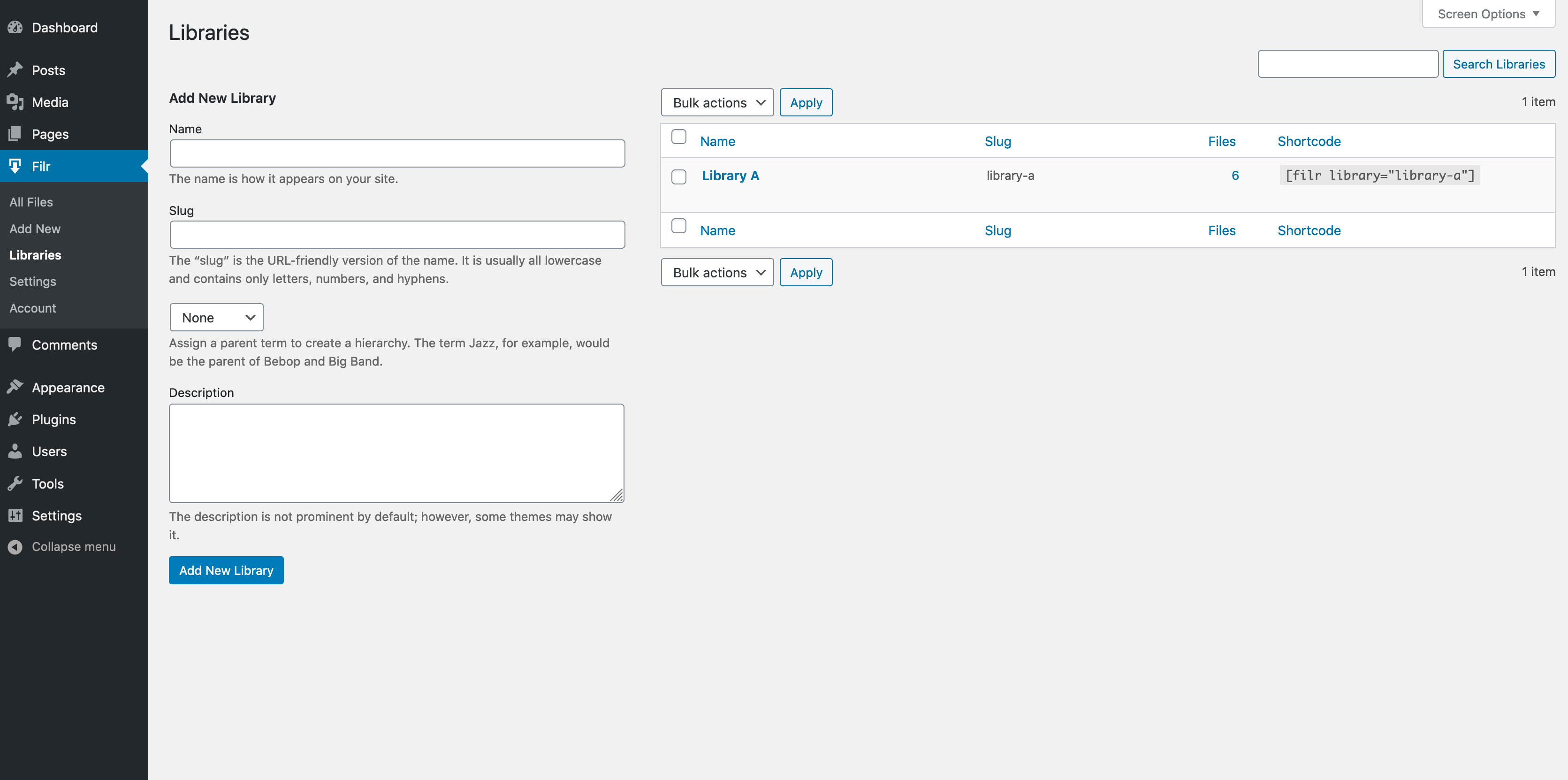
Filr create library
Faq
After installation and activation go to Filr -> Settings and configure your uploads folder and check the server settings.
When you are done, create your first file with “New File”, give it a title, upload your file and after saving it you can copy the download link.
Otherwise assign it to a library and copy the shortcode to display it on your website.
Filr is completely translatable with WPML and Polylang.
Simply use the language switcher and translate all settings.
Please report security bugs found in the source code of the Filr plugin through the Patchstack Vulnerability Disclosure Program. The Patchstack team will assist you with verification, CVE assignment, and notify the developers of this plugin.”
Reviews
simple and reliable
By 
I bought the lifetime version. The price/performance ratio is really excellent. Easy to use, but offers a lot of features. If you know what you're doing, you'll have a powerful tool for managing your files. The free version is sufficient for simple, unprotected file downloads. If you want to restrict access (including search engines) to your users, you'll need the full version. It might be quite complicated for inexperienced users. A step-by-step setup would certainly be helpful here. ...and yes: Reading the manual has helped many times.
Many features are useless
By 
Preview is just a download and all front-end uploads are converted to ZIP files.
What does the free version even do?
By 
Absolutely recommendable, fast support!
By 
Fantastic
By 
upload-protection at its best!
By 
simple but powerful!
By 
perfect organisation of media assets
By 
Recommended document repository solution
By 
Clever and simple file-protection
By 
Changelog
1.2.11 – 22.10.2025
- Fix: Security issue with file uploads.
1.2.10 – 11.07.2025
- Fix: Undefined variable $timestamp issue.
1.2.9 – 26.06.2025
- Fix: Resolved an issue with assets not being loaded properly
1.2.8 – 20.06.2025
- Fix: Resolved an issue where hovering over the preview icon for non-image files displayed a broken image tooltip.
- Change: Clicking the preview icon now opens the file in a new browser tab for improved usability.
1.2.7 – 03.02.2025
- Fixed: Fatal error when creating a new file if …/wp-content/uploads/filr/ directory was missing.
1.2.6 – 06.12.2024
- Changed: Update readme
1.2.5
- latest Freemius SDK
- fixed security issue with insecure filenames
- updated docs and support links
- enhanced CPT capabilities checks for better security
1.2.4
- removed capability check to avoid empty libraries
1.2.3.9
- improved title escaping
- added capability checks for admin settings + CPT access
- force int for ID usage
1.2.3.8
- security improvements
- WP 6.5 compatibility
1.2.3.7
- SDK upgrade
- readme improvements
1.2.3.6
- WordPress 6.4 compatibility
1.2.3.5
- expired download 0 <= comparison
- improved expired download handling
1.2.3.4
- fixed security issue with file uploads
- fixed PHP notice with file link
- fixed decrease download count detection
- upgraded Freemius SDK
1.2.3.3
- WP 6.3 compatibility
1.2.3.2
- improved Freemius integration
- added filter to change filename
1.2.3.1
- Fixed frontend uploader upload to specific folder
1.2.3
- added filter filr_access_allowed to allow implementing custom validation for file access
- Freemius SDK update to 2.5.10
1.2.2.9
- updated uploader scripts
- fixed publish date in folders
- check for file_exists before getting file size
1.2.2.8
- clear filename on reload within frontend uploader
- fixed secure URLs with folders
1.2.2.7
- fixed size calculation from admin uploads
1.2.2.6
- auto-zip for frontend uploads
- fixed secure URL feature with frontend uploads
- improved visibilty for frontend uploads
1.2.2.5
- bugfix: reload with frontend upload
- auto-zip for frontend uploads to prevent missing meta on failed ajax requests
- Norwegian translation
1.2.2.4
- removed unknown method from create post
1.2.2.3
- prevent recursion on zipping files in admin
1.2.2.2
- added filter to dynamically add custom rows in a library
- added dynamic version number
- improved accessibility with ARIA tags (frontend & backend)
- added option to set a custom error message for unallowed access
- cleaned up CSS defaults
- improved responsive design (tables and folders)
- improved frontend uploader capabilities (library condition, fixed user role parameter)
- changed “Rows” to “Columns” – typo
- updated translations
1.2.2.1
- full security audit
- code refactoring and cleanup
- introduced PHP type hints for all methods and attributes
- improved PHP doc blocks
1.2.2
- improved german translation
- added filter parameter for uploader only view
- filter for disallowed file types added
- action for expire date comparisons
- cleaned up the free version
- fixed translation for folder buttons
1.2.1
- added finish translation
- added french translation
- prevent error if files array is empty
- auto cleaner only with filter
- filr_allow_file_access hook for additional permission checkup
- fixed all folders in select menu
- Windows-environment support
1.2
- target blank option for external files
- user as row (uploaded by) (pro only)
- frontend uploader with file name, folder and library selection (pro only)
- restrict uploaded files by user email and/or role from frontend (pro only)
- notification email after file submission (pro only)
- automatically restrict file from frontend uploader to the user
- Added option to encrypt File ID in secure URLs
1.1
- mobile design
- secure download links (pro only)
- options for default sorting
- option to adjust fontsize for folder headline
- enhanced status with max_upload_limits, max_post_size
- setting deactivate search/pagination also applies to folders now
- updated language files
- WP 5.8 compatibility check
1.0.0
- support for external files (pro only)
- frontend file uploader (pro only)
- filter for replacing the entire directory used by Filr
- better error handling for large files
- prevent error notices when empty files are created
0.9.5
- better freemius integration
- fixed date sorting
0.9.4
- decrease remaining on download (ajax) (pro only)
- added file preview for images (pro only)
- added version number (pro only)
- improved markup for easier styling of rows
- improved styles for better theme compatibility
- updated translation
- better fail-safe bootup
0.9.3
- fixed published/modified date
- class_exists for ZIPArchive to prevent errors
- Added options to toggle search and pagination
- added folder management (pro only)
- fixed decrease download ajax (pro only)
- improved german translation
0.9.2
fixed restriction by mail
fixed missing min assets for search and sorting
0.9.1
- SDK bufix which results in fatal error
0.9
- option to use publish date instead of last modified date
- option to overwrite the download button label
- included password-protection for zip files
- improved user mail and user role restriction
- improved trialing
0.8
- New shortcode with datatable.just
- More performance improvements
- Modified and optimized strings and localisation
- Option to configure the order of columns
- Additional rows to activate and use (filetype and modification date)
- latest freemius SDK
0.7
- fixed conditional for expiration
- readme improvments
0.6
- CSS bugfixes
- readme improvements
0.5
- Initial release