Fleetwire – Car Rental Booking & Website Builder

Fleetwire – Car Rental Booking & Website Builder
Description
Fleetwire turns WordPress into a car rental website. Connect your Fleetwire account, click Build my rental site, and get draft Home, Our Fleet, FAQ, Contact and vehicle pages filled with your own fleet — photos, prices, live availability search and booking buttons included. Review the drafts, edit the text, and publish.
Whether you rent cars, trucks, vans, RVs, trailers or equipment, visitors browse your vehicles, pick dates and book on your own site instead of a marketplace.
Build your rental website in one click
- Starter pages from your fleet: Home, Our Fleet, FAQ, Contact and a page for each vehicle you pick, created as drafts. Nothing is published or overwritten, and pages you already have (like an existing FAQ) are reused instead of duplicated.
- Publish when you’re ready: publish pages one by one, or all at once with Publish all draft pages.
- Menu and front page: optionally add the pages to your site menu and make the new Home your front page once you publish it.
Car rental blocks
Seven blocks in a Fleetwire category, with previews of your real vehicles right in the editor:
- Vehicles — your bookable fleet as a responsive grid of cards, with a limit, paging, price toggle, and optional renter filters and sorting.
- Vehicle Availability — a monthly calendar for one vehicle showing which days are free, with a button to book the picked dates.
- Search — trip dates search that sends renters to available vehicles.
- Vehicle Card, Book Button, Vehicle Gallery and Vehicle Details — pick a vehicle from a searchable list.
Ready-made car rental patterns
Twelve sections in the Fleetwire – Car Rental pattern category: hero with date search, trust bar, fleet grid, how renting works, why book direct, renter reviews, rental FAQ, rental requirements, book-now banner, contact and hours, a vehicle page with a booking card, and three featured vehicles. Patterns use core blocks, so they pick up your theme’s fonts and colors, and work with block themes like Twenty Twenty-Five as well as classic themes.
Booking handled by Fleetwire
Renters book through Fleetwire’s secure hosted checkout, with real-time availability, online payments and security deposits, rental agreements and order management in your Fleetwire dashboard. Your vehicles, prices and photos stay in sync automatically — update them once in Fleetwire and your site follows.
Built for rental businesses
- Car rental companies: a branded car rental website with real-time availability and online booking.
- Independent hosts: take direct bookings instead of relying only on marketplaces.
- Truck, van and trailer rentals: box trucks, cargo vans, trailers and haulers with per-day pricing.
- RV and camper rentals: let travelers check dates and reserve motorhomes and campers online.
- Equipment rentals: tools, machines and other rental inventory.
Also included
- Shortcodes for every embed (
[fleetwire_list],[fleetwire_search],[fleetwire_listing_card],[fleetwire_button]and more) for page builders and classic editors, with a shortcode builder in WordPress admin. - Connection status to confirm WordPress can reach your Fleetwire account.
- Fleetwire dashboard in WordPress admin with setup progress, connection status, and your upcoming pickups and returns (with an optional read-only integration token).
- Translation ready.
Note: A Fleetwire account is required. Visit fleetwire.io to learn more or start your free 14-day trial.
External services
This plugin connects your site to Fleetwire, the rental platform that stores your vehicles and handles bookings. A Fleetwire account is required.
- Fleetwire API (
{your-company}.fleetwire.io): in WordPress admin, the plugin requests your public vehicle list (names, photos, prices) to fill the vehicle picker, previews, patterns and starter pages, and checks the connection with your Company ID. If you add an integration token, it also requests your private dashboard summary. Your Company ID, and the token when set, are sent with these requests. - Fleetwire embed script (
{your-company}.fleetwire.io/tenant/v2/fleetwire.js): loaded on your public pages to show vehicles, search and booking buttons. It requests your vehicles and company details from the Fleetwire API, and sends the page address and plugin version so Fleetwire can show where your embeds run. When a visitor books, they continue to Fleetwire’s hosted checkout. - Vehicle photos are served from Fleetwire’s image service (
media.fleetwire.io). - Date picker styles are loaded from jsDelivr (
cdn.jsdelivr.net) by the embed script.
Fleetwire terms of service and privacy policy. jsDelivr privacy policy.
Installation
- In WordPress, go to Plugins > Add New, search for Fleetwire, then install and activate it.
- In your Fleetwire dashboard, open Settings > Online reservations > Installation > WordPress plugin and copy your Company ID.
- In WordPress, open Fleetwire from the admin menu, paste your Company ID, save, and click Check connection.
- Under Build your rental website, choose your pages and vehicles and click Build my rental site. Or add Fleetwire blocks and patterns to any page from the block editor.
- Optional: create a WordPress integration token in Fleetwire and paste it into the plugin settings to see the host dashboard.
Screenshots

A rental home page built by the plugin: hero with trip date search and your fleet.

Live availability search with a date picker on your own site.
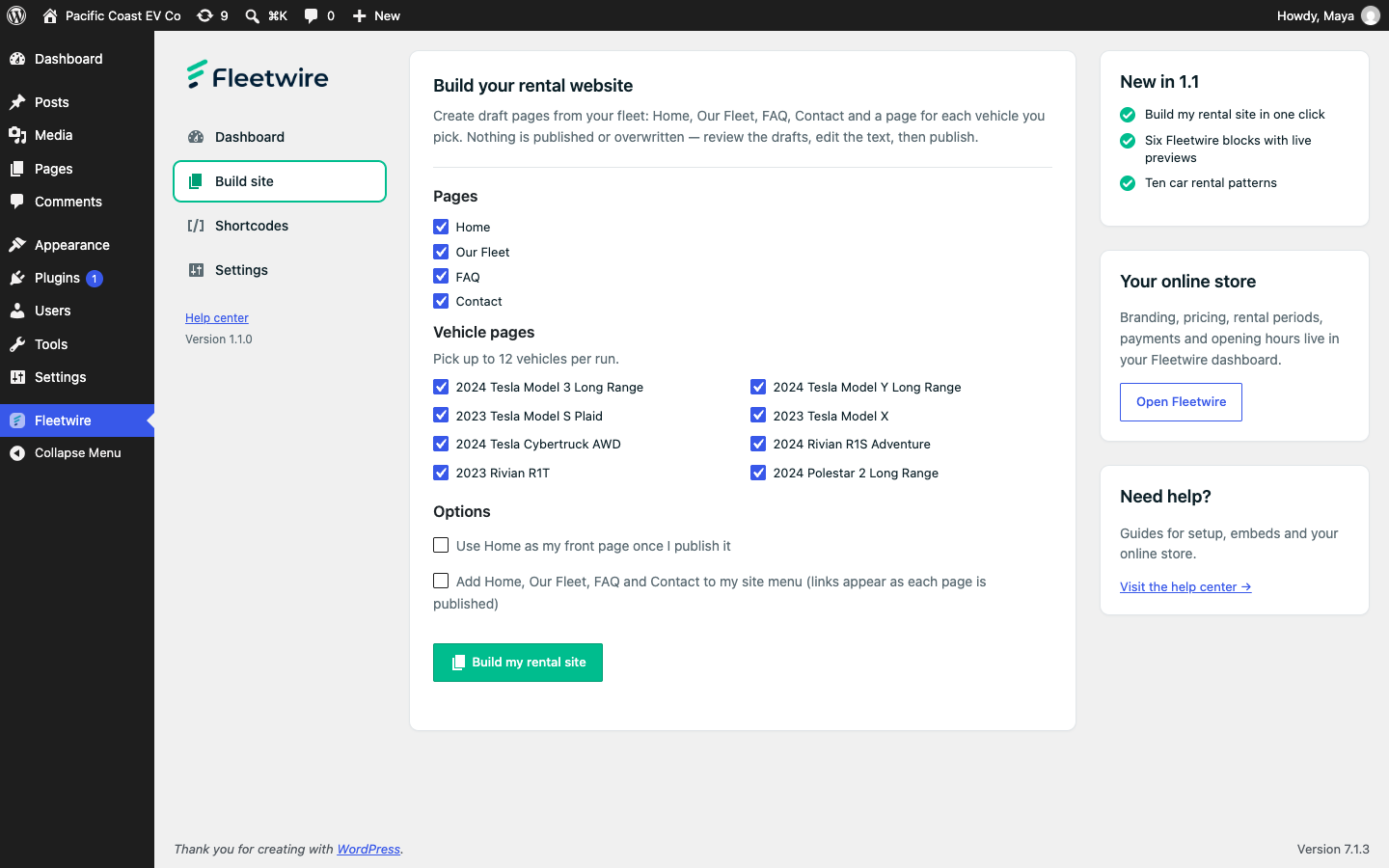
Build my rental site: pick pages and vehicles and get draft pages in one click.
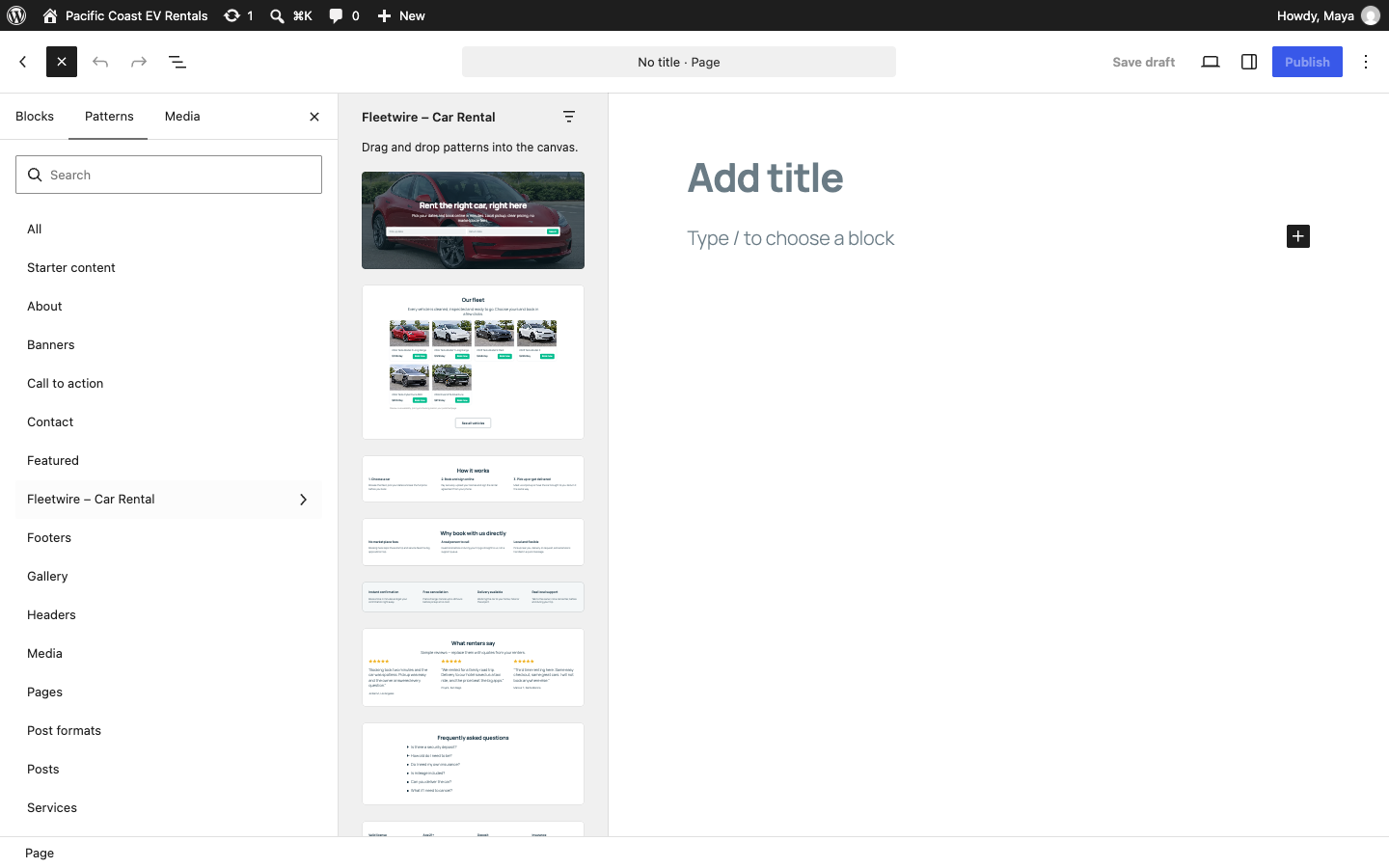
Car rental patterns in the block editor's Patterns tab.
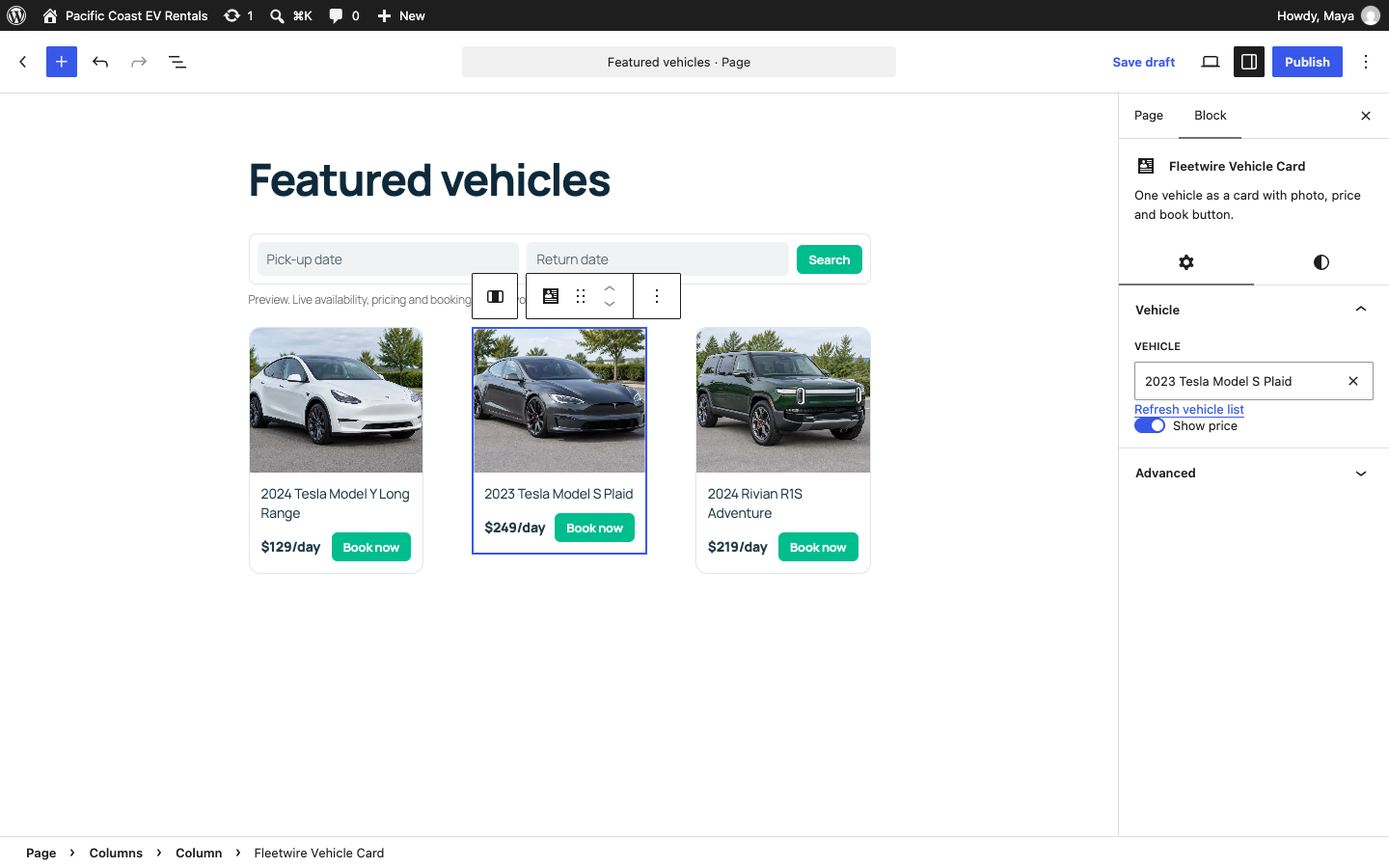
Fleetwire blocks with previews of your real vehicles and a vehicle picker.
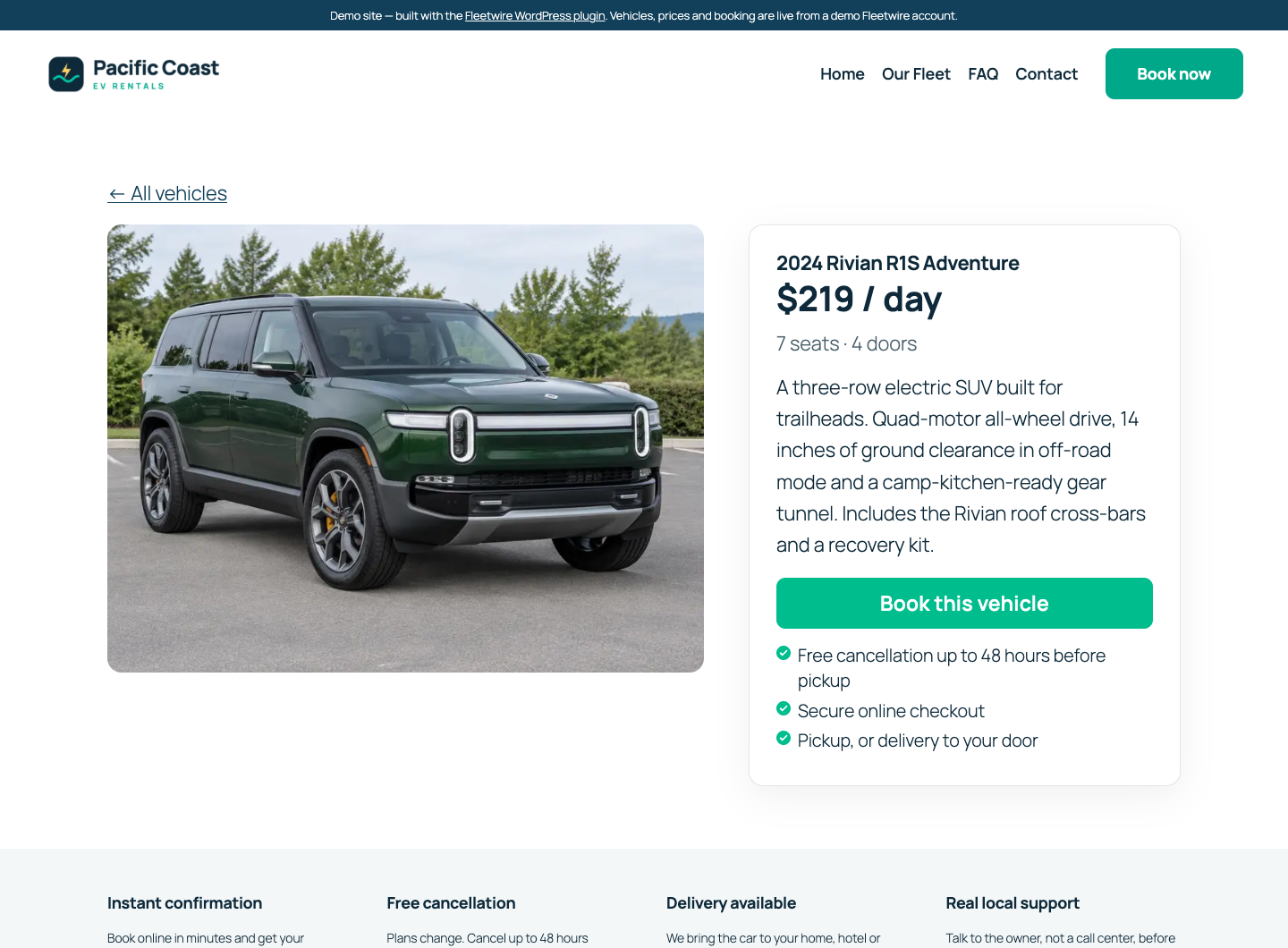
A vehicle page with photo gallery and a booking card: price per day, specs and a book button.
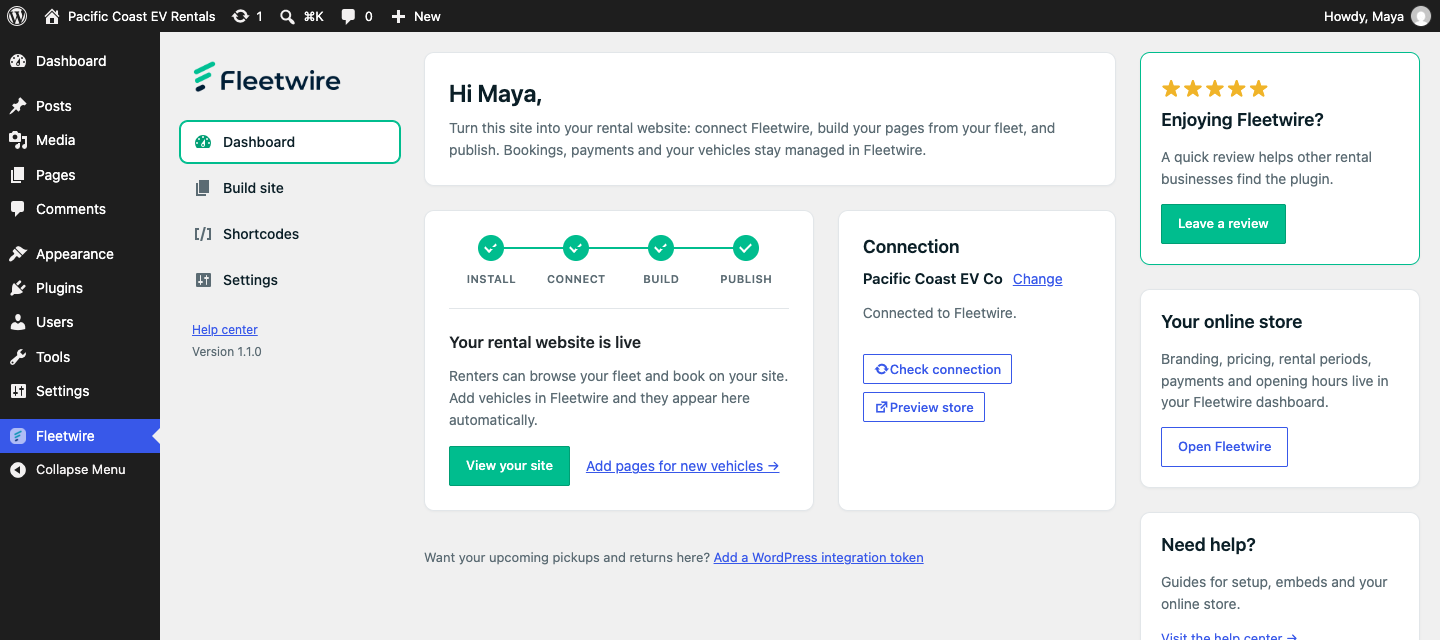
The Fleetwire dashboard: setup progress, your connection and the next step.
Faq
Yes. Visit fleetwire.io to create an account or start a free 14-day trial.
No. It only creates draft pages and never publishes or overwrites anything. If you already have a page at /faq/, /contact/ or /fleet/, it reuses yours instead of making a duplicate. Your current home page stays live until you publish the new Home.
The blocks and patterns use WordPress core blocks, so they take on your theme’s fonts and colors. They work with block themes such as Twenty Twenty-Five and with classic themes. Shortcodes work in any theme and page builder.
No. Use Build my rental site, or add Fleetwire blocks and patterns from the block editor and pick your vehicles from a list.
Yes. Every embed has a shortcode, and the Fleetwire settings page builds them for you: pick a vehicle and copy the shortcode into any page, post or page builder.
Visitors browse vehicles and check availability on your WordPress pages, then complete their reservation in Fleetwire’s secure hosted checkout, with real-time inventory, payment processing and order management.
Yes. Fleetwire supports any rental fleet — cars, trucks, vans, RVs, campers, trailers and equipment.
In a private system temporary directory outside your web root. To keep them somewhere permanent, define FLEETWIRE_LOG_DIR in wp-config.php as an absolute path outside every web-served directory, writable only by PHP.
Reviews
Changelog
1.1.1
- Improved: on block themes like Twenty Twenty-Five, Build my rental site uses the theme’s no-title template for Home and vehicle pages, so “Home” or the vehicle name no longer prints above the hero and booking card.
- Improved: when your block theme’s menu is still WordPress’s automatic page list, Add to my site menu replaces it with Home, Our Fleet, FAQ and Contact instead of listing every vehicle page. Menus you have edited are left alone.
- Moved developer notes out of the plugin readme.
1.1.0
- New: Build my rental site — creates draft Home, Our Fleet, FAQ, Contact and vehicle pages from your fleet, reuses pages you already have, and can publish them all at once.
- New: seven Fleetwire blocks (Vehicles, Search, Vehicle Card, Book Button, Vehicle Gallery, Vehicle Details, Vehicle Availability) with editor previews of your real vehicles.
- New: twelve car rental block patterns in the “Fleetwire – Car Rental” category, including a vehicle page with a booking card, a trust bar and renter reviews.
- New: vehicle photo gallery with thumbnails.
- New: Vehicle Availability calendar block and
[fleetwire_listing_calendar]shortcode: a monthly calendar for one vehicle that shows unavailable days and continues to booking with the picked dates. - New: renter filters (vehicle type, seats, price) and sorting for the Vehicles block and
[fleetwire_list], off by default. - New: redesigned Fleetwire admin with a dashboard, setup progress and separate Build site, Shortcodes and Settings sections. Once you are connected, settings stay out of the way.
- New: pickups and returns load automatically when an integration token is set, and the shortcode builder loads your vehicles when opened.
- Improved: the vehicle list respects limit, paging and price settings, shows only bookable vehicles in your fleet order, and lays out as a responsive grid.
- Improved: the date picker is no longer cut off inside cover blocks and page-builder sections.
- Fixed: listing picker thumbnails.
- Fixed: translations now load. The text domain matches the plugin slug (fleetwire-fleet-management), and the block editor strings are translatable.
- Passes the WordPress.org Plugin Check with no errors or warnings.
- Includes the 1.0.24 security changes below.
- Requires WordPress 6.3 or later.
1.0.24
- Moved diagnostic logs outside public web directories and added migration of existing upload logs to private storage.
- Required HTTPS and validated SVN working-copy destinations before release updates and commits.
- Prevented release previews from exposing credentials or changing release files.
- Added security regression checks and synchronized plugin and asset versions.
1.0.23
- Renamed for better clarity and consistency
- Code refactoring
1.0.22
- Added Fleetwire connection status, scoped integration token storage, and a host dashboard for active listings, upcoming pickups, and upcoming returns.
- Added a listing picker and shortcode builder to load Fleetwire listings and generate supported embed shortcodes from WordPress admin.
- Updated shortcode examples and aligned supported shortcode classes with Fleetwire’s current embed script.
1.0.21
- Major Refactoring: Complete code restructure with class-based architecture and proper namespaces
- Enhanced Security: Comprehensive input validation, sanitization, and AJAX request validation
- Professional Logging: Added enterprise-level logging system with error tracking
- Configuration Management: Centralized plugin settings and constants
- Performance Improvements: Conditional loading and optimized asset management
- Code Standards: Updated to follow modern WordPress coding standards
- Developer Experience: Enhanced documentation and maintainability
- Backward Compatibility: All existing functionality preserved
1.0.20
- Improved security by sanitizing shortcode attributes to prevent potential XSS.
- Updated compatibility with latest WordPress release.
1.0.19
- Code refactoring
1.0.18
- Refactored code to align with WordPress coding standards.
1.0.17
- Refactored code to align with WordPress coding standards.
1.0.16
- Tweaked Fleetwire Logos and readme.txt
1.0.15
- Verified compatibility with WordPress 6.8.1
- Updated readme.txt
1.0.14
- Updated readme.txt
1.0.13
- Code tweaks
- Updated readme.txt
1.0.12
- Verified compatibility with WordPress 6.5
- Updated Fleetwire Logos
1.0.11
- Verified compatibility with WordPress 6.4.3
- Updated Fleetwire Logos
1.0.10
- Verified compatibility with WordPress 6.1.1
1.0.9
- Added fleet availability shortcode to search for available vehicles
- Code styling
1.0.8
- Added two more shortcodes for vehicle seat and door count.
- Up next: vehicle photo gallery and feature list.
1.0.7
- Shortcode name corrected
1.0.6
- Added shortcode for single listing description paragraph
- Added more shortcode examples on the settings page
1.0.5
- Update help article links
- Verified compatibility with WordPress 6.0
1.0.4
- Corrected filename capitalization
- Put changelog in reverse chronological order
1.0.2
- Added Banner
1.0.0
- First release