Flip Box Carousel

Flip Box Carousel
Description
At the moment it’s used in the title property of the photo when flipped, but I need it to appear below the photo within the carousel, so people know what they are flipping.
Most used as before after flipbox, in the Carousel you can add the images, text, links and select the different color of the flipbox buttons.
In same page you can put more than one Carousel by creating the different categories.
Usage
Once installed and Activated, click go to Flip Box, add the one or more Flip Box item.
Two show multiple Flip Box create the category.
Make the Carousel setting you can set it from the setting menu under the Flip Box
When you insert into your post, it will appear in the editor as a ‘shortcode’ as follows:
[flipcarousel category=”Category Name” number=”Number Flip boxes to show from lists”]
Installation
Easiest way:
1. Upload the plugin files to the /wp-content/plugins/plugin-name directory, or install the plugin through the WordPress plugins screen directly.
2. Activate the plugin through the ‘Plugins’ screen in WordPress.
3. Use the Settings->Plugin Name screen to configure the plugin.
Screenshots
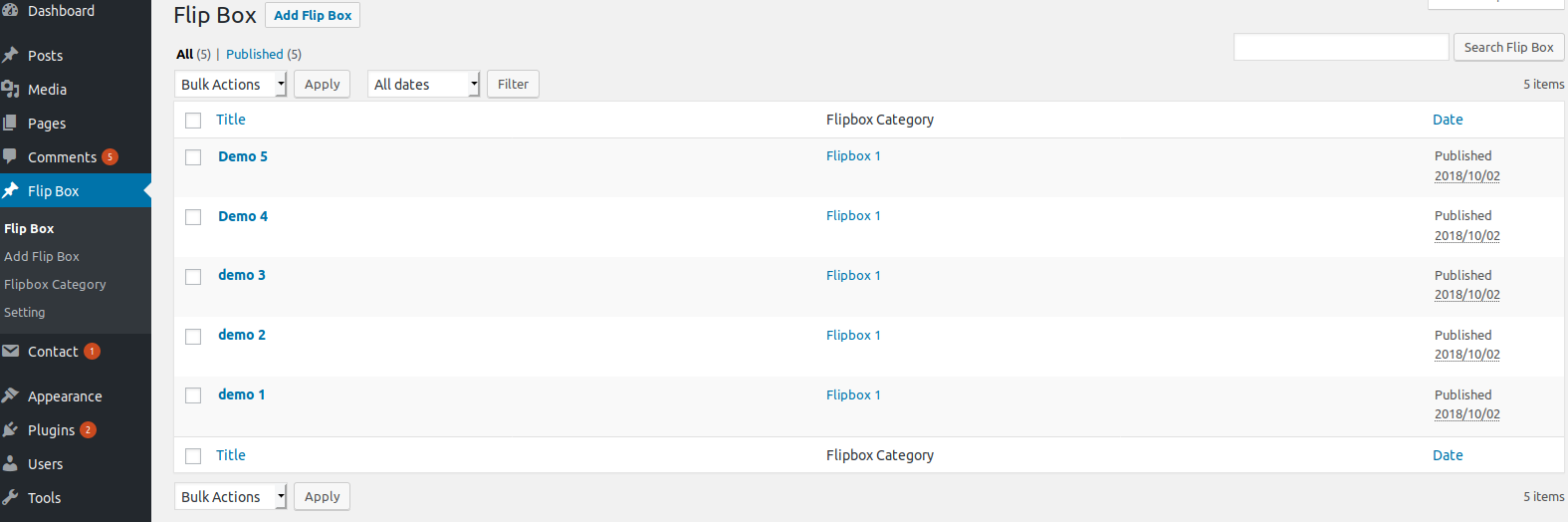
All Flipbox listing.

Flipbox category screen.

Flipbox Editing screen.
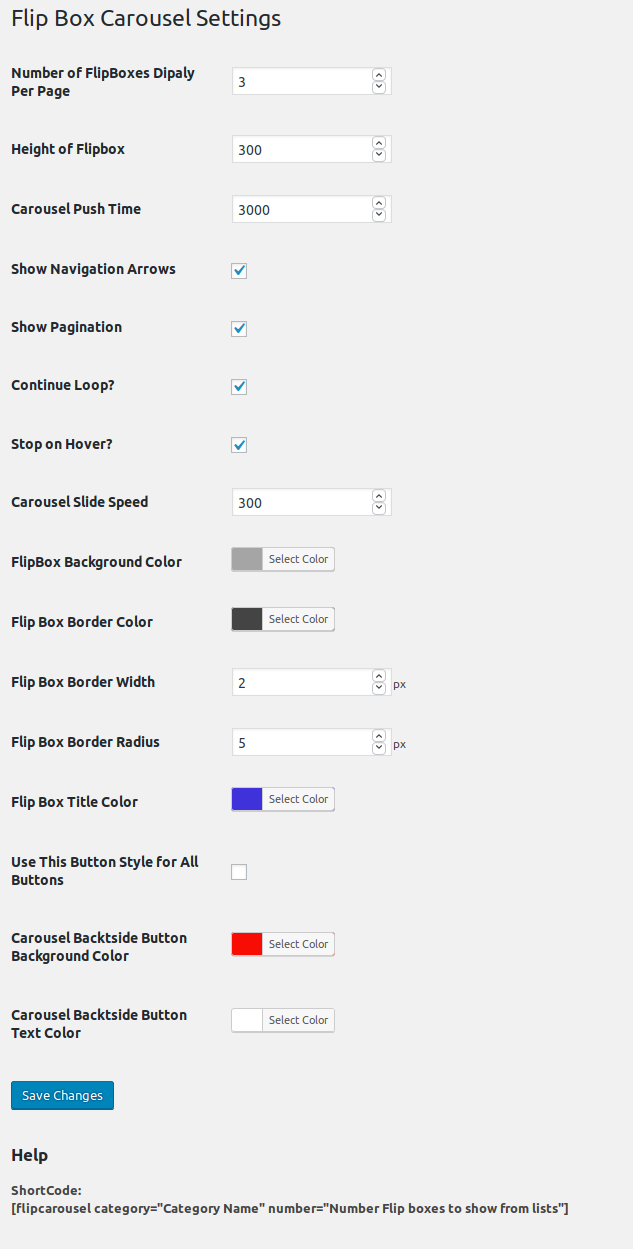
Flipbox Setting screen.

Flipbox Frontend slideshow screen.

Flipbox Frontend slideshow hove view screen.
Faq
Yes, You can show the two Carousel in same page.
[flipcarousel category=”Category Name” number=”Number Flip boxes to show from lists”]
Reviews
Неудобный
By 
Good plugin
By 
Best Carousel plugin
By 
Best plugin
By 
Changelog
1.1
- Fix – Fixed bug of the metabox extract error
- Tweak – Improved flipbox rotate transition effact
1.0
First version