Floating Action Button
Floating Action Button
Description
FAB (Floating Action Button) is a Free & Light Weight WordPress plugin which displays the beautiful Floating Action Button on your WordPress front-end. After triggering/hovering the main button it will pop-up and shows the row of sub buttons with details. This plugin provides the 9 types of the following buttons with different-different functionalities:
- Text Button
- WhatsApp Button (Click to Chat)
- Facebook Messenger Button
- Phone Button
- Email Button
- Viber Button
- Snapchat Button
- Line Button
- Intercom Button
Admin Setting Panel
- Basic Settings
- Activate/Deactivate Floating Action Button
- Change the Position of Floating Action Button to Top-Left/Top-Right/Bottom-Left/Bottom-Right
- Option to Trigger Button by Mouse-Click or Mouse-Hover
- Main Button Settings
- Set Button Icon
- Set Button Icon Color
- Set Button Background Color
- Sub Buttons Settings
- Add Text Button with WP Shortcode Support
- Add WhatsApp Button
- Add FaceBook Messenger Button
- Add Phone Button
- Add Email Button
- Add Viber Button
- Add SnapChat Button
- Add Line Button
- Add InterCom Button
- Change Button Title
- Change Button Content
- Change Button Icon
- Change Text Color
- Change Background Color
- Buttons Sorting with Drag & Drop functionality
- Remove Buttons
Installation
- Just log into your WordPress admin dashboard
- Visit Dashboard > Sidebar > Plugins > Add New
- Search for “Floating Action Button”
- Install and Activate the “Floating Action Button” plugin
- Visit Dashboard > Sidebar > FAB Settings
- Activate the Floating Action Button to display on front-end
- Customize the Position, Icon and Color of Main Button
- Add Sub Buttons according to your requirements
- Customize the Icons, Colors and Orders of Sub Buttons
- Use & Enjoy!!!
Screenshots
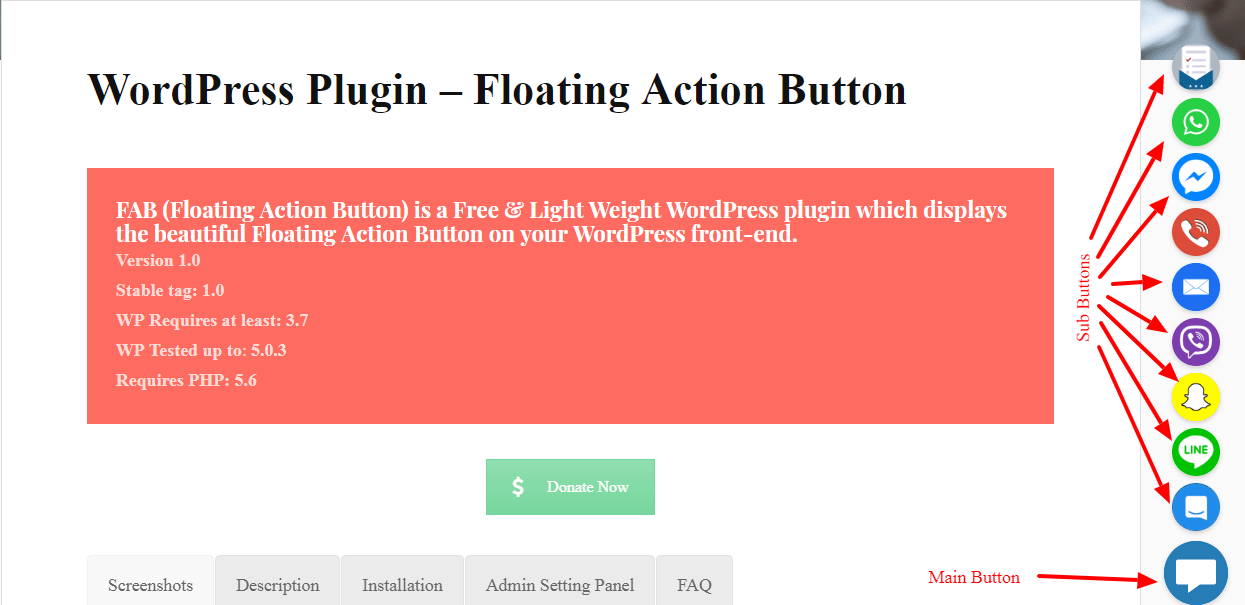
screenshot-1.png - Floating Action Button Visualization
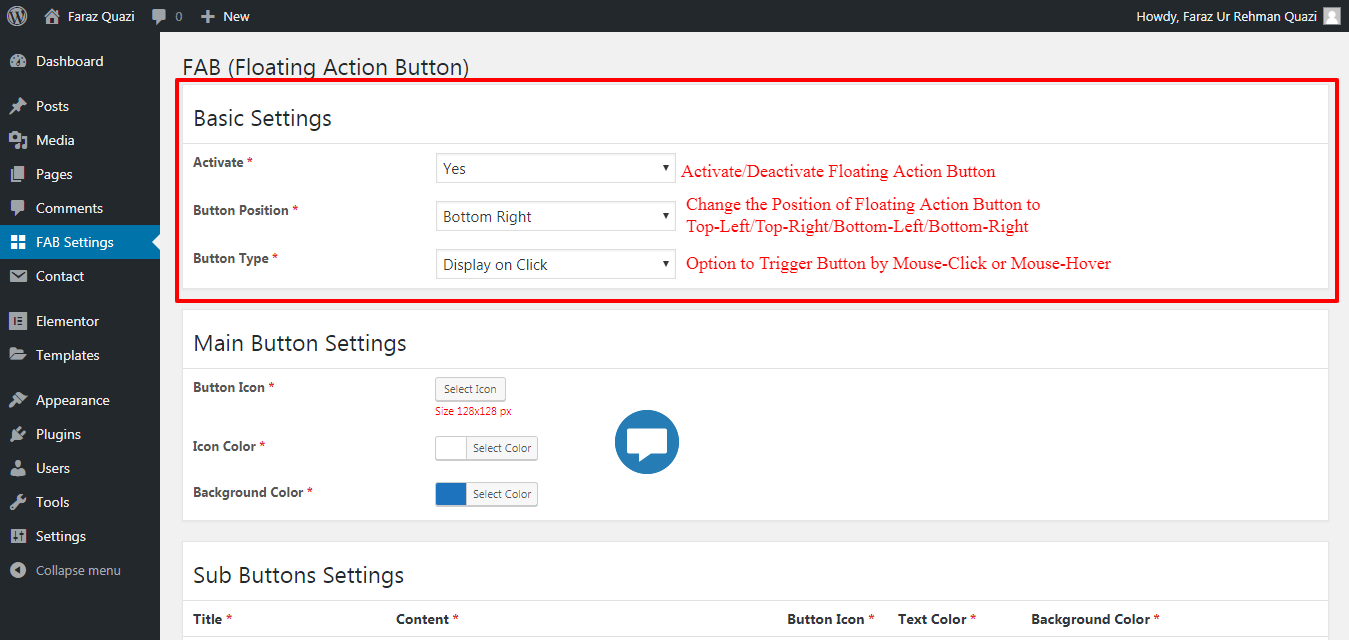
screenshot-2.png - Basic Settings
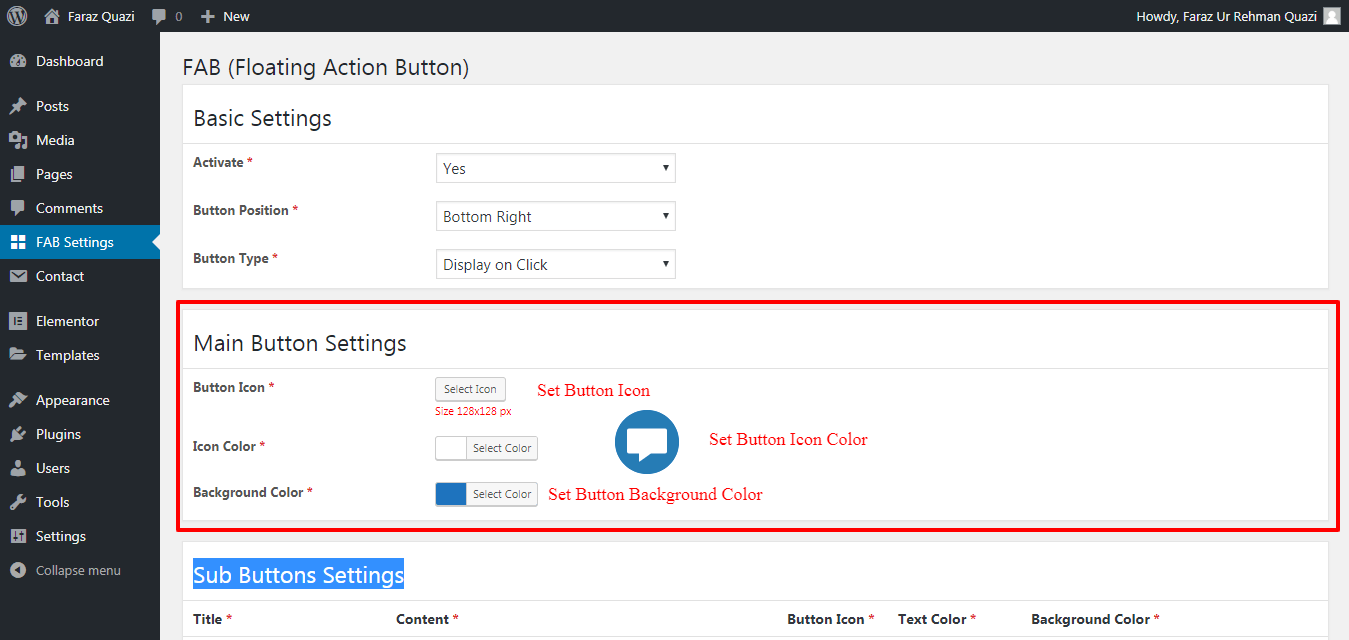
screenshot-3.png - Main Button Settings
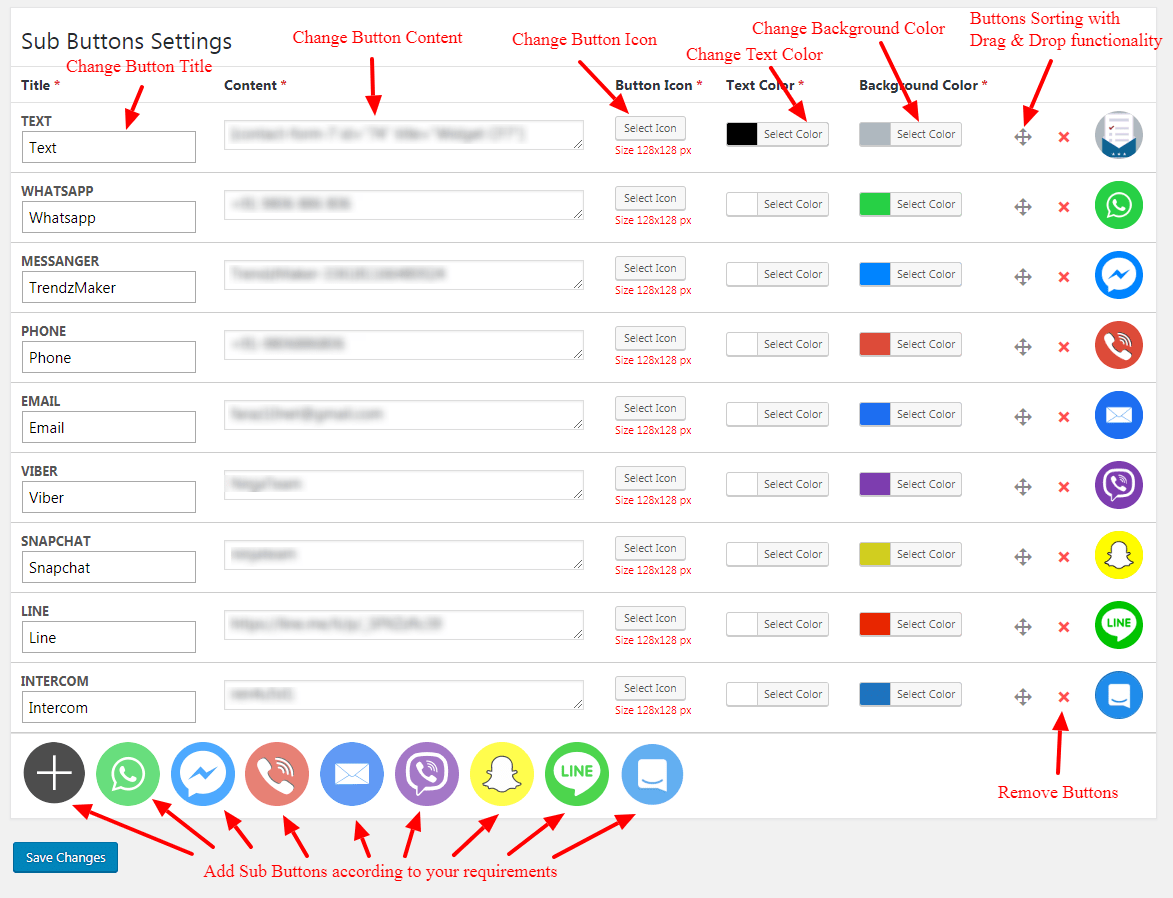
screenshot-4.png - Sub Buttons Settings
Faq
If you want only WhatsApp sticky button then use this plugin https://wordpress.org/plugins/wa-sticky-button
You can use any type of simple text and shortcode
You can use WhatsApp number like that 919806886806 (with country code but without any plus, preceding zero, hyphen, brackets, space)
You can use valid Facebook page slug
You can use a mobile number in this format +91-9806-886-806
You can use a valid email address like this xxxxx@yyyyy.com
You can use Viber Username
You can use Snapchat Username
You can use valid Line URL like this http://line.me/ti/p/xxxxxx
You can use Intercom App ID
Reviews
Excellent plugin
By 
Has potential.
By 
Perfect plugin
By 
Amazing Plugin
By 
Changelog
1.2.2
- Security fixes.
1.2.1
- Security fixes.
1.2.0
- Add WhatsApp Click to Chat Button.
1.1.0
- Add default colors according to button.
1.0.0
- First version of the plugin released.