Font Finder for WhatFontIs

Font Finder for WhatFontIs
Description
Font Finder for WhatFontIs helps you identify matching fonts from:
- an image URL, or
- an uploaded image file.
The plugin connects to the WhatFontIs.com API and returns a list of matching fonts with preview images and links to font pages.
Features:
- Admin settings page for API key and default result limit
- URL image lookup
- Upload image lookup (base64 to API)
- Adjustable results limit (1-20)
- Frontend shortcode: [whatfontis_font_finder]
- Source image preview for easier visual comparison
- Admin page and frontend results UI
Installation
- Upload the plugin folder to /wp-content/plugins/
- Activate the plugin in WordPress admin
- Go to Font Finder > Settings
- Paste your WhatFontIs API key and save
- (Optional) Add shortcode [whatfontis_font_finder] to any page
Screenshots
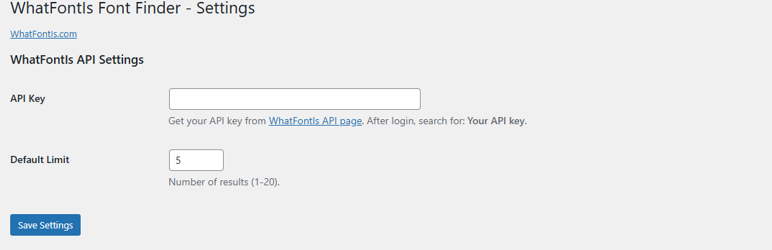
Main Settings.
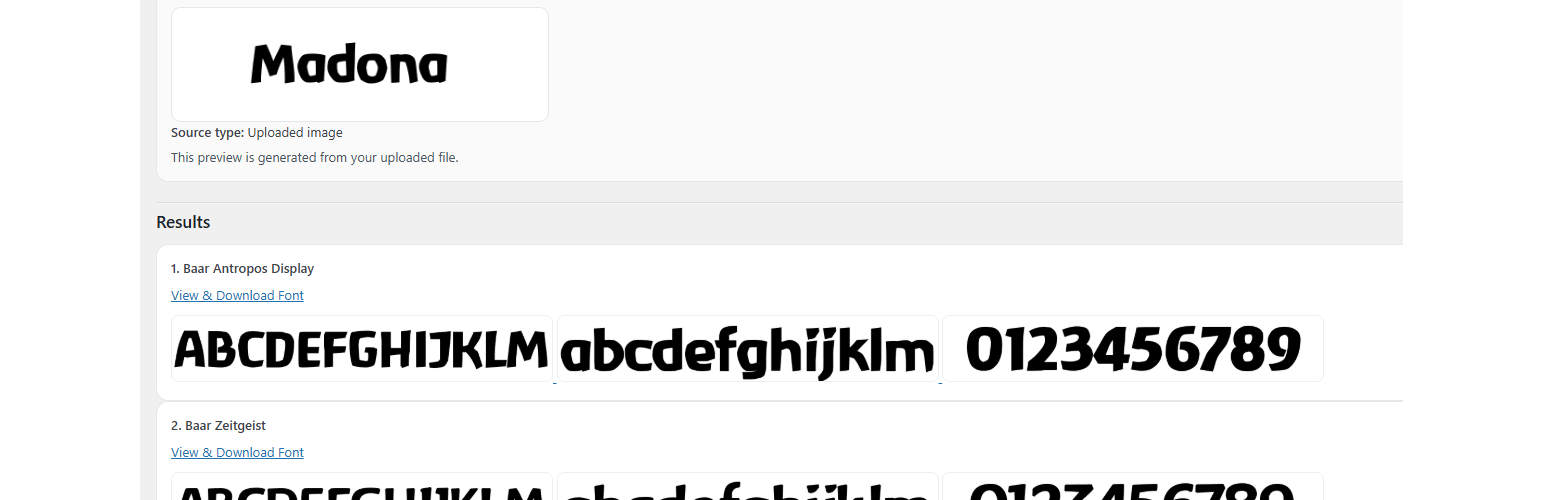
Results list.
Faq
Log in on WhatFontIs and open:
https://www.whatfontis.com/API-identify-fonts-from-image.html
Then search for: Your API key.
JPG, JPEG, PNG, GIF, WEBP, BMP.
Uploaded image has priority and is sent as base64.
Yes. Use: [whatfontis_font_finder].
Reviews
Changelog
1.6.4
- Prefixed main plugin class name for WordPress coding standards
1.6.3
- Fixed source preview sanitization/output flow for uploaded images
- Added stricter escaping strategy for rendered HTML blocks
- Improved Plugin Check compatibility for nonce/input checks
- Minor hardening and cleanup for submission readiness
1.6.0
- Renamed plugin and text domain for directory compliance
- Improved input validation and sanitization flow
- Removed remote UI assets from plugin pages
- Kept frontend source preview and result cards
- Updated compatibility notes for PHP 7.0+
1.5.4
- PHP 7.0 compatibility update
- Added fallback when mbstring is unavailable
- Improved request-method guards
1.5.3
- Removed loading overlay
- Improved frontend results flow