Force Featured Image

Force Featured Image
Description
Installation
- Upload
force-featured-imageto the/wp-content/plugins/directory - Activate the plugin through the ‘Plugins’ menu in WordPress
-
This plugin lets you specify which post-type requires to force a featured image to. It will also let you specify minimum dimensions for the image.
Let’s say, for example, you want to force a user to set an image on the default post type with the following dimensions (400px * 400px). Put this code in the function.php of your theme :function theme_force_featured_image( $options ){ $options['post'] = array( 'width' => 400, 'height' => 400, ); return $options; } add_filter( 'force_featured_image_post_type', 'theme_force_featured_image' );
Screenshots
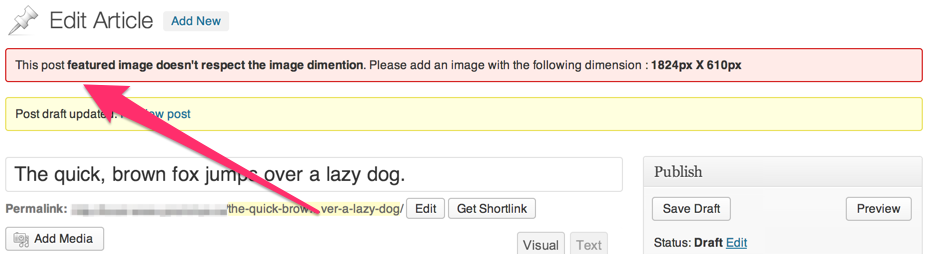
The plugin shows the user a warning when he doesn't respect the image dimension
Reviews
Changelog
0.2.0
- Add the ability to force a featured image with dimensions
0.1.0
First Release