Force Regenerate Thumbnails

Force Regenerate Thumbnails
Description
Force Regenerate Thumbnails allows you to delete all old images sizes and REALLY regenerate the thumbnails for your uploads.
Regenerate all thumbnails from the Tools admin menu. Regenerate batches of images via the Media Library list mode. Select the images to regenerate and then use the Bulk Actions drop-down menu to Force Regenerate Thumbnails. Use attachment actions to regenerate thumbnails for a single image.
Several filters exist for advanced usage. See more via this gist.
You may report security issues through our Patchstack Vulnerability Disclosure Program. The Patchstack team helps validate, triage and handle any security vulnerabilities. Report a security vulnerability.
Installation
- Go to your admin area and select Plugins -> Add new from the menu.
- Search for “Force Regenerate Thumbnails”.
- Click install.
- Click activate.
- Go to Tools -> Force Regenerate Thumbnails OR select specific images from the Media Library list mode to regenerate.
Screenshots
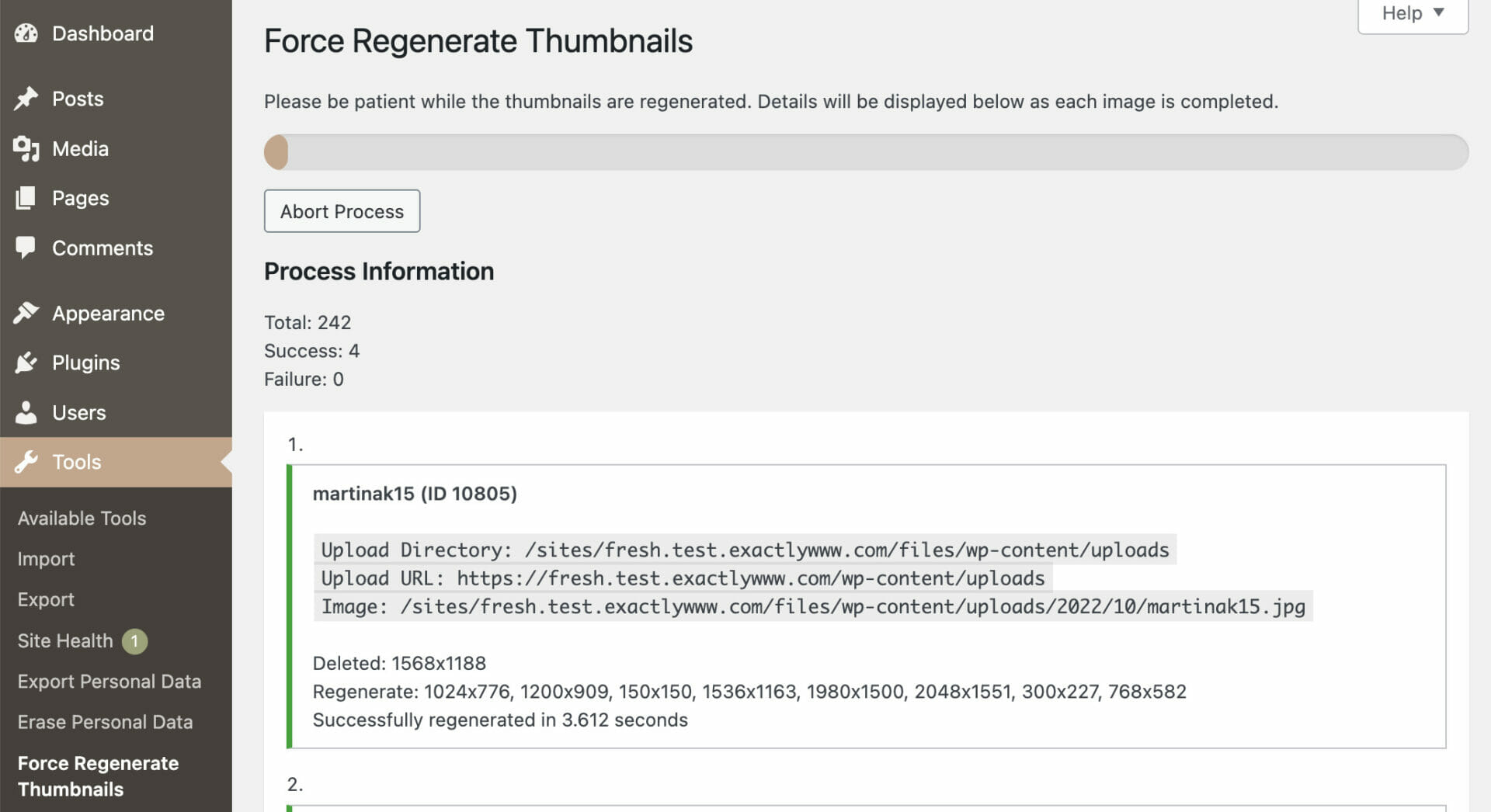
The plugin at work regenerating thumbnails
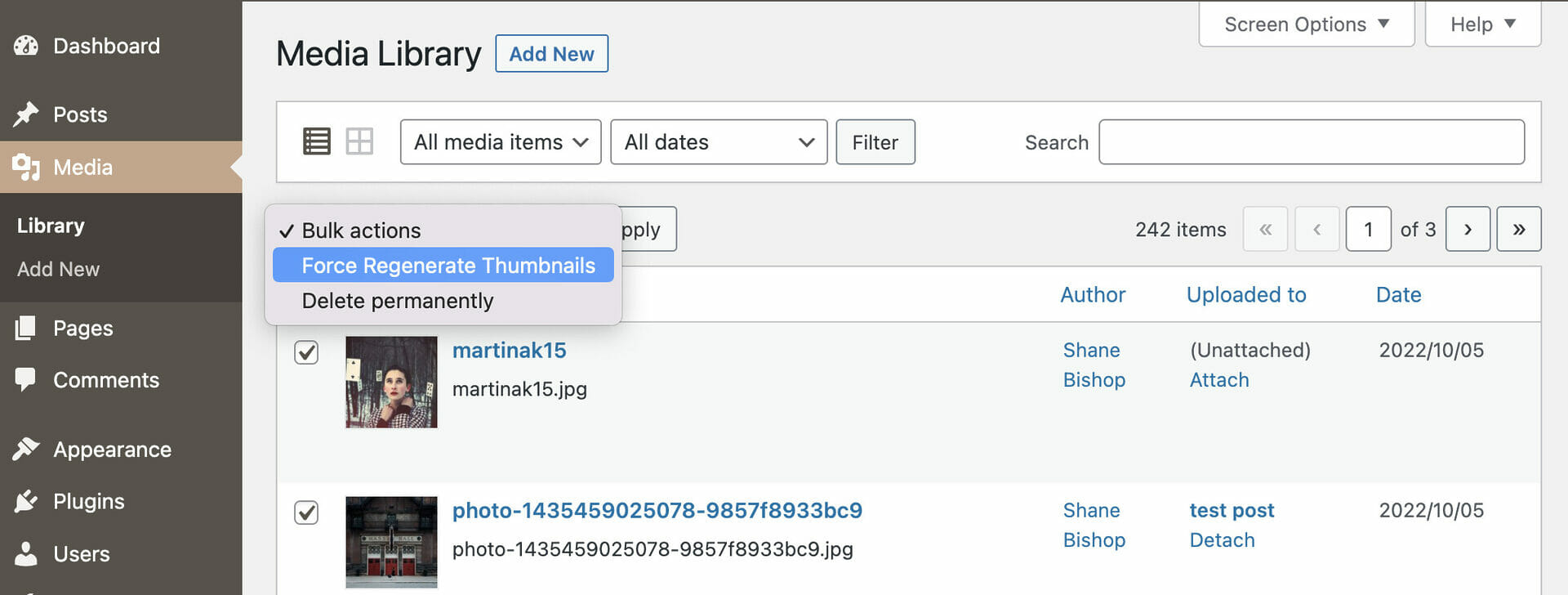
You can resize specific multiples images using the checkboxes and the "Bulk Actions" dropdown
Reviews
What you need
By 
Absolutely great plugin. Fixed my bad looking woocommerce thumbnails that were generated with wrong dimensions in the past.
This plugin literally saved my website with over 50,000 products.
By 
I was completely stuck—my site was overloaded with heavy PNG images and more than 100,000 unnecessary thumbnails. I was seriously considering deleting everything and rebuilding the whole site from scratch. Every thumbnail regeneration plugin I tried would either freeze, fail to delete the old thumbnails, or just generate even more useless image sizes.
Then I found this plugin, and honestly, it was a game changer.
I used it together with two other tools:
• Image Sizes Controller by GrandPlugins — I disabled every thumbnail size I didn’t need and kept only the one that mattered. Before that, WordPress was generating around 10 different sizes for each image.
• Plus WebP or AVIF by Katsushi Kawamori — This one converts any uploaded image to WebP with adjustable quality and deletes the original file. Simply perfect.
Now my website is faster than a bullet. After installing and configuring the other two plugins, I tested everything and then started the full thumbnail regeneration process using Force Regenerate Thumbnails. To my surprise, it worked flawlessly: no freezing, no errors, and the whole process was impressively fast. All the old oversized images were completely removed, and every thumbnail was regenerated exactly as needed.
A HUGE THANK YOU to the developer of this plugin. You genuinely saved my project. Wishing you all the good things in the world!
Solve the problem!
By 
It works very well! Thank you!!
has saved my life
By 
The plugin regenerates the image sizes that are registered. It deletes the unregistered ones AND it also seems to repair the meta data. Impressive! Thank you very much!
It works!
By 
After trying other plugins unsuccessfully, this one worked!
IT WORKS
By 
Unlike other plugins that claim doing the same, this one works and still every image keeps being displayed correctly on the site.
Thanks for this great tool!
Leider unbrauchbar
By 
Von aktuell ca. 38.000 Bildern werden immer nur um die 50 bearbeitet und davon kommt abwechselnd bei 10 bis 20 ein Fehler. Da die Fehler immer bei anderen Bildern kommen, ist das auch ein Fehler vom Plugin.
Nach den 50 bis 60 Bildern geht es dann gar nicht mehr weiter.
Fazit: Leider komplett unbrauchbar das Plugin.
Very good plugin!
By 
Doing job very good. Thank you.
Works like a charm
By 
After a site migration I could not see hundrends of images. I regenerate all the images et voilá! Thank you.
Just does the job
By 
When using third-party themes, it's a usual practice to remove unnecessary image sizes and regenerate existing thumbnails (I've recently used a theme with 15+ new image sizes registered, yikes). I like that I can easily remove image sizes with Perfect Images plugin, however it doesn't allow me to actually delete old image sizes, but this plugin does exactly that with one button - nothing else is needed, honestly.
Changelog
2.3.0
Release Date – February 17, 2026
- added: WP_CLI command: force-regenerate-thumbnails props @realmranshuman
- fixed: PHP 8.5 compatibility
2.2.2
Release Date – June 3, 2025
- fixed: PHP notice when regenerating select images
2.2.1
Release Date – November 12, 2024
- added: list of active image sizes when regenerating thumbs for all images
2.2.0
Release Date – September 17, 2024
- added: regen process can be resumed
- fixed: nonce expiration stops regen process
- fixed: JS errors on thumb regen page
2.1.4
Release Date – April 23, 2024
- fixed: thumb removal via metadata not working due to undefined variable
2.1.3
Release Date – September 13, 2023
- changed: use updated coding standards
- fixed: WP image edits lost if pre-scaled original is used for thumbnail generation
2.1.2
Release Date – March 21, 2023
- changed: improved i18n for page headings and menu entries, props @alexclassroom
2.1.1
Release Date – January 18, 2023
- fixed: invalid trailing comma syntax in PHP 7.2
2.1.0
Release Date – November 10, 2022
- added: PHP 8.0 compatibility
- added: support generating thumbnails from original (pre-scaled), on by default
- added: support for PDF thumbnail generation
- added: ability to skip an image by regenerate_thumbs_skip_image filter
- changed: escape all output, sanitize all input
- changed: ensure all strings are i18n
- changed: remove HTML from i18n strings
- changed: improve path lookup function
- fixed: call to set_time_limit() when it is not allowed
Earlier versions
Please refer to the separate changelog.txt file.