FormRank Lead Scoring
FormRank Lead Scoring
Description
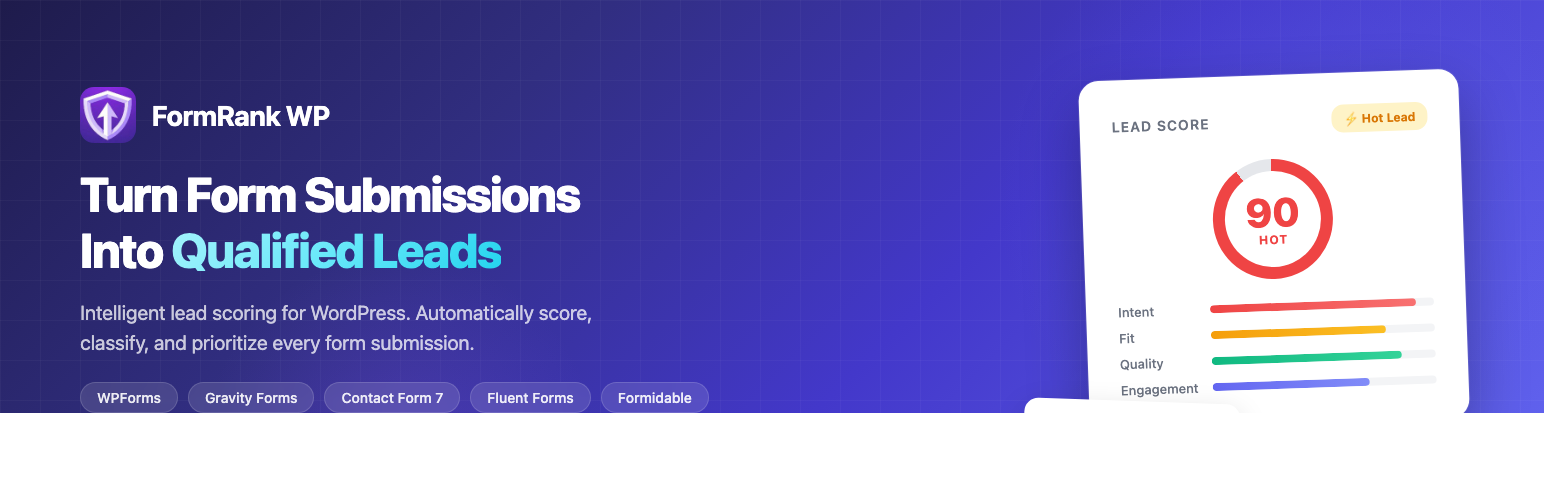
FormRank Lead Scoring (FormRank) automatically scores your form submissions using an intelligent scoring engine to help you identify hot leads and prioritize follow-ups.
Features:
- Guided Setup Wizard – Get started in under a minute with industry-matched demo data so you can explore the dashboard instantly
- Smart Lead Scoring – Intelligent scoring engine analyzes form submissions and provides lead scores (1-100)
- Multiple Form Support – Works with WPForms, Gravity Forms, Contact Form 7, Fluent Forms, and Formidable Forms
- Smart Lead Classification – Automatically categorizes leads as Hot, Warm, Neutral, Cool, or Cold
- AI-Powered Lead Enrichment (PRO) – Instantly enrich leads with job title, company details, seniority level, LinkedIn profile, and more using AI web research
- Learning System – Scoring improves over time as you mark leads as converted
- Email Notifications – Get instant alerts for hot leads
- Webhook Integration – Send scored leads to Zapier, Make, or any webhook endpoint
- Privacy First – All data stored locally in your WordPress database
- Dashboard Analytics – Track lead quality trends and conversion metrics
- Data Import – Import historical form entries for immediate scoring
- CSV & JSON Export – Export leads with scores and enrichment data for use in external tools
How It Works:
- Install and activate — the setup wizard walks you through choosing your industry
- Explore a pre-populated dashboard with realistic demo leads for your business type
- Configure your business context and ideal customer profile in Settings
- Form submissions are automatically captured and scored
- View leads sorted by score in the admin dashboard
- Mark leads as converted to improve scoring accuracy over time
Free vs Pro:
Free version includes:
* Unlimited lead capture and storage
* All form integrations
* Local scoring engine
* Basic email notifications
* Dashboard analytics
* 15 AI rescores per month
Pro version adds:
* Unlimited AI rescores
* Advanced AI scoring via Claude
* AI-powered lead enrichment — job title, company, seniority, LinkedIn, and more
* Enrichment data included in CSV and JSON exports
* Slack notifications
* Priority support
External Services
This plugin connects to external third-party services under certain conditions. Below is a comprehensive disclosure of all external services used.
FormRank Analysis Service
- Purpose: AI-powered lead scoring, lead enrichment, license validation, and usage tracking
- What data is sent: For scoring: form field names, form field values, timestamps, and submission metadata. For enrichment (PRO): lead name and email address. This may include personally identifiable information (names, email addresses, phone numbers, company names) submitted through your forms.
- When data is sent: For scoring: only when a site administrator has enabled AI scoring and a visitor submits a form that is configured for scoring. For enrichment: only when an administrator explicitly clicks the “Enrich” button on a lead.
- Service Provider: FormRank
- Service Terms of Use: https://formrankwp.com/terms
- Service Privacy Policy: https://formrankwp.com/privacy
Anthropic Claude API
- Purpose: AI language model that performs lead analysis, scoring, and enrichment research
- What data is sent: For scoring: processed form submission data is forwarded by the FormRank Analysis Service to the Claude API for analysis. For enrichment: lead name and email are sent for AI-powered web research to identify professional details. The Claude API key is managed server-side and is never exposed to the plugin or site administrators.
- When data is sent: When the FormRank Analysis Service processes a scoring or enrichment request
- Service Provider: Anthropic, PBC
- Service Terms of Use: https://www.anthropic.com/terms
- Service Privacy Policy: https://www.anthropic.com/privacy
Freemius
- Purpose: Plugin license management, update delivery, and optional usage analytics
- What data is sent: Site URL, plugin version, license key, and optional diagnostic data (only with admin consent via the opt-in prompt shown on activation)
- When data is sent: On plugin activation (opt-in prompt), during license validation, and when checking for plugin updates
- Service Provider: Freemius, Inc.
- Service Terms of Use: https://freemius.com/terms/
- Service Privacy Policy: https://freemius.com/privacy/
Data Processing Notes
- All data transmission uses HTTPS encryption
- AI scoring is opt-in – site administrators must explicitly enable it
- Administrators can configure which forms are analyzed
- No form submission data is stored permanently on external servers beyond processing needs
- Site administrators are responsible for ensuring compliance with applicable data protection regulations (e.g., GDPR)
- A suggested privacy policy snippet is available under WordPress > Settings > Privacy for site administrators to include in their privacy policy
Privacy Policy
This plugin collects and processes form submission data as described below. Site administrators are responsible for ensuring their use of this plugin complies with applicable data protection laws (e.g., GDPR, CCPA).
Data collected: Form submitter name, email address, company, phone, and all form field values.
Lead Enrichment (PRO feature): When a PRO user triggers lead enrichment, the lead’s name and email address are sent to Anthropic’s Claude AI API via a secure FormRank Cloudflare Worker proxy. The AI performs web-based research to identify job title, company, LinkedIn URL, and related professional information. No enrichment data is stored by Anthropic beyond the time needed to process the request.
- Anthropic Privacy Policy: https://www.anthropic.com/privacy
- FormRank Privacy Policy: https://formrankwp.com/privacy
All data is stored locally in your WordPress database. The personal data exporter and eraser (Tools > Export Personal Data / Erase Personal Data) cover all data stored by this plugin including enrichment data.
Installation
- Upload the plugin files to
/wp-content/plugins/formrank-lead-scoring/ - Activate the plugin through the ‘Plugins’ screen in WordPress
- Go to FormRank > Settings to configure your business context
- Optionally import existing form entries via FormRank > Import Data
Screenshots

Lead list with scores, enrichment status dots, and quick actions

Dashboard overview with lead statistics and learning system progress

Conversion analytics with scoring accuracy metrics

Settings page with scoring configuration and thresholds

Import historical data from all supported form plugins

AI-powered lead enrichment with person and company details (PRO)
Faq
FormRank includes a local scoring engine that learns from your data. When AI-powered scoring is enabled (Pro), form submission data is sent securely via HTTPS to the FormRank scoring service, which uses Anthropic’s Claude AI for intelligent lead analysis. AI scoring is opt-in and must be explicitly enabled by a site administrator.
When AI scoring is enabled, form submission data is sent to the FormRank analysis service (a secure Cloudflare Worker proxy) which forwards it to the Anthropic Claude API for scoring. All transmissions use HTTPS. You control which forms are scored and can disable AI scoring at any time. When AI scoring is disabled, all processing stays local on your WordPress server. The plugin also communicates with Freemius for license management. See the “External Services” section below for full details.
Currently supports WPForms, Gravity Forms, Contact Form 7, Fluent Forms, and Formidable Forms.
Accuracy depends on how well you configure your business context and ideal customer profile. The scoring engine evaluates leads based on fit and engagement signals, and improves as you mark leads as converted.
Lead enrichment (PRO feature) uses AI to research a lead’s public online presence and returns job title, company name, industry, seniority level, LinkedIn URL, and other professional details. You can enrich a lead from the lead detail page or directly from the lead list with a single click. Enrichment data is included in CSV and JSON exports.
Yes! Go to FormRank > Import Data to import historical entries from any supported form plugin. They will be scored automatically.
Reviews
does the job
By 
I tried the free version with Gravity forms and score my existing leads
Changelog
1.1.4
- Added custom deactivation feedback survey to understand user needs
- Improved plugin analytics for better user experience insights
1.1.3
- Upgraded setup wizard to multi-step flow with welcome screen, step indicators, and success confirmation
- Improved wizard UX with feature overview, smooth transitions, and responsive layout
1.1.2
- Added setup wizard with industry-matched demo data on first activation
- New users see a populated dashboard within 30 seconds of activation
- 6 industry templates: Services, E-Commerce, Healthcare, Real Estate, SaaS, General
- Added “Remove Demo Data” button to dashboard for easy cleanup
- Existing users are unaffected — wizard only shows on fresh installs
1.1.0
- Added AI-powered lead enrichment (PRO feature) – enrich leads with job title, company, seniority, LinkedIn URL
- Added enrichment status badges and usage counter to lead list
- Added enrichment data to GDPR personal data export and erasure
- Added Privacy Policy section to readme
- Added enrichment columns to CSV and JSON lead exports
- Added admin notice on first enrichment use explaining data flow
1.0.3
- Added index.php to all directories to prevent directory browsing
- Added Tested up to header for WordPress 6.9
- Enabled Freemius Contact and Support pages
- Fixed missing cron cleanup for data retention on uninstall
- Improved CSV export header handling
- Improved webhook URL validation with developer filter
- Fixed score icon rendering in lead detail view
- Removed .DS_Store files from distribution
1.0.2
- Fixed upgrade links pointing to non-existent pages
- Added direct access protection to all PHP files
- Improved Freemius SDK integration and checkout flow
- Security hardening and code quality improvements
1.0.1
- Added Fluent Forms and Formidable Forms integrations
- Added historical data import feature
- Added conversion tracking and analytics
- Added learning scoring system
- Improved admin UI and lead management
- Added CSV export with filter support
- Added bulk actions (archive, rescore, convert, delete)
1.0.0
- Initial release
- WPForms, Gravity Forms, and Contact Form 7 support
- Intelligent lead scoring engine
- Email notifications for hot leads
- Dashboard analytics
- Webhook integrations